
Some links on this page are affiliate links: if you buy through them we may earn a commission, at no extra cost to you.
YouTube’s Erase Song tool is designed to remove a claimed song from an uploaded video while attempting to preserve dialogue, ambience, and sound effects. It is most useful when a valid music-related Content ID claim affects an otherwise valuable video and you want to keep its existing URL, views, comments, and analytics.
The feature is not a guaranteed vocal-separation tool, does not handle every type of copyright problem, and cannot be undone through YouTube Studio’s former “Revert to original” function after you save. Download the original video first, then choose Erase Song only after deciding that editing—not disputing—is the right remedy.
What YouTube upgraded
YouTube announced an improvement to Erase Song through its official Creator Insider channel on July 3, 2024. The goal was to make the tool more selective: instead of automatically silencing the entire soundtrack during a claimed section, YouTube would attempt to isolate and remove the claimed music.
The Tool Desk
Outbyte Driver Updater FREEScan for outdated or missing drivers - takes under a minuteDriver Scan →Outbyte PC Repair FREERepair Windows errors before they cause bigger problemsFix Now →In a successful result, the song is muted or removed while speech, sound effects, and other non-music audio remain audible. That is an attempt, not a guarantee. Music mixed heavily with dialogue, effects, or room sound can be difficult to isolate, and the processed result may contain residual music, warbling, distorted speech, or abrupt changes in ambience.
Popular on Amazon

- [Natural Audio Clarity] Operated with frequency response of 50Hz-16KHz, the podcasting XLR mic delivers balanced audio range, likely to resonate with your audience. Directional cardioid dynamic microphone corded will not exaggerate your voice, while rejects unwanted off-axis noise for vocal originality and intelligibility during your PS5 gaming streaming video recording. (Tips: Keep the top of end-addressing XLR dynamic microphone AM8 facing audio source, and suggested recording range is 2 to 6 in.)
- [XLR Connection Upgrade-Ability] To use XLR connection, connect the podcast microphone to an audio interface (or mixer) using a separate XLR cable (NOT Included) . Well-connected and smooth operation improves audio flexibility to make you explore various types of music recording singing. The streaming mic isolates the pristine and accurate sound from ambient noise with greater no interference and fidelity. (RGB and function key on mic are INACTIVE when using XLR connection.)
- [USB Connection with Handy Mute] Skip the hassle of setting something up and plug the cable to play the dynamic USB microphone directly, which suits for beginner creators or daily podcast. You can quickly control the gamer mic with tap-to-mute that is independent of computer/Macbook programs to keep privacy when live streaming. LED mute reminder helps you get rid of forgetting to cancel the mute. (RGB and function key are only available for USB connection, but NOT for XLR connection)
- [Soothing Controllable RGB] RGB ring on the desktop gaming microphone for PC, with 3 modes and more than 10 light colors collection, matches your PC gears accessories for gaming synergy even in dim room. You can control the RGB key button of the dynamic microphone USB directly for game color scheme gaming or live streaming. Configured memory function, the streaming microphone RGB no need to repeated selections after turnning off and brings itself alive when power on. (Only available for USB connection)
- [More Function Keys] Computer microphone with headphones jack upgrades your rhythm game experience and gets feedback whether the real-time voice your audience hear as expected. Get the desired level via monitoring volume control when gaming recording. Smooth mic gain knob on the PC microphone gaming has some resistance to the point, easily for audio attenuation or boost presence to less post-production audio. (Only available for USB connection)
Erase Song edits the audio in your uploaded video. It does not delete the song from the rights holder’s catalog, alter the original recording, or remove the same music from other videos.
Watch YouTube’s 2024 Creator Insider announcement.
Content ID claim versus copyright strike
A music-related Content ID claim is not automatically a copyright strike. A rights holder may configure a claim to:
Windows Errors? Fix Them Before They Spread
Repair common Windows errors and clear accumulated junk for a smoother, more stable PC - no reinstall needed.Free scan · no reinstallCrashes, No Sound, or Screen Glitches?
Random freezes, missing sound and display glitches usually trace back to one bad driver. Find and replace yours safely.Free scan · under a minute- Monetize the video and collect advertising revenue;
- Track the video’s viewership; or
- Block the video in particular countries or worldwide.
A strike normally follows a valid formal copyright removal request, which can cause YouTube to remove the video. A claim can sometimes escalate if a creator submits an unsupported dispute and the claimant responds with a valid takedown request. Erase Song may resolve an existing audio claim, but it is not a promise that a channel can never face another claim or removal request.
If you own the recording, have a valid license, believe the match is wrong, or have a defensible copyright exception, consider preserving your evidence and disputing the claim instead of editing away material you are entitled to use. YouTube explains the separate removal-request process in its copyright removal guidance.
Also popular on Amazon

- [Convenient Setup] Plug and play recording USB microphone for PC, with 5.9-Foot USB cable included for computer PC laptop, is connected directly to USB-A port for recording music, computer singing or podcast. The office condenser microphone for computer is easy to use and install. (NOT compatible with Xbox and Phones)
- [Durable Metal Design] Solid sturdy metal construction design, the computer microphone for Zoom meetings with stable tripod stand is convenient when you are doing voice overs or livestreams on YouTube. Durable material extends the service life of the voice-over microphone.
- [Mic Volume Knob] Gaming condenser USB mic compatible for PS4 with additional volume knob itself has a louder or quieter adjustment and is more sensitive. Your voice would be heard well enough through the zoom microphone USB when gaming, skyping or voice recording. Also, you can adjust your volume to zero and protect your privacy.
- [Widely Use] USB-powered design, the condenser microphone for recording no need the 48v Phantom power supply, works well with Cortana, Discord, voice chat and voice recognition. The podcast microphone for Mac, with USB-B to USB-A/C cable, is compatible with desktop, laptop or PS4/PS5, which meets most of your daily recording needs.
- [Clear Output Voice] Cardioid condenser microphone for PC captures your voice properly, producing clear smooth and crisp sound. Great computer recording mic for gamers/streamers/youtubers focus on the main source and reduces background noise. The streaming microphone does the job well for broadcast ,OBS and teamspeak.
How to use Erase Song in YouTube Studio
Labels can vary slightly by account, region, and Studio rollout. Look for the claim details page and the Take action menu.
- Sign in to YouTube Studio.
- Open Content.
- Filter the list by Claims or Copyright, depending on the interface shown to you.
- Find the affected video.
- In the Restrictions column, select the copyright claim and choose See details.
- Under Content used, open Take action.
- Select Erase song.
- Choose Erase song for selective removal, or Mute all sound in the claimed segments for a more reliable but less selective edit.
- Preview the affected passage carefully, then save only if the result is acceptable.
The available remedies may also include Trim out segment and Replace song. Erase Song is documented for eligible audio claims; it is not a general-purpose tool for removing claimed footage, images, or other visual material.
Do these 3 things before closing this tab:
1Scan for outdated or missing drivers - takes under a minute2Repair Windows errors before they cause bigger problems3Fix the driver behind crashes, sound loss and screen glitchesUsing the YouTube Studio mobile app
- Open the YouTube Studio app.
- Tap Content and select the video with the copyright restriction.
- Tap Restrictions, then Review issues.
- Select the relevant claim.
- Choose Erase song or Mute all sound in the claimed segments.
- Save the edit after reviewing the result.
The mobile workflow may expose fewer options than desktop Studio. If you need Trim or Replace Song and cannot find it in the app, use the desktop interface.
Before you click Save: protect the original
Download the original video before applying a Studio edit. YouTube’s current Help documentation warns that saved Studio edits cannot be undone with Revert to original as of June 2025. Keep a downloaded source file or preserve the upload through Google Takeout before processing.
Also preview the entire claimed passage, not just the first few seconds. Listen with headphones for damaged dialogue, missing effects, residual percussion, phase-like sounds, room-tone changes, and unnatural transitions at the claim boundaries. A video can have multiple claims or claimed sections, so inspect every item in the Restrictions panel. Removing one song will not clear unrelated claims.
Also popular on Amazon

- Custom three-capsule array: This professional USB gaming mic produces clear, powerful, broadcast-quality sound for YouTube videos, Twitch game streaming, podcasting, Zoom meetings, music recording and more
- Four pickup patterns: Flexible cardioid, omni, bidirectional, and stereo pickup patterns allow you to record in ways that would normally require multiple mics, for vocals, instruments and podcasts
- Blue VO!CE software: Elevate your streamings and recordings with clear broadcast vocal sound and entertain your audience with enhanced effects, advanced modulation and HD audio samples
- Onboard audio controls: This USB microphone offers headphone volume, pattern selection, instant mute, and mic gain to put you in charge of every level of the audio recording and streaming process
- Positionable design: Pivot the mic in relation to the sound source to optimize your sound quality thanks to the adjustable desktop stand and track your voice in real time with no-latency monitoring
YouTube processes the edit asynchronously. Studio normally shows an editing-in-progress status and an estimate on the Videos list. If all claimed audio is successfully removed, the associated claim should clear without requiring a new upload. Clearing the claim does not guarantee monetization: other claims, advertiser-suitability decisions, or separate channel policies may still affect revenue.
Which copyright remedy should you choose?
| Option | Best use case | Speech survives? | Reliability and main risk | Existing URL? |
|---|---|---|---|---|
| Erase Song | Background music must go, but commentary or effects matter. | Usually the goal, but not guaranteed. | Selective processing can fail or create artifacts. | Yes |
| Mute all sound | Clean claim removal matters more than preserving ambience. | No; all audio in the claimed section is removed. | More reliable than selective removal, but the scene may become unintelligible. | Yes |
| Trim out segment | The claimed section can be removed without harming the story. | Audio and video in the range are removed. | Technically predictable, but can damage pacing and continuity. | Yes |
| Replace Song | The video needs background music rather than silence. | Usually, if the replacement is mixed appropriately. | The replacement must cover the complete claimed period or the claim may remain. | Yes |
| Dispute | You have rights, a license, an incorrect match, or a defensible exception. | Yes, because you are not editing the audio. | An unsupported dispute can escalate to a removal request and strike. | Yes |
| Re-edit and re-upload | You need maximum control or Studio processing sounds poor. | Yes, after you rebuild the mix. | You lose the original upload’s URL, comments, watch history, and accumulated engagement. | No |
Erase Song versus the alternatives
Trim out segment
Trimming removes the entire claimed time range, making it predictable but potentially destructive. It may remove a scene, joke, transition, or visual explanation along with the music. If any claimed content remains, the claim can remain too.
Replace Song
Replace Song swaps the claimed audio for a track from the YouTube Audio Library. It is a better choice when music is important to the mood or pacing. Adjust the replacement’s placement and, where offered, volume. Make sure it covers the full claimed period; a partial replacement may not release the claim.
The YouTube Audio Library provides music and sound effects that YouTube identifies as copyright-safe for use on YouTube, with attribution requirements shown where applicable. That does not make every unrelated “royalty-free” library automatically safe, nor does it necessarily provide rights for uses outside YouTube.
Dispute the claim
Dispute when the claim is wrong or you can document permission. Do not use a dispute simply because the music is quiet, appears in commentary, or is used in an educational video. Copyright exceptions such as fair use are fact-specific and jurisdiction-dependent; commentary or education alone does not automatically protect background music. YouTube does not make the final legal determination in every ownership dispute. See its general copyright guidance and fair-use guidance.
Also popular on Amazon
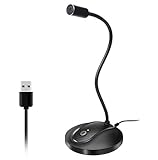
- 360 Degree Position Adjustable Gooseneck Design --Plug and play USB microphone Pick up the sound from 360-degree with high sensitivity, in the best possible location for sound to your PC gaming, dragon voice dictation, and talk to Cortana
- Mute Button & LED Indicator --One-click to mute/unmute your microphone for pc, Build-in LED indicator tells you the working status at any time
- Intelligent Noise-Canceling Tech --Premium omnidirectional condenser microphone with noise-canceling technology can pick up your clear voice and reduce background noise and echo
- USB Plug&Play(1.8/6ft USB Cable) -- No driver required. Just need to plug & play for the microphone to start recording, well compatible with Windows(7, 8, 10 and 11) and macOS. (NOT compatible with Xbox/Raspberry Pi/Android)
- Solid Construction--Adopting premium metal pipe and heavy-duty ABS stand to make sure that you will be satisfied with our computer mic quality
Re-edit and re-upload
An external editor gives you control over the original project, replacement mix, fades, room tone, and transitions. It is the best quality option when you still have the project file and the Studio result is unacceptable. The cost is losing the original upload’s engagement and URL.
When Erase Song is the right choice
Choose it first when the claim is valid, the music is incidental, and preserving speech is important. It is particularly practical for documentaries, commentary, interviews, and explanatory videos where dialogue carries the story and the music is underneath it.
It is a poor fit when the music is the subject—such as a performance, review, dance video, or tutorial—or when the claimed audio is heavily mixed with narration and effects. It is also the wrong first move when you have a license or strong evidence that the claim is mistaken. If you can access the original project, an offline re-edit may sound better than automated processing.
What to do if Erase Song fails
- Review the whole edit. Check dialogue, ambience, effects, and every claim boundary with headphones.
- Try Mute all sound. This sacrifices speech and ambience but is generally more reliable when the song cannot be isolated.
- Try Trim out segment. Use it when the claimed section can disappear without damaging the narrative.
- Try Replace Song. Select a suitable Audio Library track and cover the entire claimed period.
- Dispute instead of editing if you have rights or believe the match is incorrect. Gather licenses, permission records, ownership information, and other relevant evidence first.
- Restore the downloaded original externally if the Studio result is unacceptable, rebuild the soundtrack, and upload a corrected version.
Erase Song cannot guarantee that every trace of music disappears. It also cannot resolve a visual claim, settle ownership, create a license, or protect a future re-upload from another claim.
Quick wins for a faster PC:
Fix the driver behind crashes, sound loss and screen glitchesFind Drivers →Clear out junk files and repair common Windows errorsFree Scan →The 2026 AI-music context
YouTube is also developing tools for replacing and generating music, but these should not be conflated with Erase Song. Erase Song attempts to remove claimed music from an existing upload. Replace Song substitutes other music. Dream Track, documented within YouTube’s Creator Music and Music Assistant ecosystem, generates instrumental ideas from text prompts.
Also popular on Amazon
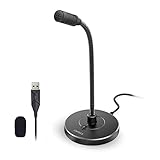
- 【Crystal Clear Audio Quality】Our Omnidirectional pattern condenser microphone accurately captures your voice, making it perfect for dictation, online classrooms, and more.
- 【Active Noise-Cancelling】Come in CMTECK CCS2.0 SMART CHIP with Omnidirectional Polar Pattern, which can effectively block the background noise. The pop filter prevents plosives from overloading the microphone, ensuring only your voice is heard.7
- 【Convenient Mute Button with LED Indicator】You can quickly mute/un-mute the microphone with the Mute Button and the built-in LED light lets you know the working status(Greenlight: Connected; Red light: Mute mode).
- 【Easy to use】 No drivers needed, just plug and record without external power supply, directly connect the microphone to a USB compatible device, well compatible with Windows(7, 8 and 10), Mac OS and PS4 (NOT compatible with Raspberry Pi/Linux/Android)
- 【Mini size with Adjustable Gooseneck】Adopted flexible and adjustable gooseneck metal pipe, easily adjust position 360 degrees to suit user comfort. The compact and stable base maximizes your desktop space.
YouTube’s documentation says Dream Track can produce four loopable instrumental options of approximately 60 seconds. The documented workflow requires an English prompt of up to 85 characters. It does not, by itself, establish that generated music is integrated directly into every Erase Song claim-removal panel.
Dream Track documentation describes the feature as experimental and notes that copyright treatment of AI-generated works is complex and evolving. “AI-generated” should not be treated as a universal guarantee of copyright-free use in every country or context.
Creator Music documentation says Creator Music is available to eligible U.S. creators in the YouTube Partner Program and describes a transition beginning in August 2026 away from paid licenses toward no-cost and revenue-sharing tracks. Availability, terms, and licensing scope can vary, so follow the terms displayed for the specific track and account.
Free tools Windows power users keep installed
One-click scans. No signup required.
Should you buy a music service?
Usually not for a single existing claim. Erase Song, Mute all sound, Trim, Replace Song, and the Audio Library are native YouTube options and may solve the immediate problem without a subscription.
A paid music library becomes more defensible when you need a dependable catalog for future uploads, higher genre depth, off-platform rights, client or advertising use, or a workflow designed to prevent claims before publication. Compare YouTube monetization, Shorts, livestream, podcast, client-work and advertising rights; attribution requirements; Content ID support; geographic availability; subscription dependence; and whether tracks remain licensed after cancellation.
Practical decision rule
- Claim valid and speech matters: Try Erase Song and inspect the complete result.
- Claim valid and reliability matters more than ambience: Mute all sound.
- The scene can disappear: Trim the claimed segment.
- The video needs music: Replace Song with a track that covers the whole claim.
- You have rights or the match is wrong: Preserve evidence and dispute.
- Studio processing damages the mix: Use the downloaded original and re-edit externally.
The Bottom Line
Bottom line: Erase Song is the best first fix for a valid background-music claim when dialogue and sound effects need to survive. Treat it as automated audio separation, not a guarantee. Back up the original before saving, preview the entire affected passage, and switch to mute, trim, replacement, dispute, or an external re-edit when those better match the problem.






Say something about this film