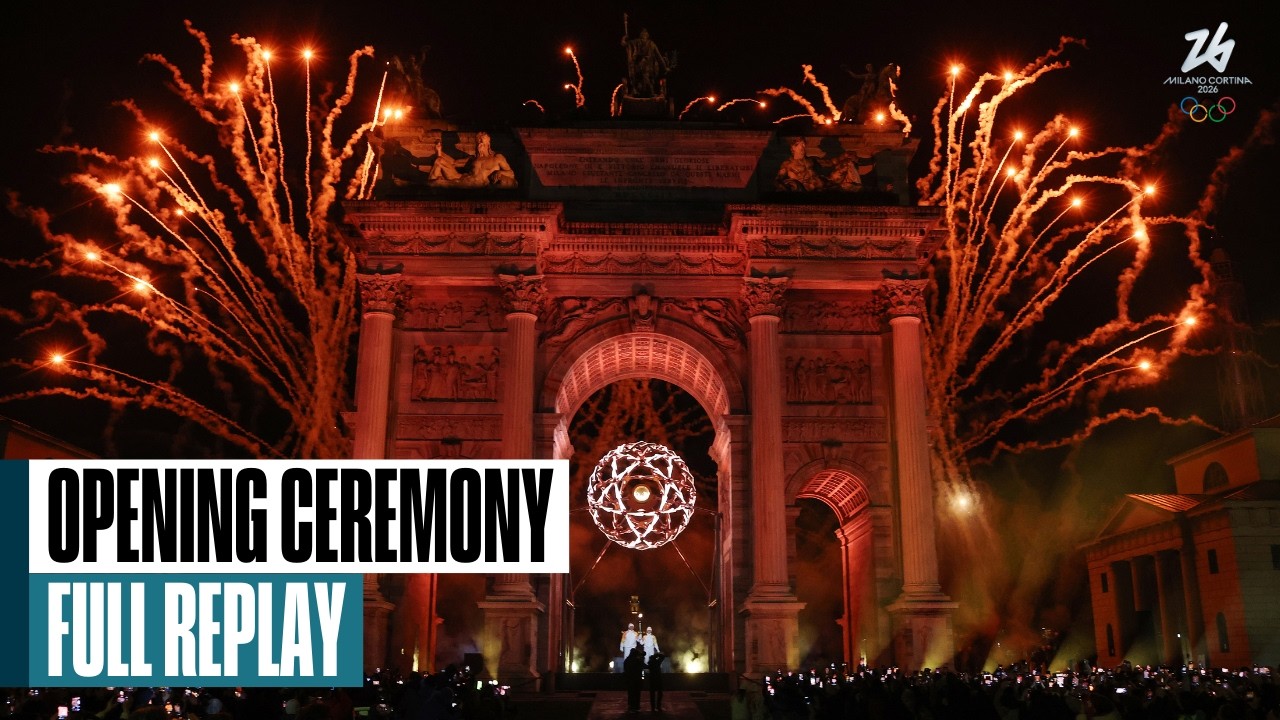
The Milano Cortina 2026 Winter Olympics opening ceremony is no longer live. It took place on Friday, February 6, 2026, at 2 p.m. Eastern Time. A free official replay is currently available through the Olympic channel on YouTube, although replay availability can change.
For viewers in the United States, the original live broadcast was available free over the air through a local NBC affiliate with an antenna. Peacock Premium carried the live stream but was a paid service.
![2008 Olympics: Beijing 2008 Highlights - The Games of the XXIX Olympiad [DVD]](https://m.media-amazon.com/images/I/41UHGH1x8nL._SL160_.jpg)


![2008 Olympics: Michael Phelps - Inside Story of the Beijing Games [DVD]](https://m.media-amazon.com/images/I/51-C4YAzzkL._SL160_.jpg)
Watch the official replay for free
Use the official Milano Cortina Olympic ceremony replay on YouTube. This is a replay, not a live stream. Availability may vary by territory and can change because of broadcast, music, or other rights restrictions.
If that video is unavailable, check the NBC Olympics opening ceremony page, the NBC Olympics coverage hub, Peacock’s Olympics section, and the official Olympic video channels.
Quick wins for a faster PC:
Clear out junk files and repair common Windows errorsFree Scan →Scan for outdated or missing drivers - takes under a minuteDriver Scan →Repair Windows errors before they cause bigger problemsFix Now →#1 Best Overall
When was the 2026 opening ceremony?
- Date: Friday, February 6, 2026
- Live U.S. broadcast: 2 p.m. ET
- NBC primetime replay: 8 p.m. ET/PT
- Venue: San Siro Olympic Stadium in Milan
- Local Italian time: 8 p.m. in Italy
NBC and Peacock carried the U.S. presentation. The live event has ended, so current viewers should look for an official replay rather than a live feed. See the original NBC schedule for the broadcast details.
How Americans watched for free with an antenna
The genuinely free live-TV option was a local NBC affiliate received over the air. This required an antenna and a receivable NBC signal at the viewer’s address. It did not require cable, satellite television, or a Peacock subscription.
“Free” means no recurring streaming payment. An antenna may still involve a one-time purchase, and reception depends on location, terrain, building materials, antenna placement, and local affiliate coverage.
Rank #2
- Connect an indoor or outdoor antenna to the television.
- Run the television’s channel scan.
- Confirm the local NBC channel in the guide.
- Tune to NBC at the scheduled broadcast time.
If NBC did not appear, rescan the channels and try positioning the antenna near a window or higher on a wall. Not every U.S. household can receive a reliable local NBC signal.
How Peacock carried the ceremony
Peacock Premium included the NBC Olympic broadcast, ceremonies, Olympic sports sessions, medal ceremonies, and replays during the Games. The Peacock plans page listed Premium at $10.99 per month or $109.99 per year when checked on August 18, 2026. Prices and plan terms can change.
Peacock Premium was not a free plan for ordinary new subscribers. Peacock Premium Plus was unnecessary solely for the ceremony, while the Select plan excluded sports and was not the appropriate plan for live Olympic coverage. Check the official Peacock plans page for current availability and pricing.
To look for a replay:
- Open the Peacock website or app.
- Sign in to an eligible Premium account.
- Search for “Opening Ceremony” or open the Olympics hub.
- Select the replay if it remains in the catalog.
Because the ceremony has already aired, do not assume that the original live feed is still available on Peacock.
Watching with cable or live-TV credentials
Viewers with an eligible participating pay-TV subscription could authenticate on NBCOlympics.com, NBC.com, the NBC app, or the NBC Sports app. The apps and websites may be free to download or visit, but the live Olympic stream was not necessarily unrestricted: access could require a cable, satellite, or live-TV provider login.
Recommended Free Tools
- Open NBCOlympics.com, NBC.com, or an NBC app.
- Choose the Olympics or live-TV section.
- Select the ceremony feed or available replay.
- Choose your television provider.
- Enter the provider username and password.
If your provider was unsupported or authentication failed, the alternatives were a local NBC broadcast, Peacock, or an official replay. Do not confuse a free NBC app with a universally free Olympic livestream.
Why the U.S. feed may differ from the Olympic replay
The NBC presentation and an official Olympic video may not be identical. NBC’s version can include its own hosts, commentary, editing, and commercial structure. The Olympic replay may use a different presentation or have different music and rights limitations.
Independent reader supportYour contribution helps us test, update, and keep practical guides available for everyone.Viewers outside the United States
The NBC and Peacock options apply to the U.S. market. Olympic streaming rights vary by country, so viewers in Canada, the United Kingdom, Australia, Italy, and elsewhere should use the official Olympics or Milano Cortina website and the rights-holding broadcaster in their country.
Do not assume that a U.S. service will work abroad, and do not treat a VPN as an official or guaranteed way to bypass geographic restrictions.
Do these 3 things before closing this tab:
1Clear out junk files and repair common Windows errors2Fix the driver behind crashes, sound loss and screen glitches3Repair Windows errors before they cause bigger problemsWhat to do if the replay disappears
Replay rights are time-sensitive. A video can be removed or altered because of music licensing, broadcast rights, or territorial restrictions. If the YouTube replay is unavailable, check these official destinations:
- The official Olympic YouTube channel
- NBC Olympics’ opening ceremony page
- NBC Olympics’ coverage hub
- Peacock’s current Olympics hub
Which option made the most sense?
| Situation | Best route | Trade-off |
|---|---|---|
| Reliable local NBC signal | Antenna | Reception varies and there is no on-demand convenience. |
| Already subscribed to Peacock | Peacock | Requires an active eligible plan. |
| Has cable or live TV | NBC website or apps | Provider authentication may be required. |
| Missed the live event | Official Olympic replay | Availability can change. |
| Wants the full Olympic schedule | Peacock Premium | Paid service and unnecessary for a single free replay. |
A full live-TV package was generally poor value for this one-off event, particularly after the ceremony had ended. Its NBC availability also varies by ZIP code and provider.
Quick Recap
Product prices and availability are accurate as of the date/time indicated and are subject to change. Any price and availability information displayed on Amazon at the time of purchase will apply.






Say something about this film