Crashes, No Sound, or Screen Glitches?
Random freezes, missing sound and display glitches usually trace back to one bad driver. Find and replace yours safely.Free scan · under a minutePC Slower Than It Used to Be?
A free scan shows the junk files, broken settings and background clutter dragging Windows down - then fixes them in one click.Free scan · Windows 10 & 11Some links on this page are affiliate links: if you buy through them we may earn a commission, at no extra cost to you.
Radio Garden is an interactive globe for discovering live internet-radio streams. Rotate the Earth, tap a green marker, choose a station, and hear what is being broadcast in that place right now. It is not an online AM/FM receiver and it cannot pick up every terrestrial station: a broadcaster must provide a usable internet stream and be included in Radio Garden’s directory.
The “free from the internet’s sin” idea is therefore metaphorical. Radio Garden is completely dependent on the internet, and it now includes advertising, analytics, curated playlists, search and a Premium subscription. Its escape is from a particular way of using the web: instead of being fed content selected for your profile, you can wander into something live, distant, irrelevant and unexpected.
Radio Garden at a glance
| Question | Current answer |
|---|---|
| What is it? | A globe-based directory and player for live online radio. |
| What do the green dots represent? | Cities or towns. A location can contain several stations. |
| How large is it? | As of August 10, 2026, the official site says its collection contains more than 40,000 stations, while its search page lists 223 countries. These are changing directory figures, not a permanent guarantee. |
| Does it require the internet? | Yes. The website requires JavaScript and a live data connection; the service does not receive over-the-air radio or offer ordinary offline listening. |
| Is it free? | Basic access is free, but the apps contain advertising and in-app purchases. Radio Garden Premium is also available. |
| Is every station available everywhere? | No. Streams can fail, broadcasters can impose restrictions, and licensing rules can block international listening in some territories. |
The figures and product description come from Radio Garden’s current About page and search interface. Because stations, apps and regional policies change, treat them as a snapshot rather than a specification.
What’s actually slowing this PC down?
Pick the symptom - the matching free tool is one click away.
How to use Radio Garden in two minutes
- Open radio.garden in a modern browser and allow JavaScript. Without JavaScript, the web application will not work correctly.
- Rotate the globe by dragging it. Zoom in to see denser groups of locations.
- Select a green marker. The marker represents a city or town, not necessarily one individual transmitter or one station.
- Choose a station from the list for that location. Playback begins from the station’s online stream.
- Use Search when exploring the map is inefficient. The current search field accepts Country, City, Station, which is the quickest route to a broadcaster you already have in mind.
- Tap the heart icon to save a station, location or playlist to Favorites. Saved items are available through the Favorites page.
- Open Browse for editorially assembled ways into the collection. Current themes include Rare Tongues, Radio Diaspora, Musical Roots, Time Travel, Independent Sounds and Curiosa Cabinet.
In Settings, listeners can change the interface language, dark mode, contrast, globe-dot size and globe quality. Settings also includes Transfer Favorites, which lets a listener move saved items with a transfer code. On mobile, playback can continue while the phone is asleep, according to the official Android listing.
Popular on Amazon

- [ 5-in-1 Functionality ] Experience unparalleled versatility with our FM Radio Bluetooth Speaker, allowing you to enjoy your favorite FM radio stations, stream music via Bluetooth, and play audio from USB drives, SD cards, or AUX inputs. It also features voice recording capabilities for USB/SD cards.
- [ Incredible Sound Quality ] Experience powerful, well-balanced sound with our Bluetooth Speaker FM Radio, featuring two built-in 5W drivers and advanced technology that minimizes distortion, allowing you to enjoy music in crystal-clear sound quality.
- [ Versatile FM Radio Functionality ] Tune into your favorite FM radio stations with enhanced reception capabilities (87.5-108MHz). Utilize numeric keys or the auto-scan feature to instantly find available stations, making it a truly user-friendly digital FM radio.
- [ Seamless Bluetooth Connectivity ] Equipped with Bluetooth 5.0 technology, our Bluetooth radio offers stable wireless connectivity up to 33 feet, ensuring quick pairing with smartphones, tablets, laptops, and other Bluetooth devices.
- [ Multiple Playback Options ] This MP3 player speaker supports music playback from various sources, including USB drives, SD cards and AUX input, giving you the flexibility to enjoy your favorite tunes on-the-go with ease.
A good first experiment
For the experience Radio Garden is best at, do not begin with a familiar city or genre. Spin the globe, stop somewhere you know nothing about, select a marker and stay with the broadcast for a few minutes. You may hear local news, a religious service, a football discussion, a talk show, advertisements, music or a language you cannot identify. That lack of certainty is not a defect in the experience; it is the point of the wandering mode.
What the globe actually represents
Radio Garden turns a directory of streams into a spatial interface. The dots are anchored to places, but they should not be read as a precise engineering map of every radio transmitter on Earth. A dot may stand for a city associated with one or more online stations. The directory may place an entry near a town even when the broadcaster’s studio, transmitter and registered location are not exactly the same point.
A station appears only when several conditions line up:
- the broadcaster has a stream that can be reached online;
- Radio Garden has found or received that stream;
- the station has been added to the directory; and
- the stream is currently functioning and available to the listener’s network and region.
This explains why Radio Garden can feel remarkably global without being comprehensive. It is a map of accessible, catalogued online radio, not a universal map of AM, FM, shortwave and internet broadcasters. A station that exists over the air but does not stream online will not become audible merely because its transmitter is visible on a geographical map.
The audio is live rather than on demand. You cannot generally choose the song that was played ten minutes ago, skip an unwanted segment or expect a fixed genre. A station’s identity is also more than its music: the accent of a presenter, an advertisement for a local business, a traffic bulletin or a weather report can provide the sense of place that a playlist service usually removes.
Why listening by location feels different
Most online audio services ask a listener to choose an artist, genre, mood or program. Radio Garden asks a different question: Where should we listen? The globe makes geography an act of selection. Moving from one city to another is not simply changing channels; it is moving between media environments shaped by language, local politics, religion, migration, memory and taste.
That makes the service useful for several kinds of listening:
Quick wins for a faster PC:
Clear out junk files and repair common Windows errorsFree Scan →Scan for outdated or missing drivers - takes under a minuteDriver Scan →- Serendipitous discovery: the map encourages accidents that a carefully optimized recommendation list may never produce.
- Language exposure: live speech, accents, music and local broadcasts can supplement more structured language study, although the material may be fast, unscripted or difficult to identify.
- Diaspora listening: people looking for a station associated with a home country or community may find programming that is difficult to encounter in a mainstream directory.
- Local context: a station can reveal what a place sounds like through its presenters, jingles, advertisements and recurring public information.
- Music discovery: unfamiliar stations provide programming that is not necessarily selected to resemble previous listening habits.
- Research and teaching: the globe offers an accessible way to discuss broadcasting, borders, migration and the relationship between a community and its media.
There are limits to the cultural promise. A station may be automated, aimed at an international audience, inaccurately labelled or temporarily carrying a syndicated feed. Radio Garden does not guarantee that every broadcast is locally produced or that one station represents an entire city or country.
Where Radio Garden came from
Radio Garden began in 2016 as a commissioned media-research and exhibition project connected with the Netherlands Institute for Sound and Vision’s Transnational Radio Encounters research project. It was created by designer and developer Jonathan Puckey with Moniker. The original concept explored how radio can bring distant voices closer and how broadcasting relates to place, identity, migration, memory and borders. Moniker’s project history describes the globe as more than a visual novelty: it was a way to make transnational radio encounters tangible.
The project’s public history is important because older descriptions often leave the impression that the Netherlands Institute for Sound and Vision still operates the current service. Radio Garden’s own account gives this timeline:
- 2016: the website launched.
- 2017: Moniker transferred Radio Garden to Studio Puckey.
- 2018: native iOS and Android apps launched.
- 2019: search for stations and locations was added, and Jonathan Puckey began operating the service independently.
- 2020: the product received a major mobile-first redesign.
- 2021: the Browse section and curated playlists were introduced.
- 2023: Radio Garden Premium launched for iOS and Android.
The current service is therefore best described as an independently operated product with roots in a research and exhibition commission, rather than simply as a museum installation or a nonprofit app.
Do these 3 things before closing this tab:
1Clear out junk files and repair common Windows errors2Scan for outdated or missing drivers - takes under a minute3Repair Windows errors before they cause bigger problemsWhat “free from the internet’s sin” means
The phrase comes from James Vincent’s July 2017 Verge article, “Welcome to Radio Garden, free from the internet’s sin”. The original argument was that drifting through live radio could feel like relief from a web increasingly organized around targeted advertising, personalized content and the capture of attention.
That argument still works, but it needs updating. Radio Garden is not outside the web’s commercial or technical systems:
- it depends on internet connectivity, hosting and third-party streaming infrastructure;
- the apps contain visual advertising;
- the service uses analytics and other technical tools;
- it offers curated playlists and popular-station sections;
- it has search, saved favorites and a Premium tier.
So this is not a “no algorithm” or “no tracking” sanctuary. It is better described as less personalized and more spatially exploratory than services built primarily around an individual listening history. Its distinctive pleasure is irrelevance. The station may not match your taste, language, location or previous behavior, and it may not be selected because a system predicts that you will keep listening.
That distinction matters. Radio Garden does not eliminate the internet’s problems; it offers a different relationship with attention. Instead of asking what content will maximize engagement for this particular user, it lets a listener encounter a broadcast that was already happening for people somewhere else.
Free tools Windows power users keep installed
One-click scans. No signup required.
Also popular on Amazon

- 60W High-Power Wireless Speaker - Provides powerful sound over 5.25" woofer and 2" tweeter, ideal for indoor and outdoor parties, karaoke, tailgating, travel, dancing, family gatherings and more
- Seamless Bluetooth Streaming - Easily stream and control your music wirelessly to this portable speaker up to 100ft via Bluetooth 5.3 or plug in a USB thumb drive for music playback
- Music On The Go - Featuring a rechargeable battery lasting up to 15 hours, plus a built-in handle and IPX5 water-resistant rating the fun moments are guaranteed no matter the weather
- The Full Package - Crank up the onboard FM radio with presets to never miss a game again; Plug-in a microphone and use it for public speaking, karaoke, parties, weddings and other events
- ION Sound Control App - Easily set your favorite radio presets, lets you control the volume and EQ, as well as get the latest firmware updates right from your Android/iOS device
Is Radio Garden free?
Basic access to the website and apps is free to start. But “free” should not be confused with ad-free, tracking-free or cost-free in every sense.
The official Android listing marks Radio Garden as Contains ads and In-app purchases. Radio Garden’s own history records the introduction of Premium in 2023. The iOS listing and release information describe Premium as removing visual advertising and adding features including a sleep timer; exact features, prices and billing options can vary by store and country, so check the current iOS listing or Android listing before subscribing.
There are two kinds of advertising to distinguish:
- Radio Garden’s own advertising: visual advertising in the product, which Premium may remove according to the platform description.
- Station advertising: commercials inserted by the broadcaster into its live stream. Paying for Radio Garden Premium does not necessarily remove audio advertisements produced or carried by the station.
Apps and mobile listening
Radio Garden has official Android and iOS apps. The Android store listing identifies the developer as Radio Garden B.V. and, in the store information checked for this review, reports more than 10 million downloads, a 4.4-star rating, advertising and in-app purchases. It lists September 23, 2025 as the last update shown there.
The iOS product is called Radio Garden Live. The current App Store information checked for this review lists iOS and iPadOS 12 or later as the requirement and shows version 3.0.2 dated October 21, 2023. App-store ratings, prices, availability and update dates vary by region and can change after publication.
The Tool Desk
Outbyte PC Repair FREERepair Windows errors before they cause bigger problemsFix Now →Outbyte Driver Updater FREEFix the driver behind crashes, sound loss and screen glitchesFind Drivers →Mobile playback is useful when the phone is locked or the screen is asleep. It still requires an active connection to the stream, however. Background playback is not the same as downloading a station for a flight or an area without coverage.
Why a station may not play
A failed station does not automatically mean Radio Garden is down. Live radio has several separate points of failure:
- the broadcaster’s stream may be temporarily offline;
- the station may have changed its stream address;
- the broadcaster may have stopped broadcasting but the directory entry may remain;
- the station may be unavailable in your country;
- your browser, device, network, content blocker or firewall may interfere with playback;
- the station may be listed under an unexpected city, spelling or broadcaster name;
- the map location or station metadata may not precisely match the physical transmitter or studio.
Radio Garden says it adds stations and updates entries that no longer work. Its submission and correction page accepts missing stations and corrections to existing listings.
A practical troubleshooting sequence
- Reload the station and wait briefly for the stream to reconnect.
- Try another station in the same city. If that works, the problem may belong to the first broadcaster rather than the service.
- Search for the broadcaster’s official website and test its own player. This is the best way to distinguish a dead directory link from a station that is actually off the air.
- Try Radio Garden in another browser or in the official mobile app. Confirm that JavaScript is enabled and temporarily check whether a content blocker or restrictive network is involved.
- Search by country, city and station name rather than relying only on the dot’s apparent position.
- If the station is genuinely missing or outdated, submit it or request a correction through Radio Garden’s form.
A dead Radio Garden entry is not proof that the station itself has closed. Conversely, a station being listed is not proof that it is currently operational or reachable from every country.
Geographic, licensing and legal restrictions
“Worldwide” describes Radio Garden’s scope and ambition, not guaranteed access from every location. Individual broadcasters may limit their streams, and copyright and neighboring-rights rules can affect international availability.
The clearest current example is the United Kingdom. Radio Garden’s official UK statement says that users in the UK are restricted from accessing international stations—stations outside the UK—because of licensing, copyright and neighboring-rights issues. The restriction was initially described as temporary but has been extended indefinitely, according to that statement.
There is also a historical, region-specific report concerning Turkey. In a January 2022 response on Google Play, a Radio Garden developer said that the Turkish government had blocked internet access to the service. That is not a reliable description of the situation in 2026: a current official status page was not identified, so readers in Turkey should check present local access rather than treating the old response as current policy.
Using a VPN to evade a regional block is not a universally safe or lawful solution. It may conflict with local law, a service’s terms or the licensing arrangements behind a stream, and the legal position can change. Safer alternatives are to visit the broadcaster’s own website, use its official app, find a separately licensed international stream or choose another legitimate directory.
Radio Garden is an interface to streams; its listing should not be read as a blanket statement that every piece of music or program is licensed for every territory. The existence of regional restrictions is evidence that those rights questions are material.
Privacy, analytics and the cost of convenience
Radio Garden should not be described as private, tracking-free or free of advertising. Its published privacy policy is dated July 1, 2019, which makes it useful background but potentially stale. The policy says the service may collect an email address, cookies, IP address, browser and device information, usage data, unique device identifiers and diagnostic information. It names Cloudflare, Google Analytics, Google AdSense and Google AdMob among its service providers or advertising and analytics tools.
App-store privacy disclosures provide a newer, platform-specific view, though they too are declarations by the developer and store systems rather than an independent audit. Apple’s listing says the iOS app may use coarse location, device identifiers, usage data, advertising data and diagnostics for advertising, analytics, personalization and app functionality. Google Play separately reports that the Android app may share app activity, app information and performance data and device or other IDs, and may collect financial information and app activity.
If privacy is a deciding factor, read the current policy and the disclosures for your own store and region before installing. Browser privacy controls may reduce some forms of advertising or analytics, but they can also interfere with playback. Premium may remove visual advertising; it should not be assumed to remove every data collection mechanism or the advertisements carried inside a station’s audio stream.
Also popular on Amazon
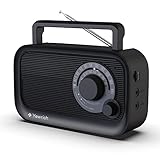
- 【Strong AM/FM Radio Reception 】Equipped with a powerful DSP chip and a retractable antenna, radios portable AM FM has the excellent and stable signal quality to receive your favorite channel, like WWRC, talk shows, sports games, other local radio, etc. Frequency range:FM 87.5-108MHz , AM 520-1710kHz
- 【Enjoy Your Favorite Music】This small portable radio has a Bluetooth speaker function that hooks up to your phone in less than one second. You will easily play your favorite classic, country, and rock music by Bluetooth. Just enjoy a relaxed time with this Bluetooth speaker radio
- 【Clarity and Breathtaking Sound】With built in precision large speaker, You can even easy to the hear the clear sounds without any distortion in another room. This handheld outdoor am/fm radio with best reception is a good choice perfect for rest, family, outdoor walks in the park
- 【Two Types of Power Source】You’ll need AC 110V power for you to plug the charging cable(include) in the wall to enjoy the radio the whole day when in the bedroom, kitchen, or office. When you are outdoor, inserts 4 AA Cell batteries(not included) in the battery operated radio so that you can connect and get broadcast news or music in real-time
- 【A perfect gift for your loved ones】Simple and elegant function design, large dial tune knob easy to use, good hand feeling handle easy to carry, very friendly for elder people. This am fm shortwave radio case is made in the premium ABS materials, good solid build is sturdy and durable. It is the best choice to get a small portable AM FM radio for your parents or grandparents in your family
How Radio Garden compares with alternatives
Radio Garden is strongest when the listener wants to browse by place and accept surprises. It is not necessarily the best tool for every radio task.
| Alternative | Best for | Trade-off compared with Radio Garden |
|---|---|---|
| Broadcaster’s own website or app | Finding a known station, checking its schedule, confirming stream status and learning its regional policy. | Usually authoritative, but lacks Radio Garden’s globe-based discovery and may have its own geographic restrictions. |
| Radio Browser | Filtering by country, language, genre, codec and technical metadata; developers can also consult its open directory/API documentation. | More database-like and technically useful, less immediately evocative than spinning a globe. |
| TuneIn | Mainstream radio, podcasts, sports, connected-device support and a broad app ecosystem. | Its support materials currently claim access to 100,000 real radio stations and 5.7 million podcasts in the free app, with Premium as an upgrade. It is designed more as a large content platform than as a geographic wandering experience. |
| myTuner | Searching by country, city or genre, background playback and managing favorites. | Its App Store listing claims more than 50,000 stations in over 200 countries and territories. Those are provider-reported figures and should be dated; the service emphasizes directory breadth over Radio Garden’s visual sense of place. |
If you already know the station, start with the broadcaster. If you need filters or technical stream information, try Radio Browser. If you want podcasts, sports and mainstream device integration, TuneIn may be more suitable. If you want to see where a live broadcast comes from and discover something you did not know to search for, Radio Garden remains unusually compelling.
What older coverage gets wrong
Radio Garden has been widely covered since its launch, but several descriptions have aged out of accuracy.
The station count
Early coverage from 2016 and 2017 often cited approximately 8,000 stations. The Guardian’s launch-era report described more than 8,000 and noted that the collection was not comprehensive. The official site now says more than 40,000. Both figures can be correct when tied to their dates; neither should be presented as an eternal number.
Recommended Free Tools
The operator
The Netherlands Institute for Sound and Vision is central to the project’s origin, but Radio Garden’s current About page says Jonathan Puckey has operated the service independently since 2019. Calling the present service simply a Sound and Vision project is incomplete.
Every dot is not a station
Some early descriptions called each dot a feed. The current Android description gives the more useful explanation: every green dot represents a city or town, and tapping it reveals stations broadcasting from that place. A dot and a station are not interchangeable.
The old interface
Early accounts emphasized sections such as Live, History, Jingles and Stories. Those features belong to the project’s earlier exhibition and product history. The current public navigation prominently exposes Explore, Favorites, Browse, Search and Settings. Historical descriptions should not be treated as a screenshot of the current interface.
“Free” and “worldwide”
Both words need qualification. Basic access is free, but advertising, analytics and Premium are part of the current product. The directory is global in reach, but not every station is available from every country, and the UK restriction makes an unqualified claim of universal access inaccurate.
Who should use Radio Garden?
Radio Garden is a strong choice if you want:
- serendipity rather than maximum optimization;
- live broadcasts rather than on-demand music;
- local voices, languages and diaspora programming;
- a visual, geographic way to explore radio;
- an easy starting point for cultural or documentary research.
It is a weaker choice if you need:
- guaranteed uptime for a particular station;
- offline listening or downloads;
- recording, replay or the ability to skip live content;
- advanced technical filtering and consistently accurate metadata;
- universal access from every country;
- a listening experience without advertising or data-related trade-offs.
Its enduring value is not that it contains every radio station or that it has escaped the commercial internet. It is that the globe changes the listener’s posture. Search and recommendation systems ask what you want. Radio Garden sometimes asks you to listen before you know what you want.
Frequently Asked Questions
Can Radio Garden receive FM, AM or shortwave radio directly?
No. Radio Garden plays live internet streams supplied by broadcasters or internet-only stations. It does not turn a phone or browser into an over-the-air radio receiver, and a terrestrial station without an online stream will not necessarily appear.
Why is a station listed but not playing?
The broadcaster’s stream may be offline or changed, the station may have ceased operation, your network or browser may be interfering, or the stream may be unavailable in your country. Test the broadcaster’s official website, try another Radio Garden station and report an outdated listing through the submission and correction form.
Can I use Radio Garden outside my home country?
Sometimes, but not universally. Stream-level licensing and national restrictions apply. Radio Garden’s official UK statement says UK users cannot access stations outside the UK, and other regions may have separate access problems.
Do these 3 things before closing this tab:
1Scan for outdated or missing drivers - takes under a minute2Clear out junk files and repair common Windows errors3Fix the driver behind crashes, sound loss and screen glitchesDoes Radio Garden work without an internet connection?
No. The website and apps need an internet connection to load the service and receive a live stream. Mobile background playback can continue while the phone is asleep, but that is not offline listening.
The Bottom Line
Radio Garden is best understood as a map of live, reachable online radio—not a complete map of the world’s transmitters. Its globe remains a powerful antidote to highly personalized listening because it makes room for accident, distance and broadcasts that were not chosen for you. But the service is not technically or commercially pure: it has ads, analytics, Premium, broken streams and regional restrictions. “Free from the internet’s sin” means free to wander differently, not free from the internet itself.






Say something about this film