Some links on this page are affiliate links: if you buy through them we may earn a commission, at no extra cost to you.
Netflix can sometimes be shared through Discord, but it is not a reliable or officially integrated feature. The most common result is a black video area while audio continues, because protected Netflix playback may not be exposed to Discord’s capture system.
For most groups, the best solution in 2026 is to use Teleparty for synchronized Netflix playback and Discord for voice chat. Everyone watches Netflix locally, avoiding the screen-capture conflict altogether. If you specifically want video inside Discord, try browser-window sharing first—but treat it as a best-effort option, not a guaranteed fix.
Quick comparison
| Method | Video appears in Discord? | Reliability | Cost | Best for | Main drawback |
|---|---|---|---|---|---|
| Teleparty + Discord voice | No; playback is local | Highest | Free option; Premium available | Most watch parties | Everyone needs legitimate streaming access |
| Manual synchronized playback | No; playback is local | High | No extra tool | Simple, free setup | Playback can drift |
| Netflix browser-window share | Yes, if capture works | Variable | Discord account; Nitro optional | An actual Discord stream | Black-screen failures are common |
| Entire-display share | Yes, if capture works | Variable | Discord account; Nitro optional | When window capture fails | Can expose private notifications and windows |
| Advanced capture setup | Possibly | Low for general users | May require hardware | Experienced technical users | Complexity, compatibility, DRM and rights concerns |
Discord supports screen sharing in direct messages and server voice channels, and its support documentation says voice chats can support up to 50 people sharing video or a screen. That capability does not guarantee that Netflix’s protected video will be visible to viewers. Discord’s screen-share documentation explains the available controls.
1. Use Teleparty with Discord voice
Teleparty is the best overall method. It synchronizes playback while each participant receives the Netflix video directly on their own device. Discord remains the voice channel for conversation, so Netflix does not have to pass through Discord’s capture and re-encoding pipeline.
Popular on Amazon
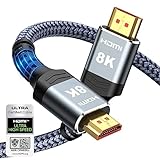
- Top Technology--8K@60HZ: This 8K Ultra-High Speed 2.1 HDMI Cable uses the most cutting-edge technology, which is compatible with 8K@60HZ,4K@240HZ and 4K@120HZ clearly displays every particle, and accurately processes every signal source.
- Upgrade Revolution: Highwings Ultra High Speed HDMI Cable 2.1 8K supports 48Gbps (6GB/s) which can will no longer be stuck or dropped frames when watching video. It is also backward compatible with HDMI 2.0b/2.0a/1.4/1.3/1.2/1.1 versions.
- For Game Enthusiasts: This 8K Ultra High Speed HDMI Cable 2.1 can achieve a super smooth picture of 4K@120HZ. Its latest game mode supports variable refresh rate, maximizes the value of the graphics card and CPU to obtain a smoother and more detailed picture.
- Reinforced high-quality materials: This 8K HDMI Cord uses Highwings' most popular classic style. The tail's anti-bending design has been upgraded to make it more durable. The military grade tensile nylon material also greatly extends its life.
- The ultimate perfectionist: Highwings every parts of the cable has been put through rigorous the performance tests in the laboratory. After we've combined every flawless part into a perfect 8K cable and it can be presented to you.
How to set it up
- Install Teleparty from its official support page or a supported browser or app channel.
- Open Netflix and sign in.
- Choose the movie or episode you want to watch.
- Start a Teleparty session.
- Copy the party link and post it in your Discord voice channel or a direct message.
- Have everyone open the link and join the session.
- Join the same Discord voice channel for conversation.
- Confirm that playback is synchronized before starting the movie.
Teleparty says participants need access to the relevant streaming service, and their account plans must allow the required simultaneous viewing arrangement. The title must also be available in each participant’s country. Its free version supports basic synchronization and text chat on supported services. The support page displayed Premium pricing of $6.59 per month or $3.99 per month when billed annually when checked in August 2026; prices can vary by country, currency, taxes and checkout platform.
Why it is usually better: each viewer receives the video directly, quality is not limited by one host’s upload connection, and a black Discord stream does not interrupt the movie. The trade-off is that this is not an actual Netflix broadcast inside Discord, and everyone needs appropriate Netflix access.
2. Synchronize Netflix manually in a Discord voice channel
If Teleparty is unavailable or you do not want another extension or subscription, manual synchronization is the most compatible fallback.
- Confirm that everyone can legally access the same Netflix title.
- Join the same Discord voice channel.
- Choose one person as the timekeeper.
- Open Netflix locally on each device and pause at the same starting point.
- Count down—for example, “3, 2, 1, play.”
- If someone falls behind, announce a timestamp and pause briefly so the group can resynchronize.
Use Discord’s mute, push-to-talk and voice-activity controls to reduce background noise. This method works well across different desktop operating systems and is also the most practical option for people watching on phones or tablets.
The disadvantages are straightforward: there is no shared video feed, playback can drift, and subtitles, audio tracks or regional availability may differ between viewers.
3. Share the Netflix browser window through Discord
This is the simplest way to attempt a genuine Netflix stream inside Discord. It is also the method most likely to produce a black rectangle with working audio.
Also popular on Amazon

- 【HDMI 2.1 Certification】Only 1% of HDMI cables on the market have passed HDMI 2.1 certification. Scan with the QR code Scanner app for verification
- 【120Hz/144Hz Gaming Excellence】Elevate your gaming experience with smooth 4K@120Hz gameplay for PS5 and Xbox, and ultra-responsive 4K@144Hz for PC. Whether you’re pushing your console or PC to the limit, enjoy unparalleled performance across all platforms(Requires game to support 4K@120Hz)
- 【Exclusive "E-Braid" Technology】Experience unprecedented durability with our unique double-layer fishnet winding and nylon braiding techniques. Copper cores and ferrite magnetic beads ensure uninterrupted signals, eliminating black screens and flickering
- 【HDMI 2.1-48Gbps Bandwidth】Unleash the full potential of your devices with lightning-fast data transfer rates, ensuring seamless connectivity for all your high-definition needs
- 【Next-Level Resolution Support】Dive into the future with support for mind-blowing resolutions, including 10K 8K@60Hz, 12-bit; 5K@120Hz/90Hz, 12-bit; 4K@144Hz/120Hz, 12-bit; and 2K@240Hz/165Hz
- Open Netflix in a desktop browser on Windows or macOS.
- Join a Discord direct-message call or server voice channel.
- Select Share Screen or Go Live.
- Choose the Netflix browser window from the application list.
- Select the available resolution and frame-rate options.
- Start the stream and ask a viewer to confirm both picture and audio.
Test with a short section before beginning the movie. If viewers see a black video area, repeated restarts are unlikely to make this a dependable setup. Switch to the troubleshooting flow below or use synchronized local playback.
Recommended Free Tools
Window sharing keeps the stream focused on the browser and avoids exposing your whole desktop. However, results vary with the browser, Discord client, graphics hardware, operating system, drivers and current Netflix playback behavior.
4. Share the entire display
When application-window capture fails, sharing the entire monitor can be worth one controlled test. Discord captures the display rather than trying to isolate the browser window.
- Place Netflix in a normal browser window on the monitor you intend to share.
- Close unrelated applications and disable desktop notifications.
- Join the Discord voice channel and select Share Screen.
- Choose the display containing Netflix.
- Start the stream and verify the picture and audio with a viewer.
Privacy warning: entire-display sharing can reveal email, messages, passwords, documents, browser tabs and notifications. Use a separate display or clean desktop where possible.
This capture path may work when browser-window sharing does not, but it is not immune to Netflix’s protected playback restrictions. It can also use more bandwidth and may reduce stream quality.
5. Advanced capture or second-device setups
Experienced users may consider a second-device workflow, production software such as OBS, or a capture device. These setups can be useful for legitimate video sources and non-protected content, but they are not a guaranteed solution for Netflix.
Also popular on Amazon

- Superior Display, Swift Connectivity: Elevate your viewing experience to unparalleled clarity with 8K@60Hz, and enjoy smoother visuals and reduced lag with support for 4K@120Hz and 4K@60Hz.
- Quick and Seamless Video Transfer: With the latest HDMI technology, stream or transfer videos without interruptions, and witness the power of up to 48 Gbps in bandwidth, ensuring consistently clear content.
- Lasts Longer, Performs Stronger: This cable is designed to withstand up to 1,000 bends throughout its lifespan, meaning fewer replacements and continuous peace of mind.
- One Cable, Many Solutions: Whether you're connecting tablets, laptops, HDMI devices, projectors, or desktop screens, this cable effortlessly connects them all.
- What You Get: HDMI Cable (6 ft, 8K), welcome guide, 18-month warranty, and our friendly customer service.
Protected-content restrictions, HDCP, drivers, cables, displays and hardware compatibility can all prevent a usable capture. Netflix’s HDCP troubleshooting guidance describes protected-content errors involving hardware and connection paths.
This is also the least suitable option for an ordinary watch party. It costs more, takes longer to configure and can raise copyright, licensing and terms-of-service concerns. Do not treat capture hardware or OBS as permission to defeat DRM or HDCP, and do not use instructions intended to bypass access controls or redistribute protected content.
Why Netflix appears as a black screen
Netflix playback is protected against unauthorized capture and copying. Depending on the browser, device and graphics path, Discord may be able to see the browser window while being unable to capture the video layer. Hardware or graphics acceleration can also affect how the video is rendered.
Quick wins for a faster PC:
Fix the driver behind crashes, sound loss and screen glitchesFind Drivers →Clear out junk files and repair common Windows errorsFree Scan →Scan for outdated or missing drivers - takes under a minuteDriver Scan →Other possible factors include an incompatible Discord capture path, outdated graphics drivers, display-chain problems and HDCP issues. These variables differ between Windows and macOS, browsers, GPUs, monitors and Discord builds. Netflix documents separate troubleshooting for black screens with sound, black screens without sound and HDCP errors.
There is no universal browser setting that makes Netflix reliably capturable. In particular, disabling hardware acceleration does not mean that Netflix DRM has been disabled.
Black-screen troubleshooting
Black screen with audio
- Stop the Discord stream and confirm Netflix plays normally for the host.
- Try sharing the browser window instead of the current source.
- Try sharing the entire display.
- Restart Netflix, the browser and Discord.
- Open Discord’s User Settings → Voice & Video and review the video and advanced settings.
- Temporarily test the browser’s hardware- or graphics-acceleration setting, then relaunch both applications.
- Test a non-protected video source. If it works while Netflix remains black, the problem is likely specific to protected playback or its capture path.
- Move to Teleparty or manual synchronized playback if the picture still does not appear.
Discord’s voice and video troubleshooting guide references the Voice & Video settings and hardware acceleration for video issues. Menu labels can change, so search that settings page for “hardware acceleration” or “video” if the exact wording differs.
Also popular on Amazon

- CTS Version: 2.1/2.1a/2.0b/2.0a/2.0/1.4/1.3/1.2/1.1. CTS 2.1 is the most recent update of the HDMI specification.
- Resolution & Deep Color: 10k@60Hz 12-bit, 8K@60Hz 12-bit,5k@120Hz 90Hz 12-bit, 4K@120Hz 144Hz 12-bit, 2k@240H 165Hz,1080p@240Hz, 720p, 480p.
- It supports the latest features: 1ms, low EMI, SBTM, 48Gbps Bandwidth, ALLM, VRR, QMS, QFT, Dynamic HDR, HDR10, CEC, HDCP 2.2 & 2.3, VESA DSC 1.2a.
- Digital Audio Video Format Support: The latest high-bitrate audio formats are supported including eARC, ARC, DTS Master, DTS:X, Dol-by TrueHD, Dol-by Vision, Dol-by Atmos and more.
- Wide Compatibility: Gaming PC, FreeSync, G-SYNC, All GeForce RTX 30 series, Soundbar, PS5 4, Xbox Series X, Xbox Series S, All Apple TV+, All OLED TV, 2021 Macbook Pro, laptop, Projector, Monitor, Fire TV, Roku TV, SHIELD TV.
Black screen with no audio
Check that the correct application or display was selected, the browser is producing sound through the expected output device, Discord has the relevant audio permissions, and the viewer has not muted the stream. Compare Netflix with another source to determine whether the issue affects all screen sharing or only Netflix.
Free tools Windows power users keep installed
One-click scans. No signup required.
Lag, stutter or low quality
- Close unnecessary browser tabs and applications.
- Use a wired connection where practical.
- Lower the stream resolution or frame rate.
- Stop other downloads and uploads.
- Share a browser window instead of a high-resolution entire display when possible.
- Have viewers reduce stream quality if their connections are struggling.
- Use local synchronized playback instead of sending one compressed video stream to everyone.
Netflix’s guidance for playback problems includes closing applications and addressing browser, driver and video-quality issues. See its documentation on general video problems and stuttering or distorted playback.
Independent reader supportYour contribution helps us test, update, and keep practical guides available for everyone.Does Discord Nitro fix Netflix screen sharing?
No. Nitro can provide higher-quality Discord streaming and other premium features, but it does not remove Netflix DRM or guarantee that Netflix video will appear to viewers. Discord’s current plan information is available in its Nitro and Nitro Basic documentation.
Do not buy Nitro solely to solve a Netflix black screen. It may improve an ordinary Discord stream after capture is already working, but it cannot make protected video capture-compatible. Discord pricing can also vary by region, currency, payment method and checkout surface; the live subscription screen is the authoritative price.
Windows, macOS and mobile limitations
The most practical scope for direct screen sharing is the Discord desktop app or browser on Windows and macOS, with Netflix running in a desktop browser. The Netflix app, Discord browser client, graphics driver and audio-routing behavior can produce different results.
Do these 3 things before closing this tab:
1Scan for outdated or missing drivers - takes under a minute2Repair Windows errors before they cause bigger problems3Fix the driver behind crashes, sound loss and screen glitchesDo not assume that a setup working on one computer will work identically on another. Mobile screen sharing, Netflix app restrictions, audio capture and DRM behavior vary substantially on iPhone and Android. For mobile viewers, the reliable approach is Discord voice plus local Netflix playback, synchronized manually or with a supported watch-party service. Mobile hosting should not be treated as dependable.
Also popular on Amazon

- Top Technology----8K@60HZ: This 8K Ultra High Speed HDMI Cable uses the most cutting-edge technology, is compatible with 8K@60HZ and 4K@120HZ, clearly displays every particle, and accurately processes every signal source
- Upgrade Revolution: Highwings Ultra High Speed HDMI Cable supports 48Gbps (6GB/s) which can will no longer be stuck or dropped frames when watching video. It is also backward compatible with HDMI 2.0b/2.0a/1.4/1.3/1.2/1.1 versions
- For Game Enthusiasts: This 8K Ultra High Speed HDMI Cable can achieve a super smooth picture of 4K@120HZ. Its latest game mode supports variable refresh rate, maximizes the value of the graphics card and CPU to obtain a smoother and more detailed picture
- Reinforced high-quality materials: This 8K HDMI Cord uses Highwings' most popular classic style. The tail's anti-bending design has been upgraded to make it more durable. The military grade tensile nylon material also greatly extends its life
- Clear Size Information: This HDMI cable has a total length of 4.99ft (151cm) and a middle cable length of 4.63ft (141cm). Please note that the cable is relatively short, making it ideal for devices that are placed close to each other, Our products are guaranteed for one year. If there are any problems within one year, we offer free returns or replacement. Whether you need setup advice or troubleshooting, our team responds within 13 hours!
Account, copyright and privacy considerations
There is an important difference between technical possibility and authorization. Netflix does not offer an official Discord screen-sharing integration, and protected playback may prevent capture. Before starting a party, review the current Netflix service information, account rules, regional licensing and simultaneous-viewing limits. Each participant should have legitimate access to the title and use an account plan that permits the viewing arrangement.
Do not assume that every private watch party is automatically illegal, but do not assume that every rebroadcast is authorized either. Copyright, licensing and account terms can depend on the country, content and circumstances. Discord’s Terms of Service place responsibility on users regarding third-party rights and copyrighted material.
For privacy, avoid sharing your entire desktop unless you have removed notifications and unrelated windows. For reliability and lower risk, local synchronized playback is preferable to retransmitting Netflix through Discord.
Final recommendation
Choose Teleparty plus Discord voice for the best overall group experience. Choose manual synchronized playback when you want the simplest no-extra-tool option. Try browser-window sharing only when the group specifically wants an actual Discord stream and accepts that Netflix may appear black. Use entire-display sharing as a limited fallback, and reserve advanced capture setups for experienced users working within applicable rights and technical limits.
These recommendations reflect the available information checked on August 16, 2026. Netflix, Discord, browsers, device support, pricing and regional availability can change.






Say something about this film