Some links on this page are affiliate links: if you buy through them we may earn a commission, at no extra cost to you.
Not necessarily. Pluto TV’s live-channel lineup changes over time, and its own lineup materials say channels may change without notice. But a missing channel can also be caused by a Favorites-sync problem, a device-specific guide error, regional rights, travel, or a channel being renamed or moved.
Before assuming Pluto permanently removed it, check the full guide on Pluto’s website, search for the channel by name, and test another supported device. Those three checks usually separate a real lineup change from a local app or account problem.
Start with this six-step check
- Search the exact channel name in Pluto TV’s full catalog, not only Favorites.
- Open Pluto’s current Live TV guide in a browser.
- Try Pluto TV on another supported device, such as a phone, computer, or second streaming device. Pluto lists its supported access points on its Where to Watch page.
- Confirm your country and, if relevant, your state or local market. Temporarily disable any VPN or proxy.
- Force-close Pluto TV, reopen it, update the app, and restart the television or streaming device.
- If the channel is still missing, contact Pluto support with the channel name, location, device, and approximate disappearance date.
This sequence is a diagnostic process, not a guarantee that a removed channel will return.
Do these 3 things before closing this tab:
1Fix the driver behind crashes, sound loss and screen glitches2Repair Windows errors before they cause bigger problems3Scan for outdated or missing drivers - takes under a minuteWhat exactly disappeared?
“A Pluto channel disappeared” can describe several different situations:
Popular on Amazon

- The Google TV Streamer (4K) delivers your favorite entertainment quickly, easily, and personalized to you[1,2]
- HDMI 2.1 cable required (sold separately)
- See movies and TV shows from all your services right from your home screen[2]; and find new things to watch with tailored recommendations for everyone in your home based on their interests and viewing habits
- Watch live TV and access over 800 free channels from Pluto TV, Tubi, and more[3]; if you find an interesting show or movie on your TV, mobile app, or Google search, you can easily add it to your watchlist, so it’s ready when you are[2]
- Up to 4K HDR with Dolby Vision delivers captivating, true-to-life detail[4]; and you can connect speakers that support Dolby Atmos for more immersive 3D sound
- A live linear channel no longer appears in the guide.
- A show or franchise has vanished from a themed channel.
- A channel disappeared from Favorites but remains in the full guide.
- The channel appears on one device but not another.
- The channel appears in search, but its tile will not play.
- The channel has been renamed, reorganized, or replaced by a similarly themed feed.
- A channel is missing only from a cable, telecom, or smart-TV integration.
Pluto offers both live channels and on-demand programming, so losing a live feed does not automatically mean that every associated show has disappeared. Pluto describes its service as offering hundreds of live linear channels and thousands of on-demand titles on its About Us page.
Favorites are not the complete Pluto lineup
Pluto’s Favorites feature places selected channels prominently in your lineup. That personalized view can fail to sync, especially if you have been logged out, changed devices, or encountered a guide-loading problem.
| What you see | Most likely explanation | Best next check |
|---|---|---|
| Missing only from Favorites | Favorites or account-sync problem | Search the full Live TV guide and add it again |
| Missing on one device | App, device, or platform issue | Test Pluto on the web |
| Visible but playback fails | Feed or playback problem | Restart, update, and retry |
| Missing everywhere | Lineup, rights, or regional change is more likely | Check Pluto’s current guide and contact support |
| Gone after travel or VPN use | Location or regional-rights difference | Return to your normal location and network |
| The show is searchable on demand | The live channel changed, but the title may remain available | Open the show’s on-demand listing |
Pluto promotes Favorites as a way to put preferred channels first in the lineup, but a missing Favorite is not proof that Pluto removed the channel.
Quick wins for a faster PC:
Repair Windows errors before they cause bigger problemsFix Now →Scan for outdated or missing drivers - takes under a minuteDriver Scan →How to tell whether Pluto really removed it
Use evidence in this order:
Strong evidence
- The channel is absent from Pluto’s current web guide and from multiple devices.
- Pluto or the channel owner announces a closure, replacement, rebrand, or rights change.
- The old channel page no longer resolves or now points to another channel.
- Pluto support confirms that it is no longer available in your region.
Moderate evidence
- The channel is absent from a recent official lineup document.
- It is missing from several independent device integrations.
- Viewers in the same market report the same change at roughly the same time.
Weak evidence
- A Reddit post says the channel is missing.
- An old blog or channel list does not include it.
- The channel vanished only from Favorites.
- The guide tile is blank or playback fails temporarily.
Community reports can reveal timing and recurring technical problems, but they do not establish a permanent Pluto-wide removal. For example, viewer discussions have described missing channels and guide glitches on missing channels, guide behavior, and themed channels; these are anecdotal reports, not official confirmation.
Why does Pluto change its channel lineup?
Pluto’s catalog is assembled through partnerships with many media companies. That structure means channels can be added, renamed, reorganized, or removed as distribution agreements and regional rights change. Plausible explanations include:
Also popular on Amazon
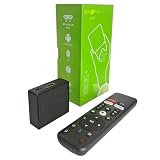
- 【4K Streaming Devices & HDR10】This smart TV box supports smooth 4K@60fps decoding, delivering rich colors and vivid contrast, making it ideal for watching movies, TV shows, and live sports—transforming your TV into a cinema-quality home theater.
- 【Powerful Quad-Core Processor & Stable System】This Android TV box is equipped with an Allwinner H618 quad-core ARM Cortex-A53 processor, which handles multitasking with ease. Paired with the Android 12.0 operating system, it features a clean and intuitive interface that lets you quickly access your favorite apps.
- 【Dual-Band Wi-Fi 6 & Voice Control】 This TV streaming media player combines 2.4G/5G Wi-Fi 6 with a voice-enabled remote control. You can use the included Bluetooth 5.4 voice remote to search for content using voice commands, ensuring a smooth viewing experience for 4K content—whether you’re binge-watching shows or following along with a workout, it’s incredibly convenient.
- 【2GB RAM + 16GB ROM & USB 2.0 + AV】 This compact Android TV box offers ample storage space, allowing you to easily store your favorite apps, games, and multimedia content. You can also play your local files via the USB port and connect your speakers through the AV port.
- 【Wireless Screen Mirroring】This Android TV box lets you cast photos, videos, or presentations from your phone to your TV via AirPlay, DLNA, or Wi-Fi Display. It’s perfect for family gatherings, workouts, or work presentations.
- An expired or changed licensing agreement.
- A content partner changing its free, ad-supported streaming strategy.
- A temporary promotional channel ending.
- Several themed channels being consolidated.
- Programming moving from a live feed to on-demand viewing.
- Different rights applying in a particular country or market.
- A rebrand, metadata change, or technical guide error.
- A device partner exposing only part of Pluto’s catalog.
These are possible explanations, not confirmed reasons for any particular channel. Do not assume that a channel was removed because of low viewership, cost-cutting, or licensing costs unless Pluto or the rights holder says so.
The lineup is not only shrinking: Paramount announced in April 2026 that Pluto TV was adding Hart of Dixie, Arrow, The 100, and Everwood to its free offering. That announcement illustrates a service with an actively changing catalog rather than a one-way shutdown.
Check region, travel, and VPN settings
Pluto’s availability is not identical in every country. Official lineup material has identified some listings as U.S.-region only, and Pluto operates internationally with different partners and rights.
A channel may disappear after travel, when a VPN changes your apparent location, or when Pluto detects an incorrect region. Before drawing a conclusion:
- Check your current country and local market.
- Disable a VPN or proxy temporarily.
- Test Pluto on your normal home network.
- Do not use a U.S. channel list to verify availability in another country.
- Include your geography when contacting support.
A regional difference is not the same as a universal removal.
Also popular on Amazon

- 【2026 Android TV Box 14.0】Android box 2026 is equipped with the new Android 14.0 system and Allwinner H728 Octa-core chip. With powerful computing power, the TV box runs smoothly without lag when playing games, playing videos and other large applications. Multi-tasking improves flexibility and convenience for a wonderful using experience.
- 【4GB 32GB & USB 3.0】Android 14.0 TV 2026 Box comes with 4GB RAM 32GB ROM. Large capacity can easily install a large number of applications, improve caching and loading speed, and effectively avoid lagging. External USB devices, 128GB TF cards, 1TB hard disks and other storage device expansion is also fully supported!
- 【Android TV Box 4K 8K HDR10 & 3D】The TV box Android 2026 can smoothly play 4K@60fps ultra-high-definition video. It features decoding of compatible 8K video, audio, and image formats. The 2026 Smart TV box also supports big screen casting, which will present higher quality resolution, better dynamic range and image details to enjoy the 3D audio-visual experience.
- 【WIFI6 & 1000M Ethernet】Android TV Box 2026 supports 2.4G+5.8G Dual WiFi and 1000M Ethernet. WIFI6 delivers a fast, high-quality WiFi signal for enjoying games and apps. LAN1000M provides a high-speed, stable network connection that resists interference and congestion. With 1000M network (approx. 125MB/s), the download time can be reduced by nearly 90% compared to 100M network (approx. 12.5MB/s), so you can always enjoy a high quality watching and entertainment experience.
- 【More fun by BT5.0】2026 Android 14 Box can be used by simply plugging in, connecting the HDMI cable and WiFi/Ethernet. Bluetooth 5.0 not only delivers faster transmission speeds and a wider range, but also allows you to connect a mini wireless keyboard, Air Mouse, speakers or other Bluetooth-enabled devices to enrich your entertainment.
When the guide or app is the problem
A partially loaded guide can resemble a lineup purge. Warning signs include blank program information, a tile that exists but will not play, an app that opens on an old channel, or a channel that appears on the website but not on a television app.
Windows Errors? Fix Them Before They Spread
Repair common Windows errors and clear accumulated junk for a smoother, more stable PC - no reinstall needed.Free scan · no reinstallOutdated Drivers Are Slowing You Down
One free scan finds every outdated or missing driver and matches the right update for your exact hardware.Free scan · exact hardware matchTry these steps in order:
- Exit Pluto TV completely.
- Reopen it and load the full Live TV guide.
- Search the channel by its exact name.
- Sign out and back in if you use a Pluto account.
- Update Pluto TV through your device’s app store.
- Restart the television or streaming device.
- Restart your home network if other Pluto content is also failing.
- Test Pluto in a browser or on a second device.
- Reinstall the app only after recording any account or Favorites details you may need.
If the channel works on the website but not on your television, the evidence points toward a device, app, platform, or rollout issue—not necessarily a Pluto-wide removal. A cable or telecom version may also carry a different or incomplete lineup from Pluto’s direct app.
Can you still watch the shows?
That depends on what you want to replace:
- The same live channel experience: You need the channel to remain available in your region and on your platform.
- A particular show: Search Pluto’s on-demand catalog first.
- A specific season or episode: Availability may differ even when the show’s name remains searchable.
- Similar programming: Look through Pluto’s other themed channels or legal free, ad-supported services.
Use Pluto’s on-demand area to search for the title. A channel’s disappearance does not prove that its underlying shows are unavailable, but availability can vary by country, date, season, and rights agreement. Do not assume that a show is still on demand—or available on another service—without checking the current listing for your location.
What to tell Pluto support
Report the problem when the channel is absent from the website and multiple devices, or when it fails only on a particular platform after troubleshooting. Include:
- The exact channel name.
- Your country and, where relevant, state or market.
- The device and model.
- The Pluto app version, if visible.
- Whether the channel appears in search.
- Whether it works on the web or another device.
- The approximate date and time it disappeared.
- A screenshot or error message.
Pluto’s supported-device and help pathways are linked from its Where to Watch pages. This information gives support enough detail to distinguish a regional catalog change from a device-specific guide failure.
Bottom line
Some Pluto TV channels really do leave the current lineup, but a missing Favorite or guide tile is not enough to prove that happened. Search the full catalog, compare Pluto’s web guide with another device, check your region and VPN settings, and only then treat the disappearance as likely permanent. If the channel is gone everywhere, the clearest confirmation will come from Pluto, the channel owner, or sustained absence from the current official listings—not from an old channel list or a single community post.
Quick Recap
Product prices and availability are accurate as of the date/time indicated and are subject to change. Any price and availability information displayed on Amazon at the time of purchase will apply.






Say something about this film