Free tools Windows power users keep installed
One-click scans. No signup required.
Netflix introduced a dialogue-only subtitle option on April 24, 2025, starting with season 5 of You. It offers spoken dialogue without the additional sound descriptions and speaker labels commonly found in SDH/CC captions. The option is a separate track—not a replacement for captions—and its availability depends on the title and playback setup.
What Netflix’s dialogue-only subtitles show
Where the tracks are available, the playback menu may offer English for dialogue-focused subtitles and English (CC) for dialogue plus audio information such as music, sound effects, and speaker identification. Netflix announced the option for new Netflix Originals in the languages it offers, alongside SDH/CC tracks. That announcement does not promise that every title or older episode will have both choices.
The label “English” does not necessarily mean a translation into English. Depending on the title, it may be the original-language subtitle track or another available language track. Netflix describes the new option as a way to show dialogue without the added cues typical of captions; it should not be treated as a guarantee that every spoken word appears verbatim.
How dialogue-only subtitles differ from SDH/CC
| Option | What it generally includes | Useful when |
|---|---|---|
| Dialogue-only subtitles | Spoken dialogue, generally without descriptions of background sounds or speaker labels | You want help following speech with less on-screen text |
| SDH/CC | Dialogue plus relevant audio information, such as sound effects, music cues, and speaker identification | You need sound information as well as dialogue, including if you are deaf or hard of hearing |
| Audio description | Spoken narration describing visual events | You need information about actions, expressions, settings, or scene changes that are visible rather than audible |
Netflix distinguishes subtitles, which render dialogue as readable text, from closed captions, which add descriptions of sounds heard in a program. Audio description is a separate spoken accessibility feature, not an on-screen subtitle style. Netflix explains subtitles and closed captions; its audio-description guide describes narration of visual events.
Recommended Free Tools
#1 Best Overall
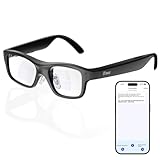
- Real-Time AR Translation Glasses with Subtitles: The iTour A1 AR translation glasses deliver real-time two-way translation in 110 languages, showing instant bilingual subtitles directly on the lenses. These smart translation glasses are perfect for conversations, business meetings, and travel, allowing you to understand and respond without interruption.
- AI Voice Translation Glasses with Natural Speech Output: Featuring advanced AI, these voice translator glasses support Universal Talk mode, copying your voice to speak translated sentences naturally. Communicate confidently using hands-free translation glasses that sound like you — ideal for professional and social interactions.
- Offline Translation Glasses for Travel (19 Languages): Download language packs and use these offline translation glasses without WiFi. With support for 19 offline languages, the iTour A1 portable translator glasses ensure fast, secure communication anywhere — from flights to remote destinations.
- Smart AR Glasses with Photo & Text Translation: Capture and translate instantly with built-in camera recognition. These AR smart glasses translator can read menus, signs, documents, and screens in real time — making them the perfect travel translation glasses for daily use and international trips.
- Call Translation Glasses for Multilingual Communication (US & Canada): Break language barriers on phone calls. These AI translation glasses support real-time call translation, enabling two-way conversations while each speaker uses their native language. Ideal for business calls, customer service, and global communication.
Neither text option is universally better. Dialogue-only text can be easier to scan if captions feel dense, or when accents, low volume, or background noise make speech hard to follow. But a cleaner screen also means some audio context may be missing: a phone ringing off-screen, a change in music, or the identity of an unseen speaker can matter to a scene. Choose SDH/CC when those details are important or needed for access.
How to select the dialogue-only track
- Start playing the show or movie.
- Open the playback controls: tap or click the screen on a phone, tablet, or computer; on a TV, streaming device, game console, set-top box, or Blu-ray player, press up or down on the remote. Some TVs show language choices directly.
- Select Audio & Subtitles.
- Choose the non-CC track for the language you want—for example, English rather than English (CC), if both appear.
- Resume playback and check that the selected track suits the scene. Tracks can differ in wording, timing, punctuation, or coverage, so switching is not necessarily just removing sound cues from the same text.
These controls follow Netflix’s device-specific subtitle instructions. If a title includes brief dialogue in another language, its treatment may vary; check the available tracks rather than assuming the dialogue-only option behaves like forced subtitles that translate only those passages.
Rank #2
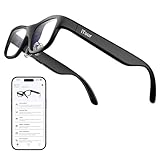
- Real-Time AR Subtitle Translation Glasses: The iTour A1 AR translation glasses deliver real-time two-way subtitle translation in 110 languages, displaying clear bilingual text directly on the lenses. Designed for face-to-face conversations, meetings, and travel, they help you understand instantly without stopping the conversation.
- Natural Voice Output with Universal Talk Mode: With Universal Talk mode, these smart translation glasses play translated speech using a cloned version of your own voice. Communicate naturally and confidently while the AR glasses handle multilingual translation in real time.
- Offline Translation for Global Travel: Download offline language packs in advance and enjoy fast, private translation without internet access. Supporting 19 offline languages, the iTour A1 smart glasses are ideal for international travel, outdoor use, and secure environments.
- Photo Translation for Signs, Menus, and Screens: Point, scan, and understand instantly. The AR translator glasses support real-time photo translation, recognizing and translating text from paper documents, digital screens, menus, and street signs—perfect for travel and daily life.
- Real-Time Call Translation (US & Canada Only): Make phone calls across languages with confidence. Call Translation enables two-way translation during calls, allowing both sides to speak naturally in their own language while the smart AR glasses handle the translation.
Why the option may not appear
Subtitle tracks are title-specific. Netflix’s announcement described an expansion across new Netflix Originals, while its Help Center notes that available languages and SDH tracks can vary by title, season, episode, and device. Older or third-party titles may not have a separate dialogue-only track.
- Check while streaming: Open Audio & Subtitles, then choose Other if it appears to view additional languages.
- Check title details: An SDH badge indicates that a title has an SDH option, but it does not mean a separate non-CC track is available.
- Try another supported device: Netflix says some older devices do not support certain languages. A track offered for a title may not display the same way on every device. See its language and device guidance.
- Check downloads separately: Netflix says downloaded titles show the two most relevant audio and subtitle languages. A language available while streaming may not appear in the download menu.
Netflix also says subtitle and audio preferences are not saved in the same way for most Kids titles watched from an adult profile; preferences are saved when viewing from a Kids profile. The playback help page covers track availability, downloads, and preferences.
Rank #3
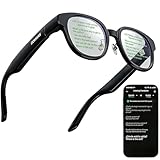
- 【AI Translation Glasses for Global Business & Travel】Communicate naturally across languages with premium AI translation glasses designed for meetings, travel, study abroad, trade shows, and daily multilingual conversations. These smart glasses deliver real-time translation directly on the AR display, helping you read live subtitles, understand conversations faster, and stay confident without constantly checking your phone. Ideal bluetooth smart glasses for professionals, travelers, students, and global communication.
- 【Private AR Display Glasses with Floating Visual Prompts】Experience information that appears before your eyes with advanced AR display glasses built for private, hands-free viewing. These smart glasses with display project translations, text prompts, notifications, navigation cues, and AI responses into your line of sight, creating a discreet HUD-style experience for work, communication, and everyday productivity. Unlike ordinary bluetooth glasses, they are built as true augmented reality glasses for real-world use.
- 【Invisible Teleprompter Glasses for Speech & Presentations】Turn every speech, meeting, livestream, lecture, sales pitch, or training session into a more confident performance with invisible teleprompter glasses for speech. Upload your script through the app and view private prompts while facing your audience naturally. These AI smart glasses with display work as professional teleprompter glasses for executives, creators, teachers, speakers, and anyone who needs smooth, discreet presentation support.
- 【AI Assistant, Voice Control & Smart Notifications】Stay productive hands-free with built-in AI assistant smart glasses that support intelligent Q&A, text processing, voice interaction, reminders, and real-time information prompts. Pair with iPhone or Android via Bluetooth to view messages, answer calls, receive navigation guidance, and reply by voice. These bluetooth smart glasses for men and women combine voice control, open-ear speakers, and AR prompts for a more effortless digital lifestyle.
- 【Lightweight Smart Glasses for All-Day Comfort & AR Navigation】Built for premium daily wear, these lightweight smart glasses feature a 43g frame, simple touchpad gestures, open-ear audio, and a balanced design that feels comfortable from work to travel. Use them as navigation glasses for walking, cycling, commuting, business trips, and outdoor exploration, with real-time HUD-style route prompts shown in your field of view. Stylish smart glasses for men and women, designed for productivity, communication, and all-day comfort.
Other ways to make subtitles easier to read
If the main problem is appearance rather than sound descriptions, Netflix lets viewers customize subtitle and caption font, size, shadow, and background color. Those settings change presentation; they do not convert an SDH/CC track into dialogue-only subtitles. Details are in Netflix’s subtitle and caption guide.
Netflix reported in May 2026 that its titles were available with subtitles, SDH/CC, audio descriptions, and dubbing in more than 30 languages. That is a service-level statement, not a guarantee that every title offers each format in every language. Netflix’s accessibility update provides that broader context.
Quick Recap
Best Value

- AI-Powered Real-Time Translation: Instantly translate 127 languages with discreet subtitles visible only to you, ensuring private and seamless communication. Supports offline translation in English & Mandarin for uninterrupted use.
- ChatGPT Integration & Smart Productivity: Get AI-generated responses to enhance efficiency in work, travel, and daily interactions.
- Full-Color Binocular AR Display with Privacy Protection: Experience high-resolution visuals for immersive readability, enhanced by anti-peeping technology to ensure clear and private text visibility from all angles.
- Entertainment & Social Media Ready: Watch movies, videos, and e-books anytime, anywhere. Explore TikTok, YouTube, and the metaverse with cutting-edge virtual fusion technology.
- Effortless Control & Comfort: The glasses are designed for easy control with the smart ring or by adjusting the frame arms, offering a seamless and intuitive experience. They are lightweight and comfortable, ensuring you can wear them for extended periods without discomfort.
Rank #4

- 2PCS 3-TIER DISPLAY DESIGN – Multi-level acrylic stand keeps items neatly arranged with excellent visibility and easy access, creating an attractive countertop presentation. MATERIAL & SIZE - Acrylic; Measures: 8"W x 2 1/2"D x 9"H
- MULTI-PURPOSE DISPLAY STAND – Versatile organizer displays sunglasses, eyeglasses, reading glasses, pens, cell phones, and other suitable accessories in one convenient stand.
- CLEAR ACRYLIC CONSTRUCTION – Transparent acrylic provides a clean, modern appearance that keeps the focus on displayed merchandise while complementing different décor and settings.
- QUICK & EASY ASSEMBLY – Simple structure is easy to assemble and disassemble, making it convenient to set up, transport, store, and reuse when needed.
- IDEAL FOR RETAIL & HOME – Great for retail stores, optical shops, trade shows, vendor booths, offices, countertops, desks, and home organization.
Product prices and availability are accurate as of the date/time indicated and are subject to change. Any price and availability information displayed on Amazon at the time of purchase will apply.



