
Some links on this page are affiliate links: if you buy through them we may earn a commission, at no extra cost to you.
Old YouTube videos can still be watched if they remain public or otherwise accessible. The upload date is not the deciding factor. Start with the original link, sign in, identify the exact restriction YouTube shows, then search by the video ID, creator, and distinctive phrases. If the owner deleted the video, made it private, or YouTube removed it, only an authorized copy or a legitimate archive can help.
Start with the original link
- Open the link directly on YouTube rather than relying on an old embedded player.
- Sign in to the Google account you normally use for YouTube.
- Check that the video ID was copied correctly. A standard link looks like
https://www.youtube.com/watch?v=VIDEO_ID; shortened and embed links may contain the same ID. - Try a current desktop browser or the official YouTube app.
An old video may still play normally even if its title, channel, or surrounding webpage has changed. Conversely, a recent video can be private, deleted, age-restricted, or blocked in your country.
If the video plays, YouTube’s player may offer available quality settings, captions, playback speed, and transcript features. If an obsolete embedded player fails, opening the watch URL directly is often enough to distinguish an embed problem from a video-access problem.
Outdated Drivers Are Slowing You Down
One free scan finds every outdated or missing driver and matches the right update for your exact hardware.Free scan · exact hardware matchWindows Errors? Fix Them Before They Spread
Repair common Windows errors and clear accumulated junk for a smoother, more stable PC - no reinstall needed.Free scan · no reinstallWhat “Video unavailable” means
“Video unavailable” is a general message, not a single diagnosis. Use the message and the circumstances to identify the likely cause.
Popular on Amazon

- Ultra-speedy streaming: Roku Ultra is 30% faster than any other Roku player, delivering a lightning-fast interface and apps that launch in a snap.
- Cinematic streaming: This TV streaming device brings the movie theater to your living room with spectacular 4K, HDR10+, and Dolby Vision picture alongside immersive Dolby Atmos audio.
- The ultimate Roku remote: The rechargeable Roku Voice Remote Pro offers backlit buttons, hands-free voice controls, and a lost remote finder.
- No more fumbling in the dark: See what you’re pressing with backlit buttons.
- Say goodbye to batteries: Keep your remote powered for months on a single charge.
| What you see | Likely explanation | What to do |
|---|---|---|
| The video plays | It is still public and accessible | Watch it directly on YouTube. |
| “Private video” | The owner restricted access | Ask the owner to invite the correct account or change the privacy setting. |
| “Not available in your country” | A licensing or legal restriction | Look for an official regional version or rights-holder upload. YouTube explains regional restrictions. |
| An age warning | The video is age-restricted | Sign in, meet the account’s age requirement, and complete any verification prompt. |
| The video disappears when Restricted Mode is enabled | Restricted Mode is filtering it | Turn Restricted Mode off if you are permitted to do so. |
| The channel has disappeared | It may have been renamed, deleted, terminated, or suspended | Search by video ID, creator name, title, and archives. |
Private, unlisted, and public videos
| Setting | Who can watch? | Searchable? |
|---|---|---|
| Public | Anyone, subject to age, region, account, and other restrictions | Generally yes |
| Unlisted | Anyone with the link | Generally no |
| Private | The owner and specifically invited accounts | No |
A private video cannot generally be watched merely by possessing its URL. The owner must grant access, and the viewer must be signed in to the invited Google account. Private videos do not appear in public search results or on the channel homepage. See YouTube’s guidance on video privacy settings.
If the owner still has the upload, they can open YouTube Studio and change its visibility to Public or Unlisted, invite a specific viewer, or send a current link. There is no legitimate viewer-side method for bypassing a private setting.
A historical reason old unlisted links stopped working
Some older unlisted videos were affected by a YouTube privacy change that began on July 23, 2021. Videos uploaded before January 1, 2017 that still used YouTube’s older unlisted-link system were made private unless the owner opted out or changed the setting. As a result, an unlisted link that worked years ago may now show as unavailable.
Recommended Free Tools
This is a likely explanation, not proof that every broken old link was affected. The owner may be able to restore access or re-upload the video. A re-upload receives a new URL, and views, comments, and other data do not transfer. Details are available in YouTube’s documentation on older unlisted videos.
Age restrictions and Restricted Mode
For an age-restricted video, sign in, confirm that the account meets the applicable age requirement, open the video directly on YouTube, and complete any age-verification prompt. Age-restricted videos cannot be viewed by signed-out users, viewers under 18, or through most third-party embeds. Requirements can vary by country and region; YouTube identifies additional age-assurance requirements in places including the EU, EEA, Switzerland, the United Kingdom, and Australia. See YouTube’s age-restriction guidance.
Restricted Mode is different. It filters videos using metadata, language, and signals relating to mature subjects, violence, sexual content, drugs, alcohol, profanity, and other material. Open YouTube’s account or profile controls, find Restricted Mode, and turn it off if your account, device, network, or administrator permits it. Schools, libraries, workplaces, and managed networks may control the setting. YouTube also notes that automated filtering can make mistakes. See YouTube’s Restricted Mode information.
Find the video without the original link
- Search the exact title in quotation marks.
- Add the channel name, old username, approximate upload year, subject, location, or event.
- Search for a distinctive spoken phrase, lyric, quotation, or documentary subject.
- Search the video ID if you have any part of the old URL. Try
site:youtube.com/watch "distinctive phrase"in a search engine. - Check the creator’s current channel, playlists, live streams, Shorts, Community posts, secondary channels, featured channels, website, and linked social profiles.
Titles and thumbnails can change, so the video ID is often the most reliable identifier. Check spelling variants and former channel names. A video may have been renamed, included in a compilation, or re-uploaded by the creator or a rights holder.
Also popular on Amazon

- 【Mini Portable Media player】-- Fits into the palm of your hand, It is a perfect travel partner for those short on space and sockets. Also compact and easy multifunction HD media player for office work and home entertainment;Made of aluminum alloy, it has better protection during carrying
- 【1080P MP4 Player】-- Full HD 1080p supports most video decoding formats: RM, RMVB, AVI, DIVX, MKV, MOV, HD MOV, MP4, M4V, PMP, AVC, FLV, VOB, MPG, DAT, MPEG, TS, TP, M2TS, WMV, (H.264,H.263,WMV9/VC-1,MPEG1/2/4),Not support VPR files. Note: Please use our 4K player to play some videos taken with smart phones, ASIN: B07WPY8VKL
- 【HDMI or AV Output】-- Supports 1080p HDMI output, allowing you to transmit crisp, clear video and audio in a pure digital format to an HDTV; it also supports composite AV output for use with analog TVs. An analog AV cable is included. While using HDMI video output, you can also connect external speakers via the AV output. However, video cannot be output via both AV and HDMI at the same time.
- 【USB 2.0/3.0 Compability】-- Drive external USB 2.0/3.0 storage devices such as SD card(up to 128G)/USB flash(up to 512G) and hard drive(partition should be MBR, up to 8TB), you can also delete or copy files in the USB drive(FAT or FA32) directly, Also plays subtitle files as well as loop videos
- 【Support Multiple Formats of Files and Playback Modes&Multi-functional Remote Control】-- Supports most video, audio, and image formats on the market, supports random playback of video and image modes, and supports loop playback. Supports repeat, zoom, fast forward, fast rewind, rotation, breakpoint playback method, start from scratch playback method and time selection playback method. It is also equipped with a convenient remote control for easy navigation of menu screens (ASIN: B0C9PZPFL8)
Prefer official uploads from the creator, broadcaster, studio, label, museum, government archive, or other rights holder. Unofficial copies may be edited, incomplete, mislabeled, lower quality, or unauthorized.
Check the Wayback Machine and other archives
Use the Wayback Machine when the original video has disappeared:
- Copy the complete YouTube URL or video ID.
- Paste it into the Wayback Machine.
- Inspect captures from multiple dates, especially dates before the video disappeared.
- Look for an archived playable media file, not only a title, thumbnail, description, comments page, or player shell.
An archived YouTube watch page does not necessarily contain the video itself. Dynamic playback, segmented media, expiring stream URLs, and access restrictions can leave the page preserved while the underlying video is missing. The Wayback Machine cannot recreate media it never captured.
Also search Internet Archive collections, library and museum catalogues, broadcaster or studio archives, creator websites, old newsletters, forums, fan wikis, Reddit posts, and old blog pages. Search-engine snippets and social posts may identify a title or URL without preserving a playable copy.
Quick wins for a faster PC:
Clear out junk files and repair common Windows errorsFree Scan →Fix the driver behind crashes, sound loss and screen glitchesFind Drivers →Contact the creator or rights holder
If the video was private, deleted by its owner, or replaced, the creator may still have an authorized copy. A short request is usually best:
I’m trying to find your older YouTube video, “[title],” which was previously at [link]. If you still have a copy or an authorized re-upload, could you share where it is available?
For region-blocked material, look for a licensed version in your country or contact the relevant broadcaster, studio, label, museum, or rights holder. A VPN is not a universal solution: it cannot restore a deleted or private video, may not overcome account or age restrictions, and may conflict with licensing terms or service rules.
Also popular on Amazon
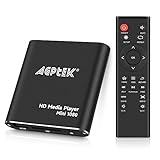
- 【Mini Portable Media player】-- Fits into the palm of your hand, It is a perfect travel partner for those short on space and sockets. Also compact and easy multifunction HD media player for office work and home entertainment;Aluminum alloy material, not easy to damage during carrying
- 【1080P MP4 Player】-- Full HD 1080p@60Hz supports most video decoding formats: RM, RMVB, AVI, DIVX, MKV, MOV, HD MOV, MP4, M4V, PMP, AVC, FLV, VOB, MPG, DAT, MPEG, TS, TP, M2TS, WMV, (H.264,H.263,WMV9/VC-1,MPEG1/2/4),Not support VPR files. Note: Please use our 4K player to play some videos taken with smart phones, ASIN: B07WPY8VKL
- 【HDMI or AV Output】-- Supports 1080p HDMI output, allowing you to transmit crisp, clear video and audio in a pure digital format to an HDTV; it also supports composite AV output for use with analog TVs. An analog AV cable is included. While using HDMI video output, you can also connect external speakers via the AV output. However, video cannot be output via both AV and HDMI at the same time.
- 【USB 2.0/3.0 Compability】-- Drive external USB 2.0/3.0 storage devices such as USB flash(up to 512G)/SD card(up to 128G) and hard drive(partition should be MBR, up to 8TB), you can also delete or copy files in the USB drive(FAT or FA32) directly, Also plays subtitle files as well as loop videos
- 【Support Multiple Formats of Files and Playback Modes&Multi-functional Remote Control】-- Supports most video, audio, and image formats on the market, supports random playback of video and image modes, and supports loop playback. Supports repeat, zoom, fast forward, fast rewind, rotation, breakpoint playback method, start from scratch playback method and time selection playback method. It is also equipped with a convenient remote control for easy navigation of menu screens (ASIN: B0C9PZPFL8)
If you own the old upload
- Open YouTube Studio and inspect the Content or Videos list.
- Check visibility, copyright claims, restrictions, and account or channel notices.
- Review any security notice if YouTube made the video private.
- Use YouTube’s available download controls where offered.
- Consider Google Takeout for an export of your uploaded YouTube data.
YouTube’s available download options vary. Some older unlisted videos may be downloadable through Creator Studio or Google Takeout, but limitations can apply: Studio downloads may be offered only in available resolutions such as 360p or 720p, Takeout exports uploaded videos rather than selecting one individual video, and videos with copyright claims may not be available through those methods. Do not assume every old upload can be recovered.
If YouTube locked a video as private for policy or upload-method reasons, the owner—not an ordinary viewer—may have an appeal path in YouTube Studio. YouTube’s information on this process is available at its locked-video help page.
Optional technical method for authorized downloads
For technically confident readers who are legally entitled to preserve an accessible video, yt-dlp is a free, open-source command-line downloader. A basic command is:
yt-dlp "https://www.youtube.com/watch?v=VIDEO_ID"Its update command is:
yt-dlp -UConsult the project’s installation instructions and current YouTube extractor documentation. YouTube’s delivery systems change, and the project warns that some formats or features may require PO Tokens. Browser cookies can also create temporary or permanent account-security risks, so do not copy or share them casually.
yt-dlp cannot recover a private, deleted, or YouTube-removed video. It can retrieve only media that remains accessible to it or has already been preserved elsewhere. Download only material you are authorized to save, and do not redistribute copyrighted content without permission.
When the video is probably unrecoverable
There may be no way to watch the video when the owner deleted it, the owner made it private and will not grant access, YouTube removed it, no archive captured the media, and no creator, rights holder, or authorized re-upload remains. Random “deleted video recovery” websites do not change that reality and may expose you to malware, credential theft, fake download buttons, or copyright problems.
YouTube Premium can provide official offline viewing for eligible videos that are currently available, but offline viewing is not archival recovery and does not restore deleted, private, or removed videos. For preservation, an authorized local backup and a second backup location are more dependable than relying on continued platform availability.






Say something about this film