Do these 3 things before closing this tab:
1Repair Windows errors before they cause bigger problems2Scan for outdated or missing drivers - takes under a minute3Clear out junk files and repair common Windows errorsSome links on this page are affiliate links: if you buy through them we may earn a commission, at no extra cost to you.
Coachella 2024 streamed free on the official Coachella YouTube channel, with six stage feeds across both festival weekends. The broadcasts began at 4 p.m. Pacific / 7 p.m. Eastern on April 12 and April 19, 2024. Those events have ended, so the livestream is no longer live; any surviving full sets or highlights must be checked individually on official channels.
Where to watch Coachella 2024
The official destination was the Coachella YouTube channel. YouTube and festival promoter Goldenvoice presented the livestream as exclusive to YouTube, as described in their partnership announcement. The official 2024 announcement has the broadcast details: YouTube’s Coachella 2024 livestream guide.
For archived video today, start with the official channel and look for an individual performance or highlight. Search results may include fan uploads or unauthorized rebroadcasts; a video’s appearance in search does not make it an official stream. The current Coachella livestream page now concerns the 2026 festival, not the 2024 broadcast.
2024 livestream dates and start times
| Weekend | Festival dates | Livestream start |
|---|---|---|
| Weekend 1 | April 12–14, 2024 | Friday, April 12, at 4 p.m. PT / 7 p.m. ET |
| Weekend 2 | April 19–21, 2024 | Friday, April 19, at 4 p.m. PT / 7 p.m. ET |
The stated time was when the YouTube broadcast began, not a guarantee that the first in-person performance started then. The feeds carried programming through Friday, Saturday and Sunday of each weekend. Weekend 1 and Weekend 2 schedules and available performances could differ.
Popular on Amazon

- The Google TV Streamer (4K) delivers your favorite entertainment quickly, easily, and personalized to you[1,2]
- HDMI 2.1 cable required (sold separately)
- See movies and TV shows from all your services right from your home screen[2]; and find new things to watch with tailored recommendations for everyone in your home based on their interests and viewing habits
- If you find an interesting show or movie on your TV, mobile app, or Google search, you can easily add it to your watchlist, so it’s ready when you are[2]
- Up to 4K HDR with Dolby Vision delivers captivating, true-to-life detail[4]; and you can connect speakers that support Dolby Atmos for more immersive 3D sound
How to watch on a phone, computer or TV
Phone or tablet
- Open the YouTube app and search for Coachella, or go directly to the official channel.
- During the event, choose the official Weekend 1 or Weekend 2 stage livestream. Check its title and description for the feed and schedule.
- If an upcoming event page offers a reminder, tap its reminder or notification control. For long viewing, use Wi-Fi or a dependable cellular connection.
Computer
- Visit youtube.com/@Coachella.
- Select the relevant official stage feed and consult its description for broadcast-specific set times.
- During a live broadcast, YouTube may allow you to rewind within the stream. That does not mean the replay or DVR controls remain available after the broadcast ends.
A browser makes it easier to keep multiple stage feeds open in separate tabs, but simultaneous high-resolution streams use more bandwidth. Mute all but the feed you want to hear.
Television
- Open YouTube on a compatible smart TV, streaming device or game console.
- Search for the official Coachella channel and select the appropriate live stage feed.
- If the Coachella event offers multiview on your compatible TV, select that option and choose the stage audio you want.
Multiview availability depended on device support and the event configuration. Casting from a phone is another option, though the phone may function mainly as a controller.
Also popular on Amazon

- The Google TV Streamer (4K) delivers your favorite entertainment quickly, easily, and personalized to you[1,2]
- HDMI 2.1 cable required (sold separately)
- See movies and TV shows from all your services right from your home screen[2]; and find new things to watch with tailored recommendations for everyone in your home based on their interests and viewing habits
- If you find an interesting show or movie on your TV, mobile app, or Google search, you can easily add it to your watchlist, so it’s ready when you are[2]
- Up to 4K HDR with Dolby Vision delivers captivating, true-to-life detail[4]; and you can connect speakers that support Dolby Atmos for more immersive 3D sound
How multiview worked
For the 2024 broadcast, YouTube described a TV-focused multiview that could show up to four stage livestreams at once, with the viewer able to select which feed supplied the audio. It was useful when favorite artists overlapped, but it did not make every festival performance available at the same time. The feature was for compatible TVs, not a universal phone control, and its current interface or availability should not be assumed to match the 2024 setup. YouTube described multiview as available at no additional cost.
Stages and broadcast set times
YouTube advertised six livestream stage feeds per weekend. Coverage identified the feeds as Coachella Stage, Outdoor Theatre, Sahara, Mojave, Gobi, and a sixth feed associated with Sonora in Weekend 1 or Yuma in Weekend 2. The precise feed mix could vary by weekend; six feeds refers to the livestream offering, not every physical festival stage.
Also popular on Amazon
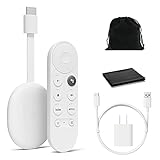
- Watch the entertainment you love with Chromecast with Google TV, including live TV in up to 4K HDR; discover over 700,000 movies and TV episodes, plus millions of songs
- Get fast streaming, and enjoy a crystal clear picture up to 4K and brighter colors with HDR
- Your home screen displays movies and TV shows from all your services in one place with Chromecast 4K; get personal recommendations based on your subscriptions, viewing habits, and content you own
- Press the Google Assistant button on the remote and use voice search to find specific shows, youtube tv streaming, or search by mood, genre, actress, and more; control the volume, switch inputs, play music, and get answers, hands-free
- Chromecast is easy to install and compatible with almost any TV that has an HDMI port; to get started, just plug it into your TV’s HDMI port, connect to Wi-Fi, and start streaming
Use the livestream description or broadcast-specific schedule rather than assuming the in-person festival schedule is identical. The broadcast could start after some on-site sets, and a set could change, be delayed, shortened or be omitted. For archived Weekend 2 schedule details, see Pitchfork’s broadcast schedule or Time Out’s set times and streaming schedule.
Replays and archived performances
During the festival, YouTube said each day’s lineup would be rebroadcast after its final set until the next day’s broadcast began. It also said performance highlights would be available on demand through the Coachella channel. Those temporary rebroadcasts were part of the 2024 event, not a promise that every full performance would remain online permanently.
Also popular on Amazon

- HD streaming made simple: With America’s number 1 TV streaming platform,* exploring popular apps—plus tons of free movies, shows, and live TV—is as easy as it is fun. *Based on hours streamed—Hypothesis Group
- Compact without compromises: The sleek design of Roku Streaming Stick won’t block neighboring HDMI ports, and it even powers from your TV alone, plugging into the back and staying out of sight. No wall outlet, no extra cords, no clutter.
- No more juggling remotes: Power up your TV, adjust the volume, and control your Roku device with one remote. Use your voice to quickly search, play entertainment, and more.
- Shows on the go: Take your TV to-go when traveling—without needing to log into someone else’s device.
- TV, simplified: With setup that only takes minutes, a simple-to-navigate Home Screen, and an uncluttered remote control that does all you need—Roku makes it easier to watch the TV you love.
Now, check the official Coachella channel and the artist’s own official channel for surviving sets, clips or highlights. Availability varies; there is no assurance of a complete 2024 archive.
Crashes, No Sound, or Screen Glitches?
Random freezes, missing sound and display glitches usually trace back to one bad driver. Find and replace yours safely.Free scan · under a minuteWindows Errors? Fix Them Before They Spread
Repair common Windows errors and clear accumulated junk for a smoother, more stable PC - no reinstall needed.Free scan · no reinstallIf a performance is missing or the stream will not play
- Can’t find the artist: Confirm you are on the official channel, check each available stage feed and its description for schedule updates, and check whether the artist appeared on the other weekend. Not every set was guaranteed to be livestreamed; a missing performance is not necessarily a technical problem. YouTube’s later livestream explainer explicitly notes that not every performance is streamed.
- Looking for a replay: Search for an official highlight or an upload on the artist’s official channel. Avoid treating an unauthorized repost as an official archive.
- Video is buffering: Lower playback quality, close other bandwidth-heavy apps, try Wi-Fi instead of cellular data (or vice versa), restart YouTube, or switch devices. If multiview struggles, use a single feed.
- Multiview is absent: Your device may not support it, the event page or replay may not offer it, or YouTube’s interface may have changed. The 2024 feature was described for compatible TVs.
YouTube described the event livestream as globally available, but regional music rights or local restrictions can affect particular videos. If a stream or archived clip is unavailable in your location, availability may be the reason rather than a problem with your account.
Also popular on Amazon

- Essential 4K streaming – Get everything you need to stream in brilliant 4K Ultra HD with High Dynamic Range 10+ (HDR10+).
- The newest Fire TV experience (2026) – Our biggest update to Fire TV has a new, modern design that gets you to your entertainment fast. Browse dedicated content categories, pin more of your favorite apps, and get personalized recommendations from Alexa+. Spend less time scrolling, and more time watching.
- Make your TV even smarter – Fire TV gives you instant access to a world of content, tailor-made recommendations, and Alexa, all backed by fast performance.
- All your favorite apps in one place – Experience endless entertainment with access to Prime Video, Netflix, YouTube, Disney+, Apple TV+, HBO Max, Hulu, Peacock, Paramount+, and thousands more. Easily discover what to watch from hundreds of thousands of movies and TV episodes (subscription fees may apply), including free, ad-supported content.
- Getting set up is easy – Plug in and connect to Wi-Fi for smooth streaming.
Was it free?
Yes. The official 2024 YouTube livestream did not require a festival ticket or a separate livestream payment, and YouTube said multiview carried no additional cost on supported TVs. This refers to the event broadcast, not every Coachella-related product or service.




Say something about this film