What’s actually slowing this PC down?
Pick the symptom - the matching free tool is one click away.
To make a standards-compatible 8-bit file, convert the MP3 to a WAV containing unsigned 8-bit PCM. In Audacity, import the MP3, optionally change it to mono and the required sample rate, then use File > Export Audio and choose an uncompressed WAV with Unsigned 8-bit PCM. With FFmpeg, the equivalent 8,000-Hz mono command is ffmpeg -i input.mp3 -ar 8000 -ac 1 -c:a pcm_u8 output.wav.
That technical conversion is different from making music sound like an old 8-bit game. Retro character normally requires bit-depth reduction plus deliberate sample-rate reduction, filtering, distortion or a bitcrusher effect.
First, decide what “8-bit” means
“8-bit” can describe the way samples are stored or the audible style you want.
8-bit file encoding
Bit depth is the number of amplitude values available for each sample. An 8-bit PCM sample has 256 possible values. Lowering bit depth reduces precision and can add quantization noise. It does not, by itself, specify the sample rate, number of channels, codec or file container.
The Tool Desk
Outbyte Driver Updater FREEFix the driver behind crashes, sound loss and screen glitchesFind Drivers →Outbyte PC Repair FREEClear out junk files and repair common Windows errorsFree Scan →#1 Best Overall

- True Acoustic Synthesis, Reinvented: Phase8 uses 8 independent electromechanical voices with vibrating steel resonators, paired with electronic control — sound that's beyond "analog vs. digital," alive and responsive to physical touch and acoustic feedback.
- 13 Swappable, Tunable Steel Resonators: Install any 8 of the 13 included chromatically tuned resonators to build your own scale and tone. Envelope control shapes each voice from short percussive hits to long, sustained notes - swap and retune anytime.
- Deep Sequencing & Modulation Tools: A polymetric sequencer supports step programming and unquantized live recording with per-voice step skip, plus 8 onboard memory slots. Add tremolo and pitch-dependent modulation, tempo-synced trigger delay, and full parameter automation for evolving, expressive patterns.
- Beyond the Knobs: Touch, pluck, strum, or tap the resonators directly, or bring in found objects for new textures. The dedicated AIR slider boosts or tames the acoustic response of anything that contacts the instrument.
- Seamless MIDI, USB-MIDI & CV Connectivity: Sync tempo and trigger notes via MIDI TRS-A, USB-MIDI, and Sync I/O, or integrate with modular gear using CV input (±5V). Quarter-inch line out and 3.5mm headphone out mean Phase8 fits any studio or stage setup.
8-bit or retro sound
A chiptune-like effect is a production choice. Bitcrushing, sample-rate reduction, filtering, mono conversion and controlled distortion create the familiar grainy or aliased character. A 16-bit or 24-bit file can sound retro after those effects, while a technically 8-bit WAV can simply sound degraded.
Audacity distinguishes its internal working precision from the bit depth selected during export; its documentation explains that 8-bit files can be exported even though recording and project processing commonly use higher precision (Audacity sample-format guide).
Choose the complete target specification
Do not treat “8-bit WAV” as a complete requirement. Confirm the container, PCM encoding, sample rate and channel layout with the device or service that will play the file.
| Intended use | Format and encoding | Bit depth | Sample rate | Channels |
|---|---|---|---|---|
| General 8-bit WAV | WAV with unsigned PCM | 8-bit | Preserve the source unless a target requires another rate | Preserve stereo or convert to mono as needed |
| Documented legacy telephone or IVR target | WAV with unsigned PCM | 8-bit | 8,000 Hz | Mono |
| Retro sound effect | Whatever the destination accepts; apply the effect before final export | Often reduced deliberately | Reduce deliberately for character, not automatically | Often mono, but optional |
| Device with a written specification | Exactly the specified container and codec | Exactly specified | Exactly specified | Exactly specified |
Eight-bit does not automatically mean 8,000 Hz mono. Audacity’s 8,000-Hz, mono example is aimed at particular telephone systems, and it warns that an 8,000-Hz file cannot contain frequencies above approximately 4,000 Hz (Audacity’s IVR export example).
Recommended Free Tools
Convert MP3 to 8-bit WAV in Audacity
What you need
- A current Audacity installation and the MP3.
- The destination’s exact specification, if a device, phone system or embedded product is involved.
- Optional FFmpeg support when your Audacity installation does not provide a required import or export format. Audacity lists MP3 and WAV among its common supported formats (Audacity FAQ).
Basic export procedure
- Open Audacity and choose File > Import > Audio, or drag the MP3 into the project.
- Edit or trim the audio while it is still in the project. Keep an untouched copy of the original.
- If the target requires one channel, convert the track to mono using its channel controls or the applicable channel-conversion command. Confirm that the project contains one channel.
- If the target requires a particular rate, set the project or track/output rate to that value, such as 8,000 Hz. Do not lower the rate merely because the file is 8-bit.
- Choose File > Export Audio. Interface wording can vary between Audacity releases.
- Select an uncompressed WAV option. In the detailed format choices, use a WAV/Microsoft header and Unsigned 8-bit PCM encoding, following Audacity’s documented workflow (Export Audio dialog).
- Choose the filename and destination, then export.
- Inspect the finished file in Audacity, MediaInfo or another analyzer. Check the codec, sample format, sample rate and channel count rather than trusting the
.wavextension.
Why mono and sample rate are separate choices
Mono changes channel count; it does not change bit depth. Sample rate controls how many samples are taken per second; it is independent of both bit depth and channel count. Preserve stereo and the source rate when the specification permits them. Convert to mono or 8,000 Hz only when the target or your creative plan calls for it.
Convert MP3 to 8-bit WAV with FFmpeg
FFmpeg gives repeatable control over codec, rate and channels. Its documentation defines -ar for sample rate, -ac for channel count and -c:a for the audio codec (FFmpeg documentation).
Rank #2

- Classic Polyphonic 8-voice synthesizer and authentic reproduction of the Prophet 600*
- Pure analog signal path based on authentic VCO, VCF and VCA designs
- 2 VCOs per voice for fat and detuned sounds
- Unison mode for fat 16 oscillator lead and bass sounds
- Up to 6 simultaneous oscillator shapes (OSC A: saw, triangle and pulse; OSC B: saw, triangle and pulse waveforms)
8,000-Hz mono unsigned 8-bit PCM
ffmpeg -i input.mp3 -ar 8000 -ac 1 -c:a pcm_u8 output.wav
-ar 8000resamples to 8,000 Hz.-ac 1creates one channel.-c:a pcm_u8selects unsigned 8-bit PCM.- The
.wavname selects a WAV container.
Other targets
To preserve the input rate and channel count while changing the encoding:
ffmpeg -i input.mp3 -c:a pcm_u8 output.wav
For a 44,100-Hz mono target:
ffmpeg -i input.mp3 -ar 44100 -ac 1 -c:a pcm_u8 output.wav
FFmpeg’s resampler handles sample-rate conversion, channel rematrixing and audio-format conversion (FFmpeg resampler documentation). Behavior and available codecs can vary by installed build, so verify the result.
Batch examples
On Linux or macOS, this example converts every MP3 in the current directory:
for f in *.mp3; do
  ffmpeg -i "$f" -ar 8000 -ac 1 -c:a pcm_u8 "${f%.mp3}.wav"
done
Quick wins for a faster PC:
Fix the driver behind crashes, sound loss and screen glitchesFind Drivers →Clear out junk files and repair common Windows errorsFree Scan →Scan for outdated or missing drivers - takes under a minuteDriver Scan →Rank #3
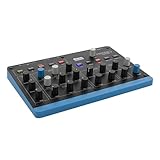
- Wavetable sound with digital character - Oscillators based on Microwave technology produce the typical 8-bit timbre. Ideal for punchy bass, moving pads and digital textures
- Flexible sound design with 8 voices and 4 layers - Layers can be overlapped, split or used as independent parts. Perfect for studio or live sound combinations
- FAST IDEA DEVELOPMENT WITH ARPeggiator & Sequencer - Arpeggiator, Step Sequencer and Chord/Scale Mode make it easy to create melodic and rhythmic patterns directly on the instrument
- Expressive control thanks to matrix mods and MPE – Mod matrix, envelopes, LFO and polyphonic aftertouch allow dynamic sound evolutions. "Flavour" control adds movement and variation
- COMPACT SIZE FOR MOBILE USE - With 0.9kg and small size, it is ideal for small studios, live performance or travel. USB-C and MIDI simplify integration into setup
In Windows PowerShell:
Get-ChildItem *.mp3 | ForEach-Object {
  ffmpeg -i $_.FullName -ar 8000 -ac 1 -c:a pcm_u8 `
    (Join-Path $_.DirectoryName ($_.BaseName + ".wav"))
}
These are starting examples, not universal scripts. Unusual filenames, existing outputs, multiple audio streams or files containing video may need additional options.
Verify with FFprobe
Run:
ffprobe -v error -select_streams a:0 `
  -show_entries stream=codec_name,sample_fmt,sample_rate,channels `
  -of default=noprint_wrappers=1 output.wav
For the first command, expected values are approximately:
codec_name=pcm_u8
sample_fmt=u8
sample_rate=8000
channels=1
Metadata display varies by FFmpeg build. The essential checks are codec, sample format, rate and channel count. FFmpeg maintains separate documentation for its command-line tools and codecs (FFmpeg documentation index).
Rank #4

- DIY Musical Educational Instrument: Whether you're a music lover or a STEM learner looking to create your own musical instrument, this kit provides fun new ways to be creative.It takes about 10 minutes to assemble, including the speaker, battery box, wooden shell and circuit board. NO welding or glue required
- Easy to Play: This sound toy is operated by touching the surface of the circuit board with your fingers. Each area on the surface corresponds to a different musical note.It includes 8 key touchpad, optional vibrato switch and volume control button. You can play music or make loud noises to play pranks, or play it to relieve stress.It’s easy to play, perfect for beginners and experienced musicians
- Portable & Battery-Powered: At less than 14cm wide, this set will fit right in your coat pocket. It runs on 2 x AA batteries (not included). You can take it anywhere,party,travel,camping, and play music anywhere to relax yourself and bring happy to friends and family
- A very special gift: If you want to give a special and creative gift for your friends,kids,family, think about this sound toy, it won't let you down.And it's good for Christmas birthday present as well
- Combining STEM Learning with Music: We design electronics that make learning fun and approachable. This diy toy enables both musical and scientific exploration
Make an MP3 sound like 8-bit music
Use this workflow when the goal is an audible retro effect rather than a file-format requirement:
- Import the MP3 and trim silence or unwanted sections.
- Filter or reduce the frequency range if the source is too bright.
- Convert to mono if you want a more limited, vintage playback character.
- Apply a bitcrusher or sample-rate-reduction effect. The exact plug-in and menu name depends on the application and version; do not assume every Audacity release includes a dedicated effect with the same label.
- Adjust gain so the effect does not clip uncontrollably.
- Export in the format the destination actually requires. If it specifically requires an 8-bit WAV, make unsigned 8-bit PCM the final export step.
- Bit-depth reduction increases quantization grain.
- Sample-rate reduction creates more aliasing and a narrower frequency character.
- Downsampling before bitcrushing often gives a more recognizable game-console effect.
- Filtering can control harsh aliasing.
- Mono conversion can imitate older playback limitations.
- Gain staging keeps digital clipping from overwhelming the intended texture.
When the result sounds bad or a device rejects it
No “Unsigned 8-bit PCM” option
You may have selected a compressed format, the wrong row in the export dialog, or an interface whose wording differs from your Audacity version. You may also be looking at project working precision instead of export encoding. Select an uncompressed WAV format first; available bit depths and codecs depend on that format (Audacity export formats).
Do these 3 things before closing this tab:
1Fix the driver behind crashes, sound loss and screen glitches2Repair Windows errors before they cause bigger problems3Scan for outdated or missing drivers - takes under a minuteOnly 16-bit, 24-bit or 32-bit appears
Audacity commonly processes audio internally at higher precision and may not offer 8-bit recording as a normal recording mode. That does not prove 8-bit export is unavailable; check the uncompressed WAV encoding controls.
The file is 8-bit but the device rejects it
- Confirm that it is WAV, not raw PCM or another container.
- Confirm unsigned PCM rather than signed PCM, μ-law, A-law, ADPCM or another codec.
- Check the exact sample rate, such as 8,000, 11,025, 16,000, 22,050, 44,100 or 48,000 Hz.
- Check mono versus stereo, filename extension, header requirements, duration and file-size limits.
- Determine whether the target expects a ringtone, telephony WAV, raw PCM or a proprietary format.
Standard 8-bit PCM WAV commonly stores samples as unsigned integers from 0 through 255, as described in the referenced Broadcast Wave technical specification (technical specification). Always follow the target’s own specification when it differs.
Noise, harshness or distortion
Eight-bit resolution is low and can add quantization noise; Audacity compares it broadly with telephone-quality audio, although perceived quality also depends on rate, codec, source and playback (Audacity sample-format guide). Sample-rate reduction removes high frequencies and can introduce aliasing.
- Keep the untouched MP3.
- Normalize or adjust levels before reducing precision, and avoid clipping.
- Use a higher-quality intermediate WAV when several processing stages are required.
- Apply intentional bitcrushing before the final export if you want a designed retro sound.
- Listen on the actual target device.
Does 8-bit make the file smaller?
It makes an uncompressed PCM file smaller than an otherwise identical 16-bit or 24-bit WAV, but not necessarily smaller than the original MP3. WAV is uncompressed, so converting an MP3 to 8-bit WAV can increase file size despite the lower sample precision.
Best Value

- New Oxford Oscillators: Generate waveforms using two techniques – Analog sounding numerically-controlled oscillators and 60 digital customizable wavetables for flexible sound shaping. Each voice can also be used as a linear FM source
- Colour your sounds with distortion and effects: Shape your sound with three distortion points per voice – pre-filter, post-filter and global distortion – reverb, delay, and chorus effects, and onboard arpeggiator
- Express yourself: Capture expressive performance with polyphonic aftertouch, two pedal inputs and two animate buttons
- Extensive modulation system: 16-slot modulation matrix and 16 direct assignments controlled on the front panel, three ADSR envelopes and two LFOs per voice. Animate buttons let you easily transform patches for modulation on-the-fly
- Play Peak with modular systems: Peak can connect to modular setups with a CV modulation input, giving you more sonic options and variety in how you play
For uncompressed PCM, approximate audio payload bitrate is:
bit depth × sample rate × number of channels
An 8-bit, 8,000-Hz, mono file is 8 × 8,000 × 1 = 64,000 bits per second, or 64 kbps, before container overhead. Audacity gives this calculation for its telephone example (Audacity example). If the only objective is minimum size, the required format may instead be a low-bitrate MP3, μ-law, A-law or another codec.
Which method should you use?
- Audacity: best when you want visual editing, trimming, listening, mono conversion and effects in one free desktop application.
- FFmpeg: best for exact, repeatable settings and batch conversion.
- Online converters: use only for non-sensitive files when third-party uploading is acceptable. Check privacy, retention, file-size limits and the actual PCM encoding, then verify the download.
Audacity is distributed as free audio software for importing, exporting and converting common formats (Audacity FAQ). FFmpeg’s official downloads are listed at ffmpeg.org/download.html.
Final verification checklist
- Is the container the one the destination expects?
- Does the codec say unsigned 8-bit PCM or the exact required alternative?
- Are sample rate and channel count correct?
- Is the file duration and size within the target’s limits?
- Does it play correctly on the actual hardware or service?
- If the goal was retro sound, did you apply an audible effect rather than only changing export bit depth?
Frequently Asked Questions
Can I convert an MP3 directly to 8-bit?
Yes. Decode it in Audacity or FFmpeg and export as 8-bit PCM. The conversion cannot restore information already discarded by MP3 compression.
Is 8-bit the same as 8 kbps?
No. Eight-bit describes sample precision. Kilobits per second describes bitrate; an 8-bit, 8,000-Hz mono PCM WAV has an audio payload of about 64 kbps.
Do I need 8,000 Hz?
Only when the destination specifies it or you deliberately want telephone-bandwidth audio. Eight-bit files can use many other sample rates.
Can I make an 8-bit MP3?
MP3 bitrate and PCM bit depth are different concepts. If a device asks for 8-bit PCM, an MP3—even at a low bitrate—is not a substitute.
Quick Recap
Product prices and availability are accurate as of the date/time indicated and are subject to change. Any price and availability information displayed on Amazon at the time of purchase will apply.
Free tools Windows power users keep installed
One-click scans. No signup required.