Some links on this page are affiliate links: if you buy through them we may earn a commission, at no extra cost to you.
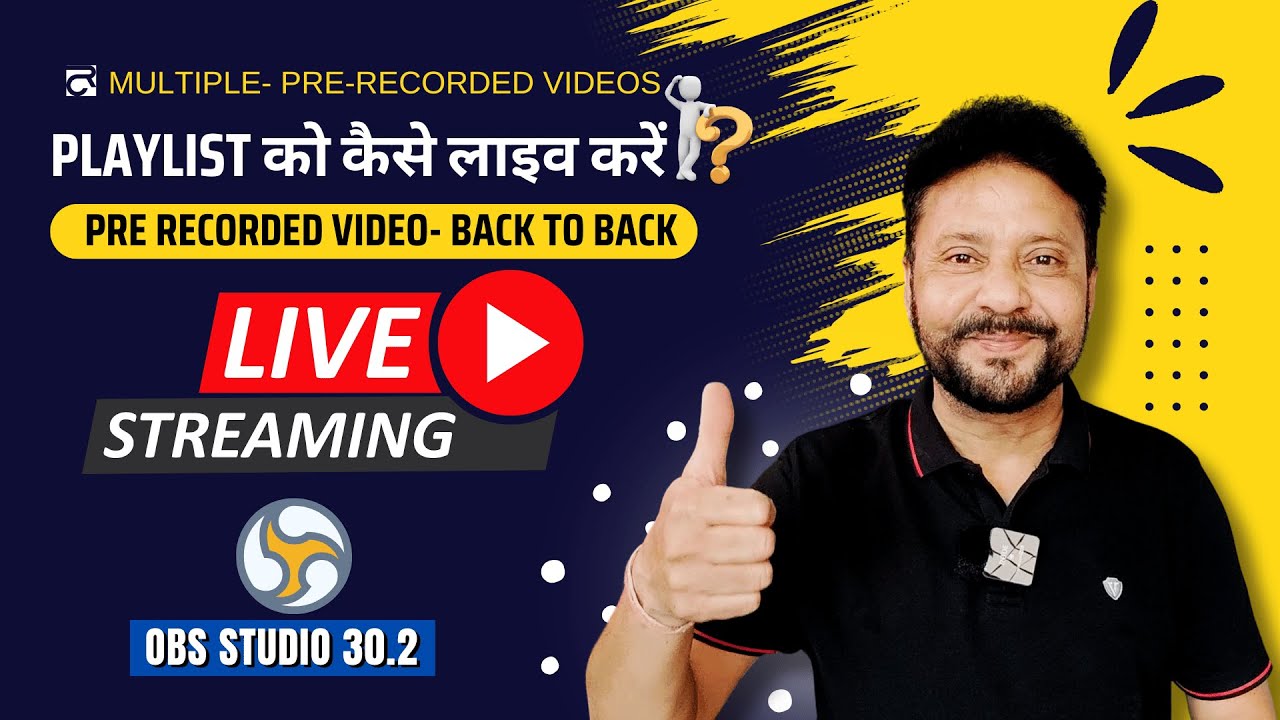
YouTube par prerecorded videos ki playlist ko live dikhane ke liye playlist ko seedha YouTube Live mein nahi daal sakte. Ek encoder—jaise OBS—files ko kram se play karke unka live feed YouTube ko bhejta hai. Aap local computer par OBS aur VLC playlist se yeh kar sakte hain, ya computer ko chalu rakhe bina cloud service istemal kar sakte hain.
YouTube playlist aur live stream mein kya farq hai?
YouTube ki normal playlist ko loop karna viewers ke liye playback feature hai; yeh apne aap live broadcast nahi banti. Live event ke liye encoder ko video chalakar live feed YouTube Live tak bhejni hoti hai. Isliye apni playlist ka YouTube URL kisi native “playlist-to-live” control mein daalne ka tareeqa nahi hai. YouTube ka playlist-loop feature aur encoder se live stream banana alag cheezein hain.
Shuru karne se pehle channel ki eligibility jaanchein
- Channel verified hona chahiye aur pichhle 90 din mein live-stream restriction nahi honi chahiye. YouTube ke mutabik, live stream karne ke liye creator ki umar kam se kam 16 saal honi chahiye. YouTube ki eligibility guidance dekhein.
- YouTube Studio mein Go Live ya Live Control Room kholkar jaanchein ki live streaming enabled hai. Pehli baar enable karne mein 24 ghante tak lag sakte hain; event se pehle access check karein. Encoder setup ki YouTube guidance dekhein.
- Playlist mein shamil har video aur uske audio ko broadcast karne ki permission aapke paas honi chahiye. Kisi video ko dekh paana, ya playlist ka malik hona, usse dobara broadcast karne ka adhikar nahi deta. Live content ko YouTube ki Community Guidelines aur Terms of Service ka paalan karna hota hai.
OBS aur VLC se local playlist ko live stream karein
Is tareeqe mein files, encoder aur internet connection aapke computer par hote hain. OBS mein VLC playlist source ka istemal prerecorded local files ko kram se chalane ke liye creator tutorial aur OBS community discussion mein dikhaya gaya hai; software ke menu aur compatibility badal sakte hain, isliye apne installed versions mein labels verify karein. 2024 ka Hindi tutorial aur OBS forum discussion is workflow ke udaharan hain.
Free tools Windows power users keep installed
One-click scans. No signup required.
- Files taiyar karein: Jin video files ko stream karna hai, unhe us computer par rakhein jo broadcast ke dauran chalu rahega. VLC install karein aur OBS mein VLC Video Source uplabdh hai ya nahi jaanchein. VLC playlist source dikhai na de to software version ya installation compatibility jaanchein; exact menu aapke setup ke anusaar alag ho sakta hai.
- OBS mein playlist source banayein: OBS ke scene mein VLC Video Source add karein, playlist mein local video files jodein aur unka order set karein. Files ko stream bhar accessible rakhein. Shuru karne se pehle har clip ka playback aur audio test karein.
- YouTube Live event banayein: YouTube Studio ka Live Control Room kholein. Naya stream banayein ya scheduled broadcast chunein. Live event ki stream URL aur stream key dekhein.
- Encoder connect karein: OBS ki streaming settings mein YouTube se mili stream URL aur stream key daalein. Stream key ko password ki tarah private rakhein; agar woh saamne aa jaaye ya compromise ho, YouTube settings se reset karein. YouTube encoder setup mein stream key reset karne ki guidance hai.
- Feed test karke live karein: OBS se feed start karein, phir Live Control Room mein preview aane ka intezar karein. Broadcast shuru karne se pehle video, audio aur event accessibility check karein. YouTube salah deta hai ki setup test karein aur channel/watch page ke saath mobile par bhi stream jaanchein. YouTube streaming tips dekhein.
- Broadcast ke dauran nigrani karein: OBS, computer, media files aur internet connection ko chalu rakhein. Audio aur video ki quality par nazar rakhein; local setup mein inmein se koi bhi band ya disconnect hua to feed prabhavit ho sakti hai.
Bitrate aur upload connection ka hisaab
YouTube ke anusaar outgoing stream ka total bitrate aapke uplink ki available upload bandwidth se zyada nahi hona chahiye. YouTube lagbhag 20% bandwidth headroom chhodne ki salah deta hai, kyunki shared network par uplink badal sakta hai. Udaharan ke liye, agar encoder ka total bitrate 10 Mbps hai, to iske upar lagbhag 20% jagah rakhne ka matlab hai ki connection par takriban 12 Mbps ya usse adhik upload capacity honi chahiye. YouTube ki streaming tips mein bitrate aur headroom ki guidance hai.
Popular on Amazon

- POWERED BY RTX 5070 12GB + RYZEN 7 9700X - The GeForce RTX 5070 12GB GDDR7 graphics card pairs with an 8-core AMD Ryzen 7 9700X processor to drive smooth 1440p and 4K gameplay, giving this gaming PC the headroom for modern titles, streaming, and creative work.
- 32GB (16x2) DDR5 MEMORY & 1TB NVMe SSD - 32GB of high-speed DDR5 memory and a 1TB PCIe 4.0 NVMe solid state drive deliver quick load times, smooth multitasking, and generous storage, keeping this prebuilt gaming desktop responsive under heavy workloads.
- BUILT-IN 11.3-INCH Smart DISPLAY - An integrated smart screen shows real-time CPU and GPU temperatures, usage, and weather while you play, adding a distinctive and functional touch to your battlestation.
- 850W 80+ GOLD POWER SUPPLY, 360MM LIQUID COOLING & WiFi 7 - An 850W 80 Plus Gold certified power supply provides stable, efficient power with headroom for future upgrades, while a 360mm AIO liquid cooler, WiFi 7, and an ARGB mid-tower case keep the Ryzen 7 CPU cool and connected in a clean build.
- READY TO PLAY OUT OF THE BOX - Arrives fully assembled and tested with Windows 11 Home pre-installed, so your prebuilt gaming computer is ready to set up in minutes. Assembled in the USA, and backed by a one-year limited warranty and lifetime free technical support.
Resolution, frame rate aur bitrate aapke source video, encoder configuration aur upload connection ke mutabik set karein. Is workflow ke liye ek universal bitrate ya resolution value sthapit nahi hai; apne event se pehle test karke preview aur playback dekhein. YouTube shuru karne ke liye mehnga equipment zaroori nahi batata; dedicated hardware encoder ek optional advanced setup hai, aam zaroorat nahi. YouTube ki encoder guidance dekhein.
Stream band karein aur archive ka dhyan rakhein
YouTube ke encoder help page ke mutabik, 12 ghante se chhoti streams apne aap archive hoti hain. Isse lambi stream ke archive hone ki guarantee na samjhein: agar recording rakhna zaroori hai to Live Control Room ki maujooda guidance check karein aur alag local recording ka plan banayein. YouTube encoder help dekhein.
Also popular on Amazon

- AMD Ryzen 7 8700F 4.1GHz (5GHz Turbo Boost) CPU Processor | 1TB NVMe M.2 SSD – Up to 30x Faster Than Traditional HDD | High-Performance Air Cooler
- NVIDIA GeForce RTX 5060 Ti 8GB GDDR7 Graphics Card (Brand may vary) | 16GB DDR5 RAM 6000 Non-RGB Gaming Memory with Heat Spreader | Windows 11 Home
- WI-FI 5 802.11ac | No Bloatware | Graphic output options include 1 x HDMI, and 1 x Display Port Promised, Additional Ports may vary | USB Ports Including 2.0, 3.0, and 3.2 Gen1 Ports | HD Audio & Mic | Free Gaming Keyboard & Mouse
- High-Performance Air Cooler: Maximum Airflow & ARGB Fans | Skytech Shadow 5 Gaming Case with Tempered Glass, Black | 1 Year Warranty on Parts and Labor | Free Technical Support | Assembled in the USA
- This powerful gaming PC is capable of running all your favorite games such as Elden Ring Nightreign, Baldur's Gate 3, Cyberpunk 2077, Hogwarts Legacy, Helldivers 2, Diablo IV, Starfield, Valorant, Counter-Strike 2, Forza Horizon 5, Resident Evil 9, Alan Wake 2, Warhammer 40,000: Space Marine 2, God of War Ragnarök, Overwatch 2, Dragon's Dogma 2, Marvel's Spider-Man, Clair Obscur: Expedition 33,, more at Ultra settings, detailed 1080p Full HD resolution, and smooth 60+ FPS gameplay.
Or let it run in the cloud
Agar aap local computer aur home internet ko poori broadcast ke dauran chalu nahi rakhna chahte, StreamNeo YouTube par uploaded prerecorded videos ko cloud se 24/7 loop karta hai. Video upload karein, YouTube stream key ek baar add karein, phir go live karein. Har slot par aapka upload kiya hua video bina re-encode kiye, 4K 60fps tak, ek flat price par stream hota hai; quality ke alag tiers nahi hain. YouTube stream drop kare to automatic recovery hoti hai. Pehla din card ke bina free hai (har account par ek free day). Monthly option $9.99 per month hai. India mein UPI aur cards, aur duniya bhar mein card checkout uplabdh hain. Har slot mein 10 GB storage hota hai, jo active slots ke beech pooled hota hai. StreamNeo ke baare mein jaanein, ya free day ke liye sign up karein.
Windows Errors? Fix Them Before They Spread
Repair common Windows errors and clear accumulated junk for a smoother, more stable PC - no reinstall needed.Free scan · no reinstallCrashes, No Sound, or Screen Glitches?
Random freezes, missing sound and display glitches usually trace back to one bad driver. Find and replace yours safely.Free scan · under a minuteQuick Recap
Also popular on Amazon
- 【6-Core Ryzen 5 Prebuilt Gaming PC | Smooth Large Game & Streaming Performance】 The Suevery prebuilt gaming PC features an Ryzen 5 6-Core processor (3.6GHz Base, 4.1GHz Boost) and Radeon RX 560 4GB Graphics Card. It delivers lag-free gameplay for large games, seamless high-definition streaming, and smooth creative software operation, meeting gamers and content creators' reliable performance needs.
- 【16GB DDR4 RAM + 512GB NVMe SSD | Blazing-Fast Boot & Load Speeds】 16GB DDR4 RAM supports simultaneous operation of multiple games, browser tabs and office apps without slowdowns. The 512GB NVMe SSD (up to 30x faster than traditional HDDs) enables fast boot-ups, instant game loads and quick file transfers, with ample storage for games, videos and work files.
- 【Wi-Fi 6 Gaming Tower | Versatile Connectivity for Multi-Scenarios】 This tower gaming desktop has Wi-Fi 6 for fast, stable wireless internet, ideal for online gaming and high-definition streaming. It also includes 2× USB 3.0 and 4× USB 2.0 ports to connect peripherals, storage and office devices, suitable for gaming, home and office use.
- 【RGB Cooling System | Stable Operation】 The advanced air cooling system with customizable RGB fans keeps the gaming tower PC cool and quiet during intense gaming. Optimized airflow maintains optimal component temperatures, preventing overheating and ensuring stable performance for long gaming sessions or heavy office workloads. Sleek RGB lighting adds a gaming-inspired aesthetic.
- 【Prebuilt Tower PC | Adapt to Gaming/Work/Home/Office】 This prebuilt tower gaming PC is versatile for streaming, work, home and office tasks—from video editing and design software to daily office work and browsing. Ready to use with no extra setup, it meets the needs of gamers, remote workers and home users.
Also popular on Amazon

- Powerful Processor: AMD Ryzen 5 5600GT 3.6GHz (4.6GHz Turbo) 6-Core 12-Thread processor brings faster response time to easily handle multi-threaded tasks
- Motherboard Specification: MSI A520M-A PRO motherboard provides reliable performance and expandability for your computing needs
- Integrated Graphics: AMD Radeon Vega Graphics (CPU Integration) enables you to play 1080P mainstream games at quality frame rates
- Memory and Storage: 16GB DDR4 3200MHz RAM paired with 1TB M.2 NVMe PCIe SSD for fast multitasking and quick data access
- Power Supply: 550W 80PLUS Bronze certified power supply ensures stable and energy-efficient operation
Also popular on Amazon

- POWERHOUSE 8-CORE GAMING PERFORMANCE — Driven by the AMD Ryzen 7 8700F with 8 cores and 16 threads, boosting up to 5.0 GHz for smooth, responsive gameplay and the ability to handle AAA titles, streaming, and background tasks all at once
- NEXT-GEN BLACKWELL ARCHITECTURE — The NVIDIA GeForce RTX 5070 is powered by NVIDIA's cutting-edge Blackwell GPU architecture, delivering a massive generational leap in rasterization and ray tracing performance so you can experience your games the way they were meant to be played.
- Simplistic Design: Enjoy the latest generation of Windows 11 Home for your everyday needs. *MSI recommends Windows 11 Pro for business use.
- Cool While Gaming: In conjunction with an ARGB fan Air Cooler, the Codex R2 features four system cooling fans; three in the front and one in the rear to pull in cool air and push heat out of the PC.
- Turn on the Bright Lights: With the built-in RGB lighting, take your gaming experience to the next level by pressing the MSI LED button to cycle through lighting options. Customize lighting even further with MSI Center software.
Aam dikkat aur unke hal
- Live streaming enabled nahi: Studio mein Go Live/Live Control Room se access check karein; eligibility poori hone ke baad pehli activation mein 24 ghante tak lag sakte hain.
- Preview nahi aa raha: OBS mein sahi YouTube stream URL aur key check karein, encoder feed chalu hai ya nahi dekhein, aur key galat ya compromised lage to reset karein.
- Video ruk-ruk kar chal raha hai ya connection toot raha hai: Available upload bandwidth ke muqable encoder ka total bitrate check karein aur YouTube ki salah ke mutabik lagbhag 20% headroom rakhein. Shared network par doosra upload bhi uplink ghata sakta hai.
- Playlist clip par ruk jaati hai ya audio nahi aata: Local files ka path aur playback check karein, playlist order verify karein, aur stream se pehle har file ko source ke roop mein test karein.
- Copyright ya policy concern: Har video aur audio ke broadcast rights confirm karein aur YouTube ki policies follow karein. Playlist ka access, rebroadcast permission ka saboot nahi hai.






Say something about this film