
Quick wins for a faster PC:
Scan for outdated or missing drivers - takes under a minuteDriver Scan →Clear out junk files and repair common Windows errorsFree Scan →Some links on this page are affiliate links: if you buy through them we may earn a commission, at no extra cost to you.
Yes, you can embed a YouTube live stream directly into your website, and doing so keeps your audience in one place without losing them to external platform navigation. The process involves obtaining your YouTube stream key and using either YouTube’s native embed code or a dedicated streaming platform to manage the broadcast from your site.
Why Embed Your Live Stream at All
When you broadcast exclusively through YouTube’s player, viewers land on a separate domain. They see YouTube’s recommendation sidebar, they may navigate away, and your site traffic never reflects the actual audience size. Embedding the stream on your own domain keeps people on your property, lets you control the surrounding context with your own branding and messaging, and makes your content feel like part of your ecosystem rather than an external visit.
This matters especially if you run a documentary channel or educational series. Your audience came to your site for your voice and your material. Hosting the live stream elsewhere, even temporarily, fragments that experience.
Free tools Windows power users keep installed
One-click scans. No signup required.
Getting Your YouTube Stream Key
Before you can broadcast anywhere, you need to enable live streaming on your YouTube channel. Head to YouTube Studio, navigate to the “Create” menu, and select “Go Live.” YouTube will walk you through a verification process if it’s your first time—this typically takes 24 hours.
Popular on Amazon

- 【1080P 60FPS Video Capture Card】 This HDMI game capture card is based on USB3.0 high speed transmission port, input resolution up to 4K@30HZ, output resolution up to 2K@30Hz or 1920×1080@60Hz. Type c and USB interface can meet most of the devices in daily life. Easily meet the online capture, real-time recording, online meetings, live gaming and other functions, so you have a better visual enjoyment. Note: For capture use only; requires capture software to function and is not intended for direct screen casting to a monitor or TV
- 【Ultra Low Latency Screen Sharing】 HDMI capture card is made of good quality aluminum alloy with strong heat dissipation, allowing you to enjoy ultra low latency while live gaming or video recording or live streaming, avoiding blue screens and lag. This HDMI to USBC capture card supports easy recording of good quality audio or HD video and transferring it to your computer or streaming platform, allowing you to record 60 fps HD video directly on your hard drive and real-time preview
- 【Plug and Play, Easy to Carry】 This HDMI 1080P video capture card does not require any additional drivers or external power supply, just plug and play for fast capture. The capture card is small and lightweight, so you can put it in your bag for emergencies, making it very portable for outdoor live streaming. It's also a great way to share content in game recording, video conference, video recorder and online teaching
- 【Wide Compatibility USB Capture Card】 Easily streams to Facebook, Youtube or Twitch. With the connection, this HDMI to USB C/3.0 video capture devices can be working on several Operating Systems and various software: Windows 7/ 8/ 10, Mac OS or above, Linux, Android, Laptop, Xbox One, PS3/PS4/PS5, Camera, DVDs, Set Top Box, Webcame, DSLR, Switch/Switch 2, TV BOX, HDTV, Potplayer/VLC, ZOOM, OBS Studio etc.
- 【Package Content & Note】 1x HD Audio Capture Card , 1x USB 3.0 to USB C Adapter (A-side 3.0, B-side 2.0), 1x user manual. Please note that you need to restart the OBS Studio software after the audio setup is complete, otherwise it will result in no sound output. When using an adapter, if the device is recognized as USB 2.0, try using the other side with the USB-C port. Simply flip the capture card and reconnect it to be recognized as USB 3.0
Once verified, YouTube Studio shows you the “Stream settings” page. This page contains two critical pieces of information: your Stream URL (also called the RTMP ingest URL) and your Stream Key. The Stream Key is a long alphanumeric code that acts as your authorization token. Anyone with this key can broadcast to your channel, so treat it like a password—never paste it into public chat, GitHub, or unencrypted emails.
Copy your Stream Key and keep it somewhere secure. You’ll need it to configure either your encoding software or your streaming platform.
The Manual Encoding Path: What It Costs
Running encoding software like OBS Studio on a desktop machine means that computer must stay powered on, connected, and stable for the entire duration of your broadcast. A multi-hour documentary premiere, a 24-hour fundraiser stream, or a recurring weekly show becomes a machine-babysitting task. One Windows update at 2am and the stream vanishes until someone wakes up and restarts it. Your upload link gets saturated for days if the file is large. The machine stays hot and loud. If you want any redundancy or failover, you’re running multiple computers.
Recommended Free Tools
For channels that broadcast occasionally, this is manageable friction. For anything regular or long-form, it’s the part of your operation that fails first.
Using a Cloud Streaming Service Instead
Leaving a desktop encoding running around the clock is the part that breaks first—one unexpected reboot and the channel is dark until you notice. StreamNeo removes that dependency: you upload your video file once, paste your YouTube stream key into the interface, and the stream runs from the cloud with your own machine switched off, restarting itself if the connection drops. Your computer stays quiet and off. There is a free 24-hour trial and no card required, which is long enough to see whether it survives a night unattended.
This approach works because the platform handles the encoding, the bitrate management, and the delivery. Your video file sits on their servers. When you activate the stream, the service reads the file, encodes it in real time, and pushes it to YouTube using your credentials. Your role shrinks to uploading once and monitoring the chat if you choose to.
Embedding the Stream on Your Website
Once your YouTube stream is live, embedding it on your site is straightforward.
What’s actually slowing this PC down?
Pick the symptom - the matching free tool is one click away.
Also popular on Amazon

- AV TO USB Converter: Capture videos and audios from VHS, VCR, Hi8, DV tapes to a PC, with the help of our USB Video Converter. Save room while digitizing your favorite old memories
- Quality Capture Card: Our USB Video Capture Card converting anolog RCA composite input into HD 720P USB output and capturing audio without any sound card. Advanced signal processing technology provides you with great precision, colors, resolutions, and details.
- Plug and Play: Automatically install the driver once you hook up this RCA to USB Converter to a PC. No external power is needed. User-friendly and easy to operate
- Wide Compatibility: The Video Capture Card can work with video devices with RCA connector or S-Video connector, such as VHS, VCR, Hi8, camcorder, compatible with Windows and Mac OS. Support video formats like NTSC, PAL, and support brightness, contrast, hue, and saturation control
- Note: The Video Converter is used with acquisition software. We recommend OBS Studio or PotPlayer for Windows, and QuickTime Player for Mac. They can be downloaded for free online. Please operate according to the steps in User Manual or contact us if you have any questions
Option 1: YouTube’s Embed Code
Go to your YouTube live stream page (the public URL where the stream appears). Right-click the player and select “Copy embed code.” This generates an iframe that you paste into your website’s HTML. The embed looks like this:
<iframe width="560" height="315"
src="https://www.youtube.com/embed/LIVE_STREAM_ID"
frameborder="0"
allow="accelerometer; autoplay; clipboard-write; encrypted-media; gyroscope; picture-in-picture"
allowfullscreen></iframe>
Replace LIVE_STREAM_ID with the actual ID from your stream URL. Paste this into any page, and your stream appears in a responsive player. Viewers can watch, comment, and interact without leaving your site.
Option 2: Customized Embed Parameters
If you want more control—auto-play, specific dimensions, controls visibility—you can modify the iframe. For example, adding ?autoplay=1 to the src will start playback immediately when the page loads. Adding rel=0 prevents YouTube from showing unrelated video recommendations after the stream ends.
Option 3: Responsive Sizing
By default, an iframe has fixed dimensions. To make it scale responsively on mobile devices, wrap the iframe in a container div and use CSS:
Windows Errors? Fix Them Before They Spread
Repair common Windows errors and clear accumulated junk for a smoother, more stable PC - no reinstall needed.Free scan · no reinstallCrashes, No Sound, or Screen Glitches?
Random freezes, missing sound and display glitches usually trace back to one bad driver. Find and replace yours safely.Free scan · under a minute<div style="position: relative; padding-bottom: 56.25%; height: 0; overflow: hidden;">
<iframe style="position: absolute; top: 0; left: 0; width: 100%; height: 100%;"
src="https://www.youtube.com/embed/LIVE_STREAM_ID"
frameborder="0" allow="accelerometer; autoplay; clipboard-write; encrypted-media; gyroscope; picture-in-picture" allowfullscreen></iframe>
</div>
This uses a padding-bottom trick to maintain a 16:9 aspect ratio across all screen sizes. On desktop, mobile, and tablet, the player scales proportionally.
Positioning Your Stream on the Page
Your live stream should be prominent but not overwhelming. Documentary sites typically place the stream near the top of the page, above supporting content like the episode description, related links, and viewer comments.
Consider your layout structure:
- Header and navigation (your branding, menu)
- Headline and metadata (episode title, air date, description)
- Embedded stream (the iframe, centered or full-width)
- Supporting content (transcript, credits, related episodes, external links)
- Discussion area (if you host comments natively on your site, or a link to YouTube comments)
This ordering respects the visitor’s intent: they arrived to watch, so the stream should be easy to find and play.
Also popular on Amazon
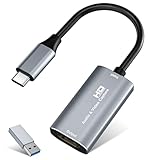
- 【4K HDMI Input, 2K@30Hz Recording】Powered by a true USB 3.0 high-speed interface, the capture card supports up to 4K@30Hz HDMI input and records at 2K@30Hz or 1080P@60Hz. Perfect for gamers, streamers, and professionals who need crisp, smooth video for live streaming, gameplay recording, or online meetings.
- 【Ultra Low Latency Screen Sharing】Built with a premium aluminum alloy shell and advanced chipset for stable heat dissipation, ensuring ultra-low latency transmission. Capture high-quality video and dual-channel audio in real time—no lag, no frame drop—ideal for Twitch, YouTube, or OBS streaming.
- 【Easy Plug and Play, Compact & Portable】No driver or external power required—just plug and play via USB 3.0 or Type-C connection to your Windows or macOS computer. Lightweight and compact design makes it easy to carry for outdoor streaming, live shows, or mobile recording setups.
- 【Wide Compatibility & Multi-Device Support】Compatible with Windows 7 8 10 11, macOS, Linux,Android and supports most popular software such as OBS, Zoom, VLC, Twitch Studio, and more. Works seamlessly with PS4, PS5, Xbox, Switch, DSLR cameras, TV boxes, and other HDMI-output devices for streaming to YouTube, Twitch, etc.
- 【What You Get】Includes: HDMI Capture Card, USB 3.0 to USB-C Adapter, User Manual. Tips: Make sure your tablet’s OTG function is enabled before connecting. Test your HDMI device with a monitor first to confirm video and audio output, then connect to the Video Capture Card for recording.
Technical Considerations for Smooth Playback
YouTube’s embed player handles most of the heavy lifting, but a few things matter on your end.
Page Load Performance: The iframe is lazy-loaded by YouTube, meaning it doesn’t slow down your page’s initial load time. However, if your page is already slow, the stream will feel slow to appear. Use a tool like Google PageSpeed Insights to identify bottlenecks—large unoptimized images, render-blocking scripts, or uncompressed assets.
HTTPS: Your website must use HTTPS (SSL/TLS encryption). YouTube’s embeds require a secure context. If your site runs on HTTP, the embed will fail silently.
CDN and Geographic Access: YouTube’s servers are globally distributed, so playback is usually fast anywhere. However, some regions have restricted access to YouTube. If your audience is international, verify that YouTube is accessible in those countries.
Fallback Content: Some older browsers or strict corporate networks block iframes. Include a fallback link to your YouTube stream:
<div style="position: relative; padding-bottom: 56.25%; height: 0; overflow: hidden;">
  <iframe style="position: absolute; top: 0; left: 0; width: 100%; height: 100%;"
  src="https://www.youtube.com/embed/LIVE_STREAM_ID"
  frameborder="0" allow="accelerometer; autoplay; clipboard-write; encrypted-media; gyroscope; picture-in-picture" allowfullscreen></iframe>
</div>
<p><a href="https://www.youtube.com/watch?v=LIVE_STREAM_ID">Watch on YouTube</a></p>
If the iframe fails to load, visitors still have a working link.
Managing Your Stream Schedule
Once embedded, communicate to your audience when the stream goes live. Add a countdown timer to your site, send notifications through email or social channels, and update your homepage with the broadcast time.
Also popular on Amazon

- [Enhanced 4K-1080P Video Capture Experience] Capture the Magic: Elevate your video recordings to new heights with our upgraded anti-static 1080P Video Capture Card. Immerse yourself in stunning visuals, supporting HDMI input at 4K 60FPS and USB output for capturing in 1080P, complete with rich stereo sound. Enjoy crystal-clear video recordings, dynamic gaming live streams, and professional conference broadcasts. Note: HDMI resolution: Max input can be 3840×2160@30Hz / Video output resolution: Max output can be 1920×1080@30Hz
- [Seamless Real-Time Preview] Stay in the Moment: Our advanced ultra-low latency technology ensures seamless real-time transmission of video streams. Experience instant, lag-free previews, allowing you to capture every detail precisely. Effortlessly record video directly to your hard disk, all without compromising on quality or introducing any delays.
- [Versatility and Broad Compatibility] Your Creative Hub: Connect your DSLR, camcorder, or action camera to a wide range of operating systems, including Windows, MacOS, and Linux. Unlock a world of possibilities with real-time streaming to popular platforms like Twitch, Youtube, OBS, Zoom, Potplayer, and VLC, giving you the tools to share your content effortlessly.
- [Effortless Plug and Play] Simplicity Redefined: Say goodbye to complex installations. Our plug-and-play design eliminates the need for drivers or external power supplies. Seamlessly integrate high-definition acquisition into various scenarios, whether it's educational recordings, immersive gaming, precise medical imaging, captivating live streams, or professional broadcasting.
- [Seize Every Detail with Precision] Unleash your creativity and attention to detail with our video capture card. Capture every nuance, every color, and every moment with precision, thanks to the enhanced capabilities of our technology. Whether you're a content creator, a gamer, or a professional, our capture card empowers you to seize the finest elements and bring them to life in your recordings and live streams.
If you’re using a platform like StreamNeo to manage your video-to-stream conversion, you can schedule the broadcast in advance. Upload your video, set a start time, and the platform takes care of the rest. Your website’s embed will automatically switch from “offline” to “live” at the scheduled moment.
Independent reader supportYour contribution helps us test, update, and keep practical guides available for everyone.Chat and Audience Interaction
The YouTube embed includes the live chat panel on desktop browsers (though this is disabled on mobile by default due to space constraints). Viewers can comment in real time, and you can moderate from YouTube Studio or from the embedded player itself.
The Tool Desk
Outbyte PC Repair FREEClear out junk files and repair common Windows errorsFree Scan →Outbyte Driver Updater FREEScan for outdated or missing drivers - takes under a minuteDriver Scan →If you prefer to host chat natively on your site, you’ll need a separate tool—this is beyond the scope of YouTube’s embed player. However, for most documentary and educational broadcasts, YouTube’s native chat is sufficient.
Analytics and Tracking
YouTube Studio tracks viewers, engagement, and watch duration for your stream. These metrics appear in your YouTube Analytics dashboard, separate from your website analytics.
To tie streaming viewership to your site traffic, add a UTM parameter to your YouTube stream link if you’re promoting it elsewhere. For example, ?utm_source=mysite&utm_medium=email will help you see how many people came from your email campaign versus organic search.
Your website analytics tool (Google Analytics, Plausible, etc.) will also show that users spent time on the page where you embedded the stream.
Do these 3 things before closing this tab:
1Repair Windows errors before they cause bigger problems2Fix the driver behind crashes, sound loss and screen glitches3Clear out junk files and repair common Windows errorsTroubleshooting Common Issues
Embed Not Showing: Verify that your stream is actually live on YouTube. Non-live or private streams won’t display in embeds. Check that your site uses HTTPS and that your browser hasn’t blocked third-party iframes.
Also popular on Amazon

- 【4K60 Loop-Out & 1080P60/2K30 Capture】 This HDMI game capture card supports 4K 60Hz HDMI input and loop-out, captures up to 1080P 60fps video, and outputs up to 2K 30Hz via USB 3.0 with YUY2. HDMI input supports 4K30/60Hz and 1080p120/144Hz; it does not support 4K120/144Hz. Ideal for PS4/PS3, Xbox One/360, Wii U, Switch 2, DVD, DSLR, camera, security camera, set-top box, live games, online meetings, real-time recording, and preview.
- 【Plug-and-Play, Stable & Ultra-Low Latency】 No driver or external power supply required—true plug and play. The device is automatically identified, detects input, and adjusts output automatically. Aluminum alloy body with strong heat dissipation and optimized cable layout improves stability and picture clarity, helping avoid blue screens and lag. USB 3.0 low-latency capture with optional audio capture; no CPU occupation and no freeze with correct settings.
- 【HDMI Loop-Out & Mic-In】 High-speed USB 3.0 single-channel HD HDMI capture with loop-out for lag-free live gameplay. The 3.5mm mic input lets you add external commentary during games or interviews; it only accepts a 3.5mm microphone headset. Note: it does not record party chats.
- 【Wide Compatibility】 Works with Windows 7/8/10, macOS or above, Linux, Android, laptops, Switch, PS3/PS4/PS5, Xbox One/Series X, Xbox 360, Wii U, cameras, webcams, DSLR, security cameras, Steam, TV BOX, and HDTV. Streams to Twitch, YouTube, Facebook, and Twitter; compatible with OBS Studio, Streamlabs, XSplit, Potplayer, VLC, ZOOM, etc.
- 【Package Content & Important Notes】 Includes 1x Video Capture Card, 1x English User Manual, 1x USB-A to USB-C Adapter and 1x USB 3.0 USB-A Cable. After completing audio setup, please restart OBS Studio to avoid no sound output. Customer service is available 24 hours a day for quality problems.
Player Appears Blank: This usually means the stream hasn’t started yet. The embed shows a placeholder until the stream goes live. Refresh the page once the stream begins.
Audio or Video Lag: This is typically a network or bandwidth issue on the viewer’s side, not your site. Encourage viewers to refresh or reduce their video quality setting in the YouTube player.
Mobile Responsiveness Broken: If your embedded iframe has fixed dimensions, it will overflow on mobile. Use the responsive CSS wrapper method described above.
Best Practices for Documentary Broadcasters
Keep your broadcast URL stable. Once you publish a link to your embedded stream, avoid changing it unless necessary—bookmarks and external links depend on consistency.
Add surrounding context. The stream itself doesn’t explain what viewers are watching. Include a headline, a synopsis, and metadata like the episode number, guest names, or runtime.
Archive your streams. After the live event, YouTube automatically archives the video. You can then replace the live embed with a regular on-demand embed so your page remains valuable long after broadcast.
Test before going live. Load your page from a different network, refresh several times, and watch a few minutes to confirm the player works. A live broadcast is not the moment to discover that your iframe is broken.
Embed your stream on your site not as a replacement for YouTube, but as an extension of it. You own the presentation and the surrounding experience. YouTube handles the reliability and global distribution. Together, they create a broadcast that feels like yours while reaching an audience worldwide.





Say something about this film