Spotify skipping can mean several different things: every song fails to start, only certain tracks are unavailable, playback breaks over Bluetooth, or another device is controlling your queue. Start by identifying the pattern, then restart Spotify, update the app and device, test another network or the web player, and clear the cache. Reinstall only after those lower-risk checks, because reinstalling removes downloaded music and podcasts.
Identify what “skipping” means
Note which description matches your problem before changing settings:
- Every song jumps to the next track or plays for less than a second.
- Several songs are skipped in succession.
- Only one or two songs are skipped while others play normally.
- Playback stops or fails to advance when a song ends.
- The problem appears only when the screen is locked, on cellular data, or through Bluetooth, a car, a speaker, or Spotify Connect.
- The queue changes because another device is controlling your account.
These patterns point to different causes, so a single “reinstall Spotify” remedy is inefficient.
Check whether Spotify is having a service problem
When the app and web player fail on several devices and networks, check Spotify Status on X and the Community Ongoing Issues board. Spotify directs users to these channels when normal troubleshooting does not resolve playback. Do not assume an outage without checking the current status; a device, account, or network problem can look identical.
The Tool Desk
Outbyte PC Repair FREERepair Windows errors before they cause bigger problemsFix Now →Outbyte Driver Updater FREEScan for outdated or missing drivers - takes under a minuteDriver Scan →#1 Best Overall

- LONG BATTERY LIFE: With up to 50-hour battery life and quick charging, you’ll have enough power for multi-day road trips and long festival weekends.(USB Type-C Cable included)
- HIGH QUALITY SOUND: Great sound quality customizable to your music preference with EQ Custom on the Sony | Headphones Connect App.
- LIGHT & COMFORTABLE: The lightweight build and swivel earcups gently slip on and off, while the adjustable headband, cushion and soft ear pads give you all-day comfort.
- CRYSTAL CLEAR CALLS: A built-in microphone provides you with hands-free calling. No need to even take your phone from your pocket.
- MULTIPOINT CONNECTION: Quickly switch between two devices at once.
Do the safe first fixes
Restart Spotify completely
Close the app rather than merely returning to the home screen, then reopen it and retry the same song. On Windows or macOS, quit Spotify from its menu or system tray and launch it again. Force-close it through the operating system if it is frozen. This does not remove downloads.
Update Spotify and your operating system
Install Spotify’s current release from the official app store or desktop distribution channel, then install pending iOS, Android, Windows, or macOS updates and restart the device. A historical fix for a specific iOS playback incident is not a universal version requirement; use the latest release available for your platform.
Check Offline mode and network access
Turn off Offline mode
On mobile and tablet, open Profile picture → Settings and privacy → Data-saving and offline and make sure Offline mode is off. On desktop, use the Spotify menu on macOS or the three-dot/File menu on Windows and deselect Offline Mode. In Offline mode, anything not downloaded is unavailable or grayed out. See Spotify’s offline-mode instructions.
Run a controlled connection test
- Play the same song on Wi-Fi.
- Try cellular data.
- Try a different Wi-Fi network or a phone hotspot.
- Open another app or website to check general connectivity.
- Temporarily disable a VPN, restrictive firewall, DNS filter, ad blocker, or managed-network filter.
- Restart Wi-Fi and, if appropriate, the router.
A connection may browse normally yet still suffer packet loss, a captive portal, cellular handoffs, congestion, or blocked Spotify traffic. Public, school, office, hotel, and airport networks can impose restrictions. Spotify’s connection guidance is at Spotify is offline.
PC Slower Than It Used to Be?
A free scan shows the junk files, broken settings and background clutter dragging Windows down - then fixes them in one click.Free scan · Windows 10 & 11Crashes, No Sound, or Screen Glitches?
Random freezes, missing sound and display glitches usually trace back to one bad driver. Find and replace yours safely.Free scan · under a minuteUse another device and the web player to isolate the fault
Try the same account and song in the web player, then on another phone or computer. Also try the same output device with another music app. Interpret the result as follows:
Rank #2

- 65 Hours Playtime: Low power consumption technology applied, BERIBES bluetooth headphones with built-in 500mAh battery can continually play more than 65 hours, standby more than 950 hours after one fully charge. By included 3.5mm audio cable, the wireless headphones over ear can be easily switched to wired mode when powers off. No power shortage problem anymore.
- Optional 6 Music Modes: Adopted most advanced dual 40mm dynamic sound unit and 6 EQ modes, BERIBES updated headphones wireless bluetooth black were born for audiophiles. Simply switch the headphone between balanced sound, extra powerful bass and mid treble enhancement modes. No matter you prefer rock, Jazz, Rhythm & Blues or classic music, BERIBES has always been committed to providing our customers with good sound quality as the focal point of our engineering.
- All Day Comfort: Made by premium materials, 0.38lb BERIBES over the ear headphones wireless bluetooth for work are the most lightweight headphones in the market. Adjustable headband makes it easy to fit all sizes heads without pains. Softer and more comfortable memory protein earmuffs protect your ears in long term using.
- Latest Bluetooth 6.0 and Microphone: Carrying latest Bluetooth 6.0 chip, after booting, 1-3 seconds to quickly pair bluetooth. Beribes bluetooth headphones with microphone has faster and more stable transmitter range up to 33ft. Two smart devices can be connected to Beribes over-ear headphones at the same time, makes you able to pick up a call from your phones when watching movie on your pad without switching.(There are updates for both the old and new Bluetooth versions, but this will not affect the quality of the product or its normal use.)
- Packaging Component: Package include a Foldable Deep Bass Headphone, 3.5MM Audio Cable, Type-c Charging Cable and User Manual.
| Test result | Likely area to investigate |
|---|---|
| Fails everywhere | Spotify service, account, catalog availability, or widespread network issue |
| Fails only in the mobile app | App cache, version, mobile OS, permissions, or downloads |
| Fails on one device | Storage, battery controls, firewall, SD card, operating system, or hardware |
| Fails only through Bluetooth or a car | Pairing, accessory, vehicle, or Bluetooth stack |
| Fails only on cellular | Data restrictions, carrier quality, VPN, or handoff problems |
| Only particular songs fail | Availability, local files, catalog changes, or corrupted downloads |
Spotify specifically recommends another device or the web player for determining whether a problem is device-specific: Spotify not playing.
Clear Spotify’s cache without deleting downloads first
On iPhone and Android, use Profile picture → Settings and privacy → Data-saving and offline → Storage → Clear next to Clear cache. On desktop, open Profile picture → Settings → Storage → Clear cache. Spotify says cached data supports playback but can be cleared to free space or address stale or corrupted temporary data; labels can vary slightly by platform and version. Details are in Spotify storage information.
- Clear cache: removes temporary cached data.
- Remove downloads: deletes offline music and podcasts.
- Uninstall/reinstall: removes the app and requires downloaded music and podcasts to be downloaded again.
Do not clear app data or uninstall while assuming your offline library will remain.
Check storage, Android SD cards, and battery restrictions
Free enough storage
Spotify recommends at least 1 GB of free memory for storage and download-related use. Its playback troubleshooting page separately mentions 250 MB available memory as a device check. Treat 1 GB as the practical target, not a guaranteed hard minimum, and leave more headroom on a nearly full device. See storage information and Spotify not playing.
Investigate an Android SD card
If downloads use an SD card, confirm that it is mounted and healthy. Test Spotify with internal storage where possible; change storage only according to the device maker’s instructions and back up important files first. Spotify lists a problematic SD card as a possible device-level cause.
Rank #3
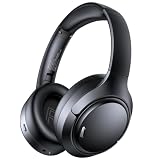
- 45dB Hybrid Active Noise Cancelling & Immersive Sound: Experience focused listening with A18 over-ear Bluetooth headphones featuring hybrid Active Noise Cancelling (ANC) that reduces noise by up to 45dB, helping block out traffic, airplane cabin noise, and office chatter. Equipped with 40mm dynamic drivers, these wireless headphones deliver deep bass, clear mids, and crisp highs—perfect for travel, commuting, work, or relaxing at home
- Up to 120H Playtime & Wired Mode Headphones: Enjoy up to 120 hours of playtime on a single charge, making these Bluetooth headphones ideal for long trips, business travel, and extended daily use. Designed with efficient battery performance, they reduce the need for frequent charging. When needed, switch to wired mode with the included 3.5mm AUX cable for uninterrupted music, movies, or calls
- 6-Mic ENC Noise Cancelling Headphones for Clear Calls: These noise cancelling headphones feature a 6-microphone array with Environmental Noise Cancellation (ENC) to capture your voice clearly while reducing background noise like wind, crowds, and street sounds. Ideal for work calls, Zoom meetings, online classes, or daily phone calls, ensuring stable and natural communication wherever you are
- Comfortable Over-Ear Headphones with Foldable Design: These over-ear wireless headphones feature soft ear cushions and an adjustable, foldable headband for a secure, pressure-free fit during long listening sessions. Perfect for commuting, travel, office work, or workouts. Transparency Mode allows you to hear surrounding sounds without removing your headphones, keeping you aware outdoors
- Bluetooth 6.0 Wireless Headphones with Fast Pairing: Built with advanced Bluetooth 6.0, these wireless over-ear headphones provide fast pairing and a stable connection with iPhone, Android phones, tablets, and laptops. Enjoy low latency and smooth audio for streaming, gaming, video watching, and everyday listening at home, in the office, or on the go
Remove background restrictions
On Android, open system settings for Spotify and remove battery optimization or “sleeping app” restrictions where those controls exist. Also check background activity, background data, Data Saver, and manufacturer cleaning tools. Menu names differ among Samsung, Pixel, Motorola, Xiaomi, OnePlus, and other devices. This is community-reported, device-specific troubleshooting rather than a guaranteed Spotify defect; see the Android Community guidance.
On iPhone, check Low Power Mode, Spotify’s cellular-data permission, and whether skipping occurs only with the screen locked. Do not assume an iOS battery setting is the cause without that comparison.
What’s actually slowing this PC down?
Pick the symptom - the matching free tool is one click away.
Fix Bluetooth, car, speaker, and Spotify Connect skipping
- Play through the phone or computer’s built-in speaker.
- Try a second Bluetooth headset or speaker.
- Toggle Bluetooth, forget the accessory, and pair it again.
- Restart both the playback device and receiver; disconnect unused Bluetooth devices.
- Try wired playback or Spotify Connect.
- Test another music app through the same accessory.
If Spotify works through built-in speakers but every audio app fails through one headset or car, investigate the accessory, vehicle firmware, pairing profile, or Bluetooth congestion. If only Spotify fails on every output, return to the app, account, network, and cache checks. Community reports mention Bluetooth congestion and sleep-related playback failures, but these are possible failure modes, not universal diagnoses.
Check your account and queue
Open Spotify’s playback-device picker and look for an unfamiliar phone, computer, speaker, or console. Stop playback on devices you do not recognize, sign out everywhere if necessary, and change your password if there is unfamiliar activity. Reconnect only the intended device. Another active session can make a queue change appear to be random skipping.
Autoplay is not normally responsible for tracks being skipped before the current queue progresses. It controls what Spotify plays after the selected queue or album ends; see Spotify’s internet and data-usage information.
Rank #4

- Outdoor-Proof Speaker: Portable design with IPX7 waterproof protection to safeguard against splashes, waves, and water vapor. Get incredible sounds at home, on camping trips, or for outdoor adventures.
- 24H Non-Stop Music: With Anker's world-renowned power management technology and a 5,200mAh Li-ion battery, the soundcore 2 speaker delivers a full day of great sound.
- Powerful Sound: The speaker features 12W power with enhanced bass from dual neodymium drivers. An advanced digital signal processor ensures pounding bass and zero distortion at any volume.
- Intense Bass: Our exclusive BassUp technology and a patented spiral bass port boost low-end frequencies to make the beats hit even harder. The soundcore 2 speaker delivers vibrant audio for home theater nights, beach parties, and sitting around a campfire.
- Grab, Go, Listen: A classic design refined with simple controls and effortless portability. Easy to use and take anywhere, and supports wireless stereo pairing.
Use Offline mode as a diagnostic
Premium users can download music, albums, and playlists; Free users can download podcasts, while plan availability can vary by region and policy. Over reliable Wi-Fi, download a small playlist, confirm every item has downloaded, turn on Offline mode, and play it.
- Offline works, streaming skips: focus on network quality, VPNs, firewalls, data restrictions, or cellular handoffs.
- Offline also skips: focus on the app, device, storage, corrupted downloads, Bluetooth, or account.
Spotify requires users to go online at least once every 30 days to keep downloads. Downloads can also disappear after reinstalling, using more than five devices, an app update, or an SD-card problem. See Listen offline and Spotify’s offline-download limits. Premium is an optional diagnostic route, not a cure; do not subscribe solely to fix skipping. If you choose it, use the official Spotify Premium page.
When only certain songs skip
Inspect the track in the playlist or album. A gray or unavailable item may not be licensed in your market, or the release may have changed. Local files are not streamed from Spotify’s catalog and need separate checks for file format, location, permissions, and synchronization. Incomplete or corrupted offline downloads can also affect individual tracks. Do not treat a one-song failure as proof of an internet-buffering problem.
Reinstall Spotify only as a last resort
For persistent problems, follow Spotify’s current clean-reinstall instructions rather than deleting random folders that may differ by platform. Community troubleshooting recommends a clean reinstall for recurring skipping, while Spotify’s official sequence lists reinstalling after restart and update steps: Spotify not playing and Spotify Community’s skipping FAQ.
Before doing it:
- Confirm your login method and password.
- Understand that downloaded music and podcasts must be downloaded again.
- Note local files, custom settings, and playlists that need restoring.
- Use a reliable network and enough free storage for the re-download.
When to contact Spotify or the device maker
Contact Spotify after testing another network, device, and web player, clearing the cache, checking Offline mode, and reviewing current service-status reports. Include your platform, app version, device model, whether all or specific tracks fail, and whether built-in speakers work. Contact the accessory or vehicle manufacturer when multiple audio apps fail through one Bluetooth device or car. A 2026 Community report about playback stopping after tracks ended was marked fixed for a specific iOS/app scenario; treat it as a dated incident and install the latest available app rather than relying on that old version detail: the issue thread.
Free tools Windows power users keep installed
One-click scans. No signup required.
Best Value

- Hybrid Active Noise Cancelling: 2 internal and 2 external mics work in tandem to detect external noise and effectively reduce up to 90% of it, no matter in trains or offices.
- Immerse Yourself in Detailed Audio: The noise cancelling headphones have oversized 40mm dynamic drivers that produce detailed sound and thumping beats with BassUp technology for your every travel, commuting and gaming. Compatible with Hi-Res certified audio via the AUX cable for more detail.
- 40-Hour Long Battery Life and Fast Charging: With 40 hours of battery life with ANC on and 60 hours in normal mode, you can commute in peace with your Bluetooth headphones without thinking about recharging. Fast charge for 5 mins to get an extra 4 hours of music listening for daily users.
- Dual-Connections: Connect to two devices simultaneously with Bluetooth 5.0 and instantly switch between them. Whether you're working on your laptop, or need to take a phone call, audio from your Bluetooth headphones will automatically play from the device you need to hear from.
- App for EQ Customization: Download the soundcore app to tailor your sound using the customizable EQ, with 22 presets, or adjust it yourself. You can also switch between 3 modes: ANC, Normal, and Transparency, and relax with white noise.
Frequently Asked Questions
Does clearing Spotify’s cache delete downloaded songs?
Clearing cache removes temporary data; it is different from removing downloads or uninstalling the app. Reinstalling requires music and podcasts to be downloaded again.
Why does Spotify skip only over Bluetooth?
Compare built-in speakers, another Bluetooth accessory, wired playback, and another music app. If all audio apps fail through one accessory or car, investigate pairing, firmware, or the Bluetooth connection.
Why does Spotify skip only on cellular data?
Check cellular-data permission, carrier quality, Data Saver, VPN or filtering tools, and whether the problem disappears on Wi-Fi or a hotspot.
Why do only certain songs skip?
Those tracks may be unavailable in your market, local files, changed catalog entries, incomplete downloads, or corrupted offline files.
Is Spotify Premium required to stop skipping?
No. Skipping can involve the network, app, device, account, Bluetooth, or catalog. Premium’s music downloads are useful for an offline diagnostic but are not a guaranteed fix.
Quick Recap
Product prices and availability are accurate as of the date/time indicated and are subject to change. Any price and availability information displayed on Amazon at the time of purchase will apply.




