Quick wins for a faster PC:
Clear out junk files and repair common Windows errorsFree Scan →Fix the driver behind crashes, sound loss and screen glitchesFind Drivers →Repair Windows errors before they cause bigger problemsFix Now →Some links on this page are affiliate links: if you buy through them we may earn a commission, at no extra cost to you.
Final Cut Pro is the best overall choice for most Mac-first creators in 2026. It combines a fast Apple-silicon workflow, ProRes support, magnetic-timeline editing, captions, color, audio, motion graphics and AI tools without a mandatory subscription. Choose DaVinci Resolve if you want professional editing and color tools at no upfront cost, Adobe Premiere if your work moves between Mac and Windows or depends on Creative Cloud, iMovie for a first edit, and CapCut Desktop for fast caption-heavy social videos.
The right answer depends on your footage, collaborators, export targets and budget. The comparison below separates one-time licenses, subscriptions and genuinely free editors, then explains the limits that matter for documentary work, YouTube, TikTok, Reels and short-form projects.
Which Mac video editor is best in 2026?
For a Mac-only professional or serious YouTuber, Final Cut Pro offers the most integrated Apple experience. DaVinci Resolve’s free edition is the strongest no-cost professional option, especially for color grading and finishing. Premiere is the practical choice for agencies, Adobe users and mixed operating-system teams. iMovie has the shortest learning curve, while CapCut Desktop gets social clips published quickly with templates, captions and speech tools.
Two additional free, open-source choices—Shotcut and Kdenlive—are worth considering when avoiding subscriptions matters more than an Apple-specific workflow. They are capable editors, but their interfaces, support models and advanced finishing features differ from the four headline choices.
Popular on Amazon
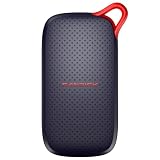
- UP TO 5X FASTER THAN OLD-SCHOOL PORTABLE HARD DRIVES(4). Transfer large files quickly with read speeds up to 1000 MB/s(2), so you spend less time waiting and more time creating.
- DURABLE DESIGN. With no moving parts and drop protection up to 2 meters(3), help your files stay protected on the go.
- POCKET-SIZED PORTABILITY. Slim and lightweight enough to fit in your pocket or bag without adding bulk.
- SPACE FOR MODERN FILES. Store photos, videos, and AI-generated edits with fast, reliable performance.
- USB-C READY. Plug in and start transferring instantly, no drivers or setup needed.
Mac video editing software compared
| Editor | Best for | Mac support | Free option or trial | Price reference | Main strengths | Important limits |
|---|---|---|---|---|---|---|
| Final Cut Pro | Mac-first professionals and solo creators | macOS; some features require Apple silicon | Not stated in the supplied product information | $299.99 one-time (September 2026 US snapshot) | Apple-silicon optimization, ProRes, Magnetic Timeline, captions, color, audio, motion graphics and AI | Apple-platform dependent; edition and Creator Studio terms can change |
| DaVinci Resolve | Free professional editing and color | macOS, Windows and Linux | Free edition | Studio displayed at $236 discounted from $295; promotions can change | Editing, color, VFX, motion graphics, audio, HDR and collaboration in one application | Steeper learning curve and hardware demands; advanced formats and AI are Studio features |
| Adobe Premiere | Adobe teams, agencies and mixed-OS projects | macOS Sonoma 14 or later and Windows | Trial availability and terms vary | $22.99/month on an annual plan (September 2026 US snapshot) | Creative Cloud integration and cross-platform handoffs | Recurring subscription; demanding 4K work benefits from substantial memory and fast storage |
| iMovie | First edits, family films and school projects | Mac and Apple mobile devices | Free | Free | Simple timeline, effects, sound tools, sharing and library transfer to external storage | Less advanced color, audio, collaboration and finishing depth |
| CapCut Desktop | TikTok, Reels, Shorts and rapid social publishing | Mac and Windows desktop | Free tier | Pro listed at $19.99/month (September 2026 US snapshot) | Auto captions, templates, speech recognition, text-to-speech, cleanup and background removal | Export limits, AI allowances and plan terms vary by country |
| Shotcut | Free, open-source editing without a subscription | macOS, Windows and Linux | Free and open source | No paid-plan price stated | Traditional timeline editing and broad format support | Fewer integrated collaboration and AI conveniences than commercial suites |
| Kdenlive | Open-source editors wanting a full timeline | macOS, Windows and Linux | Free and open source | No paid-plan price stated | Multitrack editing, effects and customizable workflows | Setup and support are less streamlined than a commercial Mac-native editor |
Prices are dated US references from September 2026 where shown, not guarantees of current checkout totals. Taxes, regional pricing, promotions, billing cadence and operating-system requirements can change.
1. Final Cut Pro: who is it for?
Final Cut Pro is the leading Mac-native professional pick for creators who want speed, Apple media integration and a perpetual license. Apple describes it as a complete environment for editing, audio, motion graphics and color grading. Its Magnetic Timeline, automatic captions, Magnetic Mask, Smart Conform and broad format support reduce routine work, while Apple-silicon optimization targets modern Macs.
What it does well
- Handles editing, sound, color and graphics in one Mac application.
- Supports ProRes and a broad range of professional and consumer formats.
- AI-assisted tools include automatic captions, object isolation with Magnetic Mask and reframing with Smart Conform.
- The Magnetic Timeline lets clips move without leaving gaps, useful when restructuring interviews and b-roll.
Requirements, price and limits
The Mac version requires macOS 15.6 or later, 8 GB of memory (16 GB recommended) and 7.2 GB of free disk space. Some features require Apple silicon. A September 2026 US price snapshot lists $299.99 as a one-time purchase. It is a strong value for long-term Mac use, but projects and workflows remain tied to Apple’s platform and the exact terms of any companion Creator Studio offering should be checked before buying.
Windows Errors? Fix Them Before They Spread
Repair common Windows errors and clear accumulated junk for a smoother, more stable PC - no reinstall needed.Free scan · no reinstallCrashes, No Sound, or Screen Glitches?
Random freezes, missing sound and display glitches usually trace back to one bad driver. Find and replace yours safely.Free scan · under a minute2. DaVinci Resolve: who is it for?
DaVinci Resolve is the best free professional option when color, finishing and future growth matter more than a gentle introduction. Blackmagic combines editing, color correction, visual effects, motion graphics, audio post and photo editing in one application, so a documentary can move from assembly to HDR grade and final mix without a chain of separate programs.
Free edition versus Studio
- The free edition supports virtually all 8-bit formats up to 60 frames per second and Ultra HD 3840×2160, plus collaboration and HDR grading.
- Studio adds the DaVinci Neural Engine, extra effects, noise reduction, text-based editing, Magic Mask and support for 10-bit video up to 120 frames per second and beyond 4K.
Price and limits
The official product page currently displays Resolve 21 and shows Studio at $236 discounted from $295. That promotion is volatile; treat $295 as the regular reference and confirm the checkout price. Resolve can demand more from the GPU, storage and operator than iMovie or CapCut, and its many pages—Cut, Edit, Fusion, Color and Fairlight—take time to learn.
3. Adobe Premiere: who is it for?
Premiere makes the most sense when an editor already relies on Creative Cloud, collaborates with an agency or must exchange projects with Windows users. It is designed for professional timelines and integrates naturally with Adobe’s wider graphics, compositing and audio ecosystem.
Also popular on Amazon

- MADE FOR THE MAKERS: Create; Explore; Store; The T7 Portable SSD delivers fast speeds and durable features to back up any endeavor; Build your video editing empire, file your photographs or back up your blogs all in an instant
- SHARE IDEAS IN A FLASH: Don’t waste a second waiting and spend more time doing; The T7 is embedded with PCIe NVMe technology that brings fast read and write speeds up to 1,050/1,000 MB/s¹, making it almost twice as fast as the T5
- ALWAYS MAKE THE SAVE: Compact design with massive capacity; With capacities up to 4TB, save exactly what you need to your drive – from large working files to game data and everything in between
- ADAPTS TO EVERY NEED: Whether using a PC or mobile phone, count on the T7 for extensive compatibility²; It’s a true team player when it comes to heavy-duty application usage or file-saving
- HI RESOLUTION VIDEO RECORDING: Record Ultra High Resolution (4K 60fs) videos directly onto the T7 Portable SSD with your favorite camera or mobile devices; Supports iPhone 15 Pro Res 4K at 60fps video and more³
Hardware and workflow
Adobe supports macOS Sonoma 14 and later. Its stated minimum is 8 GB of RAM; Adobe recommends an Apple-silicon Mac with 16 GB of unified memory, a fast internal SSD and an additional high-speed drive for media. That second drive is particularly important for 4K footage, cache files, proxies and active project folders.
Free tools Windows power users keep installed
One-click scans. No signup required.
Price and limits
A September 2026 US comparison lists Premiere at $22.99 per month on an annual plan. Billing and regional pricing can differ. The subscription is easier to justify when Creative Cloud applications and team handoffs are already part of the workflow, but it is a continuing cost rather than a perpetual license.
4. iMovie: who is it for?
iMovie is the easiest starting point for a first Mac edit. Apple’s support documentation covers creating and refining a movie, adding video and sound effects, sharing the finished file and moving an iMovie library to an external hard drive. That makes it suitable for family documentaries, school assignments, simple interviews and short social clips.
What to expect
- A straightforward timeline and a small set of transitions, titles and effects.
- Simple audio placement and sharing from Apple’s ecosystem.
- A library that can be stored on external storage when internal space is limited.
iMovie is free, but it is not intended to match the advanced color management, audio post, collaboration, format breadth or finishing control of Final Cut Pro, Resolve or Premiere. When projects outgrow basic trimming and titles, moving to a professional editor is more practical than forcing iMovie to perform as one.
5. CapCut Desktop: who is it for?
CapCut Desktop targets speed and social publishing rather than a traditional long-form post-production room. Its desktop offering highlights auto captions, caption templates, speech recognition, text-to-speech, voice enhancement, noise reduction, background removal and quick resizing for social platforms.
The Tool Desk
Outbyte Driver Updater FREEScan for outdated or missing drivers - takes under a minuteDriver Scan →Outbyte PC Repair FREEClear out junk files and repair common Windows errorsFree Scan →Best uses
- TikTok, Instagram Reels and YouTube Shorts with frequent captions.
- Template-driven promos, explainers and vertical cutdowns.
- Creators who need speech cleanup and rapid repurposing more than elaborate color or audio routing.
Price and limits
The September 2026 US comparison lists a free tier and CapCut Pro at $19.99 per month. Availability, export restrictions, AI quotas and plan terms vary by country and can change, so check the terms shown in your account. For a feature-length documentary with complex media management, Resolve, Final Cut Pro or Premiere provide a deeper finishing environment.
Also popular on Amazon

- NEARLY 2X FASTER THAN OUR PREVIOUS GENERATION(8) – move 1,000 high-res photos in under 60 seconds(6) with up to 2000MB/s transfer speeds(2).
- IP65 RATING AND UP TO 3M DROP PROTECTION(3) – protects against spills and drops.
- POCKET-SIZED – fits easily in pockets and small bags.
- SPACE TO OWN YOUR AI CONTENT – speed and capacity to download your high-res clips and photo edits.
- 256-BIT AES ENCRYPTION(4) – helps keep private files secure with password protection.
6. Shotcut: who is it for?
Shotcut is a free, open-source editor for Mac users who want a conventional timeline without a subscription. It also runs on Windows and Linux, which can help when contributors use different operating systems.
Strengths and trade-offs
- Traditional track-based editing is familiar to anyone moving from another desktop editor.
- Open-source distribution avoids recurring license fees.
- Cross-platform availability simplifies basic project work on mixed computers.
No paid-plan price or premium tier is established here. Compared with the commercial suites above, expect fewer integrated collaboration services, AI shortcuts and guided support options. It is a sensible budget choice for cuts, titles and straightforward exports, provided the editor is comfortable managing media and troubleshooting independently.
7. Kdenlive: who is it for?
Kdenlive is another free, open-source editor with Mac, Windows and Linux versions. Its multitrack timeline, effects and customizable workspace appeal to creators who want more control than a basic clip editor while keeping software costs at zero.
Recommended Free Tools
Strengths and trade-offs
- Multitrack editing supports interviews, b-roll, music and graphics on separate layers.
- Customizable panels can be adapted to documentary assembly or short-form work.
- Cross-platform availability is useful for teams that cannot standardize on macOS.
No paid-plan price is stated. Kdenlive’s setup and support experience is less streamlined than a commercial Mac-native application, so allow time to configure storage, codecs and project organization before a deadline.
How do I choose a Mac video editor?
Start with the constraints that cannot be changed later: operating systems, delivery resolution, collaborators and billing model. Then match the editor to the work rather than choosing by feature count.
Choose by project type
- Long-form documentary: Final Cut Pro, Resolve or Premiere provide the media organization, audio and color depth needed for many interviews and revisions.
- YouTube essays and creator channels: Final Cut Pro is efficient on a Mac; Premiere is practical when Adobe graphics tools are central; Resolve is compelling when color is a priority.
- TikTok, Reels and Shorts: CapCut Desktop’s captions, templates, speech tools and resizing shorten the path from script to publish.
- First family or school project: iMovie minimizes interface overhead.
- Zero-budget, cross-platform editing: Resolve’s free edition, Shotcut and Kdenlive avoid a subscription, with different learning curves.
Check the format and finishing ceiling
Resolve’s free edition is limited to virtually all 8-bit formats up to 60 fps and Ultra HD 3840×2160; Studio is the tier for 10-bit video up to 120 fps and beyond 4K. If your camera records 10-bit, HDR or high-frame-rate material, confirm the edition before building the project. Final Cut Pro and Premiere support broader professional workflows, but their practical performance still depends on the Mac, storage and media format.
Also popular on Amazon
- MADE FOR THE MAKERS: Create; Explore; Store; The T7 Portable SSD delivers fast speeds and durable features to back up any endeavor; Build your video editing empire, file your photographs or back up your blogs all in an instant
- SHARE IDEAS IN A FLASH: Don’t waste a second waiting and spend more time doing; The T7 is embedded with PCIe NVMe technology that brings fast read and write speeds up to 1,050/1,000 MB/s¹, making it almost twice as fast as the T5
- ALWAYS MAKE THE SAVE: Compact design with massive capacity; With capacities up to 4TB, save exactly what you need to your drive – from large working files to game data and everything in between
- ADAPTS TO EVERY NEED: Whether using a PC or mobile phone, count on the T7 for extensive compatibility²; It’s a true team player when it comes to heavy-duty application usage or file-saving
- HI RESOLUTION VIDEO RECORDING: Record Ultra High Resolution (4K 60fs) videos directly onto the T7 Portable SSD with your favorite camera or mobile devices; Supports iPhone 15 Pro Res 4K at 60fps video and more³
Decide how collaborators will exchange work
Premiere is the natural fit for Adobe-centered agencies and Mac/Windows handoffs. Resolve includes collaboration in its free edition. Final Cut Pro is excellent for a Mac-only team but less convenient when every contributor uses a different platform. Open-source editors can open the door to mixed operating systems, but project interchange and support are less standardized.
Budget for storage, not just the app
Adobe recommends an additional high-speed drive for media, and Apple documents moving an iMovie library to an external hard drive. For 4K, HEVC, multicamera or long projects, use a fast external SSD with room for camera originals, cache, proxies, renders and at least one backup. Keeping the library and active media on a nearly full internal drive can turn an inexpensive software choice into a slow, fragile workflow.
Independent reader supportYour contribution helps us test, update, and keep practical guides available for everyone.What should a Mac editor install before starting a project?
- Update macOS only after checking that the editor version and required plug-ins support the update.
- Create separate folders for camera originals, project files, cache, proxies, exports and backups.
- Place active media and cache on a fast SSD; keep a second copy of irreplaceable footage on another drive.
- Set the project frame rate and resolution from the main delivery requirement before importing large amounts of footage.
- Generate proxies when the Mac struggles with 4K, HEVC or multicamera playback instead of lowering the final export settings.
- Save a dated project version before major restructuring, color changes or audio work.
Common Mac editing problems and fixes
Playback stutters
Move active media and cache to a fast SSD, close background applications and create proxies. Resolve and Premiere projects with heavy effects may need GPU and memory headroom; reducing preview quality does not reduce the quality of the final export.
The project drive fills unexpectedly
Cache, render files, proxies and duplicate exports can consume more space than the source clips. Review each application’s cache location, remove only files that can be regenerated, and keep camera originals and project files in a separate backed-up folder.
Footage looks washed out after export
Check that the project color space, HDR settings and export preset match the destination. Resolve’s HDR tools and Studio’s higher-end format support are relevant when the camera footage is 10-bit or HDR; a free-edition limit may require a different workflow.
Captions are inaccurate
Automatic captions and speech recognition accelerate a first pass, but names, places, accents and overlapping speakers still need correction. CapCut and Final Cut Pro provide caption-oriented tools; leave time for a human transcript review before publishing a documentary.
Also popular on Amazon
- NEARLY 2X FASTER THAN OUR PREVIOUS GENERATION(8) – move 1,000 high-res photos in under 60 seconds(6) with up to 2000MB/s transfer speeds(2).
- IP65 RATING AND UP TO 3M DROP PROTECTION(3) – protects against spills and drops.
- POCKET-SIZED – fits easily in pockets and small bags.
- SPACE TO OWN YOUR AI CONTENT – speed and capacity to download your high-res clips and photo edits.
- 256-BIT AES ENCRYPTION(4) – helps keep private files secure with password protection.
Which editor offers the best value?
Value depends on how long you will use the software and whether its limits interrupt paid work. iMovie, Resolve’s free edition, Shotcut and Kdenlive have no upfront license cost. Final Cut Pro’s $299.99 one-time reference can be cheaper over several years than a monthly subscription. Premiere’s $22.99 annual-plan reference and CapCut Pro’s $19.99 monthly reference buy continuing updates and ecosystem access, but the payments continue while the subscription remains active.
Frequently Asked Questions
Can I edit 4K video on a Mac with free software?
Yes. DaVinci Resolve’s free edition supports Ultra HD 3840×2160 and virtually all 8-bit formats up to 60 fps. Actual playback depends on the Mac, codec, storage and effects, so proxies may still be necessary.
Is a MacBook Air enough for video editing?
It can handle simple iMovie, CapCut or lightweight timeline projects, while demanding 4K, multicamera, HDR and noise-reduction work benefits from more memory, GPU capacity and fast external storage. Adobe recommends 16 GB of unified memory on Apple silicon for Premiere.
Do I need an external SSD for Final Cut Pro?
Not for every short project, but it is sensible for 4K or long-form work. Keep source media, cache, proxies and backups organized on fast storage so the internal drive does not fill during rendering.
Which Mac editor is best for automatic captions?
CapCut Desktop emphasizes auto captions, caption templates and speech recognition for social publishing. Final Cut Pro also offers automatic captions, while any generated transcript should be checked for names and technical terms.
Can Mac and Windows editors share the same project?
Premiere is the most straightforward choice when mixed operating systems and Adobe-based agency handoffs are central. DaVinci Resolve, Shotcut and Kdenlive also run on multiple operating systems, but confirm that media paths, fonts, plug-ins and codecs are available on every computer.






Say something about this film