Some links on this page are affiliate links: if you buy through them we may earn a commission, at no extra cost to you.
DaVinci Resolve is the strongest free desktop starting point for most beginners, while iMovie is the easiest choice on Apple devices, Clipchamp fits Windows and browser editing, and CapCut is built for fast vertical social videos. Premiere Elements suits learners who want guided paid tools, Adobe Premiere makes sense if you expect to enter a professional Adobe workflow, and Final Cut Pro is the advanced Mac option. Your device, footage resolution, publishing destination and willingness to learn matter more than any universal ranking.
This guide compares seven editors for documentary clips, interviews, YouTube explainers, family films and short-form social work. Prices and plan terms reflect information available on October 28, 2026; software makers can change prices, export rules, trials and regional availability.
What is the best video editing software for beginners in 2026?
Choose the editor that matches your computer and first project. A Mac or iPhone owner who wants immediate results should start with iMovie. A Windows or browser user will usually have the least friction with Clipchamp. CapCut is the quickest route to captions, templates and vertical social output. DaVinci Resolve has the most capable free desktop foundation and can carry a beginner into serious documentary work, but its larger interface takes longer to learn. Premiere Elements provides guided modes without a recurring Premiere subscription; Adobe Premiere is the better long-term choice for an Adobe-based career or team; and Final Cut Pro gives Mac users a deep, optimized one-time or bundled option.
Quick comparison
| Editor | Primary devices | Free access or trial | Pricing information | Best beginner fit |
|---|---|---|---|---|
| DaVinci Resolve | Mac, Windows, Linux | Free edition | Resolve Studio 21: $295 one time | Free desktop editing with a professional growth path |
| iMovie | Apple devices | Apple-first, no recurring plan described in the cited comparisons | No subscription is described in the cited comparisons | First family, school, travel or YouTube projects |
| Clipchamp | Windows and browser | Free tier | Paid options connected to Microsoft 365; entitlements vary | Quick cuts, text, templates and straightforward exports |
| CapCut | Mobile-first; availability also varies by desktop, web and region | Free access with account, regional, watermark and premium conditions that can change | Premium terms vary by market and account | TikTok, Reels, Shorts and other vertical work |
| Premiere Elements | Desktop editor | Time-limited trial or license terms depend on the current edition | Time-limited license model; check current regional price | Guided learning without a recurring full-Premiere subscription |
| Adobe Premiere | Desktop and Adobe ecosystem | Seven-day free trial | US$22.99/month on an annual plan billed monthly | Beginners planning an Adobe professional or team workflow |
| Final Cut Pro | Mac | Access depends on the current Apple purchase or Creator Studio terms | $299.99 one time or $12.99/month through Apple Creator Studio, as listed by Zapier | Advanced editing on a Mac |
Export limits, supported codecs, cloud storage and device requirements can differ by edition and region. Treat the prices above as a dated buying snapshot rather than a permanent quote.
Popular on Amazon

- Small and Portable with Built-In Battery
- Built-In Search Dial
- Keyboard Shortcuts Match Edit Functions
- Bluetooth or USB Connectivity
- Bundle Includes DaVinci Resolve 17 Studio (Activation Card)
How should a beginner choose an editor?
Start with the project you can describe in one sentence, then eliminate editors that conflict with your device or delivery format.
- Identify the device. iMovie is Apple-first; Clipchamp is convenient on Windows and in a browser; DaVinci Resolve supports Mac, Windows and Linux. If you move between devices, a browser or cross-platform desktop choice can reduce transfer work.
- Choose the destination. Vertical social videos favor CapCut’s templates and caption workflow. Long-form interviews and documentaries benefit from a conventional timeline, reliable audio controls and room for high-resolution media.
- Decide whether “free” is enough. Resolve’s free edition is unusually capable. Paid tools can buy guided instruction, ecosystem integration or a simpler path to specific effects, but a subscription or license changes the long-term cost.
- Check the footage. Note whether your camera records 4K, 10-bit color, high frame rates or unusual codecs. Resolve’s free edition supports virtually all 8-bit formats up to 60 fps and Ultra HD 3840 × 2160; higher-end formats and advanced AI features are part of Studio.
- Match the learning curve. CapCut and iMovie minimize setup. Premiere Elements separates Quick, Guided and Advanced modes. Resolve and Adobe Premiere offer more headroom but require deliberate learning.
- Plan for collaboration. Adobe Premiere is the clearest fit when your future includes Adobe applications or team workflows. A solo creator may prefer a local, one-time or free editor instead.
1. DaVinci Resolve: who is it for?
DaVinci Resolve is for a beginner who wants a free desktop editor that will not become a dead end. Its workspace combines editing, color correction, visual effects, motion graphics and audio, which is valuable for documentaries but makes the first week denser than an iMovie or CapCut project.
What it does well
- The free edition runs on Mac, Windows and Linux.
- Blackmagic says the free version works with virtually all 8-bit video formats at up to 60 fps and resolutions as high as Ultra HD 3840 × 2160.
- The same application can handle a rough cut, interview cleanup, titles, color work, effects and final audio instead of sending a project through several programs.
Free edition, Studio and limits
The base editor is free. DaVinci Resolve Studio 21 is listed at $295 and adds advanced AI tools and higher-end format support. The free edition’s 8-bit and Ultra HD boundaries matter if your camera records 10-bit footage, unusually high frame rates or a format outside its supported set. The interface also exposes professional controls that can distract a first-time editor.
Do these 3 things before closing this tab:
1Clear out junk files and repair common Windows errors2Scan for outdated or missing drivers - takes under a minute3Repair Windows errors before they cause bigger problemsBest beginner workflow
Use the Edit page for a first assembly, keep media in clearly named folders, and move to Fairlight audio and Color only after the story works. If playback stutters, lower preview quality or create proxy media before changing editors. A keyboard and mouse are sufficient; the optional DaVinci Resolve Speed Editor is listed at $435 and is an upgrade, not a requirement.
2. iMovie: who is it for?
iMovie is for Apple users who want the least setup for a family film, school assignment, travel piece or first YouTube upload. Comparison coverage consistently places it among the simplest Apple-first editors.
What it does well
- A straightforward timeline reduces the number of decisions facing a new editor.
- It suits basic cuts, music, titles and transitions without requiring a professional post-production vocabulary.
- Apple-device integration makes importing clips and beginning a project relatively direct for people already in that ecosystem.
Access and limits
The cited comparisons do not describe a recurring subscription for iMovie. Its limitation is headroom: editors who need deeper timelines, advanced effects, extensive delivery controls or more elaborate color and audio work may eventually move to Final Cut Pro or DaVinci Resolve. Because the exact feature set depends on the Apple device and current release, check compatibility before planning a long documentary.
Best beginner workflow
Organize clips by interview, location and date before opening the timeline. Build a short “radio edit” from interview audio, then add b-roll and music. That method keeps iMovie’s simplicity working for the story instead of turning the project into a search through an unlabelled camera roll.
3. Clipchamp: who is it for?
Clipchamp is for Windows users and people who prefer browser-based editing. It focuses on quick cuts, text, templates and uncomplicated exports rather than exposing every control in a professional suite.
What it does well
- The free tier lowers the barrier to a first project.
- Windows and browser access are convenient when footage is spread across ordinary consumer devices.
- Templates and text tools help with explainers, social clips and simple documentary promos.
Plans and limits
Zapier reports a free tier and paid options associated with Microsoft 365. The exact export limits and plan entitlements should be checked at purchase because Microsoft can change which features belong to each account or subscription. A browser workflow also makes storage, upload time and a stable connection more important than in a purely local editor.
Best beginner workflow
Upload only the media needed for the first sequence, set the project’s aspect ratio before adding titles, and export a short sample before building a long film. Keep a local copy of original camera files so a cloud or browser issue cannot become the only copy of your footage.
4. CapCut: who is it for?
CapCut is for mobile-first creators making TikToks, Reels, Shorts and other fast vertical videos. Its templates, captions and rapid publishing flow reduce setup for short-form work.
What it does well
- Vertical projects can be assembled quickly from a phone.
- Templates and caption-oriented tools suit social storytelling, teasers and short documentary excerpts.
- The learning curve is among the lightest in the 2026 comparisons.
Free access and limits
Account requirements, regional availability, watermark behavior and the division between free and premium features can change. Confirm those conditions for your country and account before committing to a campaign. A social-first editor may be less comfortable for a long interview, multi-track documentary or project that needs precise archival media management.
Also popular on Amazon
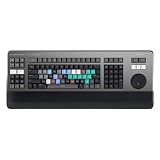
- The DaVinci Resolve Editor Keyboard is a full-size editing keyboard based on the traditional QWERTY layout, featuring premium full-metal design; Metal shaved search dial with clutch and key for editing, trim, and time code input It can also be placed flat on a cutout shaped desk!
- Integrated search dial built right into the keyboard
- Designed for professional editors who need to work faster and turn around work quickly
- Provides an alternative way to edit that is much faster than a mouse because you can use both hands at the same time
Best beginner workflow
Choose 9:16 before importing clips, keep captions within the platform’s safe area, and export one short segment to check text readability on a phone. Save the clean original footage separately so a template or account change does not lock your master material into one app.
5. Premiere Elements: who is it for?
Premiere Elements is a paid middle ground for beginners who want a conventional desktop timeline and built-in instruction without committing to the full Premiere subscription.
What it does well
- Quick, Guided and Advanced modes let a learner reveal complexity gradually.
- The familiar timeline model can prepare an editor for more demanding desktop projects.
- A time-limited license model avoids the recurring full-Premiere subscription described for Adobe Premiere.
Pricing and limits
Comparison sources describe a time-limited license and recommend checking current regional pricing. Because edition names, license duration and included features can change, confirm the offer shown for your country before purchase. Elements provides less long-term professional depth than the full Premiere ecosystem, but that trade-off is part of its beginner-friendly appeal.
Free tools Windows power users keep installed
One-click scans. No signup required.
Best beginner workflow
Begin in Guided mode for a title, transition or audio task, then repeat the operation manually in Advanced mode. That turns the tutorials into transferable timeline skills rather than a collection of one-click recipes.
6. Adobe Premiere: who is it for?
Adobe Premiere is for a beginner who expects to grow into a professional Adobe workflow, collaborate with others or use a wider creative ecosystem. It offers more headroom than a starter editor, so the cost is a steeper learning curve and an ongoing plan.
What it does well
- It is designed for serious desktop editing and projects that may expand beyond a first channel upload.
- Adobe positions it as available by itself or as part of a multi-app plan.
- The ecosystem and collaboration orientation can matter when a project includes other Adobe applications or multiple contributors.
Trial, price and limits
Adobe lists Premiere at US$22.99 per month on an annual plan billed monthly and includes a seven-day free trial. The annual commitment billed monthly is different from a month-to-month purchase, so read the cancellation and renewal terms shown at checkout. A subscription can cost more over several years than a one-time editor, but it keeps the professional application current.
Best beginner workflow
Learn bins, sequence settings, ripple edits and audio track organization before adding effects. Documentary beginners should create a sequence for the interview assembly and separate sequences for b-roll, social cutdowns and captions; that structure scales better than placing every experiment in one timeline.
PC Slower Than It Used to Be?
A free scan shows the junk files, broken settings and background clutter dragging Windows down - then fixes them in one click.Free scan · Windows 10 & 11Crashes, No Sound, or Screen Glitches?
Random freezes, missing sound and display glitches usually trace back to one bad driver. Find and replace yours safely.Free scan · under a minute7. Final Cut Pro: who is it for?
Final Cut Pro is for Mac users who want an advanced, Apple-optimized toolset after moving beyond iMovie. It offers a stronger ceiling than a starter editor while avoiding the Windows and Linux compatibility question.
What it does well
- It targets demanding editing on Mac hardware.
- The one-time purchase option can appeal to creators who dislike an ongoing software subscription.
- Apple Creator Studio provides a separate monthly route for people who prefer bundled access.
Pricing and limits
Zapier lists Final Cut Pro at $299.99 one time or $12.99 per month through Apple Creator Studio. Prices and bundle terms are volatile, so check Apple’s current store listing before paying. Final Cut Pro is Mac-only; a creator who later needs Windows or Linux will face a platform change.
Best beginner workflow
Import and label interview, b-roll and music before building a magnetic-timeline rough cut. Keep a duplicate library or consolidated media archive for handoff, because moving a complex project to another platform is not as simple as exporting a finished video.
Independent reader supportYour contribution helps us test, update, and keep practical guides available for everyone.What hardware does a beginner need?
The editor matters less than whether the computer can decode the footage smoothly. Check operating-system support, RAM, GPU capability, free storage and the resolution and frame rate you plan to edit before installing anything.
The Tool Desk
Outbyte PC Repair FREERepair Windows errors before they cause bigger problemsFix Now →Outbyte Driver Updater FREEScan for outdated or missing drivers - takes under a minuteDriver Scan →When playback stutters
- Lower the preview quality so the editor has less work to do while you cut.
- Create proxy media, which is a lower-resolution working copy linked to the camera originals.
- Close background applications and keep adequate free storage for cache files and exports.
- Test a one-minute project containing the same resolution, frame rate and audio type as the real film.
Proxy files do not reduce the quality of the final export when the application is correctly relinked to the originals. They are especially useful with deeper editors and high-resolution documentary footage.
Also popular on Amazon
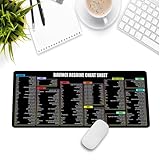
- Extra Large & Comfortable: Measuring 31.5 x 11.8 inches with a 3mm thickness, this XL mouse pad offers ample space for your mouse, keyboard, and more - ensuring comfort and reducing noise.
- Smooth & Precise Control: Enjoy effortless mouse movement with the ultra-smooth surface, perfect for both gaming and office work.
- Non-Slip Rubber Base: The anti-slip rubber base keeps the pad securely in place during intense gaming or work sessions.
- Durable & Stylish Design: Invisible stitching prevents edge wear while maintaining a sleek look, extending the pad’s lifespan.
- Waterproof & Easy to Clean: The water-resistant coating allows for quick cleaning—spills and stains wipe away easily.
How do you choose between free and paid editing software?
Free software is the right choice when it covers your formats and output. DaVinci Resolve’s free edition can already handle virtually all 8-bit footage up to 60 fps and 3840 × 2160 Ultra HD, so paying does not automatically produce a better first film.
Choose free when
- You are learning basic cutting, titles and audio.
- Your footage fits the free edition’s format and resolution limits.
- You prefer a local project and can accept a steeper learning curve in exchange for capability.
Pay when
- Guided modes will help you finish a project rather than abandon it.
- You need a professional ecosystem, team workflow or particular higher-end formats.
- A one-time license or bundle is more predictable for your expected ownership period than a subscription.
Which editor is best for YouTube, documentaries or TikTok?
For a conventional YouTube documentary, DaVinci Resolve is the strongest free recommendation, while Adobe Premiere is the better fit for an Adobe-based professional path. iMovie handles a first Apple-based channel with minimal setup, and Clipchamp is convenient for Windows or browser publishing.
For TikTok, Reels and Shorts, CapCut’s vertical, caption and template workflow is the most direct. Premiere Elements is useful when a beginner wants guided desktop instruction, and Final Cut Pro is the advanced Mac choice when the project demands more than iMovie.
Quick wins for a faster PC:
Clear out junk files and repair common Windows errorsFree Scan →Scan for outdated or missing drivers - takes under a minuteDriver Scan →Frequently Asked Questions
Can I move a project from one editor to another later?
You can usually export a finished video, but moving an editable timeline is more complicated. Keep original camera files, a documented folder structure and exported audio or subtitle files so a future migration does not depend on one application’s library format.
Should a documentary beginner edit proxies or originals?
Use proxies when high-resolution originals make playback unreliable, then relink to the originals for the final export. If the computer plays the source media smoothly, editing originals avoids an extra media-management step.
Do free editors add a watermark?
Watermark behavior is product-, feature- and region-dependent. CapCut’s account, regional and premium conditions can change, while the cited Resolve information describes a capable free edition rather than a blanket watermark rule; check the export screen for the exact project and version.
Is a subscription cheaper than a one-time editor?
That depends on how long you keep the software and whether you need continuing updates. Adobe Premiere is listed at $22.99 per month on an annual plan billed monthly, whereas Resolve Studio and Final Cut Pro have listed one-time prices; calculate the cost over your expected ownership period and include any bundle benefits.
What’s actually slowing this PC down?
Pick the symptom - the matching free tool is one click away.
Frequently Asked Questions
Can I move a project from one editor to another later?
You can usually export a finished video, but moving an editable timeline is more complicated. Keep original camera files, a documented folder structure and exported audio or subtitle files so a future migration does not depend on one application’s library format.
Should a documentary beginner edit proxies or originals?
Use proxies when high-resolution originals make playback unreliable, then relink to the originals for the final export. If the computer plays the source media smoothly, editing originals avoids an extra media-management step.
Do free editors add a watermark?
Watermark behavior is product-, feature- and region-dependent. CapCut’s account, regional and premium conditions can change, while the cited Resolve information describes a capable free edition rather than a blanket watermark rule; check the export screen for the exact project and version.
Is a subscription cheaper than a one-time editor?
That depends on how long you keep the software and whether you need continuing updates. Adobe Premiere is listed at $22.99 per month on an annual plan billed monthly, whereas Resolve Studio and Final Cut Pro have listed one-time prices; calculate the cost over your expected ownership period and include any bundle benefits.






Say something about this film