Some links on this page are affiliate links: if you buy through them we may earn a commission, at no extra cost to you.
For most people with a 4K television, the Roku Streaming Stick 4K is the best starting point for cutting the cord. Roku specifies 4K output at up to 60 frames per second, Dolby Vision, HDR10, HDR10+, HLG, long-range dual-band 802.11ac Wi‑Fi, HDMI 2.0b, voice remote controls for the television, and compatibility with AirPlay, HomeKit, Google Home and Alexa. Roku recommends a 25 Mbps internet connection for 4K streaming. It can put free channels, paid on-demand services and a live-TV replacement in one interface, but it does not provide programming by itself.
The right choice changes with your ecosystem and priorities. Google TV Streamer (4K) suits people who want Ethernet, Google smart-home controls and broad Android TV app support. Apple TV 4K is the premium fit for households centered on Apple devices. Amazon’s second-generation Fire TV Stick 4K Max is aimed at Alexa users and adds Wi‑Fi 6E and an Ambient Experience. Prices, app catalogs and model generations move quickly, so confirm the exact listing and regional support before paying.

What is the best streaming device for most cord-cutters?
The Roku Streaming Stick 4K is the broadest recommendation because it combines the formats most 4K owners look for with a compact design and a simple route to free and paid entertainment. Roku’s product documentation lists 4K at up to 60 fps, Dolby Vision, HDR10, HDR10+ and HLG, plus a long-range dual-band 802.11ac receiver. The stick connects through HDMI 2.0b and its voice remote can control compatible television functions such as power and volume.
The Tool Desk
Outbyte PC Repair FREERepair Windows errors before they cause bigger problemsFix Now →Outbyte Driver Updater FREEScan for outdated or missing drivers - takes under a minuteDriver Scan →Roku also emphasizes platform flexibility: the device works with AirPlay, HomeKit, Google Home and Alexa, rather than requiring one phone or smart-speaker brand. Its interface can bring together free channels, subscription apps and a live-TV “cable replacement.” Roku says The Roku Channel carries more than 500 free live TV channels, while local channels, sports and DVR generally require a paid live-TV service or another source.
Popular on Amazon

- Ultra-speedy streaming: Roku Ultra is 30% faster than any other Roku player, delivering a lightning-fast interface and apps that launch in a snap.
- Cinematic streaming: This TV streaming device brings the movie theater to your living room with spectacular 4K, HDR10+, and Dolby Vision picture alongside immersive Dolby Atmos audio.
- The ultimate Roku remote: The rechargeable Roku Voice Remote Pro offers backlit buttons, hands-free voice controls, and a lost remote finder.
- No more fumbling in the dark: See what you’re pressing with backlit buttons.
- Say goodbye to batteries: Keep your remote powered for months on a single charge.
This is a recommendation for the typical 4K household, not a claim that every viewer should buy a stick. Choose a box when wired Ethernet, additional storage or a stronger processor is more important than hiding the device behind the television. Apple-focused homes may value Apple TV 4K’s integration more than Roku’s neutral approach, and Alexa households may prefer Fire TV.
How do Roku, Google TV, Apple TV and Fire TV compare?
The major platforms overlap on 4K video and HDR, but their hardware, interfaces and ecosystems differ. The table separates what the cited material explicitly establishes from details that should be checked on the exact current model.
| Device | Video and audio information | Networking and hardware | Interface and ecosystem | Price information |
|---|---|---|---|---|
| Roku Streaming Stick 4K | 4K up to 60 fps; Dolby Vision; HDR10, HDR10+ and HLG; HDMI 2.0b | Long-range dual-band 802.11ac Wi‑Fi; stick form factor; Roku recommends 25 Mbps for 4K | Voice remote TV controls; AirPlay, HomeKit, Google Home and Alexa compatibility; free and paid channels in one platform | Not stated in the cited material; check the current retailer listing |
| Google TV Streamer (4K) | Dolby Vision, HDR10, HDR10+ and HLG; Dolby Atmos; HDMI 2.1 | Ethernet is listed by Tom’s Guide; box form factor | Live-TV integrations, smart-home controls and more than 6,500 Android TV apps, according to Tom’s Guide | Tom’s Guide reported $99; verify the current price |
| Apple TV 4K | 4K; Dolby Vision; HDR10+; Dolby Atmos; HDMI 2.1 | Box form factor; A15 chip | tvOS, fast app loading as described by Tom’s Guide, and strong Apple ecosystem integration | Current price and exact generation need checking because a newer generation was announced |
| Amazon Fire TV Stick 4K Max (second generation) | Compare the exact listing for current HDR and audio support before purchase | Amazon identifies it as its most powerful stick, with Wi‑Fi 6E; Ambient Experience | Natural fit for Alexa households; Fire TV app and smart-home environment | Not stated in the cited material; confirm the generation and price |
“Not stated” does not mean a feature is absent. It means the supplied product descriptions do not establish it for a comparable cell, so the model number and current specification page should decide the purchase.
Crashes, No Sound, or Screen Glitches?
Random freezes, missing sound and display glitches usually trace back to one bad driver. Find and replace yours safely.Free scan · under a minuteWindows Errors? Fix Them Before They Spread
Repair common Windows errors and clear accumulated junk for a smoother, more stable PC - no reinstall needed.Free scan · no reinstallWhy is the Roku Streaming Stick 4K the default recommendation?
Roku’s hardware covers the formats that determine whether a 4K television can display the picture as intended. Dolby Vision is a dynamic HDR format, while HDR10, HDR10+ and HLG address other content and broadcast workflows. A television still needs to support the relevant format; the stick cannot add Dolby Vision to a panel that lacks Dolby Vision capability.
It is small and designed to disappear
The stick plugs directly into an HDMI port and sits behind the television instead of occupying shelf space. That is useful when the screen is wall-mounted or the equipment rack is already crowded. A box remains the better physical choice when you need a visible Ethernet connection, easier access to ports or room for a larger hardware platform.
Its network guidance is clear
Roku recommends 25 Mbps for 4K streaming. That is a recommendation for the internet connection, not a guarantee that every stream will hold 4K resolution: congestion, Wi‑Fi placement, household traffic and the service’s own adaptive bitrate can still affect playback. If several people stream, work or game at once, leave headroom above the single-stream recommendation.
It does not lock you into one subscription
The device can host free channels, paid on-demand services and a live-TV replacement. Roku’s own description says this arrangement can replace cable or satellite equipment rentals and long-term contracts, but the services themselves remain separate subscriptions or sources. Read each service’s local-channel, sports and DVR terms rather than assuming the streamer supplies them.
Recommended Free Tools
When is Google TV Streamer (4K) the better choice?
Google TV Streamer (4K) is the stronger candidate when Ethernet, Google smart-home controls or Android TV’s breadth matter more than the smallest possible footprint. Tom’s Guide lists HDMI 2.1, Dolby Vision, HDR10, HDR10+ and HLG, Dolby Atmos, live-TV integrations and support for more than 6,500 Android TV apps. The same guide reported a $99 price; treat that as a dated buying-guide figure and verify the current listing.
Choose it for a wired connection
Ethernet avoids the variable radio conditions that affect any Wi‑Fi streamer. It is useful when the router or a network switch is near the television, when the set is in a crowded wireless area, or when you want the most predictable connection for high-bitrate video. Installation requires a network cable run to the box, so the convenience trade-off is different from a stick hidden behind the screen.
Choose it for Google’s household controls
Tom’s Guide describes smart-home controls and live-TV integrations in the Google TV environment. That can make sense if your household already organizes devices and routines through Google Home. Confirm that the services you watch and the controls you need are available in your country, because app catalogs and live-TV features vary by region.
Check the current generation before ordering
Streaming hardware is sold through multiple retailers and names can persist after a refresh. Match the listing’s model number, HDMI specification, HDR formats and included remote to the current product documentation rather than relying on a search-result title.
Free tools Windows power users keep installed
One-click scans. No signup required.
Also popular on Amazon

- Ultra-speedy streaming: Roku Ultra is 30% faster than any other Roku player, delivering a lightning-fast interface and apps that launch in a snap.
- Cinematic streaming: This TV streaming device brings the movie theater to your living room with spectacular 4K, HDR10+, and Dolby Vision picture alongside immersive Dolby Atmos audio.
- The ultimate Roku remote: The rechargeable Roku Voice Remote Pro offers backlit buttons, hands-free voice controls, and a lost remote finder.
Who should buy Apple TV 4K?
Apple TV 4K is the natural fit for a household already invested in Apple hardware and services. Tom’s Guide describes a 4K HDMI 2.1 box with Dolby Vision, HDR10+, Dolby Atmos, an A15 chip, tvOS, fast app loading and strong Apple ecosystem integration. Those attributes favor viewers who want a premium box and use iPhone, iPad or other Apple devices as part of daily viewing.
Why the box design matters
A box needs shelf or cabinet space and a separate power connection, but it can be easier to access than a stick hidden behind a screen. HDMI 2.1 is listed for the cited Apple TV 4K description; confirm the exact port and generation because Apple models and bundles change.
Why model checking is especially important
The cited buying guide says a newer Apple TV generation has been announced. That makes an old price or specification less reliable than the exact current listing. Before purchase, verify the generation, storage option, remote included, HDR formats and whether the price is for current stock rather than clearance hardware.
Is Fire TV Stick 4K Max right for an Alexa household?
Amazon’s technical documentation identifies the second-generation Fire TV Stick 4K Max as its most powerful stick and lists Wi‑Fi 6E and an Ambient Experience. Fire TV is a natural match when Alexa speakers, routines and voice control already organize the home.
What Wi‑Fi 6E changes
Wi‑Fi 6E adds access to the 6 GHz band when the router, region and household conditions support it. The benefit depends on compatible network equipment and a clean enough local radio environment; it is not a replacement for a fast broadband plan. Check that the listing is the second-generation 4K Max rather than an older Fire TV Stick with a similar name.
Compare formats rather than assuming parity
The supplied Amazon material establishes Wi‑Fi 6E and Ambient Experience but does not provide a complete, current HDR-and-audio comparison for every market. Confirm Dolby Vision, HDR10-family support, Dolby Atmos pass-through, storage and remote features on the exact model page before buying.
Should I buy a streaming stick or a streaming box?
A stick is easiest to hide and usually the simplest choice for one television. A box is preferable when wired Ethernet, extra storage, a larger processor platform or easy physical access matters. Neither form factor automatically supplies channels or subscriptions.
| Priority | Usually favors a stick | Usually favors a box |
|---|---|---|
| Installation | Direct HDMI connection, minimal shelf clutter | More visible hardware and a dedicated power location |
| Networking | Convenient Wi‑Fi placement; Roku and Fire TV models emphasize long-range or newer Wi‑Fi standards | Ethernet availability, explicitly listed for Google TV Streamer |
| Expansion | Compact design with fewer exposed connections | Potentially easier access to storage and ports; confirm what the model actually includes |
| Household fit | Good for a straightforward single-TV setup | Better when a premium processor, wired network or ecosystem box is the priority |
Measure the clearance behind a wall-mounted television before choosing a stick. Some HDMI ports face sideways, some point straight back, and a cramped recess may require the included extension or a different form factor.
Do I need a streaming device if my TV is already smart?
Not necessarily. A smart television can run streaming apps without another box, so an external device is justified when it offers a better interface, faster app loading, broader app availability, newer HDR support, more reliable updates, preferred voice control or a stronger ecosystem.
Reasons to add one
- The television’s built-in software no longer receives an app you need.
- Navigation is slow or the manufacturer’s interface mixes broadcast and streaming content in an unwanted way.
- You want AirPlay, HomeKit, Google Home or Alexa compatibility that the television does not provide consistently.
- You are replacing a cable box and want one dedicated interface for free channels, subscriptions and a live-TV service.
- You need a current HDMI, HDR or audio feature that the built-in platform does not support.
Reasons to keep the built-in platform
- The apps you use are available and responsive.
- Your television already supports the HDR and audio formats required by your content.
- You prefer fewer remotes, cables and accounts.
- An external device would not improve the panel, speakers or broadband connection themselves.
Compare the actual daily task, not the word “smart” on the box. A streamer is an interface and playback computer; it does not upgrade a television panel or create a broadband connection.
What does cord-cutting actually require?
Cord-cutting removes or reduces a traditional pay-TV equipment rental and contract; it does not make programming free by default. You need broadband, a compatible television and one or more content sources. Roku describes a mix of more than 500 free live TV channels on The Roku Channel, popular subscriptions and a live-TV “cable replacement” for local channels, sports and DVR.
Also popular on Amazon
The basic components
- Broadband service: Roku recommends 25 Mbps for 4K streaming. A household with several simultaneous users may need more capacity.
- A display and HDMI input: Check the television’s resolution, HDR support, available HDMI port and audio connection.
- The streaming device: Pick the platform that matches your apps, remote preference, network and smart-home ecosystem.
- Programming sources: Combine free ad-supported channels, paid on-demand services, a live-TV replacement, an antenna or existing provider logins as appropriate.
- Accounts and billing: The device may aggregate services, but each paid service can have its own subscription, regional rights and cancellation rules.
Local channels, sports and DVR
These are the areas where a free-channel lineup is least likely to replace a traditional package completely. A live-TV replacement may include some local stations, sports rights and cloud DVR, but availability depends on your ZIP code and the provider. Check the service’s current local-channel map and sports rights before cancelling cable.
Do these 3 things before closing this tab:
1Scan for outdated or missing drivers - takes under a minute2Clear out junk files and repair common Windows errors3Fix the driver behind crashes, sound loss and screen glitchesWhich specifications matter most?
Use the following order when comparing listings. It prevents an impressive-sounding processor or wireless standard from distracting from a missing format or unavailable service.
1. Display format
Confirm 4K output, maximum frame rate and the HDR formats your television accepts. Dolby Vision, HDR10, HDR10+ and HLG are not interchangeable labels; content and display support must line up.
2. Audio path
Check Dolby Atmos support and whether the device can pass audio through your television, soundbar or receiver in the arrangement you use. Google TV Streamer and Apple TV 4K are described with Dolby Atmos support; Fire TV’s exact current support should be checked by model.
3. Network connection
Wi‑Fi convenience matters for a stick. Ethernet can make a box more attractive when the router is nearby. Newer wireless standards only help when the router and local environment support them.
4. App and live-TV availability
App catalogs change and regional rights differ. Google TV’s cited guide reports more than 6,500 Android TV apps, but a large catalog does not guarantee that your particular service is available in your country. Search the platform’s current app store and the service’s device list.
5. Remote and smart-home controls
Roku lists voice remote television controls and compatibility with several smart-home ecosystems. Google TV emphasizes Google controls, Apple TV emphasizes Apple integration, and Fire TV fits Alexa. Decide whether voice search, power and volume control, private listening or household profiles are daily requirements.
6. Storage and longevity
Storage, processor and software-support details vary by generation. Where a listing does not state a comparable value, do not infer it from the product family name. Buy the current model number and retain the receipt in case the retailer ships an older revision.
How do I install a streaming device?
The physical sequence is similar across sticks and boxes, although menu names differ by platform.
Quick wins for a faster PC:
Clear out junk files and repair common Windows errorsFree Scan →Scan for outdated or missing drivers - takes under a minuteDriver Scan →Repair Windows errors before they cause bigger problemsFix Now →- Check the television: Identify an open HDMI port and confirm the display’s supported resolution and HDR formats.
- Connect power: Use the supplied power adapter when available. A television USB port may not provide enough power for every model.
- Connect HDMI: Plug the stick or box into the selected HDMI input, then switch the television to that input.
- Pair the remote: Insert batteries or charge the remote, then follow the on-screen pairing prompt.
- Join the network: Select your Wi‑Fi network and enter its password, or connect Ethernet on a model and plan that support it.
- Install updates: Allow the device to download its current system software before judging app performance or format options.
- Sign in selectively: Enter the platform account and only the streaming-service accounts you intend to use. Use the provider’s activation code flow when the screen presents one.
- Check picture and sound: Play known 4K or HDR content, then verify that the television or receiver reports the expected format. If it does not, inspect the HDMI port setting, cable path and display compatibility.
- Organize the home screen: Move frequently used services into an accessible order and remove apps you do not want in recommendations.
Keep the retailer receipt and record the model number. That information is valuable if a support page lists several generations under nearly identical names.
Independent reader supportYour contribution helps us test, update, and keep practical guides available for everyone.What problems commonly prevent good streaming?
Buffering or sudden quality drops
Run a speed check near the television, reduce competing traffic and improve the router’s placement before blaming the device. Roku’s 25 Mbps figure is a 4K recommendation for the connection; it is not a promise that a busy household will sustain every service at 4K.
Also popular on Amazon
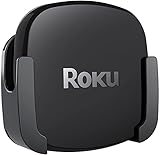
- DESIGNED IN THE USA.
- COMPATIBLE with ALL Roku Ultra models (including Roku Ultra 2024, 2025, and 2026).
- WHAT’S IN THE BOX: Premium mount for Roku Ultra and all mounting hardware.
- PERFECT FOR WALL-MOUNTED TELEVISIONS: Attaches Roku Ultra to the back of your television (or to a wall near your television). Makes Roku Ultra installation easy. Provides direct access to the HDMI ports on the back of your television and eliminates the need to tunnel an HDMI cable through your wall.
- HEAT MANAGEMENT – Ventilation channels allow cool air to flow under your Roku Ultra.
HDR or Dolby Vision does not appear
Verify that the title is offered in that format, the television supports it, the selected HDMI input has its enhanced or 4K mode enabled, and every device in the chain can pass the signal. A television may fall back to HDR10 or SDR when Dolby Vision is unavailable.
Atmos is missing
Check the title’s audio track, the service plan, the television or receiver’s passthrough setting and the physical connection between the streamer and sound system. A device description that lists Atmos does not mean every app, title or speaker arrangement will deliver it.
What’s actually slowing this PC down?
Pick the symptom - the matching free tool is one click away.
The remote controls the wrong functions
Re-run the platform’s remote or television-control setup and select the correct television brand. If the model uses a soundbar or receiver for volume, configure that device rather than assuming the television is the only target.
An app cannot be found
Confirm country availability, update the device and search the platform’s current store. Catalogs, licensing and app support change; an app present on one platform or region is not guaranteed on another.
How much should I budget?
The supplied material gives one current reference point: Tom’s Guide reported $99 for Google TV Streamer (4K). That figure can change with sales, storage bundles, retailer stock and region. No comparable current prices are established here for Roku Streaming Stick 4K, Apple TV 4K or Fire TV Stick 4K Max, so do not treat an omitted price as an estimate.
The device is only one part of the budget. Add broadband, paid on-demand services, a live-TV replacement if you need local channels or DVR, and possibly an antenna or sound system. A lower-priced streamer can cost more over time if it forces you to keep an unwanted cable rental or lacks the app and live-TV support you need.
What should I check immediately before buying?
- Exact model name and generation, not just the family name.
- 4K frame-rate capability and the HDR formats supported by both the device and your television.
- Dolby Atmos or other required audio pass-through for your soundbar or receiver.
- Wi‑Fi standard, Ethernet availability and router compatibility.
- Apps, live-TV services, local channels and sports rights in your country.
- Remote functions, voice assistant and smart-home compatibility.
- Storage and processor information when you expect a large app library or demanding interface.
- Current price, included accessories, return policy and retailer stock.
- Whether the television has a suitable HDMI port and enough power clearance for a stick.
These checks matter because prices, stock, app catalogs, software features and hardware generations change faster than product names do.
Which device is the best final choice?
Start with Roku Streaming Stick 4K if you want a compact, platform-neutral 4K streamer with Dolby Vision, HDR10-family support, HLG, long-range 802.11ac Wi‑Fi and straightforward access to free and paid programming. Choose Google TV Streamer when Ethernet and Google’s live-TV and smart-home organization are decisive. Choose Apple TV 4K for a premium box in an Apple-centered home, after verifying the current generation. Choose Fire TV Stick 4K Max when Alexa integration and Wi‑Fi 6E fit your network, while checking the exact model’s HDR and audio specifications.
In every case, treat the streamer as the control and playback layer, not as a replacement for broadband or a universal programming package. Match the device to the services, television, sound system and network you actually have, then confirm the current regional listing before checkout.
Frequently Asked Questions
Can I move one streaming stick between two televisions?
Yes. Unplug the stick, connect it to the other television’s HDMI input and provide power. Your apps and subscriptions remain associated with the device account, although you may need to select the new television’s display and remote-control settings.
What if my television does not support Dolby Vision?
The streamer can still output compatible formats such as HDR10 or standard dynamic range, depending on the title and television. Dolby Vision content will not become Dolby Vision on a panel that lacks the required display support.
Can a streaming device receive local broadcast channels without internet?
The streaming platforms described here rely on broadband for their apps and internet channels. Free over-the-air local broadcasts generally require a separate antenna and television tuner, while internet-based local channels depend on the live-TV service available in your area.
Do I need a special HDMI cable for 4K streaming?
Use a cable and television input rated for the resolution, frame rate and HDR signal your setup requires. If the picture falls back to a lower format, check the cable path and the television’s enhanced-HDMI setting before replacing hardware.






Say something about this film