What’s actually slowing this PC down?
Pick the symptom - the matching free tool is one click away.
Some links on this page are affiliate links: if you buy through them we may earn a commission, at no extra cost to you.
For a free, local conversion workflow, start with HandBrake. Its queue and cross-platform operation make it the best general choice, although you must enter PSP-compatible settings yourself. On Windows, AVS Video Converter is the clearest preset-led option because it documents PSP profiles at 368×208 and 480×272. UniConverter and Vidmore fit a broader Windows/macOS device-conversion workflow, FreeConvert is useful when installing software is impossible, and PSPVC, the community FFmpeg wrapper, and the current Python package suit command-line users.
Do not choose a converter simply because it exports an .mp4 file. The PSP checks the codec profile, audio format, container, resolution, firmware support and Memory Stick transfer. The practical first target for a widescreen source is H.264/AAC at 480×272 on a compatible PSP; older firmware may need MPEG-4 Simple Profile or a lower preset.
Which PSP video converter is best in 2026?
HandBrake is the strongest free-local recommendation for most documentary files. AVS Video Converter is the easiest choice when a Windows PSP preset matters more than manual control. UniConverter and Vidmore are better suited to people who also convert for phones, tablets or other devices. FreeConvert avoids installation but requires uploading the video. PSPVC and the community FFmpeg wrapper offer reproducible command-line workflows, while psp-video-converter is a small, current Python package rather than a full GUI.
| Reader need | Best fit | Platforms or delivery | PSP-oriented capability | Free or price position | Main limitation |
|---|---|---|---|---|---|
| Free local conversion with a queue | HandBrake | Desktop, cross-platform | Manual H.264/AAC or MPEG-4 settings | Free; no paid tier identified | Requires codec and parameter knowledge |
| Ready-made PSP profiles on Windows | AVS Video Converter | Windows desktop | H.264 PSP profiles at 368×208 and 480×272 | Price and trial details are not stated for these profiles | Windows-only workflow and less granular control than a manual encoder |
| Multi-device desktop conversion | Wondershare UniConverter | Windows and macOS | Device presets and batch conversion | Current plan and price are not stated here | PSP work is one use among many, so dedicated settings may be less visible |
| Another Windows/macOS multi-device option | Vidmore Video Converter | Windows and macOS | Device presets and batch workflows | Current plan and price are not stated here | Broader device focus can mean more menu choices than a PSP-only tool |
| No installation for a one-off file | FreeConvert | Web browser | Upload-based conversion | Free browser use is available; limits depend on the service | Upload limits, processing time and privacy considerations |
| Legacy PSP-specific command-line front end | PSPVC | Desktop FFmpeg front end | Simple Profile for all firmware; AVC from firmware 2.0+, 480×272 from 3.03-OE-B+ | Free project; version 0.3 was released March 13, 2007 | Old software may not suit current operating systems |
| Reproducible FFmpeg commands | Community FFmpeg wrapper | Command-line workflow | 480×272 and 368×208 presets with AAC audio | Community project; no paid tier identified | Requires comfort with a terminal and FFmpeg |
| Current small Python experiment | psp-video-converter |
Python package | Three 480×272 bitrate presets: 128, 192 and 256 kbps | PyPI package; no paid tier identified | Not a mature graphical editor |
The controlling specification is the PSP itself, not a converter’s support for 4K, AI enhancement or modern phone presets. Sony’s 2021 PSP system software manual lists the playable families and warns that some data items may not play. A converter that produces a technically valid MP4 can still fail when its profile, audio or resolution falls outside those limits.
Popular on Amazon
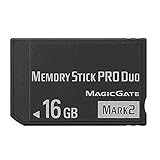
- Compatible with MagicGate copyright protection technology
- Can be used to perfect on the PSP adn digital camera
- Memory Stick PRO-HG Duo is ideal for high-speed data transfer and for continuous shooting
- 16GB capacity Flash memory Ideal for burst shooting with DSLR Up to 30MB/s read/write speed
- Can be used to perfect on the PSP(PSP1000/2000/3000/3000) and digital camera.
What video format does a PSP actually play?
Sony lists three broad playback families in its 2021 system software manual: Memory Stick Video Format; MP4 containing MPEG-4 Simple Profile with AAC audio; and MP4 containing H.264/MPEG-4 AVC Main Profile with CABAC or Baseline Profile with AAC audio. It also lists Motion JPEG AVI with Linear PCM or μ-Law audio. The .mp4 extension alone therefore says very little about compatibility.
PSPVC documents MPEG-4 Simple Profile for every firmware generation it covers, H.264/AVC from firmware 2.0 onward, and H.264/AVC at 480×272 for firmware 3.03-OE-B and newer. The current community wrapper exposes 480×272 and 368×208 presets with AAC audio. Those facts explain why H.264/AAC at 480×272 is a sensible first attempt on a newer widescreen setup, while an older PSP may need the converter’s lower or Simple Profile preset.
Sony also states that video longer than approximately 6 hours 30 minutes cannot be played. Treat that as a device playback ceiling, not as a promise that every converter will create one file successfully. Splitting a long documentary into shorter parts is safer when seeking, file transfer or conversion stability becomes an issue.
Which PSP video converter should you choose?
1. HandBrake: who it is for
HandBrake is for readers who want a free, local converter and are willing to set the PSP parameters themselves. The 2026 comparison identifies it as a cross-platform desktop application with queue support, making it practical for a documentary archive rather than a single clip.
Its strength is control: you can select the video codec, dimensions, audio codec and bitrate, then queue several files without uploading them. Start with H.264 video, AAC audio and 480×272 for a newer PSP that supports AVC. If that file will not launch, move to the model’s lower PSP preset or MPEG-4 Simple Profile rather than changing only the filename extension.
HandBrake is free and local; no subscription or paid tier is required for the workflow described here. Its limitation is that it does not remove the need to understand the PSP’s profiles. A generic phone preset may produce an MP4 that the PSP rejects, so inspect the encoder and audio settings before adding an entire library to the queue.
2. AVS Video Converter: who it is for
AVS Video Converter is for Windows users who prefer a documented PSP profile over manual codec decisions. The comparison reports H.264 PSP profiles at 368×208 and 480×272, which directly match the resolutions most useful for older and newer widescreen workflows.
Choose the 480×272 profile when the PSP firmware supports AVC and the source is widescreen; choose 368×208 when the device or an older preset calls for the lower size. A preset reduces setup errors, but you still need to check the resulting file on the actual PSP because Sony notes that some data items may not play.
Also popular on Amazon
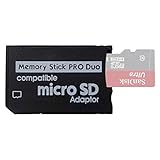
- 2026 Latest Version - Funturbo Micro SD to MS Pro Duo Adapter
- Replace your Memory Stick PRO Duo with any microSD card (MicroSD Card NOT included)
- Up to 128GB Micro SD/SDHC/SDXC Card Compatible
- Compatibility Tested – Fully compatible with MagicGate Memory Stick DUO and Memory Stick PRO Duo, all known issues fixed
- Works perfectly on PSP 1000/2000/3000, Sony camera and handycam, format your card in your device for first time use
The product is a Windows desktop converter. Price and trial details are not stated for the PSP profiles, so treat the profile documentation as the reason to choose it rather than assuming a particular license model. Its main limitation is platform scope and the reduced flexibility that comes with relying on fixed profiles instead of tuning every encoder parameter.
3. Wondershare UniConverter: who it is for
Wondershare UniConverter suits a Windows or macOS household that converts for several devices and wants PSP conversion inside the same desktop application. The 2026 comparison positions it as a device-preset and batch workflow tool rather than a PSP-only utility.
Its standout features for this use are device presets and batch processing. You can keep a queue of documentary episodes or interviews and select a PSP-oriented output alongside presets for newer hardware. That convenience is useful when the PSP is one destination among many, but confirm that the selected preset uses an accepted AVC or Simple Profile and AAC audio.
Recommended Free Tools
The supplied product details do not establish a current plan, trial length or price, so this article does not assign one. The practical limit is specialization: a broad device converter may expose fewer PSP-specific controls than HandBrake or the command-line tools. It is best when workflow convenience matters more than reproducing an exact FFmpeg command.
4. Vidmore Video Converter: who it is for
Vidmore Video Converter is another Windows/macOS desktop choice for readers who need PSP output as part of a wider batch-conversion routine. The comparison describes device presets and batch workflows, so it can fit an archive containing files for several screens.
Use its device-oriented workflow to select a PSP target, then verify the output against the model and firmware. A preset should not be treated as universal: AVC support and the 480×272 target vary by PSP generation, and an older unit may require a lower or Simple Profile setting.
No current plan, trial or price is established for the PSP workflow here. Vidmore’s limit is the same trade-off that makes it convenient: a general-purpose interface can hide the exact profile, audio mode or resolution that a legacy device requires. Choose it when batch handling and a Windows/macOS GUI are more important than a minimal PSP-only interface.
5. FreeConvert: who it is for
FreeConvert is for a one-off conversion when you cannot install desktop software. It runs in a browser, so the basic workflow is to upload the source, choose an output compatible with the PSP, wait for processing and download the result.
Also popular on Amazon

- Featuring extensive compatibility design, the system enables seamless interconnection between your rare PSP (full series 1000/2000/3000 models), everyday Cyber-Shot cameras, professional DSLRs, and Handycam recorders. As a multifunctional content nexus, it systematically manages diverse digital content including game storage, photographic works, and video documentation.
- Features a 32GB Memory Stick PRO Duo memory card, providing consistent storage capacity for DSLR continuous high-speed capture. With 30MB/s read/write performance, it expedites the recording of high-resolution footage, optimizing shooting efficiency and ensuring smoother workflow operation.
- Experience remarkable speed with accelerated transfers. When handling extensive high-resolution photo collections or moving large video and game files, it delivers instant accessibility and smooth sharing, keeping your creative workflow consistently uninterrupted.
- Compact Design: The Memory Stick PRO Duo card features a space-saving, compact form that maintains full storage capability, with ample capacity to effortlessly and joyfully capture every wonderful moment.
- Delivers consistent performance alongside copyright protection technology support.
The convenience comes with a material trade-off: the video leaves your computer. Upload size limits, browser processing limits and service availability can affect long documentary files. Local tools avoid that upload step and are the safer choice for unreleased interviews, licensed footage or anything you cannot send to a third party.
Free browser use is available, but the exact limits depend on the service and account state. Before converting a large file, use a short clip and confirm that the selected settings expose H.264 or MPEG-4 Simple Profile, AAC audio and a PSP-sized frame. FreeConvert is a practical fallback, not the best default for a private archive or a large queue.
6. PSPVC: who it is for
PSPVC is for technically confident readers who want a PSP-specific FFmpeg front end. Its project documentation describes it as an FFmpeg front end for converting video files for the PSP and records version 0.3, released March 13, 2007.
Crashes, No Sound, or Screen Glitches?
Random freezes, missing sound and display glitches usually trace back to one bad driver. Find and replace yours safely.Free scan · under a minuteWindows Errors? Fix Them Before They Spread
Repair common Windows errors and clear accumulated junk for a smoother, more stable PC - no reinstall needed.Free scan · no reinstallIts useful compatibility map is unusually explicit: MPEG-4 Simple Profile is documented for all firmware, H.264/AVC for firmware 2.0 and later, and H.264/AVC at 480×272 for firmware 3.03-OE-B and later. That makes it valuable for deciding which profile an older PSP should receive.
PSPVC is a free legacy project, not a current subscription product. The project information does not provide a current operating-system matrix, so compatibility with a modern computer should be checked before committing to it. Its age is the central limitation: an FFmpeg front end released in 2007 may require older dependencies or manual troubleshooting that a maintained desktop converter avoids.
7. Community FFmpeg wrapper: who it is for
The community FFmpeg wrapper is for readers who want generated commands, repeatable settings and no graphical interface. Its repository exposes PSP presets at 480×272 and 368×208, along with AAC audio and FFmpeg command generation.
That design is useful for documentary makers maintaining a repeatable archive process: select the resolution preset, inspect the generated command, run it on a short sample and then apply the same recipe to the rest of the collection. Because it emits commands, you can keep a text record of the settings instead of relying on a point-and-click project file.
Do these 3 things before closing this tab:
1Scan for outdated or missing drivers - takes under a minute2Repair Windows errors before they cause bigger problems3Fix the driver behind crashes, sound loss and screen glitchesThe wrapper is a community project with no paid tier identified. Its platform is effectively the environment in which its wrapper and FFmpeg run, rather than a promised Windows/macOS GUI package. The limitation is operational: you must install and understand FFmpeg, read command output and diagnose a failed encode without the guardrails of a preset-driven application.
Also popular on Amazon

- Massive Storage Capacity: Features a 64GB Memory Stick PRO Duo flash memory card, engineered to support continuous high-speed shooting on DSLR cameras. With read/write speeds up to 30MB/s, it ensures rapid saving of high-resolution images and videos, preventing workflow interruptions and enhancing professional productivity.
- Designed for broad compatibility, the system easily connects your cherished PSP (all models: 1000, 2000, 3000), everyday Cyber-Shot digital cameras, professional DSLRs, and life-recording Handycam camcorders. It serves as a hub for managing your diverse content, from game saves and photos to video footage.
- Swift Data Transfer: Experience superior transfer performance with this Memory Stick PRO Duo when handling vast libraries of high-resolution images or moving large-scale video and gaming data.
- Compact Design: The Memory Stick PRO Duo card features a highly compact form factor that minimizes physical space usage without compromising storage performance. Its generous capacity allows you to effortlessly capture vast amounts of high-definition footage and precious moments, perfectly blending portability with substantial storage.
- With MagicGate copyright protection compatibility, it ensures a safe and secure download environment.
8. psp-video-converter: who it is for
psp-video-converter is for Python users who want a small, current package to investigate or automate PSP conversion. PyPI lists a March 3, 2026 release and three 480×272 bitrate presets: 128, 192 and 256 kbps.
Those bitrate choices give you a simple quality-versus-file-size decision while keeping the PSP frame size fixed. Use the lower setting when storage is tight or the source is mostly static; use the higher setting when motion detail matters and the Memory Stick has room. A short sample remains essential because a bitrate preset cannot override firmware or codec incompatibility.
The package is presented as a small Python project rather than a mature graphical product. It has no paid tier identified, and its supported operating systems depend on the Python and media dependencies available on your computer. Its package metadata includes PSP-3000 testing claims, but those claims should not be generalized to every PSP model or firmware.
How do you convert a video for a PSP without wasting time?
Use a short, controlled sample before converting a whole documentary collection. The sequence below minimizes the most common mismatch between a converter’s output and the PSP’s playback rules.
- Identify the PSP model and firmware. AVC and 480×272 support vary by generation. Record the firmware before choosing a preset; PSPVC’s compatibility notes are a useful reference for the older Simple Profile and AVC split.
- Choose the first target. For a newer widescreen workflow, select H.264/AVC video, AAC audio and 480×272. If the device is older or the file fails to launch, select the converter’s 368×208 or other lower PSP preset, or MPEG-4 Simple Profile.
- Convert a short clip. Use a representative section containing speech, music and movement. Do not queue the full archive until the sample opens on the PSP.
- Transfer to compatible Memory Stick media. Sony’s manual establishes Memory Stick video playback as the normal PSP storage path. Use media the console recognizes and copy the converted file through the ordinary PSP transfer workflow.
- Check the result on the device. Confirm that the file launches, speech and music are audible, the picture is not stretched, seeking works and any required subtitles behave as expected. These checks catch failures that a computer media player can hide.
- Queue the library only after the sample passes. Keep the original high-resolution documentary files separately. The PSP copy is a playback derivative, not a replacement master.
What should you check when a PSP video will not play?
| Symptom | Likely cause | Correction |
|---|---|---|
| The PSP reports corrupted or unsupported data | The file uses an unaccepted codec profile, audio format or container despite having an MP4 extension | Re-encode as H.264/AAC or MPEG-4 Simple Profile with a PSP preset; do not merely rename the file |
| Video plays on a newer unit but not an older one | Firmware does not support the selected AVC profile or 480×272 mode | Use MPEG-4 Simple Profile or the converter’s lower resolution preset |
| Picture is squashed or cropped | The output dimensions do not match the source aspect ratio | Use a 480×272 or 368×208 preset appropriate to the source and inspect the short sample before batch conversion |
| There is a picture but no sound | The audio track is not AAC for the selected MP4 workflow | Choose AAC audio, or use the documented Linear PCM or μ-Law option when working with Motion JPEG AVI |
| Large files fail during conversion or transfer | Long runtimes, browser upload limits or storage constraints | Split the documentary into shorter parts, use a local queue and leave the original master untouched |
| The file works on a computer but not the PSP | Desktop players accept formats that the PSP does not | Validate the exact profile, audio, resolution and Memory Stick transfer on the console itself |
How should you choose between local, browser and command-line converters?
Choose local software when footage is private, files are large or you need a repeatable queue. HandBrake gives the most control without a license cost; AVS reduces manual setup on Windows; UniConverter and Vidmore make sense when the same archive also needs other device outputs.
Choose a browser service only when installation is the main obstacle and the file is suitable for upload. A browser workflow trades convenience for upload limits and privacy considerations, so it is poorly suited to a large collection of unreleased documentary material.
Choose PSPVC, the community wrapper or the Python package when reproducibility and automation matter more than a polished interface. These options reward readers who can inspect codec parameters, preserve command records and troubleshoot dependencies. They are not automatically better because they expose more controls; the PSP’s accepted profile remains the deciding constraint.
Free tools Windows power users keep installed
One-click scans. No signup required.
Frequently Asked Questions
Does changing a video file’s extension make it PSP-compatible?
No. Renaming a file to .mp4 changes its label, not the encoded video, audio or container structure. The PSP needs an accepted codec profile and audio combination as well as a compatible container.
Also popular on Amazon

- Featuring extensive compatibility design, the system enables seamless interconnection between your rare PSP (full series 1000/2000/3000 models), everyday Cyber-Shot cameras, professional DSLRs, and Handycam recorders. As a multifunctional content nexus, it systematically manages diverse digital content including game storage, photographic works, and video documentation.
- High-Speed Large Capacity Storage: Utilizes a 128GB Memory Stick PRO Duo flash memory card, providing reliable storage support for DSLR high-speed continuous shooting. With read/write speeds up to 30MB/s, it rapidly completes the writing of high-resolution footage, effectively improving shooting efficiency and workflow smoothness.
- Benefit from blazing-fast transfers with remarkable performance. When working with huge high-resolution photo sets or transferring large video and game data, it enables instant access and seamless sharing, maintaining your creative workflow without interruption.
- Compact Design: Engineered with a miniature footprint, this memory card maintains exceptional capacity within an ultra-compact form, offering ample space to effortlessly and joyfully preserve every special moment.
- Featuring MagicGate copyright protection compatibility, it provides a secure and protected download environment.
Can I use a 4K or 1080p documentary source?
Yes, but the PSP copy must be transcoded to a supported profile and frame size. Keep the high-resolution source as your master and create a separate PSP derivative rather than overwriting it.
Is an online converter suitable for private documentary footage?
Only if you are comfortable uploading that footage to the service. A local converter keeps the media on your computer, while a browser workflow introduces upload limits and a third-party handling step.
Why does the same converted file behave differently on two PSPs?
PSP generation and firmware affect AVC and 480×272 support. Re-encode the sample with MPEG-4 Simple Profile or a lower PSP preset for the older unit instead of assuming that every model shares the newest profile support.
The Tool Desk
Outbyte PC Repair FREERepair Windows errors before they cause bigger problemsFix Now →Outbyte Driver Updater FREEFix the driver behind crashes, sound loss and screen glitchesFind Drivers →How can I avoid converting an entire library incorrectly?
Make one representative short clip, transfer it to compatible Memory Stick media and check launch, sound, aspect ratio, seeking and subtitles on the target console. Only then add the remaining files to a queue or repeatable command.
Frequently Asked Questions
Does changing a video file’s extension make it PSP-compatible?
No. Renaming a file to .mp4 changes its label, not the encoded video, audio or container structure. The PSP needs an accepted codec profile and audio combination as well as a compatible container.
Can I use a 4K or 1080p documentary source?
Yes, but the PSP copy must be transcoded to a supported profile and frame size. Keep the high-resolution source as your master and create a separate PSP derivative rather than overwriting it.
Is an online converter suitable for private documentary footage?
Only if you are comfortable uploading that footage to the service. A local converter keeps the media on your computer, while a browser workflow introduces upload limits and a third-party handling step.
Quick wins for a faster PC:
Scan for outdated or missing drivers - takes under a minuteDriver Scan →Repair Windows errors before they cause bigger problemsFix Now →Why does the same converted file behave differently on two PSPs?
PSP generation and firmware affect AVC and 480×272 support. Re-encode the sample with MPEG-4 Simple Profile or a lower PSP preset for the older unit instead of assuming that every model shares the newest profile support.
How can I avoid converting an entire library incorrectly?
Make one representative short clip, transfer it to compatible Memory Stick media and check launch, sound, aspect ratio, seeking and subtitles on the target console. Only then add the remaining files to a queue or repeatable command.






Say something about this film