The Tool Desk
Outbyte Driver Updater FREEScan for outdated or missing drivers - takes under a minuteDriver Scan →Outbyte PC Repair FREEClear out junk files and repair common Windows errorsFree Scan →Some links on this page are affiliate links: if you buy through them we may earn a commission, at no extra cost to you.
DVD Audio Extractor is the best overall choice in 2026 when you need chapter-level control, multiple audio formats and a straightforward path from DVD-Video, DVD-Audio or Blu-ray to MP3. For a free conversion from a readable, unprotected disc, VLC is the shortest route; XMedia Recode is another free Windows option. DVDFab DVD Ripper is the paid, all-in-one choice for ISO and VIDEO_TS workflows, while HandBrake is better when you also want an MP4 or MKV video file. MakeMKV preserves a disc in MKV before a separate audio conversion, and Zamzar only converts VOB files that you have already extracted.
Every option below assumes you can legally access the disc. Commercial discs may use copy protection, and local law can restrict bypassing it even when you own the physical media.
Which DVD to MP3 converter is best in 2026?
The right program depends on whether you want a direct MP3, an archival master, a preserved disc image or a video file as well. A readable home-authored disc has a very different workflow from a protected commercial concert DVD. Use the table to narrow the field, then read the individual entries for chapter handling, formats, platforms and limits.
| Product | Best for | Input and protection | Output path | Platforms | Cost or trial | Main limits |
|---|---|---|---|---|---|---|
| DVD Audio Extractor | Chapter-separated music and DVD-Audio | DVD-Video, DVD-Audio and Blu-ray; protection handling depends on the disc and local law | Direct MP3, OGG, WAV or FLAC | Windows and macOS versions; version 8.8.0 drops Windows 10 and Intel-based macOS | 30-day fully functional trial; paid license available | New 8.8.0 requirements exclude Windows 10 and Intel Macs |
| VLC | Free conversion from a simple, unprotected DVD | Physical readable disc; protected commercial discs may fail | Direct MP3 through the Convert/Save profile | Windows, macOS and Linux | Free and open source | Title, chapter and menu structures can be awkward; no reliable protection support |
| XMedia Recode | Free Windows conversion with more encoding controls | Unprotected DVD, files or folders; the vendor says copy-protected discs are unsupported | MP3 or M4A audio | Windows | Free | No macOS or Linux build; protection is not supported |
| DVDFab DVD Ripper | Paid all-in-one work with ISO and VIDEO_TS | Physical DVD, ISO or VIDEO_TS; vendor claims support for protected commercial discs | MP3, WAV or FLAC, plus other profiles | Windows and macOS | Paid software; exact current price varies by edition and promotion | Protection, speed and quality statements are vendor claims |
| HandBrake | Creating an MP4/MKV video while re-encoding audio | DVD or Blu-ray sources that the program can read; normal standalone MP3 requires another step | MP4/MKV containing MP3 or other audio codecs | Windows, macOS and Linux | Free and open source | Not a simple direct .mp3 exporter; chapter and title selection can require care |
| MakeMKV | Preserving every track, chapter and metadata item | DVD and Blu-ray discs | MKV first, then a separate audio extraction or transcode | Windows, macOS and Linux | Opening DVD discs is free and intended to remain free | Does not directly create MP3 files |
| Zamzar | Converting an already extracted VOB online | Uploaded VOB file, normally from a VIDEO_TS folder | VOB to MP3 in a browser | Any operating system with a modern browser | Free use has a 50 MB file warning; paid tiers are separate | Cannot read a physical DVD and requires uploading the VOB |
What should you use for a concert DVD or documentary soundtrack?
Choose DVD Audio Extractor when chapter boundaries, commentary tracks, languages or DVD-Audio material matter. It exposes the disc structure and can write WAV or FLAC before you make smaller MP3 listening copies. For a simple homemade disc, VLC avoids a purchase; for preservation, MakeMKV keeps the original structure in an MKV container.
Popular on Amazon
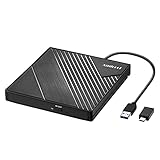
- 【PLUG & PLAY – EASY CONNECTION】 Simply connect the Amicool External DVD Drive to your computer’s USB or Type-C port, and it will usually be detected right away without the need for extra drivers. For stable operation and sufficient power, we recommend connecting it directly to a USB port on your computer (for desktops, use a rear motherboard port) and avoiding USB hubs or extension cables. This user-friendly design ensures quick setup for both beginners and professionals.
- 【FAST & STABLE DATA TRANSMISSION】 Featuring dual interfaces (USB 3.0 and Type-C), this optical drive supports data transfer speeds up to 5Gbps. To ensure a reliable connection, please connect it directly to your computer. The drive supports multiple disc formats such as DVD+R, DVD-R, CD-R, and CD-RW. Please note: It does NOT support DVD-RAM, Blu-ray (BD) discs, or certain proprietary formats. Maximum DVD read speed is 8x, and maximum CD read/write speed is 24x.
- 【UNIVERSAL COMPATIBILITY】 Compatible with Windows 11 / 10 / 8.1 / 7, Linux, and all macOS (Intel & Apple Silicon) for MacBook Air/Pro, iMac, Mac mini; NOT for iPad/iPhone/Apple TV/ChromeOS; for Mac, insert disc FIRST, connect directly to USB port (use a POWERED USB‑C hub for M1/M2/M3 to avoid insufficient power), and open media with VLC Player (Apple DVD Player not supported). Works with most computers from brands like Apple, Dell, HP, Lenovo, ASUS, Acer, and Samsung. 👉 Important: Designed specifically for computers. It is NOT compatible with TVs, tablets, game consoles (e.g., PlayStation, Xbox), car stereos, or standalone Blu-ray players.
- 【SLIM & PORTABLE DESIGN – BUILT-IN CABLE, READY TO GO】With an integrated cable design, slim body, and stylish matte finish, this lightweight CD/DVD drive is both durable and portable. Easily slip it into your laptop bag or backpack and use it anytime, anywhere—perfect for business, travel, or home use
- 【MULTIFUNCTIONAL & RELIABLE OPERATION】 Equipped with intelligent error correction and anti-shock technology, this drive supports reading, writing, and burning discs. If the drive is not recognized or a disc cannot be read, try restarting your computer or testing with a different, standard CD-R or DVD-R disc. The pop-up button and built-in cable design offer convenience and portability. For desktop PCs, connecting to a rear USB port is recommended for optimal power and performance.
Do not treat MP3 as an archival master. It is lossy, so retain WAV or FLAC when storage permits and encode MP3 only for phones, cars or portable players. A short sample from the beginning, middle and end of the selected title can reveal a wrong language, a commentary track or a chapter boundary before a long batch job.
1. DVD Audio Extractor: best for chapter-level music extraction
DVD Audio Extractor is the most focused tool in this list. Its maker describes it as software for extracting and ripping DVD audio, and its supported sources include DVD-Video, DVD-Audio and Blu-ray. It can export MP3, OGG, WAV and FLAC, so the same project can produce an archival file and a compact listening copy.
What it does well
- Select a title, individual chapters or a chapter range instead of converting an entire disc.
- Separate concert movements, bonus tracks, commentary and language tracks when the disc exposes them as separate streams.
- Choose WAV or FLAC for a lossless master, then create MP3 files for mobile playback.
- Use batch extraction when a disc contains many chapters.
Platforms and current version
Version 8.8.0 is dated January 25, 2026. That release drops support for Windows 10 and Intel-based macOS, so plan on a supported newer Windows installation or an Apple-silicon Mac. Confirm the operating-system requirement before installing on an older laptop.
Trial and limits
The vendor offers a 30-day fully functional trial. A paid license is required after the trial period; a current price is not established here. The program still needs a DVD-capable optical drive or an accessible disc image, and it cannot make an encrypted commercial disc lawful to copy. Disc menus that hide several angles or audio streams may require careful title selection.
2. VLC: best free route for a straightforward unprotected DVD
VLC is free, open-source and available for Windows, macOS and Linux. For a home-authored or otherwise unprotected DVD with a simple title structure, its Convert/Save workflow can write an MP3 directly without an intermediate video file.
How the direct conversion works
- Insert the DVD and open VLC.
- Choose Media > Convert/Save, open the Disc tab and select the DVD device.
- Choose the correct title and, when available, chapter range. Previewing the title helps distinguish the main program from menus and extras.
- Select Convert/Save, choose an Audio-MP3 profile, set a destination filename ending in
.mp3, and start. - Play the result and check runtime, language and chapter boundaries before converting the remaining titles.
Where VLC falls short
Protected commercial DVDs may fail because VLC is not a dependable solution for copy protection. Complex menus, multiple angles and commentary tracks can also make title selection confusing. VLC offers convenience rather than the chapter metadata, queue management and format breadth of a specialist extractor.
VLC is a sensible first attempt when the disc is your own home recording or an unprotected production. If it produces silence, the wrong language or a partial runtime, stop and identify the title and audio stream instead of repeatedly changing MP3 settings.
What’s actually slowing this PC down?
Pick the symptom - the matching free tool is one click away.
3. XMedia Recode: best free Windows alternative
XMedia Recode is a free Windows converter that can read an unprotected DVD and save the soundtrack as MP3 or M4A. It suits users who want more encoding controls than a basic player offers but do not need a paid disc-audio specialist.
Workflow and controls
- Open the physical DVD or its readable files, select the title and audio stream, and add the chosen item to the conversion queue.
- Choose MP3 for broad device compatibility or M4A when your playback ecosystem accepts that container and codec.
- Set a destination folder and inspect the estimated duration before starting a batch.
Platform, cost and limits
The available build is for Windows and is free. The vendor explicitly says XMedia Recode does not support copy-protected discs, so it is not a solution for an encrypted retail DVD. It also does not provide the macOS or Linux path that VLC, HandBrake and MakeMKV offer.
Use XMedia Recode when the disc is readable and you want a Windows-only utility with MP3 and M4A output. Choose DVD Audio Extractor instead when DVD-Audio support, chapter-focused music extraction or lossless WAV/FLAC output is central to the job.
Also popular on Amazon
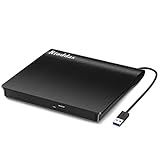
- Plug & Play. Easy to use, powered by USB port. No external driver or power adapter needed. Simply plug it into your USB port for automatic detection. For optimal performance on desktop computers, connect directly to a high-power USB port on the back of the motherboard. This hassle-free solution requires no technical setup, and if the drive isn't immediately recognized, trying a different USB port typically resolves most connection issues
- High Speed & Reliable Performance. Compatible with USB 3.0 (backwards compatible with USB 2.0), this drive delivers fast data transfer speeds up to 5Gbps. Engineered with strong fault tolerance, it minimizes freezing, skipping, and errors during disc playback or burning. The stable performance ensures smooth, reliable operation and reduces the risk of defective performance
- Intelligent Tech & Stable Connection. Features a physical eject button that safely releases discs even when your computer fails to recognize the drive—eliminating the common frustration of stuck media. Enhanced with copper mesh technology, this external component ensures consistently stable data transmission during all your reading and writing tasks
- Trendy & Practical Design. Features a brushed texture shell for modern visual and tactile appeal. The innovative embedded cable design keeps your USB cable securely stored and always accessible, eliminating worries about misplacement. This compact, all-in-one solution is perfectly suited for easy transport and organized storage
- Wide Compatibility. This external USB CD/DVD drive works with Windows 11/10/8.1/7/Vista/XP, Linux, and macOS 10.16+ (MacBook Pro/Air, iMac, Mac mini). Compatible with most laptops/desktops (HP, Dell, Lenovo, ASUS, Samsung). For optimal performance on desktops, connect to rear USB ports. Supported formats include CD-ROM/R/RW, DVD-ROM/R±RW/R±DL, and VCD. IMPORTANT: Not compatible with ChromeOS, smartphones, tablets, TVs, projectors, vehicles, or Blu-ray/4K discs. Please verify your device type before purchasing
4. DVDFab DVD Ripper: best paid all-in-one workflow
DVDFab DVD Ripper accepts a physical DVD, an ISO image or a VIDEO_TS folder. Its official feature list includes MP3, WAV and FLAC output, along with title selection and queue-oriented workflows. The vendor also claims support for protected commercial discs.
When its broader input support matters
- Use an ISO when the optical disc is stored on a hard drive and you do not want to mount it manually.
- Open a VIDEO_TS folder when another program has already created a DVD file structure.
- Select the main feature or a specific title before adding an audio profile to the queue.
- Choose WAV or FLAC for a lossless result, then create MP3 listening copies from that master.
Platforms, hardware and cost
DVDFab provides Windows and macOS editions. Its setup guidance requires an optical/DVD-R(W) drive for physical media, so a laptop without an internal drive needs a DVD-capable external USB drive. It is paid software; the exact price depends on the edition and any current promotion, so check the vendor’s pricing page before purchase.
Important qualification
Statements about bypassing protection, conversion speed and output quality are vendor claims, not independent measurements. Copying a protected disc may be restricted by copyright or anti-circumvention law in your jurisdiction. Treat this product as the paid choice for complex, legally accessible sources rather than as a blanket guarantee that every commercial disc will work.
5. HandBrake: best when you also need an MP4 or MKV video
HandBrake is free, open source and runs on Windows, macOS and Linux. Its documentation says it offers the MP3 audio codec through the LAME encoder, but HandBrake is not the simplest way to obtain a standalone .mp3 from a normal DVD.
What HandBrake actually creates
HandBrake normally writes an MP4 or MKV video file containing one or more audio tracks. That is useful when you want to watch a documentary on a phone or preserve the picture with the soundtrack. If you need separate MP3 files for a music player, use a second extraction step on the resulting audio or choose a direct extractor in the first place.
A practical two-step path
- Open the disc, select the correct title and chapters, and choose an MP4 or MKV container.
- On the Audio tab, select the desired language and track; choose MP3 when compatibility inside the video file matters.
- Encode and verify that the resulting video contains the expected runtime and language.
- Use VLC or another audio utility to extract a standalone MP3 if your player cannot use the video container.
Limits
HandBrake does not replace a disc-access tool for every protected commercial DVD, and title scanning can expose several nearly identical entries. It is best viewed as a video transcoder with MP3 encoding available, not as a dedicated DVD music ripper.
6. MakeMKV: best preservation-first workflow
MakeMKV reads DVD and Blu-ray discs and places the selected content in an MKV container while retaining multiple audio tracks, chapters and metadata. Its official statement says, “Functionality to open DVD discs is free and will always stay free.”
Why preserve before converting?
An MKV gives you a stable working copy from which you can make several listening versions later. You can retain the original surround track, commentary and chapter map, then select only the program audio for an MP3 export. This is safer than repeatedly reading an aging disc for every format you want.
Platforms and limits
MakeMKV has builds for Windows, macOS and Linux. Opening DVDs is free; other capabilities and licensing terms can differ, so review the current vendor terms for the exact source type you plan to use. MakeMKV does not directly export MP3, WAV or FLAC. After creating the MKV, use an audio extractor or transcoder to produce those files.
Quick wins for a faster PC:
Clear out junk files and repair common Windows errorsFree Scan →Scan for outdated or missing drivers - takes under a minuteDriver Scan →Repair Windows errors before they cause bigger problemsFix Now →Best use case
Choose MakeMKV when preservation, multiple tracks or future re-use matters more than a one-click MP3. It is especially useful for a concert DVD whose chapter structure you want to keep intact before making phone-sized files.
Also popular on Amazon

- Experience High-Speed Read/Write: This Type-C & USB 3.0 external CD/DVD drive delivers blazing-fast performance with up to 8x DVD rewrite/read speed and 24x CD write/read speed. Leveraging dual Type-C and USB 3.0 connectivity, it achieves maximum 5Gbps data transfer rates – ensuring seamless playback of music and movies, smooth software/system installation, and error-free disc burning
- Plug and play, no driver required: Our product design is simple, providing a worry free experience - just plug it in, no need to install complex drivers. This design ensures efficient user use and provides users with a direct digital experience. Our product comes with USB-A and USB-C interfaces, and we believe these interfaces can adapt to your device and bring portable CD burning functionality to your laptop
- Broad Compatibility:Our product is engineered for extensive compatibility, adapting to various formats and devices. Whether you're working on a PC, Mac, or other platforms(except for Chromebook, car platforms, tablets, and televisions), it effortlessly integrates into your digital ecosystem. With wide-ranging support for different file types and operating systems,you can trust our products to provide you with excellent experiences in CD burning, DVD burning, CD reading, and other aspects
- Portable and Lightweight:Our optical drive stands out with its exceptional portability and lightweight design, measuring just 0.79 inches thick and weighing only 0.55 pounds. It easily fits into your handbag or backpack, making it perfect for use at the office, home, or on the go. Made from high-quality materials and featuring a sleek, minimalist design, this external cd/dvd drive is not only stylish and durable but also incredibly convenient . It supports multiple disc formats, offering you a seamless digital experience. Choose our optical drive and let portability and lightness become your trusted companions
- Thoughtful service, thoughtful product: Our external DVD/CD burner uses a built-in cable, eliminating the hassle of cable storage. In addition, for your suggestions on after-sales issues with the product, you can also contact us through the methods provided in the user manual, and we will be happy to serve you.
7. Zamzar: best for an already extracted VOB
Zamzar is an online file converter, not a DVD ripper. Its VOB-to-MP3 page accepts an uploaded VOB file; VOB files are normally found inside a DVD’s VIDEO_TS folder. You must first access the disc with a drive and extraction program.
Online conversion steps
- Copy or extract the relevant VOB from the legally accessible DVD structure.
- Open Zamzar’s VOB-to-MP3 converter and upload the file.
- Choose MP3, submit the conversion and download the result when it is ready.
- Check the runtime and listen for the correct language or commentary stream.
File-size and privacy limits
Zamzar warns that files over 50 MB exceed the free limit. A long concert or documentary VOB can easily exceed that threshold, forcing you to split the source or use another workflow. Uploading also means sending the media to an online service, which may be unsuitable for private recordings or material you are not allowed to distribute.
Zamzar reports that it has converted more than 510 million files since 2006; that is a company-reported figure, not an independent performance measurement. Use it for a small, already extracted VOB when local software is inconvenient, not as a substitute for a DVD drive.
How do you choose the right DVD-to-MP3 workflow?
Start with the source and protection status
- Home-authored or unprotected disc: try VLC first, then XMedia Recode on Windows if you need additional encoding controls.
- DVD-Audio, many chapters or several language tracks: use DVD Audio Extractor and inspect every title before batch extraction.
- ISO or VIDEO_TS already on a drive: DVDFab DVD Ripper handles those inputs directly; MakeMKV can preserve the structure before later conversion.
- Protected commercial disc: verify that copying is lawful where you live. Vendor claims of protection support do not override the law.
- Only a VOB file remains: Zamzar can convert it online if it fits the free size limit; a local converter avoids uploading the file.
Decide whether you need audio only or video too
For a phone music library, direct MP3 output from DVD Audio Extractor, VLC or XMedia Recode is simplest. If you also want the documentary picture, HandBrake’s MP4/MKV output is more appropriate. If you want to retain every stream and chapter for future work, MakeMKV should come first.
Choose quality before bitrate
MP3 discards information. A practical archive keeps the extracted WAV or FLAC, while an MP3 copy is encoded for convenience. Do not convert an already lossy file to another lossy format if you can return to the original disc or lossless master. Keep the sample rate and channel layout appropriate to the source, and avoid normalizing or filtering until you know the original track is correct.
Plan for the hardware
A computer without an internal optical drive needs a DVD-capable external USB drive. Connect the drive directly when possible, wait for the disc to mount, and confirm that the operating system can read the VIDEO_TS structure before troubleshooting software. An external drive is hardware, not conversion software, so its compatibility and power requirements should be checked separately.
Verify before a long batch
- Identify the main title by runtime rather than assuming the first entry is correct.
- Check language, commentary and surround-track labels.
- Extract a short sample or one chapter.
- Compare the sample’s start and end against the disc and confirm that tags and filenames identify the program.
- Only then queue the remaining chapters or titles.
Why does a DVD conversion produce the wrong language, silence or a short file?
The wrong title was selected
DVD menus can contain a feature, trailers, previews and duplicate angles. Sort titles by runtime, preview the first seconds and compare the chapter count. A short output usually indicates that a menu or bonus title was selected rather than that MP3 encoding failed.
Do these 3 things before closing this tab:
1Clear out junk files and repair common Windows errors2Fix the driver behind crashes, sound loss and screen glitches3Repair Windows errors before they cause bigger problemsThe wrong audio stream was selected
Concert and documentary discs often include stereo, surround, descriptive audio and commentary. Select the stream that names the intended language and mix, then make a short test extraction. If the result is silent, inspect whether the stream uses a codec your chosen program can decode and try another listed stream.
The disc is protected or unreadable
VLC and XMedia Recode may fail on protected commercial discs, and online conversion cannot help until a VOB has been extracted. Clean the disc, try a different drive and confirm that the operating system can read the files. Do not assume that repeated retries authorize bypassing protection.
Chapter boundaries do not match the music
Some authoring programs place several songs in one chapter or split a song at a menu transition. Extract the full title to WAV or FLAC first, then split it with an audio editor using the audible transitions. This preserves the source while allowing cleaner phone-ready tracks.
Also popular on Amazon

- 8x DVD write speed of the Asus sdrw-08d2s-u Lite provides an easy-to-use backup solution
- Diamond-cut design for a sophisticated look that perfectly complements any device
- Disc encryption double security With password-controlled and hidden-file functionality
- Drag and burn provides a friendly interface with only three simple steps to burn a disc
- Windows and Mac compatible
Is MP3 the best format for DVD audio?
MP3 is the most broadly compatible choice for phones, cars and older players, but it is lossy. WAV keeps uncompressed PCM audio and FLAC keeps lossless audio in a smaller file, making either format a better master for future edits. DVD Audio Extractor and DVDFab list WAV and FLAC output; VLC, XMedia Recode and the other workflows may require an additional conversion step for those formats.
Free tools Windows power users keep installed
One-click scans. No signup required.
Keep one lossless copy per title and generate MP3 copies from that file when you need portability. Use clear filenames that include the disc, title, chapter and language, because metadata from a DVD menu is not always complete or consistent.
What are the legal and privacy considerations?
Copyright rules differ by country and can distinguish between personal format shifting, backup copies and bypassing an access control. A tool’s ability to read a disc does not establish that a particular copy is lawful. Restrict conversions to media you are authorized to copy and avoid uploading material to an online service when you do not control its rights or privacy.
Local extraction also keeps a private recording on your own computer. Zamzar requires a VOB upload, so its convenience should be weighed against file-size limits and the sensitivity of the material.
Frequently Asked Questions
Can I convert a DVD to MP3 without an internet connection?
Yes. VLC, XMedia Recode, DVD Audio Extractor, DVDFab DVD Ripper, HandBrake and MakeMKV all support local workflows once the disc is readable. An offline process avoids uploading a VOB and is preferable for private recordings.
Crashes, No Sound, or Screen Glitches?
Random freezes, missing sound and display glitches usually trace back to one bad driver. Find and replace yours safely.Free scan · under a minutePC Slower Than It Used to Be?
A free scan shows the junk files, broken settings and background clutter dragging Windows down - then fixes them in one click.Free scan · Windows 10 & 11How do I keep each concert song as a separate MP3?
Use a tool that exposes DVD titles and chapters, such as DVD Audio Extractor, and select the chapter range for each song. If the authoring placed an entire concert in one chapter, extract a lossless file first and split it at the audible track boundaries.
What should I do if my laptop has no DVD drive?
Use a DVD-capable external USB drive and confirm that the operating system mounts the disc before opening the converter. Some slim drives need a direct USB connection or additional power, so a hub can cause intermittent read failures.
Can a phone play the MP3 files made from a DVD?
Most phones can play MP3, but chapter names and cover art may not transfer from DVD menus. Add consistent filenames and metadata after extraction, and keep the original WAV or FLAC files separately in case you later need a different bitrate or format.
Is an ISO better than extracting VOB files one at a time?
An ISO preserves the complete DVD structure, including menus and all titles, while individual VOB files may omit context or split a program across several files. Use an ISO with a compatible local ripper when you expect to revisit chapters, languages or alternate audio tracks.
Recommended Free Tools






Say something about this film