Recommended Free Tools
Some links on this page are affiliate links: if you buy through them we may earn a commission, at no extra cost to you.
No. VHS-C and 8mm are different camcorder-tape formats. VHS-C is compact VHS and can usually play in a standard VHS VCR with a VHS-C adapter. “8mm” usually means Video8, Hi8, or Digital8; those tapes need compatible 8mm-family equipment. A VHS-C adapter will not play an 8mm tape.
VHS-C vs. 8mm at a glance
| Feature | VHS-C | 8mm family |
|---|---|---|
| What the name means | Compact VHS | Video8, Hi8, or Digital8 |
| Tape and cassette | VHS-family tape in a compact, relatively wide cassette | Approximately 8mm-wide tape in a smaller, narrower cassette |
| Recording | Analog VHS-family recording | Analog Video8 or Hi8; digital recording on Digital8 |
| Playback | VHS-C camcorder, or usually a VHS VCR with a VHS-C adapter | Compatible Video8, Hi8, or Digital8 camcorder or deck, depending on the recording |
| Can a standard VHS VCR play it? | Usually, with the right adapter | No |
The formats served a similar purpose—recording home movies in camcorders—but their cassettes, tape paths, and recording systems differ. Sony confirms that VHS and 8mm recordings are not interchangeable and that there is no adapter for playing an 8mm cassette in a standard VHS VCR (Sony support).
What is VHS-C?
VHS-C means Compact VHS. It puts the VHS recording system in a smaller cassette shell for use in compact camcorders. To play most VHS-C tapes in a full-size VHS VCR, you place the cassette in a VHS-C-to-VHS adapter. The adapter mechanically presents the tape to the VCR’s transport; it does not convert the recording into another format. The Canadian Conservation Institute describes VHS-C as standard VHS tape in a smaller housing and explains the adapter requirement.
If you still have the original VHS-C camcorder and it works, you can often play the tape in the camcorder and connect its A/V output to a TV or capture device. This avoids relying on an old adapter mechanism. JVC also described its VHS-C camcorders as usable with standard VHS recorders through a “Playpak” adapter (JVC product documentation).
#1 Best Overall

- ✅ Motorized Auto-Loading & Seamless Playback – Automatically adjusts VHS-C tapes for smooth playback in any standard VCR.
- ✅ Simple Plug & Play + Battery-Powered – Just insert your VHS-C tape and place it in the VCR; requires one AA battery (not included) to run the motorized system.
- ✅ Recording Tab Removable – Easily remove the recording tab to prevent accidental erasure while the tape is in the adapter.
- ✅ Not Compatible with Hi8, 8mm, Digital8, or MiniDV Tapes – Designed exclusively for VHS-C tapes.
What does “8mm” mean?
In the context of camcorder tapes, “8mm” is an umbrella term, not one precise recording format. It may mean:
- Video8: The original analog 8mm camcorder format.
- Hi8: An enhanced analog format in the 8mm family.
- Digital8: A digital recording format that uses physically similar 8mm-family cassettes.
These distinctions matter when choosing a playback device. Many Hi8 camcorders can play Video8 tapes, but verify the exact model. Some Digital8 camcorders can play analog Video8 or Hi8 recordings, while others cannot. A Digital8 recording itself requires a Digital8-capable device; an analog Video8 or Hi8 machine cannot decode its digital data. Sony’s format compatibility information and Digital8 playback explanation outline these limitations.
Do not confuse 8mm videotape with 8mm film, which is motion-picture film on reels rather than a camcorder cassette.
Rank #2

- Motorized Auto-Loading & User-Friendly Operation: This VHS-C cassette adapter has a motorized function for fast, smooth tape loading/unloading. It simplifies converting/playing old tapes on standard VCRs—easy for elders and beginners, convenient for the whole family to access old footage.
- Versatile Playback & Recording: As a practical VHS-C to VHS adapter, it lets you play/record cherished VHS-C cassettes on standard VHS players/recorders.
- Nostalgia Preservation: This VHS-C adapter bridges the past, helping you revive precious camcorder memories shared with family and loved ones. It enhances old footage’s emotional value, perfect for reliving childhood and family moments.
- Clear Compatibility: Exclusively designed for VHS-C tapes; NOT compatible with MiniDV, Hi8, Digital 8, or 8mm tapes.
- Premium Quality & Complete Package: Brand new in original packaging for pristine quality. Requires 1 AA battery (not included); includes 4 cleaning cloths, adapter, and instruction manual. Quality assurance for peace of mind.
How to identify the cassette
- Likely VHS-C: Look for “VHS-C,” “Compact VHS,” or “S-VHS-C” on the label. The cassette is relatively broad and chunky, and may fit a hinged VHS-C adapter.
- Likely Video8 or Hi8: Look for “Video8,” “8mm,” “Hi8,” or “Handycam.” The cassette is narrower and more like a large audio cassette. It will not fit a VHS-C adapter.
- Possibly Digital8: Look for “Digital8” or “D8,” but confirm what was actually recorded and check the playback device’s model documentation. A similar-looking shell alone cannot establish whether its footage is analog or digital.
Labels and the cassette shape are more useful than brand or color; color is not a dependable way to identify a format. If a cassette is unlabeled, do not force it into an adapter or device. Identify the format first.
What equipment plays each format?
VHS-C
- Use a working VHS-C camcorder and connect its A/V output to a television or capture device; or
- Use a compatible VHS-C adapter in a VHS VCR.
Check whether an adapter is manual or battery-powered and whether its mechanism operates smoothly. Playback speed and recording mode, including any S-VHS-C or extended-mode recording, can also affect results. If neither option is reliable—or the tape is valuable or damaged—a transfer service is another route.
Video8 and Hi8
Use a compatible Video8 or Hi8 camcorder or deck. A Hi8 machine often supports Video8 playback, but confirm that in the model manual. Do not assume a device described only as “8mm” supports every format in the family.
Rank #3
- ✅ Motorized Auto-Loading & Seamless Playback – Automatically adjusts VHS-C tapes for smooth playback in any standard VCR.
- ✅ Simple Plug & Play + Battery-Powered – Just insert your VHS-C tape and place it in the VCR; requires one AA battery (not included) to run the motorized system.
- ✅ Recording Tab Removable – Easily remove the recording tab to prevent accidental erasure while the tape is in the adapter.
- ✅ Not Compatible with Hi8, 8mm, Digital8, or MiniDV Tapes – Designed exclusively for VHS-C tapes.
Digital8
Use a Digital8-capable device for Digital8 recordings. Some Digital8 models also play analog Video8 or Hi8 tapes, but backward compatibility varies. Check the exact model’s playback specifications before buying used equipment or inserting an important tape.
The adapter myth: A VHS-C adapter is only for VHS-C. It cannot play Video8, Hi8, or Digital8 tapes. It does not change tape width, recording method, or a device’s ability to read a signal. The adapter’s own instructions likewise exclude 8mm-family tapes (adapter instructions).
Does one format have better picture quality?
There is no guarantee based on the format name alone. As a broad comparison of analog formats, Video8 offered somewhat higher nominal horizontal resolution than standard VHS-family recording; Hi8 was higher still. S-VHS-C was an enhanced VHS-C format and should not be confused with ordinary VHS-C. Digital8 records digitally, but that label alone does not guarantee a better-looking transfer: the camera, tape, playback condition, and transfer method still matter.
Rank #4
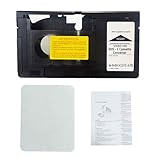
- Wide Compatibility: Works with VHS-C cassettes & standard VHS VCR players; ideal for VHS to digital conversion; not compatible with MiniDV, Hi8, Digital 8, or 8mm tapes
- One-Touch Operation: Motorized adapter with simple one-button control; smooth tape loading/unloading; easy for elders & beginners
- Preserve Memories: Revive old VHS-C family tapes; relive childhood & gatherings; convert to digital to keep memories forever
- Durable & Battery-Powered: Runs on 1 AA battery (not included); left-side battery box; includes cleaning cloth; high-quality build for long-term use
- Versatile Use: Supports VHS-C playback/recording via standard VCRs; flexible access to old footage; thoughtful gift for family & nostalgia lovers
The Canadian Conservation Institute lists approximate figures of 240 horizontal lines for VHS/VHS-C, 280 for 8mm, 400 for S-VHS/S-VHS-C, and 440 for Hi8 in its comparison table (PDF). These are format-level reference figures, not promises about an individual tape. A clean Hi8 recording played on sound equipment may look better than a damaged or poorly captured VHS-C recording; results vary with camera, recording mode, head condition, tape wear, and capture connection.
How long do the tapes record?
There is no single runtime for either family. Capacity depends on cassette length, recording speed or mode, regional video standard, and the camcorder. VHS-C tapes can reach about 60 minutes in SP mode, according to the Canadian Conservation Institute, but many commonly encountered tapes are shorter. Treat runtime as a rough clue, not a reliable way to identify an unlabeled cassette.
Free tools Windows power users keep installed
One-click scans. No signup required.
How to digitize the tapes
Digitizing VHS-C
- Confirm the cassette is VHS-C, not an 8mm-family tape.
- Prefer a working original camcorder with A/V output, if available. Otherwise, use a suitable VHS-C adapter and a reliable VHS VCR.
- Connect composite A/V—or S-Video if the playback device provides it—to an analog video capture device.
- Capture using the correct regional video standard, such as NTSC or PAL.
- Check the first few minutes for tracking trouble, missing audio, stretching, or a dropped signal before capturing the whole tape.
- Keep a high-quality master file and make smaller, compressed copies for convenient viewing.
Digitizing Video8 or Hi8
Use the original camcorder or a playback machine confirmed to support the recording format. Connect its composite or S-Video output to a capture device. A capture device alone cannot read a cassette: you still need the correct working playback equipment.
Best Value

- Playback and Recording Capability: This cassette adapter enables you to play or record your cherished VHS-C cassettes using a standard VHS video player/recorder, offering versatility in how you access your old footage.
- Nostalgia and Memories: It serves as a bridge to the past, letting you revive and recapture precious memories recorded on your camcorder, shared with your lover and family, enhancing the emotional value of your old videos.
- Does not work with or play: MiniDV, Hi8, Digital 8, and 8mm tapes
- User-Friendly Design: With its motorized functionality, the adapter simplifies the process of transferring VHS-C tapes to standard VHS, making it easy and convenient for anyone to use.
- Pristine Condition and Quality Assurance: The product is available in brand new, untouched condition, ensuring that it arrives in its original packaging
Digitizing Digital8
Use a compatible Digital8 camcorder or deck. Depending on the model, transfer may be available through IEEE 1394/FireWire or analog A/V output. Check the device’s connections and manual before planning the workflow; analog output and digital transfer are different paths.
For any format, stop if the tape wrinkles, binds, squeals, or sheds material. Mold, a damaged shell, or other visible deterioration calls for specialist handling rather than repeated playback attempts. A transfer service may also be practical if you have only a few tapes or do not have the right equipment; confirm that it accepts your exact format and what files or services are included. For example, Capture lists VHS-C transfer and Video8-family transfer separately.
Choose the right playback path
- VHS-C tape: Use a VHS-C camcorder, a VHS-C adapter with a VHS VCR, or a transfer service that accepts VHS-C.
- Video8 tape: Use a compatible Video8 or suitable Hi8 machine, or a service that accepts Video8.
- Hi8 tape: Use a Hi8 machine or a Digital8 model confirmed to support analog Hi8 playback, or a suitable service.
- Digital8 recording: Use a Digital8 playback device or a service that explicitly accepts Digital8.
- Unidentified or damaged tape: Do not buy an adapter based on size alone or repeatedly test it in unknown machines; identify it first, and consider a specialist for damage.
In short, the shared camcorder-era use does not make the formats compatible. VHS-C is compact VHS; 8mm means a separate family whose exact format determines the right playback machine.
Quick Recap
Product prices and availability are accurate as of the date/time indicated and are subject to change. Any price and availability information displayed on Amazon at the time of purchase will apply.

