Do these 3 things before closing this tab:
1Fix the driver behind crashes, sound loss and screen glitches2Repair Windows errors before they cause bigger problems3Scan for outdated or missing drivers - takes under a minuteSome links on this page are affiliate links: if you buy through them we may earn a commission, at no extra cost to you.
There is no single best DAW for every audio professional. Choose Pro Tools for commercial recording, editing, mixing, and session interchange; Ableton Live for electronic production and live performance; Logic Pro for Mac-based songwriting and value; Cubase for MIDI-heavy composition; Nuendo for film, television, game audio, and immersive post; and REAPER for flexible professional work at low overhead.
The right choice depends on your operating system, primary workflow, plugin requirements, hardware, collaboration needs, and licensing preferences. The 13 DAWs below are therefore ranked by professional use case rather than by a misleading universal score.
Quick comparison
| Software | Best for | Platforms | Workflow | Main limitation |
|---|---|---|---|---|
| Avid Pro Tools | Recording, editing, mixing, post-production | Windows, macOS | Linear timeline | Subscription cost and AAX-only plugins |
| Ableton Live 12 | Electronic production and live performance | Windows, macOS | Clip-based and linear | Less conventional for detailed post-style editing |
| Apple Logic Pro | Mac-based songwriting and all-in-one production | macOS | Linear timeline | Mac-only |
| Steinberg Cubase | Composition, orchestration, MIDI, full production | Windows, macOS | Linear timeline | Large feature set and slower onboarding |
| Steinberg Nuendo | Film, television, game audio, immersive post | Windows, macOS | Linear timeline | Overkill for ordinary stereo music production |
| FL Studio 2026 | Beatmaking and pattern-based production | Windows, macOS | Pattern-based | Lower editions have limited recording features |
| REAPER | Value, customization, recording, mixing | Windows, macOS, Linux | Linear and highly configurable | Utilitarian defaults and fewer bundled instruments |
| Bitwig Studio | Modulation, sound design, MPE, hybrid production | Windows, macOS, Linux | Clip-based and linear | Edition and upgrade-plan complexity |
| Fender Studio Pro | Streamlined recording, mixing, mastering | Windows, macOS | Linear timeline | Recent branding and licensing transition |
| Reason | Rack-based production and sound design | Windows, macOS | Rack-based | Distinctive workflow and subscription choices |
| MOTU Digital Performer | Composition, live production, MIDI | Windows, macOS | Linear timeline | Smaller mainstream ecosystem |
| Harrison Mixbus | Console-style mixing | Windows, macOS, Linux | Console-oriented | Specialized for mixing rather than MIDI-first work |
| Tracktion Waveform | Accessible cross-platform production | Windows, macOS, Linux | Linear and flexible | Smaller professional-studio footprint |
What makes music production software professional?
“Professional” should describe capability and suitability for a job, not price, celebrity usage, or industry reputation alone. A serious DAW should be judged across multitrack recording, low-latency monitoring, take management, comping, precise editing, MIDI sequencing, instruments, effects, automation, routing, tempo changes, rendering, mixing, mastering, hardware integration, recovery, and long-term project access.
Windows Errors? Fix Them Before They Spread
Repair common Windows errors and clear accumulated junk for a smoother, more stable PC - no reinstall needed.Free scan · no reinstallCrashes, No Sound, or Screen Glitches?
Random freezes, missing sound and display glitches usually trace back to one bad driver. Find and replace yours safely.Free scan · under a minuteVideo, timecode, surround and immersive audio, plugin compatibility, and session interchange become equally important for post-production and commercial studios. A beatmaking application can be professional for its intended workflow without being the best choice for recording a 40-piece orchestra. Conversely, a post-production system may be unnecessarily complex for a songwriter.
Popular on Amazon
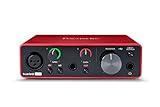
- Pro performance with great pre-amps - Achieve a brighter recording thanks to the high performing mic pre-amps of the Scarlett 3rd Gen. A switchable Air mode will add extra clarity to your acoustic instruments when recording with your Solo 3rd Gen
- Get the perfect guitar and vocal take with - With two high-headroom instrument inputs to plug in your guitar or bass so that they shine through. Capture your voice and instruments without any unwanted clipping or distortion thanks to our Gain Halos
- Studio quality recording for your music & podcasts - Achieve pro sounding recordings with Scarlett 3rd Gen’s high-performance converters enabling you to record and mix at up to 24-bit/192kHz. Your recordings will retain all of their sonic qualities
- Low-noise for crystal clear listening - 2 low-noise balanced outputs provide clean audio playback with 3rd Gen. Hear all the nuances of your tracks or music from Spotify, Apple & Amazon Music. Plug-in headphones for private listening in high-fidelity
- Everything in the box: Includes Pro Tools Intro+, Ableton Live Lite, Cubase LE, and Hitmaker Expansion: a suite of essential effects, powerful software instruments, and easy-to-use mastering tools
1. Avid Pro Tools: best for professional recording, editing, mixing, and interchange
Pro Tools remains the safest first choice when a project must move between commercial studios, tracking rooms, mix engineers, and post-production facilities. Its strengths include large-session audio work, playlist-based take management and comping, detailed editing modes, clip operations, automation, video tracks, timecode, and higher-tier immersive and audio-post capabilities.
That makes it particularly well suited to recording engineers, dialogue editors, mixers, commercial studios, and professionals exchanging sessions with other Pro Tools users. Avid positions the application for music creation, recording, editing, mixing, video, Dolby Atmos, and audio post.
The trade-offs are significant. Pro Tools uses the AAX plugin format, so existing VST or AU collections may need replacements or separate versions. Creative sketching and MIDI may feel less immediate than in Logic, Ableton Live, Bitwig, or FL Studio. Features also vary materially between Artist, Studio, and Ultimate.
Avid’s page displayed Artist at $9.99 per month, Studio at $34.99 per month, and Ultimate at $99 per month, alongside a free Intro edition and perpetual-license availability. These USD prices were observed in August 2026, exclude applicable taxes, and may change. Verify the current tier before buying.
2. Ableton Live 12: best for electronic production and live performance
Ableton Live 12 is the strongest first choice for producers who move between experimentation, arrangement, performance, and improvisation. Session View enables non-linear clip launching, while Arrangement View provides a conventional timeline for finishing tracks.
Live 12 adds MIDI Transformations, MIDI Generators, tuning systems, scale-aware editing, and extensive Max for Live possibilities. Warping, sampling, electronic instruments, controller integration, and performance-oriented routing make it especially effective for electronic music, DJs, beatmakers, and live acts.
Its learning curve is real. Linear recording and detailed post-style editing can feel less direct than Pro Tools, and the most capable instruments, effects, and Max for Live tools depend on the edition. Ableton offers both perpetual purchase and rent-to-own paths; compare the long-term cost rather than assuming either model is automatically cheaper.
3. Apple Logic Pro: best all-in-one Mac DAW for value
Logic Pro is the most compelling all-in-one choice for Mac users who want recording, arranging, instruments, effects, mixing, mastering tools, and a substantial sound library in one environment. It is especially strong for singer-songwriters, producers, composers, and musicians moving up from GarageBand.
Its integrated instruments and content can reduce the need for immediate third-party purchases, improving its total value even when another DAW has a lower sticker price. The conventional timeline is approachable for song production while remaining capable of sophisticated MIDI and audio work.
Also popular on Amazon

- The new generation of the songwriter's interface: Plug in your mic and guitar and let Scarlett Solo 4th Gen bring big studio sound to wherever you make music
- Studio-quality sound: With a huge 120dB dynamic range, the newest generation of Scarlett uses the same converters as Focusrite’s flagship interfaces, found in the world's biggest studios
- Find your signature sound: Scarlett 4th Gen's improved Air mode lifts vocals and guitars to the front of the mix, adding musical presence and rich harmonic drive to your recordings
- All you need to record, mix and master your music: Includes industry-leading recording software and a full collection of record-making plugins
- Everything in the box: Includes Pro Tools Intro+, Ableton Live Lite, Cubase LE, and Hitmaker Expansion: a suite of essential effects, powerful software instruments, and easy-to-use mastering tools
The decisive limitation is platform: Logic Pro is a Mac-only desktop DAW. Check macOS and Apple Silicon compatibility before upgrading, and do not choose it when a Windows, Linux, or Pro Tools-native studio workflow is a requirement.
4. Steinberg Cubase: best for MIDI-heavy composition and orchestration
Cubase is a particularly strong choice for composers, arrangers, orchestral producers, and studios that need deep MIDI editing alongside serious audio recording, mixing, and mastering.
The Tool Desk
Outbyte Driver Updater FREEFix the driver behind crashes, sound loss and screen glitchesFind Drivers →Outbyte PC Repair FREERepair Windows errors before they cause bigger problemsFix Now →Its composition-oriented strengths include detailed sequencing, orchestral workflows, tempo and arrangement control, and broad support for pop, classical, electronic, game, and film work. It is more immediately suited to traditional timeline production than Ableton Live or FL Studio, while offering more compositional depth than a primarily audio-focused system.
The feature set can slow onboarding, and edition differences matter. Project exchange with another DAW is never perfectly lossless: plugins, automation, routing, comping data, instrument patches, and layout may not transfer exactly.
5. Steinberg Nuendo: best for film, television, game audio, and immersive post
Nuendo is a specialist platform for sound-to-picture and media production. It is designed for large-scale editing, mixing, surround and immersive workflows, game audio, and professional post-production.
Choose it when video, interactive audio, game implementation, or immersive delivery is central to the work. It is not automatically a better music-production choice simply because it is more specialized or expensive. A conventional stereo producer will usually get better value from Cubase, Pro Tools, Logic Pro, or REAPER.
6. FL Studio 2026: best for beatmaking and pattern-based production
FL Studio is exceptionally effective for hip-hop, trap, pop, EDM, and sample-based production. Its pattern workflow and widely used piano roll make it fast to turn rhythmic and melodic ideas into arrangements.
Image-Line states that paid FL Studio editions start at $99 and include Lifetime Free Updates. Producer Edition and higher add audio recording, Edison, Newtime, and more advanced audio features. The lower editions should not be recommended to vocalists, bands, or engineers who need a complete recording workflow.
FL Studio is available for Windows and macOS. Its pattern-centric organization is highly productive for some producers but less comfortable for engineers managing complex live sessions. It can produce professional results, but that does not make it the best tracking environment or the default choice for Pro Tools session interchange.
Also popular on Amazon

- PIYONE Plug-and-Play USB C Audio Interface. Experience seamless connectivity with this class-compliant audio interface for Mac and PC. The modern audio interface USB C port handles both high-speed data transfer and bus power, eliminating bulky external power supplies. No drivers are required—simply plug into your laptop and start creating with this portable xlr audio interface.
- Studio-Grade 24-bit/192kHz Fidelity. Capture every nuance with professional resolution and a wide dynamic range. This 2 channel audio interface features high-performance converters that ensure crystal-clear, low-noise recordings. Whether you need an audio interface for PC or mobile, the Q28 delivers the high-fidelity sound required for professional music production.
- Elegant Design with Illuminated Control. Enhance your interface for recording music with signature fixed LED light rings on each gain knob. This premium aesthetic ensures easy visibility in dimly lit studios while adding a modern, professional look to your setup. It’s the perfect blend of style and function for your home recording audio interface.
- Versatile 2 Channel XLR USB Interface. Connect any source with maximum flexibility via two combo jacks. This 2 input audio interface is perfect for recording vocals with a condenser mic or using the Hi-Z input as a guitar interface for PC. With integrated 48V phantom power supply audio interface capabilities, it provides clean, ample gain for even the most demanding microphones.
- Zero-Latency Monitoring & 3.5mm Connectivity. This home recording audio interface is built for performance. The Direct Monitor feature allows for silent, zero-latency tracking, while the built-in 3.5mm headphone jack ensures compatibility with standard headsets without needing adapters. Powerful, portable, and ready to perform, it’s the ultimate xlr interface for laptop users and mobile creators.
7. REAPER: best value and flexibility
REAPER combines recording, editing, mixing, automation, routing, rendering, scripting, and customization with low system overhead. It supports Windows, macOS, and Linux and is an unusually strong option for independent studios, voice professionals, engineers, experimental users, and Linux-based producers.
Its routing and track architecture are exceptionally flexible, and broad plugin support makes it adaptable to many production environments. The trade-off is that the default interface can feel utilitarian. Advanced workflows often require configuration, scripting, or custom themes, and the bundled instrument and sound-library offering is less comprehensive than Logic, Cubase, FL Studio, or Reason.
Use the official Cockos purchase page for current licensing information. The available source material does not establish a current price, so it should not be quoted as a fixed figure here.
8. Bitwig Studio: best for modulation, sound design, and MPE
Bitwig Studio combines a clip launcher and linear arranger with deep modulation, MPE, MIDI, CV, hardware integration, VST and CLAP support, and the modular Grid environment in the full Studio edition.
It is an excellent choice for sound designers, modular-synthesis users, electronic producers, and performers who need expressive control or more elaborate modulation than a conventional timeline DAW provides. Native Windows, macOS, and Linux support also makes it attractive to cross-platform users.
Recommended Free Tools
Bitwig has a smaller commercial-studio footprint than Pro Tools, Logic, or Ableton Live, and some traditional editing or mixing workflows feel less conventional. Edition restrictions matter. The official page showed regular list prices of $99 for Essentials, $199 for Producer, and $399 for Studio, but promotions and upgrade-plan terms change. A discount captured in the research ended August 4, 2026 and should not be treated as current.
9. Fender Studio Pro: best streamlined all-in-one alternative
Fender Studio Pro is positioned as a modern all-in-one environment for recording, production, mixing, mastering, and video. Its drag-and-drop workflow makes it a natural fit for songwriters, independent producers, and recording engineers who prefer a conventional timeline.
Existing Studio One users need particular care because product branding, ownership, editions, and licensing changed during the 2025–2026 period. Confirm the current official name, edition structure, plugin compatibility, hardware support, and legacy-project behavior before purchasing or recommending it.
10. Reason: best for rack-based production and sound design
Reason treats instruments, effects, routing, and signal flow as a virtual rack. That makes complex sound-design experiments visually understandable and gives the application a distinctive virtual-hardware character.
Also popular on Amazon

- ✔️[High-fidelity sound quality, accurate sampling] The Synido 2x2 audio interface uses a high-quality independent audio chip to reduce recording latency, support 24-bit depth and 48kHz sampling rate, and ensure every detail is restored. Whether it is recording or live broadcasting, it can provide a clear and natural sound quality experience
- ✔️[Three monitoring modes, easy to switch] The audio interface provides three monitoring modes to meet different needs. In Stereo mode, independent left and right channels present the original input (such as a microphone or instrument), which is suitable for accurate recording. Mix mode can mix input audio and computer audio in real-time, which is suitable for live broadcast or recording, and is easy to adjust instantly. USB mode only monitors computer audio, which is suitable for post-editing or audio processing. Whether it is recording, live broadcast, or post-production, the three modes can be easily switched to make audio creation more efficient and professional
- ✔️[User-friendly design] The audio interface is intuitively designed, and equipped with three independent control areas, and the XLR interface supports 6.35mm and XLR microphones, which are compatible with various devices. The green, orange, and red LED lights display the volume level, helping you to grasp the volume status at any time and avoid distortion. Supports easy switching between Line In and instrument input, adapts to different devices, reduces interference and distortion, and does not need to adjust gain frequently, improving efficiency
- ✔️[Professional 48V phantom power] Synido audio interface is equipped with 48V phantom power switch and supports 48V dynamic microphone with excellent noise reduction performance, provides a highly sensitive recording experience, accurately picks up sound, and effectively reduces noise interference, ensuring clear and stable sound quality output
- ✔️[Lightweight and portable, plug and play, create at any time] The USB audio interface weighs only 300g and measures 14 x 11.5x 4.5 cm. It is compact and portable and can be taken anywhere anytime. Equipped with a 3.5mm to 6.35mm adapter and a USB-C to USB-A data cable, you can easily use it by directly connecting to your mobile phone or computer
Reason works as a standalone DAW and as a Rack plugin inside another host. The current plans page lists the Reason DAW and Rack plugin, 93 Reason Rack devices, and more than 50,000 samples, loops, and patches. The Rack plugin is listed in VST3, AU, and AAX formats.
Reason+ was displayed at $14.08 per month billed annually, while the Rack-plugin plan was displayed at $8.25 per month billed annually, with a seven-day trial. These prices were observed in August 2026 and may vary by region. Subscription access is not the same as ownership, and projects may need stems or bounced audio when moving to another DAW.
11. MOTU Digital Performer: best for composition and live production
Digital Performer is a strong candidate for composers, keyboard-heavy producers, theater and live-production professionals, and users who prioritize MIDI, notation, tempo, and arrangement control.
Its audience is narrower than that of Logic, Cubase, Ableton Live, or Pro Tools, which can affect tutorial availability and session-exchange expectations. Confirm the current edition, platform support, features, and price on MOTU’s official page before purchase.
What’s actually slowing this PC down?
Pick the symptom - the matching free tool is one click away.
12. Harrison Mixbus: best for console-style mixing
Harrison Mixbus is aimed at engineers who think in terms of channels, buses, channel strips, and console-style signal flow. It is most compelling as a mixing-focused alternative for hybrid analog/digital studios rather than as a universal choice for MIDI-first production.
The workflow is specialized, so verify current editions, plugin support, hardware integration, and platform details before switching a production facility to it.
13. Tracktion Waveform: best accessible cross-platform alternative
Tracktion Waveform offers a flexible general-purpose environment for recording, sequencing, mixing, and electronic production. It is useful for independent producers, educators, and cross-platform users who do not want a Mac-only DAW or a high-cost subscription.
Its professional-studio footprint is smaller than Pro Tools, Logic, Cubase, or Ableton Live, and edition differences require attention. Check the vendor’s current release, pricing, and included features before purchase.
Quick wins for a faster PC:
Fix the driver behind crashes, sound loss and screen glitchesFind Drivers →Clear out junk files and repair common Windows errorsFree Scan →Best DAW by professional role
| Professional need | Best first choice | Strong alternatives |
|---|---|---|
| Recording bands and vocalists | Pro Tools | Cubase, REAPER, Studio Pro |
| Mixing large audio sessions | Pro Tools | REAPER, Cubase, Mixbus |
| Electronic production | Ableton Live | Bitwig, FL Studio, Logic Pro |
| Live electronic performance | Ableton Live | Bitwig |
| Hip-hop and beatmaking | FL Studio | Ableton Live, Logic Pro, Reason |
| Mac-based songwriting | Logic Pro | Ableton Live, Cubase |
| Orchestral composition | Cubase | Nuendo, Digital Performer, Logic Pro |
| Film and television post | Nuendo | Pro Tools Ultimate |
| Game audio | Nuendo | REAPER, Pro Tools |
| Modular sound design | Bitwig | Reason, Ableton Live |
| Lowest serious cost | REAPER | Waveform, FL Studio |
| Console-style mixing | Mixbus | Pro Tools, REAPER |
| Cross-platform production | REAPER or Bitwig | Waveform, Cubase |
How to choose a professional DAW
Start with the actual job
Separate tracking and mixing, electronic production, songwriting, scoring, post, live performance, and sound design. A DAW optimized for one may be inconvenient for another.
Also popular on Amazon

- The new generation of the artist's interface: Connect your mic to Scarlett's 4th Gen mic pres. Plug in your guitar. Fire up the included software. Start making your first big hit
- Studio-quality sound: With a huge 120dB dynamic range, the newest generation of Scarlett uses the same converters as Focusrite’s flagship interfaces, found in the world's biggest studios
- Never lose a great take: Scarlett 4th Gen's Auto Gain sets the perfect level for your mic or guitar, and Clip Safe prevents clipping, so you can focus on the music
- Find your signature sound: Air mode lifts vocals and guitars to the front of the mix, adding musical presence and rich harmonic drive to your recordings
- With Scarlett 4th Gen, you have all you need to record, mix and master your music: Includes industry-leading recording software and a full collection of record-making plugins
Check the operating system first
Logic Pro is Mac-only. Pro Tools, Ableton Live, Cubase, Nuendo, FL Studio, Reason, Digital Performer, Studio Pro, Mixbus, and Waveform support Windows and macOS. REAPER and Bitwig support Windows, macOS, and Linux according to the supplied product information. Do not treat a compatibility layer as native support.
Audit recording and comping requirements
For bands and vocalists, check simultaneous inputs, punch-in and loop recording, take folders or playlists, comping, crossfades, phase-conscious editing, timing correction, monitoring, and latency management. Pro Tools is particularly strong when these requirements are combined with commercial-studio interchange.
Check MIDI and composition depth
Consider piano-roll editing, drum sequencing, articulations, expression maps, notation, tempo and meter changes, MPE, external MIDI, and CV. Cubase favors orchestration, Logic integrates instruments and songwriting, Ableton supports creative MIDI generation and performance, Bitwig emphasizes modulation and expressive control, FL Studio excels at piano roll and beatmaking, and Digital Performer emphasizes composition and live-production control.
Free tools Windows power users keep installed
One-click scans. No signup required.
Verify plugins before switching
Check the exact formats you use: VST3, AU, AAX, CLAP, ARA, and any legacy 32-bit dependencies. Also verify Apple Silicon support, Windows or Linux limitations, activation requirements, and whether your plugin licenses permit a second host. A project may open while still losing instruments, effects, automation, or routing.
Treat session interchange as a requirement
“Compatible” does not mean “opens perfectly.” Track folders, clip gain, comping data, color, layout, tempo maps, marker metadata, video references, automation, plugin settings, and routing can change. If a client, label, mix engineer, or post house already uses a particular DAW, that may be the most important selection criterion.
Calculate total ownership cost
Compare subscription payments, perpetual licenses, rent-to-own plans, major-version upgrades, upgrade plans, included instruments, sample libraries, pitch and timing tools, restoration, metering, mastering utilities, cloud services, educational discounts, offline activation, and the number of permitted computers. A cheaper DAW with little bundled content may cost more after the required plugins and libraries are added.
Can professionals use more than one DAW?
Yes. A producer may create in Ableton Live or FL Studio and mix in Pro Tools. A composer may write in Logic or Cubase and deliver stems to a Pro Tools or Nuendo post facility. A sound designer may use Bitwig or Reason as a plugin inside another host.
What’s actually slowing this PC down?
Pick the symptom - the matching free tool is one click away.
Multiple DAWs are sensible when each solves a different problem. Before committing to that workflow, establish a reliable handoff method: native sessions where possible, otherwise stems, consolidated audio, tempo maps, AAF or OMF where appropriate, and clearly documented sample rates, timecode, plugins, and processing.
Quick Recap
Important cautions
- Do not choose a DAW because it supposedly has better “sound quality.” Modern DAWs can deliver professional-resolution results; production decisions, source material, processing, monitoring, and export settings matter far more.
- Do not equate “industry standard” with universal superiority. Pro Tools is highly important in commercial recording and post, Ableton Live in electronic production and performance, Logic in the Mac ecosystem, Cubase in composition, and Nuendo in media production.
- Do not recommend an edition without checking its restrictions. Pro Tools tiers, FL Studio editions, Bitwig Studio capabilities, Reason plans, and Fender Studio Pro’s current structure differ materially.
- AI stem separation, AI mastering, cloud backup, distribution, and subscription sound libraries may change the value calculation. Check whether each feature is local, optional, cloud-based, or subscription-dependent.






Say something about this film