Spotify’s music videos are available to Premium users in the U.S. and Canada, but the rollout was not a new August 2026 launch: Spotify announced the beta on December 9, 2025, and said access reached all Premium users in both countries the next day. You can switch from a supported song’s audio to its video in Spotify’s Now Playing screen. The catalog has thousands of videos, according to Spotify Support, but availability is title-by-title—not every song has a video.
What Spotify added
Music videos are built into Spotify’s existing listening experience; they are not a separate subscription or standalone video app. For a supported song, the Now Playing screen offers a control to switch between audio and video. Spotify’s catalog includes official music videos, live performances, covers, and other music video formats where available.
Spotify’s December 2025 announcement named artists including Ariana Grande, Olivia Dean, BABYMONSTER, Addison Rae, Tyler Childers, Natanael Cano, and Carín León. That was an example of launch content, not a complete or current catalog. Spotify’s U.S. and Canada announcement described the feature as beta.
Who can watch, and on which devices?
Spotify’s music videos are a Premium feature in the U.S. and Canada. Spotify has not presented them as available to ordinary free-service listeners. Its U.S. Premium page lists Individual, Student, Duo, and Family plans; eligibility and account terms apply. The video feature does not require a separate video add-on. Check Spotify’s current U.S. Premium plans for live offers and pricing.
#1 Best Overall

- 🎵 Hi‑Fi Sound & Lossless Formats – Driven by a 4‑core 2.0GHz processor and advanced circuit, this Android 14 MP3 player delivers near‑Hi‑Fi audio with rich detail. Supports MP3, FLAC, APE, WAV, AAC, and OGG for full library compatibility. High‑resolution decoding restores every nuance. Stream via WiFi or play offline – enjoy immersive, distortion‑free sound, perfect for audiophiles.
- 🔋 Long Battery Life – This lightweight MP3 player is built with a 2000mAh high-capacity battery that delivers hours of continuous playback for commutes, workouts, and travel. The Android 14 system optimizes power use, giving you up to 50 hours of music or 8 hours of video per charge. Forget about frequent recharging – this durable player keeps going all day. Whether you're on a long flight or at home, enjoy nonstop audio entertainment anywhere.
- 💾 Ample Storage & Preloaded Apps – With 2GB RAM and 16GB built‑in storage (expandable up to 512GB via microSD), this portable player holds thousands of songs. Preloaded with Spotify, Amazon Music, and other streaming apps – start listening right after unboxing. Expandable memory lets you carry your offline library, while Android 14 gives access to Google Play. Ideal for both streaming and offline needs.
- 📱 Smooth Android 14 & Crisp Touch Display – This smart MP3 player runs Android 14 for a smooth interface. The 3.97‑inch INTELL screen (480×800) offers sharp visuals for browsing playlists and watching videos. With powerful processing and GPU, multitask between music, podcasts, and streaming without lag. Manage your library and adjust audio settings quickly and easily.
- 🌐 Versatile Connectivity & Smart Features – Equipped with dual‑band 2.4G/5G WiFi and Bluetooth 5.0 for fast pairing with wireless earphones and speakers. USB‑C supports charging and data transfer, and the 3.5mm jack gives a reliable wired option. Also includes FM radio, G‑sensor auto‑rotation, and OTG. Stream, share files, and connect accessories with ease.
Spotify Support lists mobile, tablet, desktop, web player, and TV as supported surfaces. TV playback uses Spotify Connect: transfer playback to the television, then switch to video from the Now Playing screen on the controlling device. Support across a device category does not guarantee that every television, streaming device, or Spotify-enabled screen presents identical controls. Update Spotify and device software if a control is missing. See Spotify’s device and playback instructions.
How to switch between audio and video
Mobile and tablet
- Start a song that has a Spotify video.
- Open the Now Playing screen.
- Tap Switch to video above the song title.
- Rotate the device to landscape for full-screen viewing, if you want.
- Tap Switch to audio to return to audio-only playback.
Desktop and web player
- Play a supported song and open Now Playing.
- Click Switch to video above the song title.
- Click Switch to audio to return to audio.
TV
- Start playback on a phone, tablet, or another Spotify device.
- Use Spotify Connect to transfer the session to your TV.
- From the controlling device’s Now Playing screen, tap Switch to video.
- Use the TV task bar for viewing settings where supported.
Spotify says the transition resumes at the closest matching timestamp. The video may still be a different edit from the audio release: a supported video could have a different intro, outro, runtime, or performance, so check the specific version if that matters.
Rank #2

- No Setup, Just Play: Preloaded with Spotify, Spotify Kids, Amazon Music, Pandora, Deezer, TIDAL, and YouTube Music; save time and enjoy your favorite songs, audiobooks, and podcasts the moment you power on
- Hear Every Detail, Feel Every Note: HiBy Music preloaded for lossless playback; customizable modes adapt to your style; pure, uninterrupted sound keeps you immersed in music you love
- Open Stories, Dive In: Audible, Libby, and LibriVox preloaded; enjoy rich sound, free library books, and classic tales anytime for an easy, immersive storytelling experience
- Clearer Sound, Smoother Play: 12nm CPU powers stable performance; hardware-level FLAC/APE decoding reveals richer details in every track
- Stay Synced, Play Seamless: Android 14 with Google Play keeps apps updated automatically; your playlists, favorites, and subscriptions follow you across phone, tablet, and player
How to find more music videos
Spotify’s personalized Videos for You playlist became available to Premium listeners in the U.S. and Canada on June 15, 2026. Spotify says it refreshes daily with a mix of music videos, live performances, and covers. Search for “Videos for You,” or open Search and look for the playlist highlights shelf.
Other discovery routes include the Related Music Videos area, an artist profile’s Music or video area, editorial playlists organized by genre or era, and video placements in Home, release pages, and Now Playing. Spotify for Artists also describes video discovery through artist-profile tabs, editorial playlists, Home, release pages, and fan notifications. Spotify for Artists’ video overview explains the artist-side changes.
Free tools Windows power users keep installed
One-click scans. No signup required.
Rank #3

- 🎅【Bluetooth 5.0 & Dual-Band Wi-Fi 】Equipped with Bluetooth 5.0, dual-band Wi-Fi, and USB-C fast charging, this MP3 player ensures stable, high-speed connections. Pair seamlessly with wireless headphones, speakers, or car stereos for immersive sound without tangled wires; connect to Wi-Fi for online music streaming (Spotify, Amazon Music), audiobook downloads (Audible).
- 🎅【2000mAh Long-Lasting Battery】Powered by a 2000mAh high-density battery and Android 13’s energy-saving technology, this portable music player offers up to 35 hours of continuous lossless music playback or 10 hours of 1080p video viewing on a single charge. Fast-charge via USB-C to get back to your tunes in no time—perfect for long commutes, road trips, gym sessions, or international travel. Never miss a beat due to dead battery again!
- 🎅【Hi-Res Audio & 1080p HD Display】Featuring a professional audio chip that supports Hi-Res Audio and a 4.0-inch HD touchscreen with 1080p playback support, this MP3 player delivers crisp, detailed sound and vibrant visuals. It’s compatible with all popular formats: MP3, FLAC, WAV, AAC, APE, MKV, MP4, and more. Built-in apps like FM radio, voice recorder, e-book reader, and equalizer (customizable bass/treble) make it an all-in-one entertainment device for music and video fanatics.
- 🎅【User-Friendly for Music Lovers 】Designed with a sleek, lightweight body and intuitive touch interface, this MP3 player is easy to use for both kids and adults. The dedicated music app lets you create playlists, sort songs by artist/album/genre, and set sleep timers—perfect for bedtime listening. With support for offline playback, you can download your favorite playlists, even without Wi-Fi.
- 🎅【Expandable Storage & Fast 8-Core Performance 】Built with the latest Android 13 OS and a high-performance 8-core 2.0GHz processor, this MP3 player delivers lag-free multitasking and instant response—perfect for switching between music, videos, and apps. Boasting 3GB RAM for smooth operation, 32GB internal storage, and support for up to 1TB external microSD cards, it’s your ultimate media vault.
Why the video button may be missing
The most common explanation is that the song does not have a linked Spotify video. Other possibilities include account eligibility, country, app version, a platform-specific interface, disabled video settings, or an account or cache issue. Try these checks in order:
- Confirm that the account has Premium and is set to the U.S. or Canada.
- Try a song known to have a Spotify video; video availability is not universal.
- Update Spotify and the device software, then force-close and reopen Spotify.
- Log out and back in, then test the same account in the web player or on another supported device.
- Check Settings → Content and display and make sure music videos are not disabled.
- If the control remains missing across devices for supported titles, contact Spotify Support.
Reinstalling cannot add a video to a song that has no licensed Spotify video, so first test a known supported title.
Rank #4
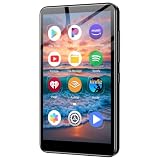
- ✅No‑Phone Streaming Music Player Built‑in WiFi & Android System, Works with Spotify, Pandora & Audible Stream your favorite music, podcasts and audiobooks directly on this music player, no smartphone required. Perfect solution for kids, teens and anyone who wants music access without the distractions, social‑media notifications of a cellphone.
- ✅32GB Large Storage + 4‑inch Smooth Touch Screen 32GB built‑in memory stores thousands of offline songs, audiobooks and videos. The responsive 4‑inch HD full touch‑screen delivers clear visuals, easy‑to‑navigate menu, friendly simple operation for children and seniors. Also works as an MP4 video player for on‑the‑go entertainment.
- ✅Stable Bluetooth Wireless Connection Advanced Bluetooth technology easily pairs with wireless headphones, earbuds and Bluetooth speakers. Enjoy tangle‑free music during school, commuting, workout, road trips or travel; you can also transfer downloaded local music files quickly.
- ✅Kid‑Friendly Safe Entertainment Choice A wonderful first portable media player for your child. Let kids enjoy Audible audiobooks, educational audio content and music, while you avoid giving them a full‑access smartphone. Lightweight, compact and portable for backpacks, car rides and outdoor activities.
- ✅All‑in‑One Multifunctional Android MP3‑MP4 Player Not only a streaming music player! Supports local loss‑less music playback, video watching, e‑book reading and more. Download extra apps via Google Play Store for expanded functions. Long‑lasting rechargeable battery supports hours of continuous audio playback.
How to turn videos off
For audio-first listening, open Settings → Content and display. Spotify introduced controls there for video content, including music and podcast video, as well as Canvas looping visuals. Spotify says the controls are intended to apply across mobile, desktop, web, and TV, although their presentation can vary by platform or rollout status. Turning video off can help avoid extra data or battery use and reduce visual distractions. Spotify’s settings announcement describes the controls. Family-plan managers can also manage whether video content appears for members.
Independent reader supportYour contribution helps us test, update, and keep practical guides available for everyone.Is Spotify a replacement for YouTube?
No. Spotify now offers a useful in-app layer for watching videos tied to supported songs, but it does not claim that every song has a video or that its catalog matches YouTube’s. YouTube remains a more natural choice for video-first browsing, unofficial uploads, fan edits, rare material, and the wider video ecosystem. YouTube Premium and YouTube Music are options for people who prioritize that experience.
PC Slower Than It Used to Be?
A free scan shows the junk files, broken settings and background clutter dragging Windows down - then fixes them in one click.Free scan · Windows 10 & 11Outdated Drivers Are Slowing You Down
One free scan finds every outdated or missing driver and matches the right update for your exact hardware.Free scan · exact hardware matchBest Value

- 🎵 Stream Your Favorite Music Online – Pre-installed with popular streaming apps like Spotify, Spotify Kids, Amazon Music, and Deezer, giving you instant access to millions of songs. Perfect for kids who aren't ready for a smartphone or for anyone looking to save phone storage. Note: Only pre-installed apps are available; additional apps cannot be downloaded.
- 🛡️ Enhanced Parental Controls for Peace of Mind – The kid-friendly design prevents the installation of unauthorized apps. Parents can uninstall any unwanted pre-installed apps and set a reset lock to block device restoration. Screen time can also be managed with internet and player usage duration controls.
- 🎧 Superior Music Playback & Audio Quality – Supports a wide range of audio formats, including MP3, WAV, FLAC, AAC, APE, OGG, M4A, WMA, and more. The one-click music scan loads songs from folders for easy playlist creation. A built-in noise reduction chip enhances your listening experience. Note: Direct song transfers from iPod/iPhone are not supported.
- ⚙️ Powerful Android Performance & 80GB Total Storage – An octa-core processor and 2GB RAM ensure smooth operation. The player comes with 16GB of internal storage and includes a 64GB microSD card, giving you a combined 80GB of space right out of the box. Need even more? The card slot supports further expandable storage up to 1TB — plenty of room for all your media files.
- 📶 Fast Bluetooth & Dual-Band WiFi – Dual-band WiFi (2.4GHz & 5GHz) delivers stable, interference-resistant wireless streaming. The advanced Bluetooth chip supports two-way sending and receiving for quick, reliable connections to Bluetooth headphones, speakers, and car audio systems.
Apple Music is another alternative for people already invested in Apple devices and services, with its own music, video, lyrics, and radio experience. Its presentation is different; do not expect Spotify’s exact in-track switching controls. See Apple Music.
If you already use Spotify and want supported videos alongside your playlists and listening history, Premium adds that option without a separate video fee. If you would subscribe mainly for the broadest video archive or a video-first interface, Spotify is a poorer fit. Spotify’s U.S. page displayed Individual at $12.99 per month and Student at $6.99 per month after the listed introductory offer, Duo at $18.99 per month, and Family at $21.99 per month when checked on August 18, 2026; prices and offers can change. Those are U.S. figures, not Canadian prices.
What artists should know
Spotify began beta-testing direct full-length video uploads through Spotify for Artists for selected artists in June 2026. The company says supported uploads include official music videos, live performances, acoustic or studio sessions, and covers. Spotify describes these videos as royalty-bearing and potentially chart-eligible; labels and distributors remain the primary delivery route for audio and video.
Spotify’s current listed restrictions include:
- Landscape 16:9 is recommended.
- Visualizers and lyric videos are not currently supported.
- Multi-song concerts and videos without music are not currently supported.
- Direct upload access is being rolled out gradually to artists in the beta.
Spotify also says it will stop accepting new Clips uploads, while previously uploaded Clips remain available during the transition toward a broader Video tab. These artist-side changes do not mean every artist can upload directly or that every uploaded video will be available in every market.
What’s actually slowing this PC down?
Pick the symptom - the matching free tool is one click away.
Quick Recap
Product prices and availability are accurate as of the date/time indicated and are subject to change. Any price and availability information displayed on Amazon at the time of purchase will apply.




