Quick wins for a faster PC:
Scan for outdated or missing drivers - takes under a minuteDriver Scan →Clear out junk files and repair common Windows errorsFree Scan →Fix the driver behind crashes, sound loss and screen glitchesFind Drivers →Some links on this page are affiliate links: if you buy through them we may earn a commission, at no extra cost to you.
Runway’s impressive new video model is Gen-4.5, announced on December 11, 2025. It remains Runway’s flagship video-generation model in 2026, but it is not a native movie-making system: it creates short text-to-video and image-to-video clips, documented at 2–10 seconds and 1280×720 in a 16:9 format. Its strengths are motion, prompt following, camera choreography and cinematic-looking individual shots; its weaknesses are cost, short clip lengths, fixed output specifications and continuity across a longer project.
That makes Gen-4.5 most useful as a component in a filmmaking, advertising, design or editing workflow—not as a replacement for the entire production pipeline.
The short version
Runway Gen-4.5 is designed to turn written instructions or still images into moving video. Users can describe a scene from scratch with text, or upload an image and instruct the model how that image should move.
Runway says Gen-4.5 improves on earlier systems in motion quality, visual fidelity, prompt adherence, scene composition and the ability to follow complex sequences of action. Runway also says the model ranked first at launch on the Artificial Analysis text-to-video benchmark, with an Elo score of 1,247, ahead of Google Veo 3, Kling 2.5 and Sora 2 Pro at that time. That is a company-reported benchmark claim, not proof that Gen-4.5 is universally better for every type of video.
Popular on Amazon
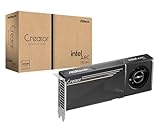
- System Compatibility Note: 2-slot card, 271x112x39mm, single 8-pin power, 200W TDP. Verify chassis clearance and PSU capacity before purchase.
- Dedicated Support: Please contact us directly through Amazon for any product questions or assistance you may require.
- 24GB GDDR6 on 192-Bit Bus: Massive 24GB memory with 456 GB/s bandwidth – ideal for LLMs, AI inference, 3D rendering, and generative design.
- Intel Xe2-HPG Architecture: Built on Intel's next-gen architecture with 20 Xe cores and 160 XMX engines for AI acceleration (197 INT8 TOPS).
- PCIe 5.0 Support: PCI Express 5.0 x16 interface for maximum bandwidth with the latest workstation platforms.
The important date is December 11, 2025. In 2026, calling Gen-4.5 “new” without that qualification is misleading. Runway’s product lineup now includes newer tools and third-party models, while Gen-4.5 remains its flagship core video model. See Runway’s changelog for product chronology.
What Gen-4.5 improves
More coherent motion
Video generation is not simply a matter of producing attractive individual frames. The subject, background, lighting and camera must change plausibly from one moment to the next. Gen-4.5 is intended to produce more coherent movement and fewer obvious transitions between frames.
In practical terms, that can make a camera push-in, tracking shot, atmospheric change or subject movement look more deliberate. Results still depend heavily on the prompt and source image, and a visually strong clip is not the same as reliable physical simulation.
Recommended Free Tools
Better adherence to detailed prompts
The model is built to handle instructions that combine subject action, timing, camera movement and environmental changes. A prompt can describe not only what is visible, but how the shot should unfold.
For example, an instruction might ask for a person to turn toward a window while the camera slowly moves around them and rain intensifies outside. The more coherent the shot concept, the more useful this kind of prompt becomes.
Camera choreography and composition
Gen-4.5’s most relevant improvement for filmmakers is its emphasis on camera behavior. Prompts can specify a dolly, pan, crane, orbit, handheld movement or gradual change in perspective, alongside the subject’s action and the scene’s visual mood.
This does not give the user the same repeatable control as a physical camera, 3D scene or conventional visual-effects setup. It does, however, make the model useful for exploring shot ideas quickly.
What’s actually slowing this PC down?
Pick the symptom - the matching free tool is one click away.
Single-shot consistency is not long-form continuity
A model may keep a character, location and lighting reasonably coherent within one generated clip while failing to preserve them across several separate clips. Wardrobe, facial details, props, architecture and time of day can drift between generations.
Gen-4.5 should therefore be judged as a short-shot generator. A finished film still requires shot planning, selection, editing, sound, continuity management and often conventional visual-effects work.
What can you make with Gen-4.5?
- Film and documentary concepts: establishing shots, visual mood tests, recreations of imagined environments and storyboard material.
- Advertising: product concepts, camera-movement experiments and short visual treatments.
- Music videos: atmospheric inserts, surreal transitions and image-based motion sequences.
- Social video: short clips for promotional posts, teasers and visual explainers.
- Design and concept art: bringing a still illustration, environment or keyframe to life.
- Visual effects: exploratory plates and background or atmosphere concepts, subject to careful review.
- Agencies and development teams: rapid previsualization before committing to a conventional shoot or animation pipeline.
Runway’s broader platform also promotes storyboarding, virtual staging, character performance, visual effects and video transformation. Those are platform-level capabilities; they should not automatically be treated as features generated directly by Gen-4.5 itself. Runway describes its wider positioning on its product page.
Also popular on Amazon

- Professional GPU with Blackwell Architecture
- Blackwell Architecture
- 24GB GDDR7 with PCIe 5.0 & Ray Tracing
- AI Workstation
How image-to-video works
Image-to-video is useful when composition matters more than unconstrained generation. The uploaded image establishes the visual starting point, while the prompt concentrates on movement and cinematic behavior.
The Tool Desk
Outbyte Driver Updater FREEFix the driver behind crashes, sound loss and screen glitchesFind Drivers →Outbyte PC Repair FREERepair Windows errors before they cause bigger problemsFix Now →- Sign in to Runway and open the video-generation interface.
- Select Gen-4.5 in the model selector.
- Choose text-to-video or image-to-video.
- For image-to-video, upload the source image.
- Describe the subject’s movement, the camera’s behavior and any environmental change.
- Choose a duration from 2 to 10 seconds and review the available settings.
- Check the credit cost before generating.
- Create variations, keep the strongest take and assemble successful clips in an editor.
Interface labels can change, so the current Gen-4.5 guide is the best reference for the live workflow.
How to prompt it
A useful structure is:
[Subject] performs [specific action] in [environment]. The camera [movement], while [lighting or atmospheric change]. Maintain [composition, identity, wardrobe or object position]. The motion should feel [speed, realism or cinematic style].
Describe movement rather than relying only on labels such as “cinematic” or “beautiful.” Say what moves, what remains still, how the camera moves and how the shot changes over time.
- Use one coherent shot idea per generation.
- Specify the camera move explicitly.
- State which elements should remain fixed.
- For image-to-video, treat the image as the composition and prompt the motion.
- Avoid compressing an entire narrative into one short clip.
- Generate a clean, simple shot first, then add complexity through editing and additional generations.
Technical specifications and limitations
| Specification | Gen-4.5 |
|---|---|
| Generation modes | Text-to-video and image-to-video |
| Clip duration | 2–10 seconds |
| Cost | 12 credits per second |
| Documented output | 1280×720 |
| Aspect ratio | 16:9 |
| Platform | Web |
| Plan access | Standard and higher plans; availability can vary |
| Explore Mode | Listed as offering infinite generations |
These specifications come from Runway’s official documentation. They do not support promises of native 1080p, 4K, vertical or square output, or clips longer than 10 seconds. A longer production must be built from multiple generations and assembled in an editor.
PC Slower Than It Used to Be?
A free scan shows the junk files, broken settings and background clutter dragging Windows down - then fixes them in one click.Free scan · Windows 10 & 11Outdated Drivers Are Slowing You Down
One free scan finds every outdated or missing driver and matches the right update for your exact hardware.Free scan · exact hardware matchThe documentation also does not establish Gen-4.5 as a synchronized audio, dialogue or lip-sync solution. If a project depends on precise speech, sound design or performance continuity, plan to create or edit those elements separately.
What does Runway Gen-4.5 cost?
Runway’s pricing signals indexed in August 2026 showed the following plans. Prices and model access are volatile and should be confirmed on the current Runway pricing page before subscribing.
| Plan | Price shown | Monthly credits | Approximate Gen-4.5 output |
|---|---|---|---|
| Free | $0 | 125 one-time credits | Trial access; exact model eligibility may vary |
| Standard | $15 monthly or $12/month annually | 625 | About 52 seconds |
| Pro | $35 monthly or $28/month annually | 2,250 | About 187 seconds |
| Max | $95 monthly or $76/month annually | 9,500 | About 791 seconds |
| Enterprise | Custom | Custom | Custom |
At 12 credits per second, a 5-second generation costs 60 credits, an 8-second generation costs 96 credits and a 10-second generation costs 120 credits. The free allocation can therefore cover roughly one maximum-length generation in simple credit arithmetic, not an unlimited testing session.
Runtime math also understates the real cost. Unwanted generations, retries and experiments consume credits, and other Runway tools may draw from the same account budget. A finished 30-second sequence could require many more than 30 seconds of generated material while you search for usable takes.
Do these 3 things before closing this tab:
1Repair Windows errors before they cause bigger problems2Fix the driver behind crashes, sound loss and screen glitches3Clear out junk files and repair common Windows errorsRunway direct versus Adobe Firefly
Adobe Firefly supports Runway Gen-4.5 as a partner model inside its video editor. Adobe documents a workflow in which users select Runway Gen-4.5, generate from text, optionally add a first frame and place the result directly on a timeline. Adobe documents 5-, 8- and 10-second options with 720p widescreen output and no user-adjustable resolution or aspect ratio for this model in Firefly.
Also popular on Amazon

- ATTENTION BUYERS: EXPORTING this item outside the U.S. requires strict compliance with the Bureau of Industry and Security (BIS) U.S. Export Administration Regulations (EAR). Non-compliance carries fines up to $1 MILLION PER VIOLATION AND UP TO 20 YEARS IMPRISONMENT for both the buyer and seller. To uphold our regulatory obligations, we strictly follow BIS "Know Your Customer" guidance by screening each order and immediately aborting transactions showing unresolved regulatory red flags. ***
- [Double-Flow-Through Design] The RTX PRO 6000 Blackwell features a double-flow-through cooling design, optimizing efficiency and airflow to sustain peak performance under 600W power loads. | [5th Gen Tensor Cores] Deliver up to 3X the performance of the previous generation and support for FP4 precision for faster AI model processing times with reduced memory usage, enabling local fine-tuning of LLMs and generative AI | [4th Gen Ray Tracing Cores] Double the ray-triangle intersection rate of the previous generation to create photoreal, physically accurate scenes and immersive 3D designs with RTX Mega Geometry, which enables up to 100X more ray-traced triangles.
- [PCIe Gen 5] Support for PCIe Gen 5 provides double the bandwidth of PCIe Gen 4, improving data-transfer speeds from CPU memory and unlocking faster performance for data-intensive tasks like AI, data science, and 3D modeling. | [GDDR7 Memory] With 96 GB of GPU memory and 1.8 TB ps bandwidth, it can tackle massive 3D and AI projects, fine-tune AI models locally, explore large-scale VR environments, and drive larger multi-app workflows.
- [DisplayPort 2.1] Achieve unparalleled visual clarity and performance, driving high resolution displays at up to 8K at 240 Hz and 16K at 60 Hz. Increased bandwidth enables seamless multi-monitor setups while HDR and higher color depth support ensures superior color accuracy for precision work, such as video editing, 3D design, and live broadcasting.
- [NVIDIA Blackwell Streaming Multiprocessor] The new SM features increased processing throughput, and new neural shaders that integrate neural networks inside of programmable shaders | DLSS 4: Multi Frame Generation ensures ultra-smooth frame pacing for lifelike simulations. | [Universal MIG] Divide a single RTX PRO 6000 Blackwell into multiple isolated instances, each with dedicated resources, allowing for concurrent execution of multiple workloads, optimized GPU utilization, and secure isolation of different applications or users. [WARRANTY] 3 YR Manufacturer's Warranty. Bulk OEM Packaging. Retail Packaging is NOT included.
The two access routes are not identical:
- Direct Runway: access to Runway’s own generation environment, creative tools, model selector and Runway credit plans.
- Adobe Firefly: Gen-4.5 inside an Adobe timeline and a broader multi-model creative environment.
Credit rates, controls, duration choices and availability can differ. Firefly is the more natural choice for an Adobe-centered workflow; direct Runway is more appropriate for users who want Runway’s broader native environment. Consult Adobe’s Runway model instructions before relying on a particular setting.
Independent reader supportYour contribution helps us test, update, and keep practical guides available for everyone.How Gen-4.5 compares with other tools
There is no responsible universal winner. Compare tools by the production problem they solve.
- Choose Gen-4.5 when polished short shots, camera movement and image-to-video generation are the priority.
- Choose Firefly when you want the model inside a timeline editor and already work in Adobe’s ecosystem.
- Consider other Runway models when a different model in Runway’s multi-model platform better matches the shot, cost or workflow.
- Evaluate sound-focused tools separately when dialogue, lip sync or synchronized audio is central.
- Use a conventional editor such as Premiere Pro when the task is assembling clips, adding sound and captions, correcting color or delivering multiple formats.
Runway’s current product positioning includes third-party models such as Seedance 2.0, Kling 3.0 and Gemini Omni. That makes Runway increasingly a multi-model creative platform rather than only a storefront for its own models.
Free tools Windows power users keep installed
One-click scans. No signup required.
OpenAI’s Sora is not a clean comparison point without checking its live status. Official OpenAI pages have presented conflicting availability signals: one says the standalone Sora product ended on April 26, 2026, while another has displayed Plus and Pro pricing and capabilities. Do not assume current availability without verifying the live product experience.
What to test before committing to a project
Before building a production around Gen-4.5, test the exact kinds of shots you need:
- Hands, fingers, faces and fine object interactions.
- Text, labels and logos inside scenes.
- Liquids, smoke, fire and reflective surfaces.
- Multiple people interacting.
- Fast camera movement.
- Occlusion and reappearance.
- Exact object counts.
- Physics-heavy actions and long causal sequences.
- Matching clothing and props across shots.
- Preserving a reference image while introducing motion.
- Repeating a camera move with consistent framing.
These are evaluation tests, not guarantees of failure or success. A model can look excellent on a carefully chosen demonstration and still be unreliable for a specific production requirement.
Who should use Gen-4.5?
Gen-4.5 is a good fit for filmmakers, documentary developers, marketers, designers, YouTubers, agencies and visual artists who need short cinematic material, rapid previsualization or image-based motion. It is especially attractive when the final project can be edited from selected short clips and the creator can afford iteration.
It is a poor fit when you need minute-long continuous scenes, guaranteed character identity across many shots, transparent project-level costs, fixed vertical or high-resolution output, extensive video-to-video transformation, synchronized dialogue or a local/open-weight model.
Verdict
Runway Gen-4.5 is genuinely impressive in the area where it is designed to compete: generating polished, visually rich short video shots from text and still images. Its strongest practical value is helping creators explore camera ideas, animate concepts and produce ingredients for a larger edit.
It is not a complete filmmaking system. The 2–10-second limit, documented 720p 16:9 output, credit cost and uncertain cross-shot continuity matter as much as the visual quality. Treat Gen-4.5 as a powerful shot generator inside a broader production workflow, and judge it by the number of usable shots it produces—not by the beauty of its best demo.






Say something about this film