Some links on this page are affiliate links: if you buy through them we may earn a commission, at no extra cost to you.
Choose oral history first when your primary obligation is to preserve people’s testimony as a durable source. Choose documentary filmmaking when the main result must be an edited film or web video in which images, places, pacing, archival material and sound carry part of the argument. If you need both, record interviews to oral-history standards, preserve the complete files and documentation, and then edit a clearly attributed selection into a documentary.
The distinction is not audio versus video alone. It is a decision about purpose, audience, completeness, editorial control, equipment, consent, rights, preservation and the work that continues after the interview ends.
What the two approaches actually are
Oral history is a method and a preserved source
The National Park Service defines oral history as both “a method of recording and preserving oral testimony and the product of that process.” The Oral History Association (OHA) uses the same broad understanding: oral history includes the interviewing process and the recordings that result. A serious project therefore includes more than asking questions and saving an audio file. It normally covers project design, background research, interviewer preparation, recording, consent and release, transcription or indexing, repository deposit, preservation and access.
Quick wins for a faster PC:
Fix the driver behind crashes, sound loss and screen glitchesFind Drivers →Repair Windows errors before they cause bigger problemsFix Now →The interview is the primary deliverable. A narrator’s pauses, corrections, uncertainty, language and apparently minor details may matter to a future researcher even when they do not fit a short public presentation. Editing can create an access copy or excerpt, but it does not replace preservation of the complete conversation.
Popular on Amazon

- 【PCM Recording and Automatic Noise Reduction】:This digital voice recorder is equipped with advanced dual noise reduction microphones and supports 1536 kbps PCM HD audio recording, ensuring crystal-clear sound capture in any environment. Recorder device with automatic noise reduction and voice-activated recording, the recorder only picks up the sound when there’s speech, reducing background noise,Excellent sound quality can meet the needs of students, journalists, music lovers and more people
- 【136GB Memory and Long Battery Life】Voice Recorder with Playback with 8GB built-in storage and includes a complimentary 128GB TF card, this digital voice recorder can hold up to 9775 hours of recordings in MP3 format or WAV format;Recorder for lectures with a built-in 1100mAh rechargeable lithium battery, this voice recorder can continuously record for up to 68 hours on a single charge, making it perfect for back-to-back meetings, interviews, or extended classroom sessions
- 【One Click Record and Save】: Our voice recorder supports one click recording and saving functions. Even when the product is in a powered-off state, simply push up the side recording button to immediately enter recording mode, and push down the recording button to save the recording. This allows for capturing as much information as possible.Easily transfer your recordings to your computer using the USB-C connection, allowing for fast and secure file management
- 【Easy-to-Use】This portable voice recorder is designed with a simple, user-friendly interface featuring a large, easy-to-read LCD screen. The voice-activated recording (VOR) feature makes hands-free operation a breeze. With one-touch recording, users can start or stop recording instantly, even during busy moments. A-B repeat function and password protection ensure that important segments are easily accessible and secure
- 【Portable and Durable Design】Designed with portability in mind, this lightweight screen recorder fits comfortably in your pocket or bag, weighing only 97 grams. Its sleek and durable metal casing ensures longevity and protection from everyday wear and tear. Whether you’re traveling, in the office, or attending a lecture, this compact recorder is always ready to capture clear, high-quality audio
Documentary filmmaking is an edited audiovisual work
A documentary is assembled for viewers. Interviews may be combined with archival photographs and documents, maps, location footage, demonstrations, narration, ambient sound, music and editorial sequencing. The filmmaker selects what remains, determines order and duration, shapes transitions and usually builds a point of view or dramatic arc.
Oral-history interviews can be documentary source material, but a documentary adds interpretation through selection and juxtaposition. The finished film may be persuasive and memorable while containing only a small portion of what a narrator said. That is not a flaw if the film’s purpose and disclosure are clear; it becomes a problem when excerpts are treated as the entire historical record.
Decision guide: which deliverable do you need?
| Project priority | Better starting point | Reason |
|---|---|---|
| A durable collection for a library, museum, archive or future researchers | Oral history | Preserves the fullest testimony with documentation, metadata and access controls. |
| A finished film or web video for a broad public audience | Documentary filmmaking | Uses visual context, pacing, archival material and editorial structure to communicate efficiently. |
| Both a primary-source collection and a public film | Hybrid workflow | Records and preserves complete interviews, then edits an attributed selection for viewing. |
| Limited budget, portability or a narrator who dislikes cameras | Audio-led oral history | Audio equipment is generally less expensive and less intrusive than a complete video setup. |
| Stories in which place, gesture, objects or demonstrations carry meaning | Documentary or hybrid | Visual evidence and location sound are part of what the audience needs to understand. |
Make the choice before booking interviews. A project that promises an archival collection needs preservation and release planning from the beginning; a film needs visual coverage, production sound, rights clearance and post-production capacity from the beginning.
The Tool Desk
Outbyte PC Repair FREERepair Windows errors before they cause bigger problemsFix Now →Outbyte Driver Updater FREEFix the driver behind crashes, sound loss and screen glitchesFind Drivers →Start with the outcome, audience and level of completeness
Define the primary audience
Write down who must be able to use the material. A repository audience may include descendants, teachers, local historians and researchers who will ask questions you cannot anticipate. A film audience may watch once, online or at a public event, and needs a coherent experience in a limited running time. The same interview can serve both audiences only if the complete source and the edited presentation are managed as separate products.
Decide whether completeness or selection comes first
Oral history favors an accurate, discoverable record of what a narrator said. Documentary favors selection: a sentence may be shortened, moved, answered by another speaker or placed over images. Selection is an editorial act, not a neutral transcript. If viewers could mistake a crafted sequence for an unmediated account, identify the film’s editing, narration and archival sources in credits or accompanying material.
Also popular on Amazon

- 【One Click Record and Save】This voice recorder features instant one-click recording and saving. Even when powered off, simply push up the side button to start recording and push down to save. Designed with ergonomic controls, this digital voice recorder ensures fast operation so you never miss important moments—perfect as a voice recorder with playback, mini recorder device, or portable recorder for interviews, lectures, and field work
- 【64GB Memory & High-Capacity Battery】Equipped with a built-in 64GB TF card, this recorder device stores up to 4,600 hours of recordings. Its 600mAh battery supports up to 48 hours of continuous use (MP3 at 32kbps). Ideal for students, journalists, and professionals, this tape recorder portable mini excels in lectures, meetings, interviews, and even for paranormal sound research
- 【PCM Recording & Automatic Noise Reduction】Capture audio in MP3 and WAV format with up to 1536kbps PCM quality. Advanced noise reduction minimizes background sounds, delivering crystal-clear playback on headphones or professional gear. This makes it an excellent audio recorder, digital audio recorder, or sound recorder for music creation, interviews, and high-detail sound archiving
- 【Voice-Activated Recorder, Big Screen & Password Protection】The voice activated recorder automatically starts/stops when sound reaches your set level, helping save storage and battery. A large 1.44-inch screen offers easy navigation, while password protection safeguards your files—perfect for storing personal memos and important audio files when using it as a dictaphone voice recorder or recording device for professional use
- 【Multi-Function Recorder】This versatile digital recorder supports internal and external recording, file segmentation, scheduled recording, A-B loop playback, MP3 music, and bookmarking. Functions as a USB storage drive and MP3 player with quick transfer via USB cable. Great as a pocket recorder, lecture recorder, mini voice recorder, or recording devices for travel and daily use
Test the project against practical constraints
- Time: Recording is only the midpoint. Oral-history projects add transcription or indexing, metadata, quality checks and repository deposit. Documentaries add logging, assembly, picture editing, sound mixing, captions, graphics, rights work and release versions.
- Skills: An oral-history team needs interviewing, audio recording, consent and description skills. A documentary team also needs camera operation, lighting, location sound, visual continuity and editing.
- Narrator comfort: Some people speak more freely without a camera; others communicate through gestures, objects or demonstrations that audio cannot capture.
- Future use: Ask whether files may be quoted, excerpted, translated, exhibited, reused online or opened to researchers years from now. Those uses affect the release language and preservation plan.
How to run an oral-history-first project
Use this sequence when preserving testimony is the central aim. Adapt the details to your repository’s technical requirements and the narrator’s circumstances.
- Write a scope and collection plan. Define the community, time period, themes, narrator selection and intended repository. Record why the project matters, what it will not cover and who is responsible for decisions.
- Research before contacting narrators. Review local records, newspapers, maps, photographs and existing interviews. Prepare questions that invite memory and interpretation rather than questions that suggest a preferred answer. Note names, dates and places that may require follow-up without treating a narrator’s memory as a test to be graded.
- Prepare the interviewer. Practice active listening, neutral follow-ups, pronunciation of names and the recording workflow. Plan how to pause, correct a technical problem and respond if a narrator becomes distressed. OHA and National Park Service guidance emphasize trained interviewers, respect for differing perspectives, diverse narrators and collaboration.
- Choose and test equipment. A portable digital audio recorder is the clearest task-enabling purchase for an audio-led project. Select a microphone and recording format that your team can operate reliably. Make a test recording, monitor with headphones and confirm that files transfer and play on a second device before the first formal session.
- Explain the project and obtain consent before recording. Discuss goals, sponsor, repository or publication plans, possible future uses, who may access the material, risks and any restrictions. Obtain informed consent and an appropriate legal release. Details of the consent conversation are covered below; do not treat a signed form as a substitute for an understandable explanation.
- Record a complete session. At the start, identify the project, date, place, interviewer and narrator on the recording. Keep the original file untouched after transfer. If you must stop and restart, say so aloud and document the break in your notes.
- Create description while context is fresh. Save the original recording, a preservation copy and an access copy using consistent names. Add narrator, date, location, subjects, language, interviewer, equipment and restrictions to the metadata. Mark important names, places and time points for an index or transcript.
- Offer review when promised or feasible. OHA ethics guidance supports giving narrators an opportunity to review and approve the recording or transcript when possible. Record requested corrections, restrictions or withdrawals in the project documentation rather than silently altering the historical master.
- Deposit and open access deliberately. Transfer the agreed files and documentation to a repository able to preserve them and enforce the release terms. If access is delayed or limited, state the conditions and review date in the metadata so future users do not assume the absence of a file is accidental.
How a documentary-first workflow differs
Pre-production
Start with a treatment or story question, not just a list of interviewees. Identify the visual evidence the story requires: streets, workplaces, buildings, objects, maps, family albums, public records or demonstrations. Build a schedule that accounts for changing light, location permissions, weather, noise and the availability of archival materials. Decide who owns or controls each photograph, document, recording, logo, piece of music and location permission before the edit depends on it.
What’s actually slowing this PC down?
Pick the symptom - the matching free tool is one click away.
Production
Record interviews with enough technical quality for the final delivery, but also capture the visual and sonic context that makes the story legible. A camera does not replace a separate, carefully placed microphone. Monitor sound, keep a shot log and record room tone at each location. Obtain consent for the interview and clarify that excerpts may be edited, combined with other material and publicly distributed. The Library of Congress guidance stresses that interviewees must have confidence and trust in interviewers; that trust is a production requirement, not merely a courtesy.
Post-production
Ingest and back up camera, sound and still-image files before editing. Transcribe or caption interviews so statements can be searched and accurately quoted. Build a paper edit or assembly, then check every cut against the source recording. Keep a record of edits that change chronology or remove qualifiers. Add captions, identify speakers and locations, clear archival rights and prepare the required release versions. If the complete interviews have research value, preserve them separately instead of treating the documentary export as the archive.
When a hybrid workflow is the strongest choice
A hybrid project separates preservation from presentation while allowing each to inform the other. The interview is conducted and documented as oral history; the film is then made from selected, attributed material.
Also popular on Amazon

- Uncomparable Recording Quality: After the new upgrade, the EVISTR L357 digital voice recorder adopts a dynamic noise reduction microphone and PCM intelligent noise reduction technology to collect sound in 360°; adjustable 7 levels of recording gain to capture farther and lower sound; present you 1536kbps crystal clear high-quality stereo sound. It is a practical gift for students, teachers, businessmen, writers, and anyone who likes to record
- Memory Doubled-64GB High Capacity: L357 small audio recorder (3.86x1.2x0.47 inch) can store up to 4660 hours of recording files (32Kbps); configured with 500mAh battery and Type-C USB cable, faster charging, 3 hours fully charged for 32 hours of continuous recording and 35 hours of continuous playback. Made of metal, beautifully crafted, and durable, it is a professional recording device that is constantly upgraded and can meet your needs for long-term high-quality and high-efficiency recording
- Easy to Operate & Powerful: EVISTR digital recorder just 2 buttons: press rec to start recording immediately; press save button to save recording. You can choose the recording format as wav/mp3; EVISTR voice recorder with playback support A-B repeat, playback, rewind, and variable speed playback; can set to record in time slots and auto-record to customize your recording schedule. The optimized menu interface is clearer and provides you with more intuitive and efficient navigation of functions
- Voice Activated Recorder: Enable AVR voice activation function, adjust 7 levels of voice control sensitivity, recorder for lectures only when the teacher is talking, capture human voice clearly and accurately, and won't let you miss any important details of the conversation. And the recorder will stop recording when no one is talking, reducing silent segments, saving your playback time and disk space, widely used in classrooms, meetings, interviews, lectures, and other occasions
- Simple and Efficient File Management: The recording files are named by the specific time when you start recording, which is easy for you to identify and find quickly, and the numbers of the file names correspond to the year, month, day, hour, minute and second in order (YYYY-MM-DD-HH-MM-SS). You can delete all recordings with one click or transfer the recording files to your computer with the included Type-C cable. (Windows and Mac compatible)
- Design two deliverables. Name the collection and the film separately in the project plan. The collection receives complete recordings, forms and metadata; the film receives an editorial treatment and a public release plan.
- Use one consent conversation for all intended uses. Explain archival preservation, possible research access, documentary excerpts, online publication, educational use and any limits. If a narrator agrees to the archive but not public video, record those choices distinctly.
- Preserve before editing. Create verified preservation copies and a descriptive record as soon as files are ingested. Edit from working copies so a documentary revision never overwrites the source.
- Attribute selections. Keep speaker names, interview dates and time codes in the edit log. Supply the collection identifier or transcript reference wherever the film can point viewers to the fuller source.
- Publish access information. Tell viewers whether complete interviews are available, restricted or held by a repository. Do not imply that a short film contains every relevant account.
This approach costs more coordination than choosing one output, but it prevents a common loss: valuable testimony disappearing because only the edited highlights were retained.
Windows Errors? Fix Them Before They Spread
Repair common Windows errors and clear accumulated junk for a smoother, more stable PC - no reinstall needed.Free scan · no reinstallCrashes, No Sound, or Screen Glitches?
Random freezes, missing sound and display glitches usually trace back to one bad driver. Find and replace yours safely.Free scan · under a minuteAudio or video: choosing equipment for the actual project
The National Park Service advises weighing purpose, short- and long-term uses, cost, audience, team skills, narrator comfort and the archive’s requirements. It specifically notes that video equipment is more expensive than audio equipment and may require artificial lighting indoors and additional outdoor planning.
| Consideration | Audio-led setup | Video setup |
|---|---|---|
| Core purchase | Portable digital audio recorder and a suitable microphone | Camera, lens, stable support, microphone, monitoring and media; lighting may be needed indoors |
| Interview environment | Quiet room and controlled microphone distance | Quiet room plus background, framing, lighting, power and visual continuity |
| Narrator experience | Often less distracting and easier for long conversations | Captures expression, gesture, objects and demonstrations but can feel more formal |
| Post-recording work | Transfer, backup, transcript or index and metadata | All audio tasks plus picture edit, color, captions, graphics, sound mix and rights checks |
A lavalier microphone can be useful for video or close-miked interviews when it is compatible with the chosen recorder or camera. It is an accessory, not a guarantee of good sound: test connector type, power, clothing noise and placement. Practice with every component before the first interview. The best equipment is equipment the interviewer can operate confidently and the narrator can tolerate comfortably.
Consent, ethics and rights before publication
Explain the whole life of the recording
Before pressing record, describe the project’s goals, sponsor, repository or publisher, expected audience, publication channels, future reuse and preservation arrangements. Explain whether the material may be downloaded, quoted, excerpted, translated, shown in classrooms or combined with images and narration. Identify who will make access decisions and how a narrator can communicate concerns.
Obtain informed consent and an appropriate release
OHA’s ethics statement, adopted in 2018, says: “Prior to beginning the interview, the interviewer obtains the narrator’s informed consent.” Consent should be understandable, voluntary and specific enough for the proposed uses. A legal release should match the project’s jurisdiction and distribution plans; obtain advice from a qualified lawyer when ownership, privacy, minors, estates or sensitive material create uncertainty.
Free tools Windows power users keep installed
One-click scans. No signup required.
Also popular on Amazon
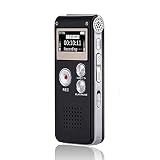
- 【Simple Operation】- switch on your voice recorder, one button for recording. press the "REC", start the recording, press "STOP", end the recording, press “PLAY”, listen what you just recorded, and then Press A-B, select your important section to repeat. Easy to playback with inner powerful speaker, support external sound speaker playback, let you enjoy superior recording quality.
- 【Clear Voice Record】- high quality recording with noise redution, you will get super clear recorded voice, the sensitive microphone help you to catch speaker's words in an interview, lectures, meetings.
- 【Voice Activated Recording】- automatic voice reduction function, it starts recording when sound is detected or turn to standby state, saving recording time and reduce power consumption.
- 【 Player Function】- this voice recorder can be used as an music player, you could enjoy the music after your tired study, meeting and so on. Also can function as a detachable data storage device.you can take along your favorite pictures and documents whenever you go.Simply cut-and-paste or drag-and -drop files to or from it via USB connection, the player will appear as a removeable drive in Windows.
- 【High quality and long time】 uses DSP noise reduction technology to filter out environmental noise, has high-quality recording, 【1536kbps】to restore the real scene. It can continuously record for more than 30 hours and play for 7 hours.
Do not promise control you cannot provide
OHA advises interviewers to communicate goals and risks, avoid promises that cannot be kept and provide narrator review when possible. Do not guarantee permanent removal, anonymity or editorial approval unless the repository and production contract can honor it. If a narrator requests a restriction, redaction, delayed opening or withdrawal procedure, document who can authorize it, which files it affects and when the condition will be reviewed.
Respect perspective and vulnerability
Local history often includes conflict, discrimination, trauma, disputed memory and unequal power. Invite differing perspectives, avoid treating one narrator as the voice of an entire community and give people time to decline a question. Correct factual errors in project notes or accompanying documentation without rewriting a narrator’s words to make them more convenient. Secure files and limit access during production when disclosure could cause harm.
Independent reader supportYour contribution helps us test, update, and keep practical guides available for everyone.Preservation and access planning
Select the repository early
OHA recommends a repository able to preserve the materials, enforce agreements and provide access. Ask prospective repositories what file formats, metadata fields, naming conventions, transcripts, indexes, time tags and rights documentation they require. If no institution is ready to accept the collection, assign preservation responsibility in writing and budget for storage, migration and future stewardship.
Keep a complete package
For each interview, retain the original recording, a verified preservation copy, an access copy, consent and release forms, transcript or index, photographs and documents supplied by the narrator, and descriptive metadata. Keep the relationship among these files explicit. A transcript without its audio can hide tone and context; an audio file without a date, speaker identity or restrictions may be unusable.
Define technical and operational rules
- Use stable, documented file formats accepted by the repository, and record the software or device used to create them.
- Apply consistent file names that identify the project, narrator or interview number, date and version without exposing sensitive information.
- Maintain at least one separate backup and state who checks that backups can actually be restored.
- Separate preservation masters from edited access copies. Never replace a master with a noise-reduced, shortened or captioned export.
- Record access restrictions, embargo dates, redactions and permitted uses in both the release documentation and the metadata.
- Plan for transcripts, indexes or detailed descriptions so users can discover relevant passages without listening to every minute.
Budget, labor and schedule: what changes between approaches
No authoritative source establishes a universal price or completion-rate comparison. Costs depend on location, staffing, equipment already owned, travel, accessibility, transcription method, rights and the repository’s requirements. The qualitative difference is the number of production layers.
Also popular on Amazon

- CREATE CONTENT WITH BETTER SOUND – Capture clear stereo audio for videos, reels, tutorials, voiceovers, behind-the-scenes clips, and other content that needs more polished sound than your camera or phone alone.
- READY WHEN INSPIRATION HITS – Record songwriting sessions, rehearsals, acoustic performances, lessons, jam sessions, and live music with detailed sound that is easy to capture in the moment.
- CLEAR VOICES FOR PODCASTS AND INTERVIEWS – Record conversations, podcast episodes, lectures, meetings, notes, and interviews with natural stereo sound that helps voices come through clearly.
- CAPTURE REAL-WORLD SOUND – Record ambience, nature, room tone, sound effects, travel audio, and everyday environments for video, music production, creative projects, and documentation.
- PLUG IN FOR STREAMING AND CALLS – Connect via USB-C and use it as a microphone for livestreams, remote meetings, video calls, voiceovers, podcasts, and desktop or mobile recording.
| Work area | Oral-history emphasis | Documentary emphasis |
|---|---|---|
| Before recording | Scope, source research, interviewer training, consent language and repository agreement | Story treatment, visual plan, schedule, location permissions, archival research and releases |
| During recording | Clear, sustained testimony and accurate session documentation | Interview plus usable picture, production sound, room tone, cutaways and continuity |
| After recording | Quality control, transcript or index, metadata, preservation copies and deposit | Logging, edit, sound mix, captions, graphics, color, rights clearance and delivery versions |
| Long-term obligation | Repository stewardship, access decisions and format migration | Preserve project files and sources if the film is to remain verifiable, not just the final export |
A low-cost community project can begin with an audio recorder, a compatible microphone, headphones, written documentation and a realistic repository plan. Saving money on equipment does not remove the labor of consent, backup, description, transcription or access management.
Common project situations and the best fit
You are building a town archive
Use oral history as the foundation. Recruit a range of narrators, preserve complete sessions and create transcripts or indexes. A later exhibition or film can draw from the collection without making the exhibition the only surviving record.
You are making a ten-minute film about a disappearing workplace
Use documentary production or a hybrid. The workplace’s machinery, layout, gestures and ambient sound carry information that interviews alone cannot. Record interviews with clear archival consent so unused testimony remains available if the collection has a repository.
Your grant promises both public impact and permanent access
Choose the hybrid workflow in the grant plan, with separate deliverables, staffing and storage. Schedule preservation and metadata work before the premiere rather than assuming the editor’s project file is an archive.
Your narrator is comfortable talking but not being filmed
Do not force video for visual prestige. Record a strong oral history, then pair the authorized audio with photographs, documents, maps or location footage if a public story is needed. Explain that an audio-based documentary is possible without disguising the format.
Pitfalls and recovery strategies
- Only the final film survives. Recover what you can from camera cards, audio recorders, editor drives, transcripts and paper notes; establish a repository and preserve the fullest files still available. For future sessions, ingest and verify originals before editing.
- The recording is intelligible but not searchable. Create a transcript, index or time-coded description, then link it to the exact file and version. Correct names and places in the finding aid without silently changing the recording.
- A narrator objects after release. Review the signed agreement and the promises made during consent. Apply any documented restriction or withdrawal process, consult the repository and record the decision. Do not assume that a request can be honored if the project promised no such control.
- Video production overwhelms the team. Narrow the visual plan, use a dependable audio workflow and postpone nonessential visual flourishes. A technically clean, well-described interview is more valuable than footage the team cannot preserve or finish.
- Editing changes meaning. Return to the full recording, restore qualifiers or provide context, and keep an edit log. Attribute speakers and identify reconstructed chronology in the film or accompanying notes.
Practical checklists
Before the first interview
- Written purpose, audience and deliverables
- Recruitment plan that includes differing perspectives
- Background research and open-ended question guide
- Tested recorder, microphone, headphones, batteries, media and backup procedure
- Plain-language consent explanation and legal release
- Repository or named preservation responsibility
- File naming, metadata, transcript or index and access-restriction plan
After each interview
- Verify the transfer and create a separate backup
- Preserve the original recording unchanged
- Record date, place, participants, subjects, equipment and restrictions
- Note names, locations and time points for indexing or transcription
- Send review materials only as promised and document responses
- Store forms and related photographs or documents with the interview record
Before public release
- Confirm that every narrator and third-party rightsholder has granted the needed use
- Check edits against the source and identify speakers, places and archival materials
- Complete captions, transcript or access description
- Separate the public export from preservation masters and project sources
- Publish clear information about where complete interviews can be accessed and what restrictions apply
Bottom line
For a local-history project whose first duty is to preserve testimony, begin with oral history. For a finished audiovisual story in which place and editorial pacing are essential, begin with documentary filmmaking. When the community needs both a trustworthy primary-source collection and a compelling public film, use a hybrid: obtain informed consent for both purposes, preserve complete interviews and metadata, and edit a transparent selection for the screen.






Say something about this film