Some links on this page are affiliate links: if you buy through them we may earn a commission, at no extra cost to you.
Neither service is an objective winner for every viewer. Choose MagellanTV if its curated emphasis on history, science, civilization, war, culture, true crime, space science, or paranormal documentaries matches what you actually plan to watch. Choose Curiosity Stream Standard for a broad factual catalog spanning nature, history, space, science, technology, and biography. Choose Curiosity Stream Smart Bundle only when you are likely to use its four additional services. Before subscribing, search for several specific titles, compare the price and renewal terms shown at your checkout, and confirm that your television or streaming device is supported in your country.
Quick answer: which service fits which viewer?
| If your priority is… | Usually the better starting point | Why |
|---|---|---|
| History and science documentaries in a curated service | MagellanTV | Its own FAQ highlights history and science and lists civilization, war, current history, culture, space science, true crime, and paranormal subjects. |
| Nature, technology, biography, and other broad factual categories | Curiosity Stream Standard | Its service description groups programming into nature, history, space, science, technology, biography, and related categories, including originals. |
| Documentaries plus food, children’s programming, courses, and wine content | Curiosity Stream Smart Bundle | The bundle adds Tastemade, Kidstream, Curiosity University, and SOMM TV to Curiosity Stream. |
| The lowest commitment while you test a catalog | Compare monthly checkout prices | Both services display monthly and annual options, while promotions, trials, taxes, and regional pricing can change what you actually pay. |
| Watching on a television you already own | Either, after checking the model | Both list Roku support; each also supports a range of television platforms, but compatibility details differ by model, operating system, and country. |
These are fit-based recommendations, not independent rankings. Neither service has a published, like-for-like quality score or an audited catalog comparison that proves one is universally better.
How MagellanTV and Curiosity Stream position their catalogs
MagellanTV’s documentary focus
MagellanTV describes itself as a documentary service whose greatest strengths are history and science. Its FAQ also names civilization, war, current history, culture, space science, true crime, and paranormal programming, and says that new shows are added weekly with curated playlists. That combination may suit viewers who prefer a service organized around documentary subjects rather than a general entertainment bundle.
Quick wins for a faster PC:
Scan for outdated or missing drivers - takes under a minuteDriver Scan →Clear out junk files and repair common Windows errorsFree Scan →MagellanTV’s public pages currently make two different catalog-count claims: the FAQ says “over 3,000 documentaries,” while the homepage advertises “4,000+ Documentaries.” Because the figures conflict and no audited inventory is supplied, treat them as marketing estimates rather than a precise comparison with Curiosity Stream. MagellanTV’s homepage also states, “We promise you will never see an ad.” That is the company’s own statement about its service, not an independent test.
Popular on Amazon

- HD streaming made simple: With America’s number 1 TV streaming platform,* exploring popular apps—plus tons of free movies, shows, and live TV—is as easy as it is fun. *Based on hours streamed—Hypothesis Group
- Compact without compromises: The sleek design of Roku Streaming Stick won’t block neighboring HDMI ports, and it even powers from your TV alone, plugging into the back and staying out of sight. No wall outlet, no extra cords, no clutter.
- No more juggling remotes: Power up your TV, adjust the volume, and control your Roku device with one remote. Use your voice to quickly search, play entertainment, and more.
- Shows on the go: Take your TV to-go when traveling—without needing to log into someone else’s device.
- TV, simplified: With setup that only takes minutes, a simple-to-navigate Home Screen, and an uncluttered remote control that does all you need—Roku makes it easier to watch the TV you love.
Curiosity Stream’s broader factual range
Curiosity Stream presents thousands of documentaries and originals across nature, history, space, science, technology, and biography. Its category range can be useful when a household’s interests change from wildlife to engineering, astronomy, or the lives of notable people. The description establishes the breadth of the categories, but not a directly comparable, independently verified title count.
Curiosity Stream separates its core service from the Smart Bundle. Standard is the documentary subscription. Smart Bundle includes Curiosity Stream and four additional services: Tastemade, Kidstream, Curiosity University, and SOMM TV. The bundle therefore changes the purchase from a single documentary catalog into a group of distinct factual, lifestyle, children’s, educational, and wine-focused services.
Why title-by-title checking matters
Category labels are useful for narrowing a search, but they cannot tell you whether the particular series you want is available. Rights change by country and over time. Search both services for several concrete titles, directors, subjects, or series before paying. If one service has only one of your targets and the other has most of them, that evidence is more useful for your household than either company’s headline catalog number.
Current displayed prices and what they really mean
The figures below are the official US displays identified for this comparison. They are not a guarantee of the price on every device, account, promotion, or billing platform. Review the final checkout screen for taxes, introductory terms, renewal amounts, and your location.
Also popular on Amazon

- Ultra-speedy streaming: Roku Ultra is 30% faster than any other Roku player, delivering a lightning-fast interface and apps that launch in a snap.
- Cinematic streaming: This TV streaming device brings the movie theater to your living room with spectacular 4K, HDR10+, and Dolby Vision picture alongside immersive Dolby Atmos audio.
- The ultimate Roku remote: The rechargeable Roku Voice Remote Pro offers backlit buttons, hands-free voice controls, and a lost remote finder.
- No more fumbling in the dark: See what you’re pressing with backlit buttons.
- Say goodbye to batteries: Keep your remote powered for months on a single charge.
| Service and plan | Displayed price | Billing and qualification |
|---|---|---|
| MagellanTV monthly | $5.99 per month standard; one offer showed $0.99 for the first month | The promotional page stated that the $5.99 rate begins in month two. Offers can be targeted or time-limited, and subscriptions automatically renew unless cancelled. |
| MagellanTV annual | $59.88 per year standard; one offer showed $41.92 for the first year | The same offer stated that renewal is $59.88 from the second year. Another official offer page displayed a different annual promotion, so do not assume $41.92 is universally available. |
| Curiosity Stream Standard | $5.99 per month or $49.99 billed annually | These are the amounts displayed on the current homepage for the US context identified. Confirm the amount and renewal wording at checkout. |
| Curiosity Stream Smart Bundle | $11.99 per month or $79.99 billed annually | The annual amount is the homepage display for the US context identified. The plan includes the four additional services listed above. |
Monthly versus annual arithmetic
At the displayed rates, twelve months of MagellanTV’s standard monthly plan would total $71.88 before taxes, compared with $59.88 for its standard annual display. Curiosity Stream Standard would total $71.88 monthly or $49.99 annually. Smart Bundle would total $143.88 monthly or $79.99 annually. These calculations describe the displayed prices only; they do not include a promotion, tax, currency conversion, or a later price change. An introductory MagellanTV offer can make the first period cheaper, but the renewal price is the figure to use when deciding whether to keep the subscription.
International pricing can differ
A Curiosity Stream Help Center article updated January 23, 2026 lists international-member USD prices of $4.99 per month or $39.99 annually for Standard, and $9.99 per month or $69.99 annually for Smart Bundle, along with local currencies. Those amounts differ from the currently displayed homepage figures above. The difference is evidence that geography or account context affects pricing, not a reason to treat either set as a universal quote.
MagellanTV’s terms likewise say that available content varies by location. Use the currency and catalog presented after you select your country and billing channel rather than relying on a price copied from another region.
Trials, renewal, cancellation, and refunds
MagellanTV trial rules
MagellanTV’s FAQ says a trial is offered only when a particular offer specifies one. The stated trial lengths are seven days for a monthly subscription and 14 days for an annual subscription when those trials are included. A promotional page can instead show an introductory paid month, such as $0.99, so read the exact offer rather than assuming a free trial.
Also popular on Amazon

- 4K streaming made simple:With America’s number 1 TV streaming platform,* exploring popular apps—plus tons of free movies, shows, and live TV—is as easy as it is fun. *Based on hours streamed—Hypothesis Group
- 4K picture quality: With Roku Streaming Stick Plus, watch your favorites with brilliant 4K picture and vivid HDR color.
- Compact without compromises: Our sleek design won’t block neighboring HDMI ports, and it even powers from your TV alone, plugging into the back and staying out of sight. No wall outlet, no extra cords, no clutter.
- No more juggling remotes: Power up your TV, adjust the volume, and control your Roku device with one remote. Use your voice to quickly search, play entertainment, and more.
- Shows on the go: Take your TV to-go when traveling—without needing to log into someone else’s device.
How to cancel MagellanTV
- For a subscription purchased on the website, sign in and use the cancellation control in your account.
- For a subscription purchased inside an app or through a platform store, cancel through that platform’s subscription-management screen.
- Cancel before the next billing date if you do not want the next charge. MagellanTV says cancellation applies to the next billing cycle.
- Do not count on a refund for a paid period: the FAQ says paid subscription amounts are not refunded.
Keep the confirmation email or screenshot showing the cancellation. If you cannot see a cancellation option, check which company or app store is billing you; cancelling an account on the wrong channel will not necessarily stop the charge.
Curiosity Stream cancellation
Curiosity Stream says members may cancel either plan and may switch or cancel at any time. The pages reviewed do not establish every refund or billing-channel rule for subscriptions purchased through third-party app stores. Use the account settings or the store that processes your payment, and read the confirmation screen for the date access ends and whether a refund is offered.
Where you can watch
MagellanTV devices and qualifications
MagellanTV lists browser viewing, Android and iOS apps, Roku, Fire TV, Vizio, Samsung and LG smart TVs, Sony devices through Google Play, Apple TV, Android TV, and casting. Its FAQ includes qualifications for some televisions, including Samsung and LG models from 2018 onward, plus minimum operating-system requirements for certain devices. Because the exact requirement depends on the model and software version, check the FAQ against your television’s model number before subscribing.
The Tool Desk
Outbyte PC Repair FREEClear out junk files and repair common Windows errorsFree Scan →Outbyte Driver Updater FREEScan for outdated or missing drivers - takes under a minuteDriver Scan →Curiosity Stream devices and features
Curiosity Stream lists web viewing, iOS and Android apps, Roku, Apple TV, Amazon Fire TV, Chromecast, Android TV, and most smart TVs. Its current service page advertises 4K, offline downloads, ad-free streaming, and cancellation at any time. “Most smart TVs” is not a promise that every model is supported; verify the app store on your particular television or use a listed streaming platform.
Also popular on Amazon

- Stunning 4K and Dolby Vision streaming made simple: With America’s number 1 TV streaming platform,* exploring popular apps—plus tons of free movies, shows, and live TV—is as easy as it is fun. *Based on hours streamed—Hypothesis Group
- Breathtaking picture quality: Stunningly sharp 4K picture brings out rich detail in your entertainment with four times the resolution of HD. Watch as colors pop off your screen and enjoy lifelike clarity with Dolby Vision and HDR10+.
- Seamless streaming for any room: With Roku Streaming Stick 4K, watch your favorite entertainment on any TV in the house, even in rooms farther from your router thanks to the long-range Wi-Fi receiver.
- Shows on the go: Take your TV to-go when traveling—without needing to log into someone else’s device.
- Compact without compromises: Our sleek design won’t block neighboring HDMI ports, so you can switch from streaming to gaming with ease. Plus, it’s designed to stay hidden behind your TV, keeping wires neatly out of sight
Do you need a new streaming device?
Both services list Roku, so a Roku player can be a practical way to watch on a television that lacks a compatible built-in app. The available information does not establish that any particular Roku model is required, or that an upgrade is necessary when your current television already supports one of the services. Check the app availability first, then consider an external player only if your existing equipment cannot run the service.
Smart Bundle: when the extra cost makes sense
Smart Bundle costs $11.99 monthly or $79.99 annually on Curiosity Stream’s current US homepage, compared with $5.99 monthly or $49.99 annually for Standard. The bundle’s incremental annual display is therefore $30, while the incremental monthly display is $6 per month. In return, the bundle adds Tastemade, Kidstream, Curiosity University, and SOMM TV.
Choose Standard when…
- Your main purpose is documentary viewing.
- You do not expect to watch children’s, lifestyle, course, or wine-focused programming.
- You want the lower annual commitment and do not want to manage several additional services.
Consider Smart Bundle when…
- At least one household member will regularly use the additional services.
- You would otherwise pay separately for comparable access to those services.
- The convenience of one subscription matters more than having the narrowest documentary-only plan.
The bundle is not automatically better value. Its value depends on actual use of all or some of the four additions, and no source establishes how much any particular household will use them. List the services you would genuinely watch and compare that list with the extra amount before choosing.
Do these 3 things before closing this tab:
1Repair Windows errors before they cause bigger problems2Fix the driver behind crashes, sound loss and screen glitches3Clear out junk files and repair common Windows errorsA practical comparison method before you subscribe
- Write down your target viewing. List at least five specific documentaries, series, subjects, or categories. Include a mix of your current priority and likely follow-up interests.
- Search both catalogs. Record whether each target is available in your country, and note whether a result is a full series, a single episode, or a trailer.
- Check the plan you are actually comparing. On Curiosity Stream, decide whether Standard is enough or whether Smart Bundle’s four additional services have real use in your household.
- Open the checkout page. Capture the monthly price, annual price, introductory period, renewal amount, trial length if shown, currency, tax treatment, and the cancellation wording.
- Confirm playback equipment. Check your browser, phone, television model, Roku or other player, and operating-system version against the service’s current device list.
- Choose monthly or annual deliberately. Monthly billing costs more over a full year at the displayed rates but lets you test the catalog with less upfront commitment. Annual billing lowers the displayed twelve-month total but requires attention to the renewal date.
- Set a reminder. Put the next billing or renewal date in your calendar, especially when you accept an introductory MagellanTV offer or a trial.
Which service fits common viewing situations?
A history-first viewer
Start with MagellanTV’s history-oriented catalog and curated playlists, then verify that the specific eras, wars, civilizations, or current-history topics you want are present. Curiosity Stream remains a reasonable alternative if your history viewing is mixed with nature, technology, biography, or space programming.
Also popular on Amazon
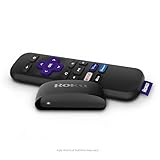
- Streaming made easy: Roku Express lets you stream free, live and premium TV over the Internet—right to your TV. It’s perfect for new users, secondary TVs and easy gifting—but powerful enough for seasoned pros
- Quick and easy setup: Just plug it into your TV with the included High Speed HDMI Cable and connect to the internet to get started
- Tons of power, tons of fun: Compact and power-packed, you’ll stream your favorites with ease; from movies and series on Apple TV, Prime Video, Netflix, The Roku Channel, HBO, Showtime and Google Play to cable alternatives like Hulu with Live TV and PlayStation Vue, enjoy the most talked about TV across free and paid channels
- Low cost, no extra fees: For under $30, Roku Express streaming device includes a High Speed HDMI Cable—and there’s no monthly equipment fee; with access to free TV on hundreds of channels, there’s plenty to stream without spending extra
- Simple remote: Incredibly easy to use, this remote features shortcut buttons to popular streaming channels
A science, space, or technology viewer
Both services identify science-related programming. MagellanTV specifically highlights science and space science, while Curiosity Stream places science, space, and technology among its broad categories. Search for your exact specialist interests rather than assuming that a category label guarantees depth in a particular field.
A family with different interests
Curiosity Stream Smart Bundle is the option with documented children’s and additional lifestyle or educational services through Kidstream, Tastemade, Curiosity University, and SOMM TV. It makes sense only if those services will be used; otherwise, compare the documentary-only plans and keep the lower price.
A viewer who watches on a phone or tablet
Both services list iOS and Android access. Curiosity Stream additionally advertises offline downloads, which can matter when you want to watch without a reliable connection. The available MagellanTV information does not establish an equivalent offline-download feature, so do not assume the two mobile experiences are identical.
Recommended Free Tools
A viewer outside the United States
Start by selecting your country and checking the live catalog and currency. MagellanTV warns that licensing restrictions change available shows by country, and Curiosity Stream documents international prices that differ from its homepage display. A recommendation based on a US title list or price may not apply to your account.
Important limitations to keep in mind
- Catalog counts are not directly comparable. MagellanTV’s own pages show conflicting counts, and Curiosity Stream does not provide an audited, like-for-like inventory in the cited material.
- Marketing categories are not quality rankings. The subject lists describe how each company positions its service; they do not measure documentary accuracy, production quality, or viewer satisfaction.
- Promotions can be account- or page-specific. A price visible to one visitor may not appear for another, and an introductory amount can renew at a higher standard rate.
- Device support is conditional. App availability can depend on television model, operating system, country, and the store through which you subscribe.
- Billing channels matter. Website, mobile-app, and platform-store subscriptions can have different cancellation paths and refund policies.
Bottom line
Pick MagellanTV when its history-and-science emphasis, curated approach, and target titles match your viewing. Pick Curiosity Stream Standard for a broad factual mix at its displayed documentary-only price. Pick Smart Bundle only when you will use Tastemade, Kidstream, Curiosity University, or SOMM TV enough to justify the additional cost. The most reliable decision is title-led and checkout-led: confirm the programs you want, the device you own, the price in your region, and the renewal terms before you start.






Say something about this film