Some links on this page are affiliate links: if you buy through them we may earn a commission, at no extra cost to you.
A Hunger Games simulator lets you choose a cast of tributes and watch a computer-generated survival story unfold. It is best treated as a replayable fiction toy: outcomes can be funny, surprising, or dramatic, but they are not canon, a reliable ranking of characters, or a prediction of what would happen in a real contest. BrantSteele offers original and updated/experimental versions; an independent alternative also provides browser-based play and custom features.
Content note: Simulations can describe violent deaths, starvation, accidents, and other distressing events. These services are fan-made or unofficial, not authorized Hunger Games products.
What is a Hunger Games simulator?
It is a browser-based randomized story generator built around the Hunger Games premise. You supply—or accept—a roster of tributes, then the simulator produces events such as alliances, conflicts, arena incidents, eliminations, and a final victor. You read the story rather than controlling an action-game character.
What’s actually slowing this PC down?
Pick the symptom - the matching free tool is one click away.
The appeal is the combination of a familiar cast and an unfamiliar outcome. A canon character might be eliminated immediately; an original character or an unlikely crossover pick might win. Run the same cast again and the story can change. The entertainment comes from setting up the scenario, following its twists, and discussing the result—not from a claim that the simulator has correctly measured who is strongest.
#1 Best Overall

- Contains 24 packs per box
BrantSteele describes its project as fan-created and non-profit in its disclaimer. It is not an official adaptation or a substitute for the novels or films. The newer independent site likewise says it is unaffiliated with, endorsed by, sponsored by, or licensed by the franchise owners in its terms.
Which version should you use?
| Option | Good fit for | Trade-off |
|---|---|---|
| BrantSteele original/classic | A familiar traditional run, established community conventions, and detailed event controls. | The interface can feel older or denser than a modern mobile-first site. |
| BrantSteele updated/experimental | People looking for newer or experimental features and willing to learn a different interface. | Features and controls may differ from the classic version; check the selected version rather than assuming they transfer. |
| Independent Hunger Games Simulator | People seeking quick setup, mobile-oriented use, custom images or attributes, and recap options. | It is a separate unofficial service. Its feature, privacy, and processing descriptions are the operator’s own claims; review its terms and privacy information before uploading material. |
For a first run or when following an older tutorial, the classic BrantSteele interface is often the least confusing place to begin. Choose the updated version if you specifically want to try its current experimental controls. The independent site advertises Quick Play and Custom Mode and a free core simulator; some creator features are optional paid features. There is no single best choice for every reader: start with the free mode that fits your device and desired level of customization.
How to run your first BrantSteele simulation
Labels can vary by version, but the classic interface exposes the following basic route. You can inspect its cast editor to see the available controls.
Crashes, No Sound, or Screen Glitches?
Random freezes, missing sound and display glitches usually trace back to one bad driver. Find and replace yours safely.Free scan · under a minutePC Slower Than It Used to Be?
A free scan shows the junk files, broken settings and background clutter dragging Windows down - then fixes them in one click.Free scan · Windows 10 & 11- Open the simulator and acknowledge its prompt. BrantSteele’s disclaimer says users must be at least 13, with parental guidance for younger users because of the subject matter. Read the prompt rather than assuming the experience is suitable for every age.
- Choose original/classic or updated/experimental. The landing page distinguishes the versions. If you switch later, do not assume settings or saved data will work identically in both.
- Choose your roster. Select Edit Cast to replace or adjust tributes, or use Random Cast if you want a quick start. Inspect the defaults: they may mix recognizable characters with generic district placeholders rather than presenting a definitive canon cast.
- Review names, districts, and settings. The classic editor provides cast controls and other options. Exact settings can vary, so check the controls shown in your chosen version.
- Start the run. Select Proceed or the equivalent control. The simulation presents the roster and opening events, then advances through generated events toward an endgame and victor.
- Read the outcome as a story. Events may include alliances, conflicts, non-combat eliminations, feasts, or arena incidents. Not every category or sequence is guaranteed in every version or configuration.
- Re-run or preserve the setup. The classic interface includes Re-Simulate, Save Season, and Load Season. Save a setup you want to revisit, and re-simulate when you want to see how much the outcome can vary.
Build a cast that makes a good story
A standard Hunger Games-style setup commonly uses 24 tributes, but versions and modes need not behave identically. You can build a roster from book or film characters, original characters, a fictional crossover, a sports team, a group of consenting friends, or a deliberately silly theme such as villains, magicians, or household objects. Community seasons show how broadly people use custom casts, but those examples are fan creations, not official templates.
Rank #2

- Author: Egan, Kate.
- Publisher: Scholastic Inc.
- Pages: 192
- Publication Date: 2012
- Edition: 1st Edition
- Make names distinct. Similar or duplicate names can make event recaps hard to follow. Avoid duplicates unless the interface clearly handles them.
- Choose a theme before filling every slot. A focused cast—such as rival characters or one fictional universe—often gives a run a clearer conversational hook than an arbitrary list.
- Think about images carefully. Use recognizable images you have permission to share. Do not upload identifying photos of real people without consent, especially children’s photos.
- Balance the roster for your own purpose. If you want a funny group activity, mix obvious favorites with surprising picks. If comparing fictional characters, remember that the simulator’s event rules still do not amount to a complete assessment of their abilities.
- Consider where results will appear. Public posts, videos, and recap images can expose names or photos and may involve rights in artwork, film stills, or other copyrighted material.
How the events and randomness work
At a high level, a run can introduce the tributes, stage an opening bloodbath or other initial event, move through day and night events, and reach a feast, arena, or endgame event before naming a victor. The exact sequence depends on the selected version and its event library. BrantSteele’s event manager lists categories including Bloodbath, Day, Night, Feast, Arena, and Endgame, including fatal-event variants; see its event controls.
“Random” does not necessarily mean every tribute has precisely equal odds in every event. The result comes from programmed rules and event selection. Roster construction, settings, custom events, and any attributes a particular version uses can influence the story. The precise probability model is not established by the available documentation, so it is safer not to infer a hidden formula or fairness guarantee. The independent site’s Story Director description, for example, says its controls change probabilities rather than guarantee winners.
That distinction matters when a strong or popular character dies early: the event is a product of that run’s rules, not a considered verdict on the character. Treat the winner as the protagonist of one alternate-universe scenario, not as canonically superior, morally worthier, or proven more capable.
Rank #3
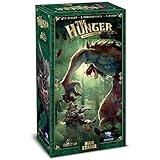
- A "Press your luck" Deck building Game. New threats bring new strategies and excitement to the game.
- Powers that fight new dangers like Vampire Hunters and Werewolves, and even other Vampires.
- Events create unique hunt nights and spawn the threats.
- This is an expansion and requires The Hunger base game to play.
If you want to compare outcomes for fun, run the same setup several times and report the number of runs. You might note wins, average survival day, eliminations, alliances, or how often someone reaches the finale. These are observations about those simulations—not scientific measurements of character strength. One run is especially poor evidence for a definitive “who would win?” claim.
Custom events: useful, but easy to break
BrantSteele exposes event controls for adding, editing, removing, resetting, clearing, and—in the documented interface—importing or exporting event content. The available operations can depend on the version. See the event editor for its syntax notes.
Events can use placeholders such as (Player1) and (Player2) so the simulator can insert participant names. The editor also documents gender-aware reference formats for male, female, non-binary, neuter, and plural or pair-style cases. Follow the editor’s exact syntax: unsupported or mismatched references, an incorrect number of participants, or awkward gender and plural handling can produce broken or grammatically strange text.
Rank #4

- From the creator of the fun card games Loaded Questions and Awkward Family Photos Greatest Hits.
- The ALL NEW Worst-Case Scenario Card Game is different from trivia games with 0% trivia and 100% humorous fun
- This game for adults and kids is based on the The New York Times bestselling Worst-Case Scenario Survival Handbook.
- An easy-to-learn card game that is perfect for family game night. (Ages 10-Adult / 3-6 Players)
- In this family card game for kids and adults, match how players rank five worst-case scenarios from 1 (Bad) to 5 (The Worst). Match correctly and score points. Score the most points...and win
- Keep the default event library for your first run.
- Save or copy the season before experimenting, where the selected version supports it.
- Add only a few events at a time so errors are easier to identify.
- Use a disposable test roster and check every placeholder and reference.
- Review the event categories and whether an event is fatal before adding it to a run.
Custom events can change the tone and possibilities of a simulation, but they do not turn its output into a reliable character analysis. The library also contains violent, accidental, environmental, and self-inflicted outcomes, so preview it before using the tool with a group.
Ways to play with friends or a fandom group
The simulator works well as a shared storytelling prompt. Ask each person to submit a few fictional characters, assign districts randomly, have everyone predict a winner, and read the events aloud. You can track recurring alliances over several runs, make a themed roster for a party or fandom discussion, or play a best-of-five series instead of treating one run as decisive.
For real-person casts, get clear permission before using someone’s name or image, and agree on whether results will be shared publicly. Avoid putting classmates, coworkers, or other private individuals into violent scenarios without their knowledge and consent. For a classroom or youth group, use fictional characters, preview the event library, set boundaries, and do not ask children to nominate classmates as potential victims. A nonviolent survival or elimination theme may be a better choice.
Best Value

- Robust Construction: Our Hunger Games pin boasts a robust design, ensuring it can withstand everyday use without easily getting damaged. It's built to last, just like the determination of Katniss Everdeen in the series.
- Hunger Games Merch Cosplay Prop Replica: This pin is an Prop Replica Hunger Games merch, making it an authentic piece of memorabilia for die-hard fans of the franchise. It's a genuine part of The Hunger Games universe.
- Symbolic Significance: The Mockingjay pin carries the same powerful symbolism as mentioned in The Hunger Games series. It's the emblem of resistance and freedom, mirroring the meaning portrayed in the movies.
- Perfect Gift Choice: Whether you're gifting it to a friend, family member, or yourself, this Hunger Games pin is the perfect choice. It's ideal for various occasions, including birthdays, Christmas, graduations, and any special moment worth celebrating.
- Versatile Use: Not just a decorative piece, the Hunger Games pin can also function as a practical accessory. Use it as a pin, badge, or even a decorative hanging on clothing, bags, or hats. Its versatility allows you to proudly display your love for The Hunger Games wherever you go.
Safety, privacy, and unofficial status
BrantSteele’s disclaimer sets an age threshold of 13 and says younger users need parental guidance. That is a site-specific statement, not a promise that every event will be appropriate for every 13-year-old. The scenarios can include murder, graphic violence, starvation, accidental death, and suicide references. If those themes are unsuitable for you or your group, skip the simulator or use a different activity.
Neither the BrantSteele simulator nor the independent alternative should be represented as official or endorsed by Suzanne Collins, Scholastic, or Lionsgate. Fan use does not automatically grant permission to reproduce official artwork, logos, film stills, or commercial assets. If you publish a video, monetize a post, or upload images, consider copyright and privacy as well as the site’s own terms.
The Tool Desk
Outbyte Driver Updater FREEScan for outdated or missing drivers - takes under a minuteDriver Scan →Outbyte PC Repair FREERepair Windows errors before they cause bigger problemsFix Now →The independent site advertises custom images and local-processing features, but such statements are first-party claims, not independent verification. Review the service’s terms and privacy information before uploading. Do not upload sensitive or identifying images; use consent-based material, and remove saved data or images when finished if the service offers that option. Web services can change or discontinue features, and saved runs or links may not remain available indefinitely.
Bottom line
A Hunger Games simulator is most enjoyable as a customizable, replayable group story generator. BrantSteele is the established choice for a classic interface and event tinkering; its updated version is for users willing to try newer controls. The independent alternative may suit people who want a more mobile-oriented setup and custom images. Whichever you choose, check the version, protect people’s privacy, account for the violent content, and treat each victor as one possible fictional outcome—not a canon ruling.
Quick Recap
Product prices and availability are accurate as of the date/time indicated and are subject to change. Any price and availability information displayed on Amazon at the time of purchase will apply.

