Some links on this page are affiliate links: if you buy through them we may earn a commission, at no extra cost to you.
Short answer: You usually cannot install the full Audible app on an e-ink Kindle. Supported Kindle e-readers have built-in Audible playback: connect Bluetooth headphones or a speaker, use the same Amazon account associated with your Audible library, and open an eligible audiobook. The Audible app itself is intended for phones, tablets, Fire tablets, computers, and other supported devices.
What “put Audible on a Kindle” can mean
There are three different Kindle-and-Audible experiences:
- Audible playback on an e-ink Kindle: selected Kindle e-readers can play compatible audiobooks without installing the regular Audible app.
- Kindle app plus Audible app: on a phone, tablet, or computer, you can switch between a Kindle eBook and its matching audiobook.
- Audible on a Fire tablet: Fire tablets can run the Audible app and provide a more app-like experience, including supported Read & Listen and Immersion Reading features.
Audible currently uses Read & Listen for the feature formerly known as Whispersync for Voice. It requires both the matching Kindle eBook and Audible audiobook, linked to the same account and supported by the title.
Recommended Free Tools
A regular e-ink Kindle should not be expected to provide the full Audible app or word-by-word synchronized highlighting. That richer experience is primarily available in supported mobile, tablet, Fire tablet, and desktop apps.
Popular on Amazon
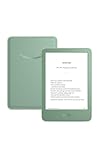
- Light and compact - With adjustable brightness, high contrast ratio, and fast page turns.
- Effortless reading in any light - Read comfortably with a 6“ glare-free display, adjustable front light—now 25% brighter at max setting—and dark mode.
- Escape into your books - Tune out messages, emails, and social media with a distraction-free reading experience.
- Read for a while - Get up to 6 weeks of battery life on a single charge.
- Take your library with you – 16 GB storage holds thousands of books.
Which Kindle models support Audible?
According to Audible’s current compatibility list, updated August 18, 2026, these Kindle families support Audible playback:
| Kindle family | Minimum or listed support | Important note |
|---|---|---|
| Kindle | 8th generation or later | Supports Bluetooth audio on compatible models. |
| Kindle Paperwhite | 10th generation or later | Includes later Paperwhite generations. |
| Kindle Oasis | 8th generation or later | Includes later Oasis generations. |
| Kindle Scribe | Listed Scribe models | Includes newer Scribe releases. |
| Kindle Colorsoft | Listed Colorsoft models | Current Colorsoft family is listed as supported. |
| Kindle Keyboard and Kindle Touch | Legacy playback may continue | Audible no longer provides technical support. |
Check Audible’s current compatible-device list rather than assuming that every Kindle with Bluetooth can play Audible. Bluetooth capability and Audible playback compatibility are separate requirements.
Identify your Kindle model
On many Kindle e-readers, open Settings → Device Options → Device Info. Amazon’s Kindle identification guide can help match the model and generation.
The Tool Desk
Outbyte PC Repair FREEClear out junk files and repair common Windows errorsFree Scan →Outbyte Driver Updater FREEFix the driver behind crashes, sound loss and screen glitchesFind Drivers →Examples include the Kindle Paperwhite 10th generation (2018), Paperwhite 11th generation (2021), Paperwhite 12th generation (2024), Kindle 10th generation (2019), Kindle 11th generation (2024), Oasis 8th generation (2016), Oasis 9th generation (2017), Oasis 10th generation (2019), newer Kindle Scribe models, and Colorsoft models released from 2024 onward.
What you need before starting
- A Kindle model listed as Audible-compatible.
- An Amazon account, with the Kindle registered to the correct account.
- Wi-Fi access for account syncing and downloads.
- An Audible audiobook or an eligible Kindle book with Audible narration.
- Bluetooth headphones, earbuds, or a speaker.
- Current Kindle software, particularly if Bluetooth pairing fails.
- Enough available storage for downloaded audio.
A Kindle eBook does not automatically include an audiobook. Kindle and Audible editions are separate formats, and Read & Listen eligibility varies by title.
Also popular on Amazon

- Light and compact - With adjustable brightness, high contrast ratio, and fast page turns.
- Effortless reading in any light - Read comfortably with a 6“ glare-free display, adjustable front light—now 25% brighter at max setting—and dark mode.
- Escape into your books - Tune out messages, emails, and social media with a distraction-free reading experience.
- Read for a while - Get up to 6 weeks of battery life on a single charge.
- Take your library with you - 16 GB storage holds thousands of books.
Pair Bluetooth headphones or a speaker
Supported e-ink Kindles generally route audiobook sound through Bluetooth. Amazon’s menu labels vary by model and software version, but the current process is:
- Put your headphones, earbuds, or speaker into pairing mode.
- From the Kindle Home screen, swipe down to open Quick Actions, or open the Menu.
- Choose All Settings or Settings.
- Open Wi-Fi & Bluetooth or Wireless.
- Turn Bluetooth on.
- Select Bluetooth Devices.
- Choose your audio device.
- Select Connect and confirm a PIN if requested.
When connected, the Kindle should show the accessory as paired or connected. See Amazon’s Bluetooth pairing instructions for model-specific variations.
Get an Audible audiobook
Use an audiobook you already own
Make sure the Kindle is online and registered to the Amazon account containing the Audible title. Sync the device, open the Kindle library, locate the audiobook-enabled title, and select the title or its available audio option. Playback controls can differ between Kindle generations and software versions.
Add Audible narration to a Kindle eBook
For an eligible title:
- Open the Kindle book’s product page on Amazon.
- Select the Kindle edition.
- Choose Add Audible narration, if shown.
- Complete the purchase using Buy now with 1-Click.
Audible says this combined purchase requires a credit card and is not offered for every Kindle title. The Audible purchase guide explains the current options.
Be careful with returns: when an audiobook is acquired through a discounted Add Audible narration offer, returning the linked Kindle eBook may cause Audible to refund and remove the associated audiobook.
Also popular on Amazon
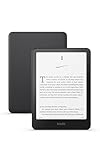
- Kindle Paperwhite – 7“ Paperwhite display with high contrast ratio and fast page turns.
- Ready for travel – The ultra-thin design has a larger glare-free screen so pages stay sharp no matter where you are.
- Escape into your books – Your Kindle doesn’t have social media, notifications, or other distracting apps.
- Battery life for your longest novel – A single charge via USB-C lasts up to 12 weeks.
- Read in any light – Adjust the display from white to amber to read in bright sunlight or in the dark.
Buy the audiobook separately
You can buy eligible audiobooks individually through the Audible website, the Android app, or Amazon using an Amazon account and payment method. An Audible membership is not required for every purchase, although membership plans can provide credits or access to included catalogs.
Free tools Windows power users keep installed
One-click scans. No signup required.
Play Audible on a compatible Kindle
After pairing Bluetooth audio and syncing the correct account, open the Kindle library and select the title with audiobook support. Choose its audio or playback option, then use the on-screen controls to start, pause, or resume listening.
The exact button name and location vary by Kindle generation and software version. If no audio option appears, the title may not have matching narration, the device may not support that workflow, or the Kindle and Audible accounts may not match.
Read & Listen, synchronization, and Immersion Reading
Read & Listen connects a Kindle eBook with its matching Audible audiobook. When supported, your reading and listening position can synchronize between compatible Kindle and Audible apps.
In the Kindle app, the typical path is Open the book → three-dot More menu → Listen on Audible. The Audible app may then offer a toggle between Listen and Read & Listen. Labels can vary by platform.
What’s actually slowing this PC down?
Pick the symptom - the matching free tool is one click away.
Also popular on Amazon

- Kindle Paperwhite – 7“ Paperwhite display with high contrast ratio and fast page turns.
- Ready for travel – The ultra-thin design has a larger glare-free screen so pages stay sharp no matter where you are.
- Escape into your books – Your Kindle doesn’t have social media, notifications, or other distracting apps.
- Battery life for your longest novel – A single charge via USB-C lasts up to 12 weeks.
- Read in any light – Adjust the display from white to amber to read in bright sunlight or in the dark.
Audible’s current support information distinguishes general Audible playback from the newer Read & Listen switching workflow. Some older Kindle e-readers may play Audible titles but may not support every Read & Listen feature. Audible also says switching between reading and listening is supported on Kindle e-readers from 2022 onward.
Immersion Reading is different from ordinary playback. It displays synchronized text while professional audiobook narration plays; it is not text-to-speech. Do not assume that a standard e-ink Kindle will highlight every word in sync. Audible lists Immersion Reading primarily for supported mobile apps, tablet apps, Fire tablets, and macOS.
Fix an incorrect listening position
Position synchronization normally happens automatically. If the position is wrong:
- Open the Audible app.
- Go to Profile.
- Tap the Settings gear.
- Open Player.
- Turn Sync device position off and back on.
The device must be online for manual synchronization. Also confirm that both devices use the same Amazon account, that the title is a matched Kindle/Audible pair, and that the newest position has finished syncing before switching devices.
Do these 3 things before closing this tab:
1Repair Windows errors before they cause bigger problems2Scan for outdated or missing drivers - takes under a minute3Clear out junk files and repair common Windows errorsOffline listening
Download an audiobook and test playback before traveling without Wi-Fi. Audible supports offline downloads in its apps, but the website does not provide the same download workflow. On Kindle e-readers, download behavior, storage, and account checks can vary by model and title. Bluetooth headphones provide audio output but do not provide the Kindle with internet access.
Also popular on Amazon
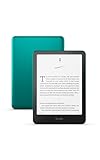
- 7“ Paperwhite display with high contrast ratio and fast page turns.
- Upgrade your reading experience – The Signature Edition features an auto-adjusting front light, wireless charging, and 32 GB storage.
- Ready for travel – The ultra-thin design has a larger glare-free screen so pages stay sharp no matter where you are.
- Escape into your books – Your Kindle doesn’t have social media, notifications, or other distracting apps.
- Adapts to your surroundings – The auto-adjusting front light lets you read in the brightest sunlight or late into the night.
Common problems and fixes
| Problem | Likely cause | What to do |
|---|---|---|
| There is no Audible app in the Kindle store. | You have an e-ink Kindle. | Use built-in playback if the model is supported, or use the Audible app on a phone, tablet, Fire tablet, or computer. |
| A supported Kindle produces no sound. | Bluetooth is off, unpaired, connected elsewhere, or muted. | Re-pair the accessory, raise volume on both devices, charge it, restart both devices, and update Kindle software. |
| There is no Listen option. | The title lacks eligible narration, accounts differ, or the device lacks that workflow. | Check the title page for Read & Listen or Add Audible narration. |
| The listening position is wrong. | Sync is disabled, incomplete, or the title is not a matched pair. | Toggle Sync device position, connect to Wi-Fi, and verify the account and edition. |
| An older Kindle is unsupported. | Kindle Keyboard or Kindle Touch is legacy hardware. | Use another device or upgrade; continued playback is not technically supported by Audible. |
| An audiobook disappeared after a refund. | It was linked to a returned Kindle eBook. | Check the Kindle purchase and return status. |
For Bluetooth failures, Amazon recommends turning off nearby Bluetooth accessories, testing the accessory with another device, updating Kindle software, and rebooting the Kindle and accessory.
What to use if your Kindle cannot run Audible
| Device | Best for | Main limitation |
|---|---|---|
| Compatible e-ink Kindle | Reading-first users who want occasional audiobook playback. | Requires Bluetooth audio and has fewer app features. |
| Fire tablet | Audible app access, larger controls, multiple apps, and supported Immersion Reading. | Heavier, shorter battery life, and more screen distractions. |
| Phone or tablet | The broadest Audible functionality and easiest troubleshooting. | Requires carrying another device. |
| Kindle app plus Audible app | Frequent switching between text and audio. | Requires two apps and an eligible matched title. |
| Alexa-enabled device | Hands-free listening at home. | Less portable and not all Audible features are available. |
Audible also supports listening through its online player and selected compatible MP3 players. Alexa-enabled devices can play Audible titles when linked to the same Amazon account.
Do you need an Audible membership?
No. You can buy individual audiobooks, and Audible says an Amazon account is sufficient for listening to free or purchased titles in the app. Membership is needed for benefits such as credits or included catalog access.
Quick wins for a faster PC:
Clear out junk files and repair common Windows errorsFree Scan →Fix the driver behind crashes, sound loss and screen glitchesFind Drivers →Audible membership is separate from Amazon Prime. Also distinguish ownership from access:
- Individually purchased titles: available according to the purchase and account terms.
- Premium credit titles: Audible describes credit-redeemed titles as yours to keep after cancellation.
- Standard selections: available while the membership remains active.
- Plus Catalog titles: included access is not the same as permanent ownership.
U.S. plan names, prices, catalogs, and availability change. The help documentation checked August 18, 2026 listed Standard at $8.99 per month, Premium plans beginning at $14.95 per month, and other monthly or annual options. Check Audible’s current membership page before subscribing. App-store billing may use different prices and cancellation routes.
Bottom line
If you own a supported Kindle e-reader, you do not normally install Audible: pair Bluetooth headphones or a speaker, sync the correct Amazon account, and open an eligible audiobook. For frequent listening, Immersion Reading, or the full Audible app, use a phone, tablet, Fire tablet, or computer. The decisive checks are your Kindle’s model generation, the title’s Audible eligibility, and whether you want simple playback or full Read & Listen functionality.






Say something about this film