The best video-call games are simple, short-round activities that keep conversation flowing. For two people, start with 20 Questions or Would You Rather?; for families, try a scavenger hunt or charades; for larger groups, use Gartic Phone, trivia, Codenames or Jackbox.
Platform update: Microsoft retired consumer Skype on May 5, 2025, and directs users to Teams Free. Google Hangouts has also been replaced by newer Google services, including Google Meet. The games below work alongside FaceTime, Google Meet, Teams Free, Zoom, Messenger and similar services.
| # | Preview | Product | Price | |
|---|---|---|---|---|
| 1 |
|
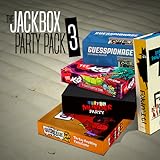
The Jackbox Party Pack 3 | $24.99 | Buy on Amazon |
| 2 |
![The Jackbox Party Pack 3 - Nintendo Switch [Digital Code]](https://m.media-amazon.com/images/I/517DTNm6uRL._SL160_.jpg)
|
The Jackbox Party Pack 3 - Nintendo Switch [Digital Code] | $24.99 | Buy on Amazon |
| 3 |

|
The Jackbox Party Pack | $24.99 | Buy on Amazon |
| 4 |

|
The Jackbox Party Pack 7 - Nintendo Switch | $44.95 | Buy on Amazon |
| 5 |

|
The Jackbox Party Pack 7 | $29.99 | Buy on Amazon |
Quick guide
| Game | Best for | Players | Setup |
|---|---|---|---|
| 20 Questions | Instant play | 2+ | No app or sharing |
| Would You Rather? | Couples and friends | 2+ | No app |
| Scavenger Hunt | Families and children | 2+ | Household objects |
| Gartic Phone | Creative groups | 3+ | Browser room |
| Codenames | Strategy groups | 4+ | Browser or shared board |
| Jackbox | Polished game nights | Several | Host purchase and screen sharing |
| Heads Up! or TinyTable | Apple-centered calls | 2+ | SharePlay-compatible app |
Best no-download video-call games
20 Questions
One player thinks of a person, place, animal or object. Everyone else asks questions that can be answered yes or no. Set a limit of 20 questions, or narrow the category for younger players. It works particularly well on weak connections because it needs no synchronized timing.
Two Truths and a Lie
Each player says three statements about themselves; the group identifies the false one. Use themes such as childhood, travel or food, and allow people to skip personal subjects. It works best with three or more players.
Quick wins for a faster PC:
Scan for outdated or missing drivers - takes under a minuteDriver Scan →Repair Windows errors before they cause bigger problemsFix Now →#1 Best Overall
- For 1-8 players, plus a participating Audience of up to 10,000!
- Your phones or tablets are your controllers!
- 5 fun party games included:
- Quiplash 2 (3-8 players)
- Trivia Murder Party (1-8 players)
Would You Rather?
Offer two choices and ask the other players to explain their answers. Keep prompts age-appropriate and let anyone pass. Couples can use relationship, travel or future-planning themes without turning the game into an uncomfortable interrogation.
Charades
Use movie, song, animal or occupation prompts. Position the camera far enough away to show the player’s upper body. A host can write prompts on paper, while everyone else guesses verbally or in chat.
Scavenger Hunt
Call out an object or property—such as “something blue” or “the oldest book you own”—and award points for speed or creativity. Avoid encouraging children to run near stairs, furniture or valuable objects.
Other instant games
- Categories: name items beginning with a chosen letter.
- Name five: give a player five seconds to name five items in a category; extend the timer when call latency is high.
- Guess the song: hum, clap or play a short excerpt where copyright and call rules permit.
- Paper Pictionary: draw on paper and hold it to the camera.
- Story chain: each player adds one sentence to a shared story.
- I Spy and show-and-tell: especially useful with younger children.
Best games for two people and couples
Many party games are awkward with only two participants. These options create conversation without requiring a large group:
Free tools Windows power users keep installed
One-click scans. No signup required.
- Guess the object: describe something nearby without naming it.
- Trivia about each other: write answers privately, then compare predictions.
- Guess the song or finish the lyric: use short, recognizable clues.
- Draw what I describe: one person describes an object while the other draws without seeing it.
- Photo scavenger hunt: find photos matching prompts such as “a memorable meal” or “a place you want to visit.”
- Blind ranking: rank five items before hearing the full list.
- Try not to laugh: use expressions, impressions or harmless stories.
- Online chess, checkers, Connect Four, Battleship or card games: use a browser board while keeping the call open.
For couples, conversation-led games are usually better than highly competitive formats. Agree on boundaries before using personal or relationship questions.
Best family and children’s games
Choose games that require little reading, typing or fast reaction time. Good options include Simon Says, animal guessing, household-object guessing, emoji movie titles, family trivia, alphabet categories, charades, drawing challenges and “find something that…” hunts.
An adult should control links, screen sharing, purchases and chat access. Do not describe a public game service as universally child-safe: prompts, advertising, user-generated content and moderation can change. For shy children, begin with drawing, polls or show-and-tell rather than personal disclosures.
Best browser games
Gartic Phone
This drawing-and-telephone format passes phrases, drawings and guesses between players. One person creates a room and shares the link. It is funniest with a separate screen for each player, although participants may need to switch between the game and the call.
The Tool Desk
Outbyte PC Repair FREERepair Windows errors before they cause bigger problemsFix Now →Outbyte Driver Updater FREEFix the driver behind crashes, sound loss and screen glitchesFind Drivers →Rank #3
- For 1-100 players!
- Your phones or tablets are your controllers!
- 5 Fun Party Games Included:
- YOU DON’T NOW JACK 2015 (1-4 players)
- Fibbage XL (2-8 players)
Codenames
Codenames suits older children and adults who enjoy word association and team deduction. Use an online version or point a camera at a physical board. The clue-giver must avoid facial expressions and accidental hints. It is strategic rather than purely conversational and is not ideal for very young children.
Trivia and bluffing games
A hosted quiz is easy to run in a browser or through the call itself. Allow extra answer time for latency and use chat or private forms when answers must remain hidden. Fake-answer games are excellent for simultaneous participation, but they require reliable typing and may be difficult for young children.
Peer Party and Let’s Fib!
Peer Party advertises browser play without an app, download or sign-up, using a link or code alongside Zoom, FaceTime, Google Meet, Discord and other calls. Let’s Fib! describes a lobby-and-code setup and recommends using one device for the video call and another for game input. Check current game availability and device behavior before starting.
FaceTime and SharePlay games
Most games are played alongside FaceTime rather than being FaceTime features. Apple’s SharePlay directory lists activities including Kahoot! and Heads Up!, subject to app, device, operating-system, region and entitlement requirements.
Rank #4
- The say-anything threequel Quiplash 3 (3-8 players). It's a head-to-head battle of the wits as you give hilarious responses to quirky prompts while everyone else votes for their favorite!
- The collaborative chaos game The Devils and the Details (3-8 players). You're a family of devils working together to survive in suburbia. Can you handle the daily torture of human life?
- he drawing fighting game Champ'd Up (3-8 players). Create absurd characters that will battle over unusual titles. Can you take down the heavy favorite?
- he on-the-spot public-speaking game Talking Points (3-8 players). Give a speech responding to picture slides you've never seen before or be the Assistant and approve pictures as fast as you can. Just keep talking whether it makes sense or not.
- The pop culture guessing game Blather Round (2-6 players). Describe your secret prompt with a very limited vocabulary and hope that someone can figure it out in time. It's a “GOOD” “FUN TIME” “EXPERIENCE.”
- Heads Up!: a camera-based guessing game suited to couples, families and parties. Verify current availability and pricing in your region.
- TinyTable: its App Store listing advertises board, card, tabletop and party games through FaceTime and iMessage SharePlay.
- Kahoot!: a structured quiz option for families, classrooms and organized groups; plans and account requirements vary.
SharePlay is not universal cross-platform play. Mixed iPhone, Android, Windows and Mac groups will usually have fewer compatibility problems with browser games.
Independent reader supportYour contribution helps us test, update, and keep practical guides available for everyone.Best games for large groups
For six or more players, choose games with clear turns, simultaneous voting, a host or automated moderator, and short rounds. Trivia, Codenames, drawing telephone games, social deduction, ranking games and “most likely to” polls all scale better than free-form conversation.
Jackbox is a strong paid option: one host runs the game and shares the screen while other players typically join with phones. It offers a polished experience, but the host generally needs to purchase the relevant pack and the call must handle screen sharing reliably. Prices vary by store, edition and region.
Dokopa’s Google Play listing advertises more than 30 games and modes for 2–111 players. Treat that as a vendor-advertised maximum, not a guarantee that every mode is practical for 111 people. The listing also indicates advertising and data-safety considerations.
What’s actually slowing this PC down?
Pick the symptom - the matching free tool is one click away.
Best Value
- 1) The say-anything threequel Quiplash 3 (3-8 players). It's a head-to-head battle of the wits as you give hilarious responses to quirky prompts while everyone else votes for their favorite!
- 2) The collaborative chaos game The Devils and the Details (3-8 players). You're a family of devils working together to survive in suburbia. Can you handle the daily torture of human life?
- 3) The drawing fighting game Champ’d Up (3-8 players). Create absurd characters that will battle over unusual titles. Can you take down the heavy favorite?
- 4) The on-the-spot public-speaking game Talking Points (3-8 players). Give a speech responding to picture slides you’ve never seen before or be the Assistant and approve pictures as fast as you can. Just keep talking whether it makes sense or not.
- 5) The pop culture guessing game Blather Round (2-6 players). Describe your secret prompt with a very limited vocabulary and hope that someone can figure it out in time. It’s a “GOOD” “FUN TIME” “EXPERIENCE.”
How to set up a video-call game
One-device host setup
- Start the video call.
- Open the quiz, board game or party game on one device.
- Share the application window or screen.
- Have players answer verbally, in chat or on a second device.
- Let the host control turns and scoring.
This works well for Jackbox, hosted quizzes and presentation-based games. The disadvantages are that faces may be hidden, mobile switching can be awkward, and the host’s connection becomes more important.
Separate-device setup
- Keep the call on a laptop, tablet or phone.
- Open the game on another device or browser tab.
- Share the room link or code in the call chat.
- Join the game independently while leaving cameras and microphones on.
This is usually the better arrangement for browser games. Use headphones, keep only one microphone active per physical location and mute unnecessary game audio to prevent echo.
Fixing common problems
- Echo: use headphones, share an application window where possible, mute the sharing device when game audio is unnecessary, and stop sharing if the call becomes unstable.
- People talk over one another: use a turn order, chat answers, hand-raising, reactions or simultaneous voting.
- Players cannot switch apps: use a two-device setup or choose a verbal game.
- Weak connection: choose 20 Questions, categories, charades, spoken trivia or a paper drawing game; avoid precise timing and synchronized movement.
- One player cannot install anything: use a no-download game, browser room or host-controlled quiz.
- Faces disappear behind the shared screen: take conversation breaks between rounds or keep the game on a second device.
Choosing by situation
- Start immediately: 20 Questions, categories or Would You Rather?
- Two people: relationship trivia, guessing games, collaborative storytelling or an online board game.
- Children: Simon Says, scavenger hunts, I Spy, charades or drawing.
- Creative friends: Gartic Phone or paper drawing telephone.
- Mixed devices: a browser game such as Peer Party, Let’s Fib! or an online Codenames room.
- Apple-centered FaceTime group: Heads Up!, TinyTable or another currently supported SharePlay activity.
- Polished party night: Jackbox, provided one person can host and share the screen.
- Large organized group: trivia, Codenames, ranking polls or moderated social deduction.
The Bottom Line
For the least friction, choose a verbal game. For mixed devices, choose a browser game. For FaceTime-only groups, check SharePlay compatibility before installing. For a full party-game experience, have one person host Jackbox and use a second device for player input.
Quick Recap
Product prices and availability are accurate as of the date/time indicated and are subject to change. Any price and availability information displayed on Amazon at the time of purchase will apply.
Do these 3 things before closing this tab:
1Clear out junk files and repair common Windows errors2Scan for outdated or missing drivers - takes under a minute3Repair Windows errors before they cause bigger problems



