Some links on this page are affiliate links: if you buy through them we may earn a commission, at no extra cost to you.
Make math rock with AI by generating short, editable rhythm ideas, then arranging and correcting them in a DAW. Start with drums and MIDI, specify meter and accents in every prompt, layer two interlocking guitar parts yourself, and use AI song tools only for sketches or sections you can export and revise.
What Math Rock Requires
- Uneven meters such as 5/4, 7/8 or alternating bars.
- Interlocking guitar lines, tapped figures, harmonics and clean-to-heavy contrasts.
- Drums that move between tightly accented patterns and sudden stops.
- Sections that change length, tempo feel or density without losing a clear pulse.
The listed products do not document a dedicated math-rock model or guaranteed odd-meter accuracy. Use those terms as instructions, then check every bar in the piano roll or DAW grid.
Choose A Starting Tool
| Tool | Best Use In This Workflow | Useful Output Or Constraint | Listed Pricing |
|---|---|---|---|
| Beat Shaper | Build an editable beat and arrangement | MIDI, WAV, MP3, stems and DAW project exports; Starter downloads are MP3 and non-commercial | Free plan; paid from €9/mo |
| Soundverse AI Beat Maker | Make a complete instrumental on web or mobile | WAV mix, separated stems and MIDI; Free Tier starts with 1,000 tokens | Free Tier; Creator & Pro include commercial licenses |
| Suno | Generate a rough full-song reference | Editing, extensions, section replacement and stem export; Free Plan has no commercial rights or stem separation | Free plan; paid from $8/mo |
| Eleven Music | Sketch instrumental sections and revise them | Section editing, inpainting, stems and MP3/WAV export; Free plan is personal use | Free plan; paid from $6/mo |
| Udio | Prompt-led vocal or instrumental ideas | Lyrics editing, extensions, transformations and Sessions; downloads are disabled during its transition period | Free plan; paid from $10/mo; 7-day trial |
| AIVA | Generate and edit composition sketches from MIDI or audio influence | More than 250 styles and editable tracks; Free plan is non-commercial with 3 downloads per month | Free plan; paid from €11/mo annually |
| Vibe Drummer | Prompt and draw drum patterns on a Mac | Unlimited patterns and standard MIDI export for Logic Pro, Ableton and FL Studio; bring your own AI provider key | Free forever |
Build The First Math-Rock Groove
- Set a bar map. Write a repeatable plan such as four bars of 7/8, two bars of 4/4, then one bar of 5/8. Decide whether the short bar feels grouped 2+2+3 or 3+2+2.
- Generate drums before harmony. In Beat Shaper, Soundverse AI Beat Maker or Vibe Drummer, request the exact meter, subdivision, accent grouping, tempo and stop points. Example: “Instrumental math-rock drum pattern, 7/8 grouped 2+2+3, 150 BPM, dry kick and snare, ghost notes, one fill at the end of bar four, then two bars of 4/4.”
- Export MIDI immediately. Move the pattern into Logic Pro, Ableton or another DAW, label each bar, and correct any generated 4/4 drift. Vibe Drummer exports standard MIDI; Beat Shaper and Soundverse AI Beat Maker also list MIDI export.
- Write two contrasting guitar parts. Keep Guitar A on a repeating tapped or arpeggiated cell while Guitar B answers on different beats. Record your own guitars or program MIDI; the tools listed here do not promise a math-rock guitar performance.
- Add a bass part that clarifies the grouping. Double selected kick accents, then leave space before the bar line so the odd meter remains audible.
- Create dynamics by section. Use a sparse clean section, a denser chorus and a stop-start transition. If you use Suno, Eleven Music, Udio or AIVA for a reference, prompt for section labels and then rebuild the useful parts in your DAW.
- Humanize after the grid is correct. Nudge only a few notes, vary pick or velocity levels, and keep the main accents aligned. Check the click at half speed before adding effects.
- Print stems and a reference mix. Export separate drums, bass and guitar parts where the selected plan allows it, then keep the MIDI and the original prompt beside the session for revisions.
Prompt Patterns That Produce Usable Ideas
Odd-Meter Drum Prompt
“Math-rock instrumental drum loop, alternating 5/4 and 7/8, 140 BPM, group 7/8 as 3+2+2, sharp snare accents, open hi-hat only on the last eighth, no swing, four-bar phrase.” Ask for a short loop first; a compact pattern is easier to repair than a full song with an unclear meter.
Quick wins for a faster PC:
Repair Windows errors before they cause bigger problemsFix Now →Fix the driver behind crashes, sound loss and screen glitchesFind Drivers →Clear out junk files and repair common Windows errorsFree Scan →Interlocking Instrument Prompt
“Instrumental post-rock and math-rock sketch, clean guitar ostinato in 7/8, second guitar enters two eighth notes later, bass follows kick accents, abrupt stop after eight bars, no vocals.” Treat the result as a harmonic or rhythmic reference because no listed product guarantees that it will render the requested guitar technique.
#1 Best Overall

- 80 preset patches and 80 user patches, enough for creating your sound library. You can save any preferred tones by simply pressing down the SAVE button.
- 8 effect modules, including 66 effect types, providing you with the most unique Mooer sound library. Simply rotate the knob above the screen and everyth
- 6 assignable expression pedal parameters which greatly improve the convenience and diversity of controlling the tone. Unique adjustable output mode setting allows you to use line out mode to still get a good tone when playing without an amp.
- By using 180 seconds looper and a drum machine which contains a variety of rhythm patterns, you can create your own music without using a computer.
- GE100 has scale and chord learning function. Just click the LESSION button to enter the scale and chord knowledge reserve interface.
Section-Transition Prompt
“Eight-bar 4/4 intro, five bars of 5/4 verse, one bar of silence, then heavy 4/4 chorus; preserve the same two-note motif.” Generate several versions, keep the clearest transition, and reproduce it manually if the bar lengths change.
Independent reader supportYour contribution helps us test, update, and keep practical guides available for everyone.Tool-Specific Actions
Beat Shaper
Use its piano roll to place kick and snare accents, set syncopation and energy, then export MIDI or stems for the DAW. Starter is limited to 32 MIDI clips and non-commercial MP3 downloads; Creator lists unlimited generations, MIDI/MP3/WAV downloads, commercial usage rights and unlimited song lengths.
Rank #2

- 71 EFFECTS AND 13 AMP MODELS TO EXPLORE – Explore 71 built-in effects and 13 amp models to craft everything from clean tones to high-gain distortion, perfect for practice, recording, and live play.
- LAY DOWN LOOPS IN REAL TIME – Create layered riffs with the 30-second looper, ideal for songwriting, solo practice, and live experimentation.
- A FULL BACKING BAND IN YOUR PEDAL – 68 built-in rhythm patterns give you a full backing band, helping you stay in time and make practice sessions more engaging.
- PLUG IN, PLAY, AND PRACTICE ANYWHERE – Plug in with standard guitar input, connect external audio via aux, and monitor through amp or headphones for silent practice anywhere.
- GUITAR LAB KEEPS YOUR SOUND GROWING – Download Zoom Guitar Lab (Mac/Windows) to edit patches, build your own tones, and unlock even more creative control.
Soundverse AI Beat Maker
Generate an instrumental, split it into stems, and export MIDI so you can rewrite the odd-meter bars. The tool is available on web, iOS and Android; its Free Tier begins with 1,000 signup tokens, while Creator & Pro list commercial licenses.
Do these 3 things before closing this tab:
1Fix the driver behind crashes, sound loss and screen glitches2Clear out junk files and repair common Windows errors3Scan for outdated or missing drivers - takes under a minuteVibe Drummer
On macOS, describe the grouping in natural language, draw kick and snare hits, add generated hi-hats and fills, and export standard MIDI to Logic Pro, Ableton or FL Studio. It is drum-pattern focused and requires your own AI provider key.
Rank #3
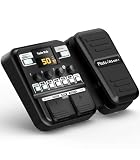
- Advanced DSP Simulation: Unlike traditional guitar effects pedals, the KMF-1 utilizes advanced DSP technology with TSAC for precise analog circuit simulation. It incorporates 512-point IR Sampling to mimic different cabinet sounds. With 32-bit signal processing, it ensures clear, dynamic sound, making it ideal for both studio recording and live performances
- More CAB & AMP Options: Equipped with 77 classic effects across 8 essential effect modules: Amplifier, Cabinet, drive, Modulation, Delay, Dynamics, Reverb, and Filter, the KMF-1 has everything you need. With its impressive collection of 18 amp models and 18 cabinet simulators, it stands out among similar products on the market
- Flex Your Music Creativity: With 50 preset patches, even beginners can start playing right away. Instantly switch tones in Memory Mode during live sets. The built-in tuner, 30s looper, and 42 drum rhythms, and AUX IN to connect your phone for playing along with backing tracks—maximizing your creative inspiration
- Customize Pro-Level Effects: The KMF-1’s Stomp Mode replicates classic single-pedal operation with 5 independent effect blocks that can be flexibly enabled and sequenced. The advanced Edit Mode allows fine-tuning of each effect parameter. Combined with a 2-in-1 expression pedal supporting 6 assignable effects, it meets your high-level playing and creative needs
- User-Friendly Design: The KMF-1 electric guitar pedal features a upgraded clear 128×32 LCD screen with real-time feedback. Intuitive controls—including knobs, buttons, and a customizable durable pedal, make switching effects easy. It supports two power modes with a battery compartment for 6 AA batteries, offering up to 2.5 hours of use, ensuring freedom to create music even outdoors
Suno, Eleven Music, Udio Or AIVA
Use these when you need a complete reference or a section idea rather than precise drum programming. Suno supports extensions, section replacement and stems; Eleven Music supports inpainting and stems; Udio supports transformations and Sessions but currently disables audio, video and stem downloads; AIVA accepts audio or MIDI influences and lets you edit generated tracks. Verify the meter and export availability before building the session around any result.
Quick Recap
Best Value

- Legendary Distortion Heritage: Used by guitarists everywhere since 1978, establishing the standard for distortion pedals
- Pioneering Sound Design: First distortion pedal from BOSS defined a bold new sound, delivering hard-edged attack and smooth sustain that's been a staple of players for generations
- Clear Hard-Edged Attack: Remains clear even at maximum distortion settings for heavy rhythms and cutting solos
- Versatile Booster Function: Works as a booster at low distortion settings for enhanced tonal flexibility
- Wide-Range Tone Control: Unique tone control offers a wide range of sound shaping possibilities
Rank #4

- GE150 Pro Series, is designed based on MOOER’s updated GE series design language and MNRS modelling technology. Two editions: the standard mains-powered option and the GE150 Pro Li, which features a staggering 9 hours of battery life through an integrated Lithium battery. The standard GE150 Pro comes with a neutral white finish.
- More Flexibility: Four multi-purpose footswitches for browsing presets and triggering a wide range of functions. paired with an upgraded effect chain control logic, allowing guitarists to utilize all four footswitches for enhanced flexibility when switching between different patches during performance. Expression pedal that supports both parameter control and output volume control.
- Massive Tone: 200 factory preset tones, 55 classic amp preamps based on MOOER’s in-house MNRS modelling technology, 26 high-quality cabinet simulations, AMP and CAB modules now support MNRS sample files (GNR and GIR). The AMP module has 20 slots for loading samples, and the CAB module's slots have been increased to 20.
- Multi-function purposes have also been built into the pedal’s UI, once again meeting the growing control system demands of guitarists creating on the cutting-edge of music technology. The GE150 Pro pedal can be mapped to effect parameters for dynamic live control and also features a "toe tap" feature to switch the mapping "Expression" to "Volume" control mode.
- Ready to Jam: tune with precise instrument tuner, play with built-in 80-second stereo LOOPER function, built-in drum machine module with 40 drum rhythms and 10 metronome modes. Best of all, all of these rhythmic and looping features can be controlled through the four multi-purpose foot switches, ensuring that loop improvisations and backing tracks can be seamlessly integrated into both live performances and practice sessions.
Rights And Consent Checks
- Do not upload a band recording, voice or reference performance unless you control it or have consent.
- Beat Shaper Starter downloads are non-commercial; its Creator plan lists commercial usage rights.
- Soundverse Creator & Pro list commercial licenses. Suno’s Free Plan does not include commercial rights.
- Eleven Music’s Free plan is personal use; its commercial rights vary by plan and exclude film, TV and studio games.
- AIVA’s Free plan is non-commercial, and Standard limits monetization to specified social platforms. Check the current terms for Udio and any other plan before releasing a documentary soundtrack.
Final Arrangement Check
- Count every bar aloud with the click and confirm each section length.
- Mute one guitar: the remaining part should still reveal the pulse and grouping.
- Check that fills land on the planned transition bar rather than adding an accidental bar.
- Keep MIDI, stems, prompts and license records together so a generated idea can be replaced without losing the arrangement.
Product prices and availability are accurate as of the date/time indicated and are subject to change. Any price and availability information displayed on Amazon at the time of purchase will apply.

