Some links on this page are affiliate links: if you buy through them we may earn a commission, at no extra cost to you.
Crave 1 is a live premium television channel in Rogers’ Crave service. Rogers’ current Xfinity TV listing places it on channel 265, although Rogers together with Shaw customers may see a different East/West channel number. Crave 1 is not a separate streaming app or a single program.
What Crave 1 actually is
Crave is a Canadian premium entertainment service. Crave 1 is one of its linear, live television feeds. The wider service also includes other live Crave channels, on-demand movies and series, and the Crave app and website.

That distinction matters: a program can be airing live on Crave 1, running on another Crave feed, available on demand, or restricted to a particular Crave tier. The schedule and catalogue change with licensing and programming updates, so no particular movie or series is permanently guaranteed on Crave 1.
Rogers describes the service as carrying Crave Originals, HBO and Max-related programming, Showtime programming and premium movies. Check the current Rogers Crave listing for the schedule and package details.
#1 Best Overall
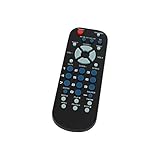
- Designed for easy replacement and operation
- Quick replacement, No programming needed, Just install batteries and use
- Made from premium quality materials for long-lasting durability
- Batteries not included
- Upstart Components Brand
What channel is Crave 1 on Rogers?
| Service or listing | Crave 1 number |
|---|---|
| Rogers Xfinity TV listing shown on Rogers’ Crave page | 265 |
| Rogers together with Shaw, Eastern example | 265E HD |
| Rogers together with Shaw, Western examples | 473W HD |
| Your specific lineup | Verify by postal code or in MyRogers |
Channel 265 is therefore not a Canada-wide guarantee. Rogers uses different platforms and regional lineups, and some listings identify feeds as East or West. Use Rogers’ Channel Listings tool, enter your postal code, choose your television service and region, and use that result over a generic channel list. Lineups can also change after service or content-provider updates.
On the Rogers Xfinity TV list, the related feeds are Crave 2 on 266, Crave 3 on 267 and Crave 4 on 268. HBO Canada 1 and HBO Canada 2 are listed separately on 270 and 271.
Is Crave 1 included with Rogers TV?
Usually, no. Rogers presents Crave as a premium subscription or add-on rather than an automatic part of every television package. A channel can appear in your guide even when your package does not include it, so guide visibility does not prove that you have access.
Rank #2

- Wide Compatibility: The DRC800 is compatible with popular cable boxes such as Director, General Instrument, Jerrold, Motorola, Pioneer, and Scientific Atlanta with DVR capabilities. It will also program to your TV, audio amplifier, tuner, receiver, DVD player, DVD/VCR combo, TV/DVD combo, TV/VCR combo, home theater systems, and other DVR systems like TIVO. Please note that it will not program to satellite boxes.
- High-Quality Performance: Experience reliable and high-quality performance with the Anderic DRC800 remote control. It is guaranteed to work effectively, providing you with seamless control over your entertainment devices.
- No Programming Needed for Motorola: The DRC800 remote control requires no programming for Motorola devices, allowing for easy and hassle-free setup. Simply install the batteries, and you're ready to go.
- Full Manual and Code Booklet: This remote control comes with a full manual and code booklet, providing you with comprehensive instructions and codes for programming your devices. Set up your remote quickly and effortlessly with the help of the included resources.
- Extensive Compatibility: The Anderic DRC800 replaces remotes for various cable providers, including Time Warner Cable, Comcast, Cox Digital, Blue Ridge, Bresnen, Brighthouse, Cableone, Charter Communications, Citywest, Cogeco, Insight, Knology, Mediacom, Newwave Communications, Rogers, SuddenLink, Westman, and Wow. It offers a reliable and convenient replacement solution for your cable remote needs.
Crave 1 may be locked because Crave is not subscribed, a preview has ended, an order is still processing, the channel is not offered in your local package, or parental controls are blocking it. Rogers’ channel FAQ explains that regional availability and package entitlement are separate issues.
Rogers’ Crave page displayed promotional/package prices such as $22 per month for Crave Premium and $26 per month for Crave Premium with STARZ when observed in August 2026. These are date-sensitive offers, not permanent rates; check Rogers before ordering. The page also showed broader movie packages at higher prices, which are relevant only if you want additional movie channels.
How to add Crave through Rogers
Current MyRogers customers
- Sign in to MyRogers.
- Open Usage & Services and select TV.
- Under Current plan, choose Manage channels or Manage theme packs.
- Search for Crave, select Add, then choose Confirm changes.
- Review the order and accept any additional agreement details.
Rogers together with Shaw customers
- Sign in to MyRogers (Shaw).
- Open My Services and select Add-ons.
- Search for Crave, then choose Order now.
- Review the details and select Subscribe.
Menu labels may change, and the service entitlement can take time to reach your box. Rogers says another channel may be added after the Crave order is processed. Parental-control settings continue to apply to newly added channels.
Rank #3

- Gilbert tool for used for Removal of Cable Termination Locks
- Durable, long lasting, and easy to use.
- Accommodates most types of terminators used in Canada and the USA.
- Color: Silver, blue. Material: Metal, plastic. Size: 7 inch 177.8mm.
- Easy to hold Handle.
How to watch Crave 1
Rogers television box
Enter the Crave 1 number from your local lineup, or use the Rogers voice remote and say “Crave.” Included Crave on-demand programming may also appear in the box’s on-demand menus, depending on your equipment and service.
Rogers Xfinity TV app
Eligible Rogers TV customers can use the Rogers Xfinity TV app to stream television, view supported Cloud PVR recordings and use Download & Go on supported devices. This is useful for watching Rogers TV away from the set-top box, but it is not necessarily a replacement for the complete Crave app catalogue.
Crave app or website
A Rogers-billed Crave subscription can generally be linked to the Crave service:
Rank #4

- UNIVERSAL COMPATIBILITY: Designed to work seamlessly with the Rogers Champion Plus URC2125 cable box for reliable performance.
- EASY SETUP: Simple programming process gets your remote up and running quickly without complicated steps.
- FULL FUNCTIONALITY: Controls all essential cable box functions, including channel navigation, volume, and menu access.
- REPLACEMENT READY: A brand-new remote that serves as a direct replacement for lost or damaged Rogers cable box remotes.
- ERGONOMIC DESIGN: Comfortable, user-friendly layout with clearly labelled buttons for effortless day-to-day use.
- Open the Crave app or website and select Sign in.
- Choose Sign in through my TV provider.
- Search for and select Rogers or Rogers together with Shaw.
- Enter the relevant MyRogers credentials and complete the email-code and account-linking steps.
First-time users may be asked to create or link a Bell Media account. App access depends on an active Rogers subscription, the correct provider credentials and the Crave tier you purchased. See Rogers’ Crave FAQs for the current linking process.
Independent reader supportYour contribution helps us test, update, and keep practical guides available for everyone.Crave 1 versus Crave 2, 3 and 4
Crave 1 through Crave 4 are the live Crave feeds offered together in the television service; they are not normally four separate subscriptions. They can carry different or time-shifted schedules, but their exact editorial split is not fixed enough to summarize without checking the current guide. HBO Canada channels are separate channels, even though HBO-related programming may also be associated with the broader Crave offering.
Do these 3 things before closing this tab:
1Clear out junk files and repair common Windows errors2Fix the driver behind crashes, sound loss and screen glitches3Repair Windows errors before they cause bigger problemsIf Crave 1 is locked or missing
- Check entitlement: confirm in MyRogers that Crave is active and attached to the correct TV account.
- Check the provider account: use the Rogers or Rogers together with Shaw credentials associated with the subscription when linking the Crave app.
- Verify the local number: run the postal-code channel lookup; look for Crave 1E or Crave 1W if applicable.
- Allow processing time: restart or refresh the television box after a recent order.
- Try another route: test the Rogers Xfinity TV app or the linked Crave app.
- Review parental controls: restrictions can block a valid subscription.
- Escalate to the right support team: contact Rogers for billing, package and channel-entitlement problems; contact Crave support for issues confined to the Crave app or Crave account.
Frequently Asked Questions
Is Crave 1 free on Rogers?
No. It is generally part of a paid Crave add-on or premium package. A temporary preview, if offered, does not make it a permanent free channel.
Best Value
Can I watch Crave 1 without a Rogers TV box?
Often yes. After subscribing through Rogers and linking the provider account, you can use the Crave app or website; eligible Rogers customers can also use the Rogers Xfinity TV app.
Is Crave 1 the same as HBO?
No. Crave 1 is a Crave live feed. HBO Canada channels are listed separately, although the Crave service carries HBO and Max-related programming.
Why do I see Crave 1E or Crave 1W?
Those labels identify regional East or West feeds in some Rogers together with Shaw lineups. Use the postal-code listings for your address.
Free tools Windows power users keep installed
One-click scans. No signup required.
How do I cancel Crave through Rogers?
Manage or remove the add-on through the TV subscription controls in MyRogers or MyRogers (Shaw), using the account system that bills your service. If the option is unavailable, contact Rogers.
The Bottom Line
Crave 1 is a live channel within Rogers’ paid Crave service—not a standalone app. Rogers currently shows it as channel 265 on its Xfinity TV listing, but your authoritative number and access status come from the postal-code lineup and your MyRogers subscription.
Quick Recap
Product prices and availability are accurate as of the date/time indicated and are subject to change. Any price and availability information displayed on Amazon at the time of purchase will apply.

