Crashes, No Sound, or Screen Glitches?
Random freezes, missing sound and display glitches usually trace back to one bad driver. Find and replace yours safely.Free scan · under a minuteWindows Errors? Fix Them Before They Spread
Repair common Windows errors and clear accumulated junk for a smoother, more stable PC - no reinstall needed.Free scan · no reinstallSome links on this page are affiliate links: if you buy through them we may earn a commission, at no extra cost to you.
Vidu Q1 is a short-form generative video model, not a replacement for a visual-effects pipeline. Launched globally on April 21, 2025, it combines several ways to guide a five-second video with a launch-promoted sound-effects feature. Its significance is as a step toward a broader audiovisual creation platform; the available evidence does not establish adoption by major film productions or prove that it can deliver reliable, editable VFX shots at scale.
What Vidu Q1 is—and what it is not
Vidu’s launch announcement described Q1 as the flagship product of ShengShu Technology and positioned it for cinematic effects, transitions, and other short-form creative work. The name refers to the model; Vidu is the consumer-facing creative platform, while the Vidu API is the developer and enterprise access layer. Those surfaces can offer different workflows, access conditions, and pricing.
In the API documentation available in August 2026, Q1 is listed as a fixed five-second, 1080p model. The same documentation lists Q1 Classic separately, so the two should not be treated as interchangeable. Vidu’s current model map gives greater prominence to the Q2 and Q3 families, making Q1 a documented option and an important product milestone rather than the platform’s newest flagship. (Vidu model map; API pricing and model details)
Free tools Windows power users keep installed
One-click scans. No signup required.
What “cinematic VFX” means here
Vidu’s phrase describes an intended look and use case, not proof that Q1 performs the full work of production visual effects. A generative model can create or transform a short image sequence; a VFX pipeline may also involve tracking, roto and keying, simulation, compositing, asset management, continuity across shots, and repeatable revisions.
#1 Best Overall

- 【RTX PRO blackwell graphics】Equipped with an RTX PRO 6000 Blackwell Workstation Edition GPU featuring 96GB of GDDR7 memory. Ideal for complex 3D models, professional visualization, visual effects, high-resolution rendering, and GPU-accelerated creative workflows.
- 【BUILT for local AI workflows】The large 96GB GPU memory supports demanding datasets and AI models, making this workstation suitable for generative AI, machine-learning development, model inference, and computer-vision applications in laboratories, studios, and development teams.
- 【128GB DDR5 ECC | Expandable to 384GB】Configured with 128GB high-speed 5600MHz DDR5 ECC Registered DIMMs.And it supports up to six 64GB DDR5‑5600 ECC R‑DIMM modules for a maximum total capacity of 384GB. Provide extensive memory capacity for large CAD assemblies, layered video timelines, virtual machines, data analysis, and other memory-intensive professional workloads.
- 【Professional WRX90 PLATFORM】Built on the ASUS Pro WS WRX90E-SAGE SE motherboard to support the Threadripper PRO processor, high-capacity ECC memory, professional graphics, and expansion hardware. Well suited for engineering firms, research institutions, and production studios.
- 【Fast, Flexible SSD STORAGE】A Samsung 990 PRO 2TB PCIe 4.0 M.2 SSD provides fast system and application storage, while two additional 4TB SSDs offer space for active projects. Ideal for loading large files, editing high-bitrate video, and managing production datasets.
Q1 is most plausibly useful for exploring a brief visual beat: a stylized transition, a lighting or atmosphere change, environmental motion, an animated accent, or a fantasy, sci-fi, or impact effect. Such clips can help with concepts, pitch material, social videos, advertising, music videos, and previsualization. Vidu’s visual-effects tool describes a source-clip transformation workflow guided by prompts, aspect-ratio controls, and audio cues. That supports an AI-assisted effects-exploration use case, but it does not document conventional tracking, compositing, or shot-delivery tools. (Vidu visual-effects tool)
A visually convincing five-second result is not the same thing as a controllable shot that holds up across a sequence. Q1 should be evaluated as a possible shot element or exploration aid, not presumed to provide editable 3D scenes, isolated passes, or deterministic continuity.
Generation modes and their practical uses
The current API pricing documentation lists four Q1 input modes. Their presence establishes the documented workflow categories, not how reliably each will satisfy a specific production brief.
What’s actually slowing this PC down?
Pick the symptom - the matching free tool is one click away.
Rank #2
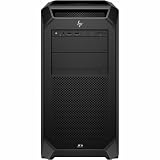
- AI-powered: Yes
- Number of Processors Supported: 1
- Number of Processors Installed: 1
- Processor Manufacturer: Intel
- Processor Type: Xeon
| Mode | Practical use | Documented Q1 status |
|---|---|---|
| Text-to-video | Generate a shot from a written description. | Supported |
| Image-to-video | Animate a still, concept frame, product image, or character image. | Supported |
| Reference-to-video | Use visual references to guide a generated clip. | Supported |
| Start/end-frame-to-video | Guide a clip between two specified visual states. | Supported |
For a more controlled attempt, define one primary action and describe the subject, framing, camera movement, lighting, environment, and effect timing. With an image or reference workflow, use a clean, unambiguous source. With start and end frames, make sure the two states can plausibly connect within five seconds. Treat each result as a candidate: probabilistic generation means a prompt or reference is guidance, not a guarantee of exact geometry or repeatable revisions.
What Q1’s audio feature does—and does not establish
At launch, Vidu promoted prompt-driven sound-effect generation for scene-specific sounds such as impacts, explosions, movement, and ambience. Its announcement claimed semantic control through text prompts and 48 kHz “high-definition” audio. These are Vidu’s claims, not independent findings about sound quality, synchronization, or suitability for a final mix. (Vidu’s Q1 launch announcement)
Audio generation can mean sound effects, music, speech or narration, voice cloning, or audio generated in sync with video. The Q1 launch feature should not be assumed to include all of these, or to work identically in every consumer and API workflow. Vidu’s later model documentation describes direct audio-video output more prominently for newer models, and its model map separates capabilities across tools and generations. (Vidu model map)
Rank #3

- 100-505957
- AMD
For a filmmaker, generated effects could speed up rough sound design and help test an atmosphere alongside a visual idea. Before using output as final audio, check sync against visible action, artifacts, editability, layer separation, dialogue intelligibility, loudness, and rights requirements. A generated impact that sounds plausible in isolation may still be mistimed or unsuitable in the scene.
Documented limits, API pricing, and iteration cost
Q1’s five-second duration and 1080p output are the documented API profile, not a guarantee of cinema-quality detail, clean edges, or artifact-free frames. The API pricing page lists Q1 at 80 credits, or $0.40, per standard five-second generation and 40 credits, or $0.20, off-peak. The listed API credit rate is $0.005 per credit. Off-peak availability and account-specific charges may affect what a user pays; these are API figures, not consumer subscription prices. Vidu’s consumer pricing page describes a separate subscription-credit system, with subscription credits valid for 30 days. Check the live pages for current account terms. (API pricing; Vidu consumer pricing)
At those listed API rates, ten standard generations calculate to $4.00, or $2.00 at the listed off-peak rate, before taxes or other account-specific charges. This is a multiplication of the published per-generation prices, not a project quote. The number of attempts needed for an acceptable shot will depend on the brief and tolerance for defects.
Rank #4

- Ryzen Threadripper 9960X 4.2GHz (Up To 5.4GHz Turbo) 24 Core
- 256GB DDR5 ECC Reg (4x64GB)
- GeForce RTX 5090 32GB GPU
- 10G + 2.5G Networking + WiFi 7
- Onboard AQtion AQC113C 10GbE LAN
How a filmmaker can test Q1 in a real workflow
- Define the shot’s job. Decide whether you need a transition, transformation, atmospheric change, impact, or concept shot. Keep the action narrow enough to fit a five-second clip.
- Choose an input mode. Use text-to-video for a fully synthetic idea, image-to-video to animate a designed frame, reference-to-video for visual guidance, or start/end-frame-to-video when two states matter.
- Prepare the visual brief. Specify subject, framing, camera motion, lighting, environment, motion, and effect timing. If testing audio, identify the intended sound cue and confirm it is available in the selected workflow.
- Generate and inspect variations. Look beyond the first impression: check identity, geometry, effect attachment, camera coherence, opening and ending frames, and whether the result can be cut into the neighboring shots.
- Finish outside the model as needed. Edit, crop, stabilize, color-correct, and replace or mix audio in the tools appropriate to the project. Treat generated material as an element to assess, not automatically as a finished sequence.
- Check delivery conditions. Confirm commercial-use terms, likeness and asset permissions, and any client or production requirements before delivery.
For API access, Vidu’s documented onboarding is to register for an API account, open the dashboard, create a key under API Keys (with a nickname), purchase credits, submit a generation request with the selected model and required parameters, then poll the task or receive a status callback. The quick-start documentation says an account can have up to 10 active API keys. (Vidu API quick start)
What to evaluate before using a result
- Visual consistency: Does the subject retain identity? Do faces, limbs, hands, props, reflections, or shadows change unexpectedly?
- Temporal stability: Watch for flicker, popping, geometry shifts, unstable backgrounds, and motion that becomes implausible after the first few frames.
- Control: Does the chosen mode preserve the intended subject or transition? Can the prompt change one variable without breaking the parts that already work? Are instructions consistently respected across attempts?
- Editorial fit: Is there a usable in-point and out-point? Does the motion fit the sequence, and can the clip be revised without losing useful details?
- Audio: Is the effect aligned with the visible event? Can you edit its layers, and is it a temporary guide or suitable for the intended mix?
- Production constraints: Do the output, rights, provenance, consent, and repeatability meet the client’s requirements? The answer can depend on the applicable account terms and jurisdiction.
Vidu’s launch release also said Q1 outperformed competing tools according to VBench. That is a vendor-reported benchmark claim; the announcement does not, by itself, establish that comparisons used matching prompts, settings, resolutions, and evaluation conditions for a reader’s particular shot. Even a favorable benchmark would not prove production readiness or reliability across a multi-shot sequence. (Vidu’s launch announcement)
Recommended Free Tools
Where Q1 fits—and where it is a poor fit
- Consider it for: fast visual exploration, previsualization, pitch and concept material, short-form content, and effects experiments where some variation is acceptable and the result can be edited afterward.
- Be cautious when: identity, product details, logos, or exact geometry must remain consistent; a shot needs frame-accurate revisions; or a client expects editable scene structure or isolated compositing passes.
- Use conventional tools when: a task depends on deterministic tracking, roto, keying, controlled 3D modeling or rigging, physically directed simulation, repeatable compositing, or long-form continuity. Blender, Houdini, Nuke, and After Effects offer different forms of scene or compositing control, though they demand their own skills and production work.
For alternatives, Runway is a comparison point for an integrated generative-video workspace; Adobe Firefly for teams already centered on Adobe applications; Luma Dream Machine for short-form video experimentation; and Google Veo for comparison with another major AI ecosystem. Product scope, access, and limits differ, so these are workflow comparisons rather than claims of superiority. (Runway; Adobe Firefly; Luma Dream Machine; Google Veo)
Best Value
- 【RTX PRO blackwell graphics】Equipped with an RTX PRO 6000 Blackwell Workstation Edition GPU featuring 96GB of GDDR7 memory. Ideal for complex 3D models, professional visualization, visual effects, high-resolution rendering, and GPU-accelerated creative workflows.
- 【BUILT for local AI workflows】The large 96GB GPU memory supports demanding datasets and AI models, making this workstation suitable for generative AI, machine-learning development, model inference, and computer-vision applications in laboratories, studios, and development teams.
- 【128GB DDR5 ECC | Expandable to 384GB】Configured with 128GB high-speed 5600MHz DDR5 ECC Registered DIMMs.And it supports up to six 64GB DDR5‑5600 ECC R‑DIMM modules for a maximum total capacity of 384GB. Provide extensive memory capacity for large CAD assemblies, layered video timelines, virtual machines, data analysis, and other memory-intensive professional workloads.
- 【Professional WRX90 PLATFORM】Built on the ASUS Pro WS WRX90E-SAGE SE motherboard to support the Threadripper PRO processor, high-capacity ECC memory, professional graphics, and expansion hardware. Well suited for engineering firms, research institutions, and production studios.
- 【Fast, Flexible SSD STORAGE】A Samsung 990 PRO 2TB PCIe 4.0 M.2 SSD provides fast system and application storage, while two additional 4TB SSDs offer space for active projects. Ideal for loading large files, editing high-bitrate video, and managing production datasets.
What Q1 says about Vidu’s direction
Q1 brought visual generation, reference controls, effects-oriented use, and sound-effect generation into one product story. Vidu’s API and model documentation indicate a platform intended for both creative-platform users and developers. Later updates in 2026 added Q3 models and expanded audio-video and specialized creation capabilities, including tools oriented toward drama and advertising. That progression supports a measured reading: Vidu is pursuing a broader audiovisual-content platform, not merely a single effects model. (Vidu update history; Vidu model map)
It does not establish that Q1 has been adopted by major film studios, used in named Hollywood productions, replaced established VFX vendors, or achieved measurable industry market share. Nor does the available evidence demonstrate superiority across professional VFX tasks or broad acceptance by studios, post-production houses, or unions. The relevant distinction is between an ambitious product direction and verified industry adoption.
The practical verdict
Q1 is meaningful as a controllable, short-form generation experiment: it offers several documented ways to guide a visual clip and was launched with a prompt-driven sound-effects proposition. For filmmakers and editors, its clearest potential is faster exploration and rough shot development where short duration and probabilistic results are acceptable. It does not demonstrate that generative video has solved professional VFX. Its larger signal is Vidu’s move toward a system that brings video, sound, references, and production-oriented workflows together.
The Tool Desk
Outbyte Driver Updater FREEFix the driver behind crashes, sound loss and screen glitchesFind Drivers →Outbyte PC Repair FREEClear out junk files and repair common Windows errorsFree Scan →Quick Recap
Product prices and availability are accurate as of the date/time indicated and are subject to change. Any price and availability information displayed on Amazon at the time of purchase will apply.

