What’s actually slowing this PC down?
Pick the symptom - the matching free tool is one click away.
SiriusXM launched an official Windows 10 application for PCs and tablets on June 23, 2016. The app brought live SiriusXM channels, online-only channels, on-demand programs, search, recommendations and social sharing to Windows devices. It streamed the service over the internet; it did not give a PC satellite-receiver hardware.
The launch report identified PCs and tablets. It did not establish whether Windows phones were supported, so “not phones” should be treated as an unconfirmed limitation rather than a documented compatibility statement.
What launched on June 23, 2016?
Windows Central reported that SiriusXM had released a first-party Windows 10 app for PCs and tablets after a beta test that had begun several weeks earlier. The contemporary announcement is archived at Windows Central.
This was an application for accessing the SiriusXM subscription service, not a new form of satellite hardware. A Windows computer ordinarily has no satellite-radio tuner, so the app delivered audio through an internet connection and required account authentication.
#1 Best Overall

- SUBSCRIPTION REQUIRED - Activate your radio/tuner with the All Access Plan and enjoy 165+ channels of ad-free music, plus sports, news, talk & comedy.
- ADVANCED FEATURES - Store up to 10 of your favorite SiriusXM channels or use TuneMix to create a blend of selected channels; plus, quickly return to the previous channel with One-Touch Jump or conveniently operate your radio from across the room with the included remote control.
- EASY-TO-READ DISPLAY - View what’s playing on the 3.2” high-resolution display, while using split screen mode to see what's currently playing on your other favorite channels. Two display options available -- white text on black background or black text on white background.
- WHAT’S IN THE BOX - Complete home kit for DIY home stereo connection and installation, including SiriusXM Onyx EZR radio, home dock, remote control, indoor/outdoor home antenna, home power adapter, and stereo audio cable.
What could the app do?
The launch coverage described these capabilities:
- Live streaming of SiriusXM channels.
- Additional online-only channels.
- Custom mixes of music and comedy channels.
- On-demand SiriusXM programming.
- Search across channels, shows and episodes.
- Personalized recommendations.
- Social-sharing features.
The report did not establish support for offline downloads, a particular audio-quality setting, Cortana, live tiles, lock-screen controls, background playback, keyboard shortcuts or a specific minimum Windows build.
Which Windows devices were supported?
| Device or platform | What the launch evidence establishes |
|---|---|
| Windows 10 PCs | Supported in the June 23, 2016 launch report. |
| Windows 10 tablets | Supported in the June 23, 2016 launch report. |
| Windows 10 Mobile phones | Not listed in the surviving launch report; support or exclusion is not established. |
| Windows Phone 8.1, Xbox, Windows 8.1, macOS and Linux | Not established by that report. |
That distinction matters. The headline’s “but not phones” wording may reflect Store compatibility information or editorial shorthand, but the surviving article itself names PCs and tablets without explicitly documenting phone incompatibility.
Did it receive satellite radio?
“Satellite radio” describes SiriusXM’s overall service. The Windows 10 client was a streaming endpoint, much like listening through a browser or a modern mobile app. A user needed broadband access and a SiriusXM account; installing the application did not let a computer capture signals from SiriusXM satellites.
Rank #2

- SUBSCRIPTION REQUIRED - Activate your radio/tuner with the All Access Plan and enjoy 165+ channels of ad-free music, plus sports, news, talk & comedy.
- 360L TECHNOLOGY - Combines SiriusXM satellite and streaming features together to transform your listening experience and give you 360 degrees of listening.*
- VOICE SEARCH - Speak into the built-in microphone to search for & discover content, tune channels, browse categories, and find games of your favorite sports teams.
- BLUETOOTH AUDIO CONNECTIVITY - Easily connect to your radio, home sound system, or a Bluetooth speaker with Bluetooth audio streaming.
- MORE WAYS TO LISTEN - Listen to SiriusXM through your home audio system or powered speakers with the (1) Home Kit or dock-and-play for anywhere entertainment with the (2) Portable Speaker Dock. 1) With optional SXDH4 Home Kit (sold separately) 2) With optional SXSD2 Boombox (sold separately) *Access to Streaming content and certain features require internet connectivity via a Wi-Fi connection
Was a subscription required?
The launch coverage presented the features as benefits for SiriusXM subscribers. The app was therefore a client for a paid service, not a free directory of radio stations. The exact subscription packages and prices available in June 2016 are not established by the launch report.
Do these 3 things before closing this tab:
1Repair Windows errors before they cause bigger problems2Scan for outdated or missing drivers - takes under a minute3Clear out junk files and repair common Windows errorsSiriusXM’s current plans page separates app-only listening from plans that combine car service with app access: siriusxm.com/plans. When checked on August 18, 2026, the page showed an app-only All Access offer of $1 for three months, then $11.99 per month, and a car-plus-app All Access offer of $1 for three months, then $25.99 per month. Those were promotional offers, not permanent prices; SiriusXM states that plans automatically renew at then-current rates and that taxes, fees, eligibility and features can change.
How was the historical app installed?
The contemporary coverage linked to a Microsoft Store listing with the identifier 9nblggh67pjk: historical SiriusXM Microsoft Store page. The expected installation sequence was:
Rank #3
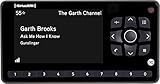
- Receiver only
- Requires Docking station, antenna, and power adapter to function (Sold seperately)
- Open Microsoft Store on a compatible Windows 10 PC or tablet.
- Search for SiriusXM and select the official application.
- Choose Install.
- Launch the app after installation.
- Sign in with a SiriusXM account or subscribe.
The Store URL is an archival reference. Its current availability, supported operating-system versions and installability of the original client have not been verified.
What should Windows users do today?
Do not assume that a 2016 Windows 10 Store package remains available, works on Windows 11 or can still authenticate against SiriusXM’s current service. If the old listing is missing, the practical fallback is SiriusXM’s current web experience or a currently supported app. Avoid unofficial executable downloads and software mirrors.
Free tools Windows power users keep installed
One-click scans. No signup required.
Choose an app-only plan if you need SiriusXM primarily on a computer or other connected devices. A car-plus-app plan makes more sense when the same account must cover satellite or in-car listening. Check the current plan terms before subscribing because promotional pricing and renewal rates change.
Rank #4

- SUBSCRIPTION REQUIRED - Activate your radio/tuner with the All Access Plan and enjoy 165+ channels of ad-free music, plus sports, news, talk & comedy.
- BLUETOOTH CONNECTIVITY - Connect to your car's audio system via Bluetooth audio streaming, Aux or FM audio output for instant access to SiriusXM.
- MAGNETIC MOUNTING OPTIONS - Choose versatile magnetic vent or dash mount options (included) or a compatible alternative mounting solution (sold separately).
- CONTROL YOUR CONTENT - Pause, rewind, and replay up to 60 minutes of live satellite radio programming; plus, enjoy advanced music features, such as TuneStart, which allows you to restart songs from the beginning on your favorite channels.
- WHAT’S IN THE BOX - SiriusXM Roady BT display and cable, intelligent power adapter, 3.5mm aux audio cable, magnetic adapter, wedge, vent and dash mounts, magnetic mount antenna
How does SiriusXM compare with general internet-radio services?
Services such as Spotify, Pandora, TuneIn and iHeartRadio can be alternatives when the goal is internet audio rather than SiriusXM’s particular programming. They are not interchangeable catalogs:
- SiriusXM: curated live channels, talk, sports, comedy, news and SiriusXM-exclusive on-demand content.
- Spotify: primarily music catalogs, playlists, podcasts and algorithmic discovery.
- Pandora: personalized artist- and genre-based stations.
- TuneIn: internet radio, terrestrial stations, news, sports and podcasts, with availability varying by location.
- iHeartRadio: broadcast-radio brands, music stations, podcasts and iHeart programming.
Current prices for those alternatives are not included here because they were not independently verified.
Common problems with the old Windows client
- The Store listing is absent: the application may have been delisted, renamed or retired.
- Sign-in fails after installation: the legacy client may no longer be accepted by SiriusXM’s authentication system.
- A phone cannot find the app: the launch report did not establish Windows phone support, and Store compatibility may have excluded that device class.
- Playback fails: use a current supported browser or app rather than assuming the 2016 client remains compatible.
- The expected satellite signal is missing: PC playback was internet streaming, not direct satellite reception.
- The displayed price differs: offers depend on date, region, eligibility, plan, taxes and automatic-renewal terms.
The Bottom Line
The June 23, 2016 release was a genuine SiriusXM Windows 10 app launch for PCs and tablets, with live and on-demand streaming features. It should be understood as a historical internet-streaming client—not satellite reception for a computer—and the surviving coverage does not conclusively prove what happened with Windows phones or whether the old Store app remains usable today.
Quick Recap
Product prices and availability are accurate as of the date/time indicated and are subject to change. Any price and availability information displayed on Amazon at the time of purchase will apply.




