Some links on this page are affiliate links: if you buy through them we may earn a commission, at no extra cost to you.
Yes—you can read some Barnes & Noble NOOK books without a NOOK device or desktop app. NOOK for Web opens compatible eBooks in a desktop or laptop browser after you sign in to your Barnes & Noble account. It does not support every title, and it lacks several tools readers may expect, including notes, highlights, bookmarks and in-book search.
What NOOK for Web is—and who it suits
NOOK for Web is Barnes & Noble’s browser-based reader for compatible NOOK eBooks and samples. You access it through your NOOK Library on bn.com; there is no separate desktop program to install. It can be useful if you already own NOOK books and want to read them on a Windows PC or Mac, or if you want to try a compatible sample before buying.
A NOOK device is not required. You do need the Barnes & Noble account associated with the purchase or redemption, and the particular title must be enabled for Web reading. Barnes & Noble’s NOOK for Web support page, last updated June 24, 2025, describes the service for desktop and laptop computers.
Windows Errors? Fix Them Before They Spread
Repair common Windows errors and clear accumulated junk for a smoother, more stable PC - no reinstall needed.Free scan · no reinstallOutdated Drivers Are Slowing You Down
One free scan finds every outdated or missing driver and matches the right update for your exact hardware.Free scan · exact hardware matchHow to open a NOOK book in a browser
- Open your NOOK Library on the Barnes & Noble website.
- Sign in with the account used to buy or redeem the book. If you have more than one Barnes & Noble account, check that you are using the one containing the title.
- Find the book. Look for an arrow on the folded corner of its cover image; Barnes & Noble uses this marker to identify titles compatible with NOOK for Web.
- Select the title or cover. If it is compatible, it opens in the browser reader.
- Use the reader’s navigation and appearance controls as needed.
For a book with a Table of Contents, use it to move between sections. You can turn pages by clicking the left or right edge, or scroll with a mouse wheel. Select the “Aa” control to adjust the font, text size or layout; full-screen reading is also available, according to the Barnes & Noble guide.
#1 Best Overall

- Carry your library with you (32GB of storage)
- Highest Resolution -A 6Inches high-resolution 300-dpi screen with built-in glare- scratch- and fingerprint-resistant lens provides a paper-like reading experience.
- Comfortable Design with Page-turning -Soft-touch finish makes it easy to grip and comfortable to hold for hours at a time. Touch screen or physical page-turning buttons to help you navigate the way you like it.
- Long Battery Life -It’s perfect for long road trips or even travel to remote corners of the world. Read for weeks on a single charge. Get going and never look back.
Supported browsers and devices
Barnes & Noble lists these browser brands for NOOK for Web. Its cited guidance names no minimum browser versions, so the list should not be read as a guarantee for every release or configuration.
| Device or browser | What Barnes & Noble documents |
|---|---|
| Desktop or laptop using Microsoft Edge | Listed browser |
| Desktop or laptop using Google Chrome | Listed browser |
| Desktop or laptop using Mozilla Firefox | Listed browser |
| Desktop or laptop using Safari | Listed browser |
| Phone or tablet browser | Not documented as supported; the NOOK for Web guide specifies desktop or laptop use |
| Android or iOS device | Use the NOOK app for the relevant mobile platform rather than assuming the browser reader works there |
The browser list and device scope above reflect Barnes & Noble’s support page as last updated June 24, 2025. For mobile reading, Barnes & Noble directs customers to its NOOK apps; its digital-content buying guidance says iOS and Android apps do not include a Shop feature.
Which books work in NOOK for Web?
Web access is title-specific, not a guarantee attached to every purchase in a NOOK library. Barnes & Noble says availability is limited to eBooks whose publishers permit Web distribution and that are technically compatible. Check for the folded-corner arrow on the cover in your library. If a free sample is available, opening it from the Digital Library can also help: Barnes & Noble says that a sample that cannot be opened in NOOK for Web indicates that the title is not compatible. Treat the sample as a useful check, not a guarantee of every aspect of the full book’s behavior.
Quick wins for a faster PC:
Repair Windows errors before they cause bigger problemsFix Now →Scan for outdated or missing drivers - takes under a minuteDriver Scan →The support page specifically excludes magazines, newspapers, NOOK Kids books and PDFs. A standard eBook may still be unavailable if its publisher has not permitted Web distribution, or if the title does not meet the reader’s compatibility requirements.
Rank #2

- Listen to your favorite audiobooks with Bluetooth or headphones
- Read easily, everywhere
- Waterproof design allows you to read anywhere without worry
- Perfect reading day to night with night mode
- Soft touch finish on front and back for easy grip
What the browser reader does not provide
NOOK for Web is geared toward straightforward reading, rather than replacing all functions of the NOOK apps or devices. Barnes & Noble’s current cited guidance says the reader does not offer the following:
- Highlights, notes, bookmarks or annotations.
- Find in Book.
- Reading magazines, newspapers, NOOK Kids books or PDFs.
- Transferring or sideloading your own eBook files into the Web reader. Barnes & Noble describes this restriction in its guidance on eBooks that can be transferred to a NOOK.
The cited NOOK for Web guidance does not establish offline access, text-to-speech, copying, printing or book downloads. Do not count on those capabilities without checking current Barnes & Noble documentation for the specific feature. If you need annotations or in-book search for study, the documented Web reader is a poor fit.
Buying a NOOK eBook and reading it online
Barnes & Noble says NOOK eBooks are purchased through bn.com. Its buying guidance says the iOS and Android apps have no built-in Shop feature, so buying and reading are separate steps:
- Purchase the eBook on the Barnes & Noble website.
- Sign in to NOOK for Web with the same Barnes & Noble account used for the purchase.
- Find the purchase in your NOOK Library.
- Open it if the title is marked as compatible with the Web reader.
A purchase appearing in your library does not by itself mean it can be read in a browser. Check compatibility before buying if desktop-browser reading is essential to you.
Rank #3
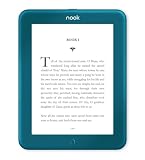
- Carry your library with you (32GB of storage)
- Highest Resolution -A 6Inches high-resolution 300-dpi screen with built-in glare- scratch- and fingerprint-resistant lens provides a paper-like reading experience.
- Comfortable Design with Page-turning -Soft-touch finish makes it easy to grip and comfortable to hold for hours at a time. Touch screen or physical page-turning buttons to help you navigate the way you like it.
- Long Battery Life -It’s perfect for long road trips or even travel to remote corners of the world. Read for weeks on a single charge. Get going and never look back.
Why the old NOOK desktop apps are not the current route
Barnes & Noble says its legacy NOOK for PC and NOOK for Mac applications are no longer updated, and points users toward current NOOK apps and NOOK for Web. The company also says the NOOK for Windows app stopped being available for new Microsoft Store downloads on November 29, 2023. An existing installation is not a path Barnes & Noble recommends relying on as a currently supported option. See its pages on NOOK for PC and Mac and the NOOK Reading App for Windows.
What to check if a book will not open
- No compatibility arrow: The title may not be enabled for Web reading. Publisher permission or technical compatibility can limit access even when a book appears in your library.
- A sample will not open: Barnes & Noble identifies this as an indication that the title is not compatible with NOOK for Web.
- The title is a magazine, newspaper, NOOK Kids book or PDF: These categories are excluded from the browser reader in the cited support guidance.
- The title is missing: Confirm that you signed in with the account used to buy or redeem it.
- You are on a phone or tablet browser: The cited service documentation covers desktop and laptop use; use the NOOK app for mobile reading.
- You need offline reading or study tools: The support page does not establish offline access, and it specifically says notes, highlights, bookmarks, annotations and Find in Book are unavailable in the Web reader.
If those checks do not explain the problem, the cited support page does not specify a technical fix for every failure. Avoid treating an old desktop-app installer or an unofficial download as a supported workaround.
NOOK for Web compared with the alternatives
| Option | Best suited to | Relevant distinction |
|---|---|---|
| NOOK for Web | Simple reading of compatible NOOK titles on a desktop or laptop | Browser-based; title compatibility varies; annotations and in-book search are unavailable |
| NOOK mobile app | Reading on an Android or iOS device | Barnes & Noble says purchases are made on bn.com rather than through an in-app Shop |
| Physical NOOK device | Readers who prefer a dedicated reading device | Device access is separate from Web-reader compatibility; the existence of a device does not make every title browser-readable |
| Kobo Web Reader | Readers who want a browser reader documented for computers and smartphones | Kobo says audiobooks are not supported in its Web Reader; see Kobo’s support page |
Barnes & Noble announced a NOOK Reading Tablet 8.7 in February 2026 in collaboration with Lenovo, with 64 GB of internal storage and support for up to 128 GB using a separately purchased microSD card. Those are device specifications from the company announcement, not evidence that every NOOK title works in NOOK for Web.
For a documentary viewer who already owns Barnes & Noble eBooks, NOOK for Web is the simplest no-install route when the title is compatible and basic desktop reading is enough. Choose a mobile app for phone or tablet reading, or consider a dedicated device if you prefer reading away from a computer screen. If browser access is a must, verify a title’s compatibility before purchase.
Quick Recap
Product prices and availability are accurate as of the date/time indicated and are subject to change. Any price and availability information displayed on Amazon at the time of purchase will apply.

