Quick wins for a faster PC:
Fix the driver behind crashes, sound loss and screen glitchesFind Drivers →Repair Windows errors before they cause bigger problemsFix Now →Minuet is a free, open-source music-education app from KDE for practicing ear training, rhythm, clapping, and singing. It is aimed at musicians who want short, repeatable exercises—not people looking for a music player, trivia database, or complete course with lessons and explanations. Its strongest feature is focused listening and performance practice; its main limitation is that it works best alongside instruction or other learning materials.
What is Minuet?
Minuet is a desktop music-education application built around aural skills: hearing musical patterns and recognizing or performing them. It offers exercises in intervals, chords, scales, and rhythm, including microphone-based clapping and singing activities. The project is free and open source under GPL-2.0-or-later. KDE describes it as an education app and lists Linux, Windows, and macOS platforms on its official Minuet page.


It is not a full music-theory curriculum. Minuet can help reinforce musical listening and pitch or rhythm recognition, but it does not replace a method book, teacher, notation course, or instrument-specific training.
What can you practice?
Intervals
Interval exercises train you to recognize the distance between notes. Depending on the exercise, Minuet plays a prompt and asks you to choose the matching interval. Some activities relate a note to a played root, helping you hear how pitches connect rather than treating each note in isolation.
#1 Best Overall
Chords
Chord exercises cover qualities and structures such as triads, inversions, suspended chords, and extended chords including sevenths, ninths, and elevenths. The point is to identify the sound of a chord, not to teach every theoretical detail behind its construction.
Scales and modes
Scale exercises let you hear or sing notes in sequence. They can help you become more familiar with the sound and contour of scales and modes, and with how a sequence relates to its starting pitch.
Rhythm and clapping
Rhythm activities include listening to patterns and reading patterns to clap them, including examples with rests. In performance exercises, Minuet listens through a microphone and compares the timing of detected claps with the target pattern. A count-in precedes the recording or evaluation.
Singing and pitch matching
Singing exercises may ask you to sing an interval relative to a played root or perform a scale or mode. Minuet uses microphone input to compare the sung pitch and timing with the requested target. You can choose a voice class to better match the expected range and adjust pitch and timing tolerances. The quality of feedback depends on the microphone, room noise, and settings; treat it as practice guidance, not a substitute for a teacher’s assessment.
Crashes, No Sound, or Screen Glitches?
Random freezes, missing sound and display glitches usually trace back to one bad driver. Find and replace yours safely.Free scan · under a minutePC Slower Than It Used to Be?
A free scan shows the junk files, broken settings and background clutter dragging Windows down - then fixes them in one click.Free scan · Windows 10 & 11Rank #2

- Learn by Listening: With our revolutionary device, you can master music theory by reading the cards and listening to the music being played. Memorize notes in staff notation while training your ear to recognize notes like Do-Re-Mi, for enhanced aural skills.
- Learn Faster, Play Better: Strengthen sight-reading, ear training, and rhythm skills simultaneously with interactive audio-visual flashcards that adapt to your learning pace. Perfect for beginners and advanced musicians seeking faster mastery.
- Say Goodbye to Traditional Flashcards: Our innovative audio-visual flashcards combine sound and visuals to improve timing, rhythm, and accuracy. Learn music theory with your eyes and ears for a more dynamic and effective experience.
- 50 Reversible Cards for a Strong Foundation: Gain a comprehensive understanding of music theory with 50 double-sided cards covering clefs, notes, bass, treble, tempo, dynamic signs, intervals, note values, rests, time signatures, key signatures, music symbols, and more! Plus, listen as the player demonstrates each concept.
- Your Shortcut to Mastery: Master music theory in less time with a system designed to teach, reinforce, and test all at once—ideal for students of any skill level.
The current handbook describes the main categories as chords, intervals, rhythm, and scales. The exercise browser is built from installed exercise-specification files, so categories and the visible list can vary by installation. Avoid relying on a fixed exercise count: older coverage’s “nearly 40” figure is not a guaranteed current catalog.
How a practice session works
- Choose an exercise category in the exercise browser.
- Select a practice mode, such as listening and identifying, clapping, or singing, where available.
- Play the prompt and listen carefully; rhythm exercises may show a pattern to perform.
- Answer or perform: select an answer, clap the rhythm, or sing the requested notes.
- Review and continue. The handbook documents controls including New Question, Play Question, Give Up, Start Test, and Stop Test. In test mode, Minuet runs a configured sequence of questions.
The Minuet handbook explains the exercise modes and controls. If an exercise feels too fast or the input scoring seems unrealistic, adjust the settings before deciding the app is unsuitable.
Installing Minuet
Linux: software center or Flathub
On Linux, look for Minuet in your distribution’s software center or KDE Discover. KDE also links to the Flathub package. If Flatpak is installed and Flathub is configured, install and launch it from a terminal with:
flatpak install flathub org.kde.minuet
flatpak run org.kde.minuet
The Flathub application ID is org.kde.minuet. Its listing identifies x86_64 and aarch64 builds and requests audio playback and microphone access. Package size and other listing details can change over time; check the current Flathub page for what is available for your system.
Windows and macOS
KDE lists Windows and macOS alongside Linux, but its clearest stable installation path is for Linux. The official page also offers nightly installers for Windows and macOS on Apple Silicon and Intel. Nightly builds are testing versions and may be less stable; use them only if you need a build not available through the stable route. Do not assume packaging or features are identical across operating systems. The current KDE page does not list Android among its supported platforms, so older claims of Android support should not be taken as confirmation of a current release.
Release status
As of August 18, 2026, the latest stable release shown on KDE’s page was version 0.4.0.26043, dated July 2, 2026. Check the official release listing before installing, since release information can change.
Microphone setup and scoring
Clapping and singing require a working microphone and operating-system permission to use it. Background noise, microphone placement, and input-device selection can all affect detection. For more dependable results:
- Confirm the operating system has granted Minuet microphone access and that the intended input device is selected.
- Use Calibrate Silence in a quiet environment so the app can account for the room’s noise floor.
- Check whether the input responds to speech, a clap, or singing before starting an exercise.
- Keep the count-in in mind and perform after it begins recording.
- If scoring remains too strict, adjust pitch tolerance for singing or timing tolerance for clapping. Recalibrate after moving to a noisier space.
Different problems call for different adjustments. A wrong sung note is a pitch issue; starting a note or clap too early or late is a timing issue; background sound triggering detection is a noise-floor or input-gate issue. Advanced settings expose detection methods and thresholds. If changes make results worse, use Reset to Defaults and start again.
Rank #4
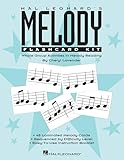
- Classroom Kit - Grades 3 through 8
- Composer: Cheryl Lavender
Settings worth knowing
- Exercise speed: Set the tempo in beats per minute. Lower it while learning a pattern.
- Number of rhythm patterns: Choose how many patterns a rhythm-practice set contains.
- Number of exercises: Set the length of a test sequence.
- Volume and instrument: Adjust playback loudness and the sound used for melodic prompts.
- Voice class: Select an expected vocal range more suitable for the singer.
- Pitch and timing tolerances: Change how closely a sung note or clap must match the target.
Advanced controls can affect onset detection, input gating, silence levels, pitch detection, pitch confidence, and stable-pitch frames. Unless you have a specific recognition problem to solve, begin with the ordinary settings and change advanced thresholds only deliberately.
Independent reader supportYour contribution helps us test, update, and keep practical guides available for everyone.Custom exercises for teachers and advanced users
Minuet’s exercise list is extensible: it loads exercise definitions from JSON specification files at startup. Files can define categories and nested groups, as well as exercise details such as the name, description, root, playback mode, answer options, and sequence from the root. Separate files can contribute to existing categories, which is one reason two installations may show different exercise trees.
The handbook describes placing custom files in a minuet/exercises/ directory under the generic data location. To find that location on systems with the Qt utility installed, run:
qtpaths --paths GenericDataLocationThis is an advanced customization route, not a step required to install or use the standard exercises. See the handbook’s custom-exercise section for the file structure.
Best Value

- Collection (with audio & PDF access)
- Pages: 72
- Instrumentation: Choral
- Voicing: BK/AUD CODE
Strengths and limitations
Minuet is a good fit if you want free, focused desktop exercises for intervals, chords, scales, rhythm, or singing; want microphone-based clapping or pitch feedback; or value an open-source tool that can be extended with custom exercises.
Look elsewhere or add another resource if you need step-by-step theory lessons, a video curriculum, instrument technique instruction, sight-reading as the main focus, social features, or extensive progress analytics. Minuet’s exercises give you practice, but they are not a comprehensive course. Microphone-based feedback also depends on your room, hardware, calibration, and chosen tolerances.
Bottom line
Minuet is worth trying if your goal is repeated aural practice and you are comfortable learning through exercises. Install the stable build where possible, start with a manageable tempo, and calibrate your microphone before clapping or singing. If you are beginning music from zero and need explanations, notation lessons, or a structured curriculum, use Minuet as a supplement rather than your only learning resource.
Quick Recap
Product prices and availability are accurate as of the date/time indicated and are subject to change. Any price and availability information displayed on Amazon at the time of purchase will apply.
The Tool Desk
Outbyte Driver Updater FREEScan for outdated or missing drivers - takes under a minuteDriver Scan →Outbyte PC Repair FREERepair Windows errors before they cause bigger problemsFix Now →



