Some links on this page are affiliate links: if you buy through them we may earn a commission, at no extra cost to you.
The simplest way to watch The Chosen is to install the official app directly on a compatible TV platform: Roku, Apple TV, Google TV/Android TV, or Amazon Fire TV. Seasons 1–5 are currently available free in the official app. If your television does not support the app, use Chromecast or AirPlay from a phone, connect a computer with HDMI, or add a supported streaming device.
Compatibility depends on your TV’s operating system and device generation—not simply whether the television is labeled “smart.”

Choose the best way to watch
| What you have | Best option |
|---|---|
| Roku TV or Roku player | Install the app from the Roku Streaming Store |
| Amazon Fire TV | Install the app from the Fire TV app store |
| Apple TV | Install the app from the tvOS App Store |
| Google TV or Android TV | Search for the app in Google Play or the TV’s app store |
| Chromecast-compatible TV or device | Cast from the mobile app |
| AirPlay-compatible TV or Apple TV | Use AirPlay from an iPhone or iPad |
| Unsupported smart TV | Use a laptop or desktop computer with HDMI |
| No compatible device | Add or borrow a supported Roku, Fire TV, Google TV, or Apple TV device |
The official device-support information lists Roku, Apple TV, Google TV, Amazon Fire TV, Chromecast, and Apple TV AirPlay. Android TV is also referenced in the current app requirements.
The Tool Desk
Outbyte PC Repair FREERepair Windows errors before they cause bigger problemsFix Now →Outbyte Driver Updater FREEScan for outdated or missing drivers - takes under a minuteDriver Scan →Install The Chosen app directly on your TV
Roku
- Press Home on the Roku remote.
- Open the Streaming Store or channel store.
- Search for The Chosen.
- Select the official app and choose Add app.
- Open it, then choose an episode or select Sign In.
If the app does not appear, check your Roku model under Settings → System → About. Roku compatibility is model-specific; the official Roku compatibility page contains the current model-number list.
#1 Best Overall

- COMPLETE 5-SEASON CHRISTIAN DVD COLLECTION – Experience The Chosen, the groundbreaking Jesus TV series that brings the Gospels to life. This 5-season DVD box set follows Jesus’ journey from His first miracle to His final Passover, capturing every moment of His ministry on earth.
- 40 INSPIRING EPISODES + CHRISTMAS EPISODE– Includes 40 episodes and the heartwarming Christmas episode “The Shepherd” (included on the 1st season disc). With over 2,300 minutes of content, this faith-based series is perfect for families, Bible study groups, and churches.
- HIGH-QUALITY VIDEO & AUDIO – Enjoy stunning 16:9 Anamorphic Widescreen visuals and Dolby 5.1 Surround Stereo (English) for a true cinematic experience. English subtitles included for easy viewing and accessibility.
- FAITHFUL & FAMILY-FRIENDLY STORYTELLING – Journey alongside Jesus and His disciples through powerful, emotional storytelling rooted in Scripture. A meaningful Christian gift set that inspires faith and reflection for viewers of all ages.
- PERFECT GIFT FOR BELIEVERS & CHURCH GROUPS – This complete The Chosen DVD collection makes a wonderful gift for Easter, Christmas, baptisms, or Bible study groups. A must-have for anyone looking to deepen their understanding of Jesus’ life and teachings.
Amazon Fire TV
- Open Apps from the Fire TV home screen.
- Search for The Chosen.
- Select the official app.
- Choose Get, Download, or Install, depending on the interface.
- Open the app and start watching.
The current requirements information lists Fire TV support beginning with Fire OS 6.0 and third-generation Fire TV hardware. Older devices may not be compatible.
Apple TV
- Open the App Store.
- Search for The Chosen.
- Select the official app and choose Get.
- Launch the app from the Home Screen.
The current stated Apple TV requirement is tvOS 15.0.
Google TV or Android TV
- Open the Google Play Store or your TV’s app store.
- Search for The Chosen, including the full title.
- Select the official app and install it.
- Open the app and begin playback or sign in.
Google TV and Android TV are listed in the official support material, although availability can still vary by television model, region, and software version. If the app is not shown in your store, use one of the fallback methods below.
Rank #2

- The Table is Set. The people of Israel welcome Jesus as king while His disciples anticipate His crowning. But—instead of confronting Rome—He turns the tables on the Jewish religious festival.Their power threatened, the country’s religious and political leaders will go to any length to ensure this Passover meal is Jesus’ last.
- The Chosen Season Five- 3-disc DVD, 8 episodes
- English subtitles available
- Region free
Do you need an account?
No account is required to try watching available episodes, according to the current app information. Open the app and select an episode first. An account is useful for features such as sign-in and synchronizing viewing across devices.
To sign in on a TV:
- Open The Chosen app and select Sign In.
- Scan the QR code shown on the TV, or visit the short link displayed there.
- Sign in with Apple, Google, Facebook, or email.
- Return to the TV; the app should sign in automatically.
If you originally created your account with an email address and password, choose Continue with Email. The official TV login instructions note that an existing email-and-password account cannot currently be switched to a social-login method.
Cast The Chosen from a phone
Use casting when the native TV app is unavailable but your TV or connected device supports Chromecast or AirPlay. Ordinary screen mirroring is not guaranteed to work with every smart TV.
Rank #3
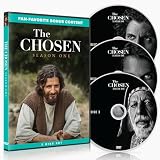
- BONUS EDITION WITH 3 DISCS: This expanded Season 1 DVD set includes a third disc filled with bonus content videos for fans who want more from the world of The Chosen.
- ENGLISH & SPANISH VIEWING OPTIONS: Includes English and Spanish subtitles and audio dubs, making it easier to watch and share with more family members, friends, and groups.
- REGION FREE DVD SET: Designed for broad DVD compatibility, this Season 1 Bonus Edition is a meaningful gift for fans, families, small groups, and anyone discovering The Chosen for the first time.
- COMPLETE SEASON 1 DVD SET: Includes all 8 episodes from the ground-breaking first season of The Chosen, the first multi-season series about the life of Jesus and His disciples.
- SEE JESUS THROUGH THE EYES OF THOSE WHO KNEW HIM: A charismatic fisherman drowning in debt. A troubled woman wrestling with real demons. A tax collector rejected by his family and his people. A religious leader questioning what he thought he knew.
Chromecast
- Install the official app on an iPhone, iPad, or Android phone.
- Connect the phone and Chromecast-compatible TV or device to the same Wi-Fi network.
- Open an episode.
- Tap the Cast button when it appears.
- Select your TV or Chromecast device and start playback.
AirPlay
- Install and open the app on an iPhone or iPad.
- Connect the Apple device and AirPlay-compatible TV or Apple TV to the same Wi-Fi network.
- Start an episode and tap the AirPlay control.
- Select the television or Apple TV.
Casting is convenient, but native playback is usually better when subtitles or dubbed audio matter. The official subtitle and casting guidance says selected subtitles should carry over in many cases, while noting that Fire Stick and Samsung Smart TV casting do not support subtitles or audio dubs. If the wrong language appears, try selecting it on the casting device or use the native app instead.
Do these 3 things before closing this tab:
1Clear out junk files and repair common Windows errors2Scan for outdated or missing drivers - takes under a minute3Repair Windows errors before they cause bigger problemsWhat if your smart TV cannot find the app?
Search for The Chosen, not just “Chosen,” then identify the TV’s operating system. A Samsung, LG, Sony, Vizio, Hisense, or Philips television may be smart without running one of the currently listed app platforms. The brand alone does not establish compatibility.
You have three practical choices:
- Add a supported streaming device. Choose a platform that fits your existing setup: Apple TV for an AirPlay-focused household, Roku for a Roku setup, Fire TV for an Alexa/Amazon household, or Google TV for a Google/Android household.
- Cast from a phone. This works when the television or an attached device supports Chromecast or AirPlay.
- Use HDMI from a computer. Open the official The Chosen website on a laptop or desktop, connect the computer to the TV with an HDMI cable or suitable adapter, select the correct HDMI input, and play the episode.
Current device requirements
The requirements below reflect the official requirements page checked in August 2026. App stores may impose additional model or regional restrictions.
Free tools Windows power users keep installed
One-click scans. No signup required.
| Platform | Stated requirement |
|---|---|
| Apple TV | tvOS 15.0 |
| Roku | Roku OS 9.3 |
| Android TV / Fire TV | Android 6.0 / Fire OS 6.0; third-generation Fire TV |
| iPhone/iPad and Android mobile | Use the latest app on a currently supported device; older support pages list different minimums |
Fix freezing, crashes, missing login options, or playback problems
- Confirm that the TV or streaming device is connected to the internet.
- Close and reopen The Chosen app.
- Restart the TV or streaming device.
- Install any available app and system updates.
- Uninstall and reinstall the app.
- Check the device model and operating-system version against the current requirements.
- If a newer QR-code or social-login option is missing, update or reinstall the app; official support specifically recommends this for newer login options.
- Try watching at thechosen.tv on a computer or mobile device.
- Try Chromecast or AirPlay if your equipment supports it.
- Use HDMI from a computer if app-based methods continue to fail.
For Roku problems, check the model number at Settings → System → About and compare it with the official compatibility list. An unsupported Roku may not display the app regardless of troubleshooting.
Best Value

- SEE JESUS THROUGH THE EYES OF THOSE WHO KNEW HIM: A charasmatic fisherman drowning in debt. A troubled woman wrestling with real demons. A tax collector ostracized by his family and his people. A religious leader struggling with his beliefs.
- THE CHOSEN: The #1 crowdfunded media project in entertainment history, is the first multi-season show about the life of Jesus Christ and His disciples.
- This two-disc DVD set features all 8 episodes of Season 1, The Shepherd pilot episode, and a special message from the director.
- English and Spanish Subtitles Available
- Region Free
Are all seasons free?
According to the official Seasons 1–5 information, those seasons are currently available free in the official app. The current app listing describes the service as free, ad-free, and without a subscription. DVDs and Blu-rays are optional; they are not needed for smart-TV viewing.
Do not assume that every future season, special, or release is permanently free on every service and in every country. The official website says availability on other streaming services can vary by season, market, and release window. Its current episode information lists Season 6 as planned for Prime Video in fall 2026, with the specific date not announced on that source page. Availability may differ outside the United States.
Bottom line
Start by searching your TV’s app store for the official The Chosen app. Roku, Fire TV, Apple TV, and Google TV/Android TV are the most direct routes. If your smart TV uses another platform, cast through supported Chromecast or AirPlay equipment; otherwise, HDMI from a computer is the dependable fallback. For Seasons 1–5, the official app is currently the simplest free option.
Recommended Free Tools
Quick Recap
Product prices and availability are accurate as of the date/time indicated and are subject to change. Any price and availability information displayed on Amazon at the time of purchase will apply.

