Recommended Free Tools
Some links on this page are affiliate links: if you buy through them we may earn a commission, at no extra cost to you.
There is no general free unlock for an active members-only YouTube video. You can watch without paying yourself only when YouTube offers an eligible channel-membership trial, another viewer or the creator gifts you a membership, or the creator has scheduled the video for a public release. Otherwise, playback requires the membership level selected by that channel. Seeing a thumbnail, receiving a notification, subscribing, or having YouTube Premium does not by itself grant that entitlement.
| Option | What you need | Best for |
|---|---|---|
| Official channel-membership trial | An eligible account, channel and promotion shown in the Join flow | Trying a membership for a limited period at no charge |
| Gifted membership | Channel gifting support and YouTube opt-in eligibility | Viewers who can receive one month of perks from a creator or another viewer |
| Members-first public release | A creator-configured date when the video becomes public | Watching permanently after the scheduled release |
| Official promotion or discount | The promotional link supplied by YouTube or the creator | Reducing the cost when no free trial is offered |
What does members-only mean on YouTube?
A members-only video is a channel-membership perk. YouTube explains that anyone can find one, but only members at the right levels can watch it. Creators can assign a video to one or more membership levels, so joining a channel is not always enough if the video is reserved for a higher tier. The official explanation is available in YouTube Help’s members-only video guidance.
The thumbnail may appear on the creator’s Memberships, Content or Posts tabs and can also surface in Home or Subscriptions feeds. Discovery is not authorization: a notification tells you that content exists, not that your account can play it. A video marked members-first is a special case. The creator can show it to members before releasing it publicly, so its status may change later without any action from you.
How can I watch a members-only video without paying myself?
Use one of the creator- and YouTube-authorized paths below. Each has a different controller, duration and outcome; none is a universal bypass.
Popular on Amazon

- HD streaming made simple: With America’s number 1 TV streaming platform,* exploring popular apps—plus tons of free movies, shows, and live TV—is as easy as it is fun. *Based on hours streamed—Hypothesis Group
- Compact without compromises: The sleek design of Roku Streaming Stick won’t block neighboring HDMI ports, and it even powers from your TV alone, plugging into the back and staying out of sight. No wall outlet, no extra cords, no clutter.
- No more juggling remotes: Power up your TV, adjust the volume, and control your Roku device with one remote. Use your voice to quickly search, play entertainment, and more.
- Shows on the go: Take your TV to-go when traveling—without needing to log into someone else’s device.
- TV, simplified: With setup that only takes minutes, a simple-to-navigate Home Screen, and an uncluttered remote control that does all you need—Roku makes it easier to watch the TV you love.
1. Claim an official channel-membership trial
YouTube’s creator documentation describes trials that can let an eligible viewer become a member for one month at no charge. Availability depends on the channel, promotion, account and region, so a trial shown for one channel or viewer may not appear for another. Start from the video or channel’s Join flow and read the checkout screen before accepting. The trial information is described in YouTube’s channel-membership trial guidance.
A free trial is different from a reduced-price offer. Confirm that the total due is zero, note the end date and check whether recurring billing is presented. If the screen shows a price, you are looking at a paid membership or discount, not a free trial. Do not assume a generic membership page will reveal an offer that YouTube has targeted through a specific promotion.
2. Receive a gifted membership
Gift memberships let a creator or viewer buy one month of channel-membership perks for other viewers, as YouTube states in its gift-membership help page. The channel must support gifting, and you must meet YouTube’s eligibility and opt-in requirements. A gift normally applies to the channel and level offered by the giver; it is temporary rather than a permanent unlock.
To improve your chances, open the channel’s gift settings when that control is available and follow the opt-in instructions while signed in. A gift does not transfer to every channel, and it may not cover a video reserved for a higher level than the gifted one. When the month ends, the video returns to its normal entitlement unless you join or the creator makes it public.
Also popular on Amazon

- Our fastest-ever streaming media player - Brings lightning-fast app starts with an octa-core processor and is 2X as powerful as Fire TV Stick 4K Max.
- The newest Fire TV experience (2026) – Our biggest update to Fire TV has a new, modern design that gets you to your entertainment fast. Browse dedicated content categories, pin more of your favorite apps, and get personalized recommendations from Alexa+. Spend less time scrolling, and more time watching.
- Smarter picks with Alexa+ – Getting to what you love has never been easier. Press the voice remote button and talk naturally to find what to watch across your apps, manage your smart home, or dive into virtually any topic.
- Hands-free Alexa with built-in mic and speakers - Control your compatible TV, soundbar, and receivers with your voice, even from across the room.
- Seamlessly navigate between your entertainment - Connect compatible devices and easily go from streaming to your cable box, game console, or webcam.
3. Wait for a creator’s members-first release
Creators can schedule a members-only video to become public. YouTube’s official members-only-content instructions explain this workflow; see the creator guidance on scheduling public releases. Once the scheduled release occurs, anyone can watch the public version without membership. There is no universal waiting period because the creator chooses the date and can change the publishing plan.
Look for a creator announcement, a public-release date or a countdown on the watch page. Do not treat a public thumbnail as proof that the file is already open. If the page still displays a membership lock, the release has not happened or your account is not entitled to that level.
4. Use an official promotion or discount
YouTube promotions can reduce the cost of a membership, but a discount is not free access. Follow the exact promotional link supplied for the offer: YouTube says an offer or discount may appear only through that official link. The conditions are outlined in YouTube’s promotions help. Check currency, eligibility, expiration and whether the offer applies to the required membership level.
What should I check before assuming the video is blocked?
Run this short diagnostic in order. It separates an account problem from a genuine membership requirement.
Also popular on Amazon
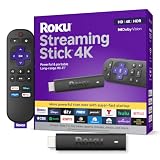
- Stunning 4K and Dolby Vision streaming made simple: With America’s number 1 TV streaming platform,* exploring popular apps—plus tons of free movies, shows, and live TV—is as easy as it is fun. *Based on hours streamed—Hypothesis Group
- Breathtaking picture quality: Stunningly sharp 4K picture brings out rich detail in your entertainment with four times the resolution of HD. Watch as colors pop off your screen and enjoy lifelike clarity with Dolby Vision and HDR10+.
- Seamless streaming for any room: With Roku Streaming Stick 4K, watch your favorite entertainment on any TV in the house, even in rooms farther from your router thanks to the long-range Wi-Fi receiver.
- Shows on the go: Take your TV to-go when traveling—without needing to log into someone else’s device.
- Compact without compromises: Our sleek design won’t block neighboring HDMI ports, so you can switch from streaming to gaming with ease. Plus, it’s designed to stay hidden behind your TV, keeping wires neatly out of sight
- Confirm the account. Sign in to the Google account that should receive the benefit. On shared televisions, browsers and family devices, verify the avatar and account email before testing playback.
- Check the channel status. Open the creator’s channel directly, then revisit the video from the channel page. A removed, private or age-restricted upload can look like a membership problem when the underlying status is different.
- Check membership status. Select Join on the eligible watch page. YouTube says the Join button appears only on eligible pages; its availability is explained in YouTube’s official membership walkthrough.
- Check the level. Compare the required level shown beside the video with the level on your account. A lower tier will not play a higher-tier upload.
- Check whether it is members-first. Read the title, description and creator posts for a planned public release. Members-first content can remain locked now and open later.
- Look for a public alternative from the creator. The creator may have posted an edited public cut, premiere, livestream replay or companion upload. Use only links on the creator’s verified channel or official site.
- Try another access path. If the app fails, test the signed-in watch page in a current browser or the official YouTube app store version. Changing device can reveal a stale cache, but it cannot create membership entitlement.
Does subscribing, liking or using a device unlock the video?
No. A free channel subscription, a like, a comment, a streaming stick, a smart television, a phone, a browser extension, a downloader or a capture device does not change the membership level attached to your account. The lock is an account entitlement enforced by YouTube, not a playback format that hardware can open.
Likewise, an unlocker, leaked link or modified app is not a creator-authorized alternative. Such tools can expose your Google credentials, install unwanted software or lead to account enforcement, and they do not provide a reliable legal entitlement. Use only the official app store or the developer’s own site for software, and use the creator’s or YouTube’s official access flow for the video.
Does a YouTube Premium trial include members-only videos?
The official material for this question does not establish that YouTube Premium includes channel-membership perks. Premium addresses advertising and other subscription features, while a members-only video is tied to the creator’s channel-membership level. Treat a Premium or YouTube Premium trial as separate and check the specific video’s Join panel rather than paying on the assumption that Premium will unlock it.
Quick wins for a faster PC:
Fix the driver behind crashes, sound loss and screen glitchesFind Drivers →Repair Windows errors before they cause bigger problemsFix Now →Scan for outdated or missing drivers - takes under a minuteDriver Scan →What if the Join button is missing?
A missing Join button can mean the channel is not offering memberships, the video page is in an unsupported location or format, the account is not eligible, or the control is unavailable on that surface. Open the channel homepage and an individual eligible watch page in the official app or a current browser, then confirm the account and region. If the control remains absent, contact YouTube support or the creator; repeatedly refreshing or changing hardware will not manufacture a membership offer.
Also popular on Amazon

- Ask to control your TV with your voice, and quickly cast your photos, videos, music and more from your phone, tablet, or PC to your TV with Chromecast built in
- Built-in Virtual Assistant – just press the mic button on the remote to get what you want
- Built-in content and entertainment including YouTube, Play Movies & TV, and more
- Support for thousands of Apps on the Play Store
- 2K resolution TV streaming
How long will a gifted or trial membership work?
These benefits are temporary. The documented gifted-membership period is one month, while a trial’s duration and renewal terms appear in the offer presented to your account. Save the end date, review cancellation instructions and expect access to end when the benefit expires unless you purchase the required level or the creator has made the video public.
Independent reader supportYour contribution helps us test, update, and keep practical guides available for everyone.Can a creator-authorized alternative solve the problem?
Sometimes. A creator may publish a transcript, trailer, public companion video or later public cut that covers the same subject without reproducing the members-only upload. Those are legitimate alternatives, but they are not the locked video itself. Check the creator’s Posts tab, channel playlists and official website for these announcements.
There is no physical product to buy that unlocks a specific members-only upload. The access right belongs to the YouTube account and the creator’s configured level. If none of the official options appears, the accurate answer is to wait for a public release or join at the required level.
Do these 3 things before closing this tab:
1Scan for outdated or missing drivers - takes under a minute2Clear out junk files and repair common Windows errors3Fix the driver behind crashes, sound loss and screen glitchesFrequently Asked Questions
Can I watch an old members-only video with a new gifted membership?
Only if the gifted level covers that video and the upload is still available on the channel. A gift grants current channel perks for its active period; it does not guarantee access to deleted, private or higher-level videos.
Also popular on Amazon

- Ultra-speedy streaming: Roku Ultra is 30% faster than any other Roku player, delivering a lightning-fast interface and apps that launch in a snap.
- Cinematic streaming: This TV streaming device brings the movie theater to your living room with spectacular 4K, HDR10+, and Dolby Vision picture alongside immersive Dolby Atmos audio.
- The ultimate Roku remote: The rechargeable Roku Voice Remote Pro offers backlit buttons, hands-free voice controls, and a lost remote finder.
- No more fumbling in the dark: See what you’re pressing with backlit buttons.
- Say goodbye to batteries: Keep your remote powered for months on a single charge.
Will a channel membership work on every device?
The entitlement follows the signed-in YouTube account, so it can normally be used on supported devices where that account is active. Device or app differences can affect the Join control, but they do not change which level is required.
How can I tell whether a creator planned a public release?
Check the video description, creator Posts tab and channel announcements for a stated date or countdown. If no date is published, assume the creator has not promised a public release.
Can I cancel a trial before it renews?
Use YouTube’s account membership settings to review renewal and cancellation controls shown for that offer. The exact deadline and billing language are displayed during sign-up, so record them before confirming the trial.






Say something about this film