The Tool Desk
Outbyte PC Repair FREEClear out junk files and repair common Windows errorsFree Scan →Outbyte Driver Updater FREEFix the driver behind crashes, sound loss and screen glitchesFind Drivers →A library card can give you free access to thousands of films through Kanopy—including documentaries, independent films, classic cinema, and educational titles—if your public library participates. Kanopy works in a web browser, on mobile devices, and through supported smart-TV and streaming-device apps.
The exact catalog size changes and a current official source does not verify the phrase “over 30,000 movies.” The dependable promise is simpler: eligible library patrons can stream thousands of films without paying Kanopy directly, although many titles use a library-controlled monthly ticket allowance.
A library card can give you free access to thousands of films through Kanopy—including documentaries, independent films, classic cinema, and educational titles—if your public library participates. Kanopy works in a web browser, on mobile devices, and through supported smart-TV and streaming-device apps.
The exact catalog size changes and a current official source does not verify the phrase “over 30,000 movies.” Treat that number cautiously. The dependable promise is simpler: eligible library patrons can stream thousands of films without paying Kanopy directly, although many titles use a library-controlled monthly ticket allowance.
#1 Best Overall
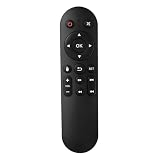
- Compatibility: The replacement IR remote control ONLY works with fnetic 4K media player HD19/HD29 Model .
- Package Included: 1 x IR Remote Control for fnetic HDMI media player ( AAA Batteries and Instructions are Not Included).
- Superior ABS material and ergonomic design provide comfortable grasp.
- The keys are responsive and feel great to touch. Infrared distances is up to 12 metres/40 feet.
- If you have any problem, feel free to contact us again, we provide one-year warranty.
What your library card actually unlocks
Your card does not automatically unlock every free streaming service. It authenticates you with a participating library, and that library decides whether its patrons receive Kanopy access and what limits apply.
Kanopy describes its library-supported service as free to viewers and without commercials. Availability varies by library system, city, country, and account type. Having a valid card from one library does not guarantee that the library offers Kanopy.
If your library does not appear when you search Kanopy, contact the library to confirm its current digital-resource offerings. You can also check whether another library system you legitimately belong to participates. Do not assume that creating a card at an unrelated library—or entering a card number from a different person—will provide access.
How to sign up for Kanopy with a library card
- Open Kanopy in a supported desktop browser, or install the Kanopy app on a compatible mobile or TV device.
- Choose Get started.
- Select Find your library or Find a public library.
- Search by library name, city, ZIP code, or location.
- Select the correct library from the results. Check the city or branch carefully if several systems have similar names.
- Enter your library-card number and PIN or password if prompted.
- Complete any age and terms confirmations.
- Create a Kanopy account with an email address and password, or use an available Apple or Google sign-in option.
The wording and order of these screens can differ. Some libraries send you through an external library-login page rather than asking for your credentials directly inside Kanopy. Follow the authentication route supplied by your library.
Do these 3 things before closing this tab:
1Scan for outdated or missing drivers - takes under a minute2Repair Windows errors before they cause bigger problems3Fix the driver behind crashes, sound loss and screen glitchesCan you add more than one library card?
Yes. If you legitimately belong to multiple participating libraries, Kanopy allows you to add one card per library to the same account. Look under My Account > My Libraries to add or manage libraries.
Rank #2
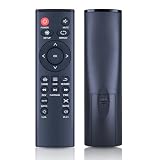
- 【Perfect Compatibility】Remote Control Fit For Mini 1080p HD Media Players HA0053B
- 【Premium Quality】With infrared 3.0 technology and better craftsmanship, the remote control signal stays strong and responds fast to your every movement while it feel great to hold and touch.And its control distance covers 32 feet and an angle of more than 120 degrees, you'll have a great using experience
- 【Easy To Use】The remote control does not need any programming or pairing, just needs to install new batteries and then it can work well for you
- 【Package】New Replacement Remote Control *1(Batteries are Not Included)
- 【Sevice】Bringing good products and services to customers has always been our pursuit.So if you have any questions about the remote control during purchase or use, please feel free to contact us and we will do our best to solve it for you,thanks!
This can be useful because participating libraries may offer different collections or different monthly ticket allocations. It is an account-management option, not a method for bypassing eligibility or access restrictions. Each added card must belong to a library that recognizes you as an eligible patron.
Is Kanopy really free?
For patrons of participating libraries, Kanopy access is free at the point of use and does not require a separate Kanopy subscription fee. But “free” does not necessarily mean unlimited access to every film.
Many public-library accounts use tickets:
- Your library sets the monthly ticket allocation.
- Different films can cost different numbers of tickets.
- The title page shows the ticket cost and viewing period before you start.
- Tickets reset on the first day of each month.
- Unused tickets generally do not roll over.
Because the library determines the allocation, there is no single monthly ticket number that applies to every Kanopy user. A library can also change its rules or temporarily limit streaming when it needs to manage its budget.
What’s actually slowing this PC down?
Pick the symptom - the matching free tool is one click away.
How to watch without spending tickets
Kanopy also has titles marked unlimited viewing or zero tickets. These titles do not reduce your ticket balance. Kanopy Kids content is also available for unlimited viewing under the applicable library arrangement.
Look for shelves labeled “unlimited viewing” or use a zero-ticket filter when available. This is the best place to start if you want a film that will not use part of your monthly allowance.
Rank #3

- 【4K@30hz Media Player】-- New updated 4K@30hz HD video picture quality with rich Sound (With Optical Port), also can be used as a music player or photo browser, gives you an experience of spectacular Full-HD video image quality
- 【HDMI / VGA /AV Output】-- There are HDMI ,VGA and AV interfaces for video output. 1080p HDMI output for sending sharp and clear video and audio in pure digital format to HDTVs, as well as composite AV output for use with analog TVs. Analog AV cable included.
- 【Supports simultaneous HDMI/VGA output】-- HDMI and VGA can output to two monitors simultaneously, but at this time, HDMI and VGA can simultaneously output up to 1080P
- 【Support Up to 14TB Hard drive, Read Up to 256G USB drive / SD card】 - It can read external USB 2.0/3.0 devices and supports external hard drives in NTFS and EXFAT formats up to 14TB. (HDD partitions do not have MBR or GPT requirements). Directly read and play SD/SDHC memory cards and FAT, FAT32, EXFAT, and NTFS formatted USB drives, supporting up to 256GB
- 【Multifunction】-- Supports repeat, zoom, fast forward, fast forward, rotate function, breakpoint playback method, start from scratch playback method and time selection playback method. It can also directly delete or copy files from USB flash drives (FAT or FA32), and can also play subtitle files and looping videos; Easy-to-use buttons and IR remote control; Suitable for digital signage applications and home theater
What happens if Kanopy access is temporarily restricted?
A library may temporarily restrict new Kanopy streaming sessions after reaching a budget or usage threshold. That does not necessarily mean your card has stopped working. Depending on the circumstances, you may still be able to finish a title you already started if its viewing period has not expired, and you may retain access to titles that do not require tickets.
If you cannot start a movie, check these possibilities:
Crashes, No Sound, or Screen Glitches?
Random freezes, missing sound and display glitches usually trace back to one bad driver. Find and replace yours safely.Free scan · under a minutePC Slower Than It Used to Be?
A free scan shows the junk files, broken settings and background clutter dragging Windows down - then fixes them in one click.Free scan · Windows 10 & 11- Make sure the library card has not expired or been blocked.
- Re-enter your current PIN or password, particularly if the library recently changed its login system.
- Check whether the library is temporarily limiting Kanopy access.
- Try a title labeled unlimited viewing or zero tickets.
- Contact the library if it no longer appears in Kanopy’s search results.
The library—not Kanopy alone—may be able to explain an eligibility, account, or temporary-budget problem.
Where can you watch Kanopy?
You do not need to buy a television or streaming stick to begin. A supported computer or mobile app may be enough.
- Computers: Current supported browsers on Windows, Mac, and Chromebook computers.
- Mobile devices: Kanopy apps for iPhone and iPad, Android devices, and Amazon Fire tablets.
- TV platforms: Android TV and Google TV, Apple TV, Fire TV, Roku devices using RokuOS 12.5 or later, and Samsung TVs using Tizen 6.5 or later.
- TV casting: Chromecast and AirPlay are documented options when your devices and network support them.
Kanopy says video playback is not supported in mobile-device web browsers, so use the mobile app rather than opening Kanopy in Safari or another phone browser. Playback requires an internet connection, and the standard player does not provide offline movie downloads. Protected video may also require a compatible DRM-capable device and display.
Rank #4

- Optional Remote Control for ACEMAX 4K HDD Media Player
- Replacement Remote Control for MICCA G3, MICCA G4 Media Player
- Optional Remote Control for JLZNLZ 4K HDD Media Player
Optional for TV viewing: Roku Streaming Stick
If your television does not have a supported Kanopy app, a compatible Roku Streaming Stick can add Roku’s app platform through an HDMI port. Check the RokuOS requirement and your television’s HDMI compatibility before buying.
Free tools Windows power users keep installed
One-click scans. No signup required.
Roku hardware is optional. It does not include Kanopy access, replace a participating-library card, or bypass ticket limits. You may already have an easier option through a computer, phone, supported smart-TV app, Apple TV, Fire TV, Android/Google TV, Chromecast, or AirPlay.
What if your library does not offer Kanopy?
Ask whether your library provides Hoopla or another digital-lending service. Hoopla may include movies and television alongside ebooks, audiobooks, comics, and music, but it is a separate service with its own catalog, borrowing limits, and app experience.
Do not expect Hoopla to have the same films or rules as Kanopy. Your library determines which service is available and how many items you may borrow.
Independent reader supportYour contribution helps us test, update, and keep practical guides available for everyone.A practical way to get the most from Kanopy
- Check eligibility first. Search for your library before spending time troubleshooting an account.
- Set up the account on a computer if possible. It is often easier to enter a card number, PIN, and email address on a full-size keyboard.
- Browse unlimited titles first. Zero-ticket and Kanopy Kids selections preserve your monthly allowance.
- Read the title page before pressing play. Confirm the ticket cost and viewing period.
- Choose your viewing device afterward. Start on the web or mobile app, then move to a supported TV platform if you prefer a larger screen.
- Keep your library information current. Renew an expiring card and update your PIN through the library if required.
In short, a participating library card can turn Kanopy into a substantial source of free, ad-free film streaming. The important qualifications are participation, library-specific ticket limits, internet access, and supported hardware—not a promise that every cardholder can watch every title without limits.
Best Value

- Compatible Models:This New Replacement Remote Control Compatible with HD Media Players Mini 1080p
- 【NOTE】Not compatible with other brands or types. Before ordering, please ensure your original remote control matches the buttons and appearance shown in the illustration. Otherwise, it may not function properly
- Easy to Use: Features an upgraded chip with built-in infrared technology. No programming or pairing required—just requires two standard AAA batteries
- Durable & Comfortable: Featuring high-quality ABS material and a newly upgraded smart chip, it delivers instant button response with precise control up to 8 meters/26 feet. Soft silicone buttons protect fingertips, while the ergonomic curved design ensures comfortable, fatigue-free use during extended daily operation
- Package included & After-Sales Service:1 * Remote Control ( Battery & Instruction Not Included.) If you have any questions, please contact us through AMZ tools and we will help you within 12 hours
Frequently Asked Questions
Is Kanopy really free?
For patrons of participating libraries, Kanopy access is free to the viewer and does not include commercials. However, many films use a monthly ticket allowance set by the library, so free access is not necessarily unlimited access to every title.
Why can’t I find my library on Kanopy?
The library may not offer Kanopy, may use a separate authentication system, or may have changed its digital-service arrangements. Contact the library and ask whether it provides Kanopy or another streaming service.
Can I watch Kanopy on my TV?
Yes, when the TV or attached device is supported. Kanopy lists Apple TV, Fire TV, Android TV/Google TV, RokuOS 12.5 or later, Samsung TVs with Tizen 6.5 or later, Chromecast, and AirPlay among its options.
Do I need a Roku to use Kanopy?
No. Roku is only one option. You can also use a supported computer, mobile app, smart TV, Apple TV, Fire TV, Android/Google TV, Chromecast, or AirPlay setup.
Can I watch Kanopy films without using tickets?
Yes. Titles marked unlimited viewing or zero tickets do not use your monthly ticket balance, and Kanopy Kids titles are also unlimited viewing under the applicable library arrangement.
Can I download Kanopy films for offline viewing?
Kanopy’s standard player requires an internet connection and does not support downloading videos for offline viewing.
The Bottom Line
Bottom line: Search Kanopy for your library, authenticate with your card and PIN, and create an account. You can stream thousands of films for free through participating libraries, but many titles use monthly tickets. Unlimited-viewing and zero-ticket titles, Kanopy Kids, and supported devices can help you get more from the service without buying extra hardware.
Quick Recap
Product prices and availability are accurate as of the date/time indicated and are subject to change. Any price and availability information displayed on Amazon at the time of purchase will apply.
Recommended Free Tools