To listen to Spotify music without an internet connection, use the Spotify app’s Download feature with a Premium account: open a playlist or album and tap or click Download. Spotify Free supports podcast downloads, but not offline music downloads. To save one song, add it to a playlist first, then download that playlist.
What you need before downloading
- The Spotify app on a supported phone, tablet, Mac, or Windows computer. These instructions cover the app, not exporting files for another player.
- A Premium plan for offline music. Spotify Free users can download podcasts, but not music.
- An internet connection to start and complete downloads, plus enough free device storage. Spotify recommends at least 1 GB free.
Spotify’s offline listening instructions cover mobile, tablet, and desktop apps. A web player or a connected speaker, television, game console, or car system should not be treated as a substitute for downloading tracks in the app on your device.
Download music on a phone or tablet
Download a playlist
- Connect to the internet and open Spotify.
- Open the playlist you want available offline.
- Tap Download.
- Wait for the download indicator to show that the playlist is downloaded.
- Open Your Library and check the playlist or downloaded-content filter, if available.
Download an album
- While online, open the album in Spotify.
- Tap Download.
- Wait for the downloaded indicator, then open the album from Your Library to check it.
Download one song
Spotify’s offline instructions do not offer a direct download control for an individual song. Add the track to a new or existing playlist, open that playlist, and tap Download. Spotify also describes this playlist method in its Premium benefits information.
Download music on Mac or Windows
- Open Spotify while connected to the internet.
- Open the playlist you want offline. On desktop, Spotify’s instructions specify playlist downloads; put an individual song in a playlist first.
- Click Download and wait for the downloaded indicator.
- To check the result, enable Offline Mode using the steps below and try playing tracks from the playlist.
Listen offline and check your downloads before you leave
Spotify normally plays downloaded content when your connection drops. You can also turn on Offline Mode to prevent the app from trying to stream material that is not downloaded. In Offline Mode, unavailable or undownloaded tracks may appear gray.
#1 Best Overall

- No Setup, Just Play: Preloaded with Spotify, Spotify Kids, Amazon Music, Pandora, Deezer, TIDAL, and YouTube Music; save time and enjoy your favorite songs, audiobooks, and podcasts the moment you power on
- Hear Every Detail, Feel Every Note: HiBy Music preloaded for lossless playback; customizable modes adapt to your style; pure, uninterrupted sound keeps you immersed in music you love
- Open Stories, Dive In: Audible, Libby, and LibriVox preloaded; enjoy rich sound, free library books, and classic tales anytime for an easy, immersive storytelling experience
- Clearer Sound, Smoother Play: 12nm CPU powers stable performance; hardware-level FLAC/APE decoding reveals richer details in every track
- Stay Synced, Play Seamless: Android 14 with Google Play keeps apps updated automatically; your playlists, favorites, and subscriptions follow you across phone, tablet, and player
Turn on Offline Mode on mobile or tablet
- Tap your profile picture.
- Select Settings and privacy.
- Open Data-saving and offline.
- Switch on Offline mode.
Turn on Offline Mode on desktop
- Mac: In the Apple menu, click Spotify, then select Offline Mode.
- Windows: Open the three-dot menu or File menu, depending on the interface, then select Offline Mode.
Menu names can differ by app version. Before a flight or trip, finish downloading while online, enable Offline Mode (or temporarily disable Wi-Fi and mobile data), then play several tracks from different parts of each playlist or album. This checks that the downloads are usable and helps catch tracks that never finished downloading.
Free versus Premium for offline listening
| Feature | Spotify Free | Spotify Premium |
|---|---|---|
| Download music for offline listening | No | Yes |
| Download podcasts | Yes | Yes |
| Download music playlists and albums | No | Yes |
Plan availability and terms vary by country. Premium Individual is the direct plan category for a single user who needs offline music; Duo, Family, and Student plans have separate household or eligibility conditions. Check Spotify’s US Premium page for current US offers and terms rather than relying on a past trial or promotional price.
Manage storage, quality, and mobile data
Downloads occupy local device storage. More tracks and higher download quality use more space; Spotify’s Premium benefits information also describes lossless listening up to 24-bit/44.1 kHz on supported devices and catalog content, but availability is not universal across tracks, devices, or app versions. Lowering download quality can help conserve storage and data.
Rank #2
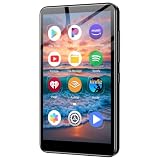
- ✅No‑Phone Streaming Music Player Built‑in WiFi & Android System, Works with Spotify, Pandora & Audible Stream your favorite music, podcasts and audiobooks directly on this music player, no smartphone required. Perfect solution for kids, teens and anyone who wants music access without the distractions, social‑media notifications of a cellphone.
- ✅32GB Large Storage + 4‑inch Smooth Touch Screen 32GB built‑in memory stores thousands of offline songs, audiobooks and videos. The responsive 4‑inch HD full touch‑screen delivers clear visuals, easy‑to‑navigate menu, friendly simple operation for children and seniors. Also works as an MP4 video player for on‑the‑go entertainment.
- ✅Stable Bluetooth Wireless Connection Advanced Bluetooth technology easily pairs with wireless headphones, earbuds and Bluetooth speakers. Enjoy tangle‑free music during school, commuting, workout, road trips or travel; you can also transfer downloaded local music files quickly.
- ✅Kid‑Friendly Safe Entertainment Choice A wonderful first portable media player for your child. Let kids enjoy Audible audiobooks, educational audio content and music, while you avoid giving them a full‑access smartphone. Lightweight, compact and portable for backpacks, car rides and outdoor activities.
- ✅All‑in‑One Multifunctional Android MP3‑MP4 Player Not only a streaming music player! Supports local loss‑less music playback, video watching, e‑book reading and more. Download extra apps via Google Play Store for expanded functions. Long‑lasting rechargeable battery supports hours of continuous audio playback.
Allow downloads over cellular data
Spotify downloads over Wi-Fi by default. If you deliberately want to use mobile data, the current support path is:
Recommended Free Tools
- Tap your profile picture.
- Select Settings and privacy, then Data-saving and offline.
- Under Downloads and streaming, switch on Downloads over cellular.
Large playlists and higher-quality downloads can consume substantial data. Spotify’s data-use guidance explains its data settings; interface wording and availability may vary by platform and app version.
Clear cache without removing chosen downloads
Cache and downloaded content are separate storage controls. On iPhone or Android, open profile picture > Settings and privacy > Data-saving and offline, then tap Clear beside Clear cache. On desktop, open profile picture > Settings, scroll to Storage, and select Clear cache. Spotify’s storage guidance describes cache and download storage.
Rank #3

- MUSIC APPS WITHOUT YOUR PHONE - The PECSU G4S runs on Android 14 with Spotify, Audible, Amazon Music, Pandora, TIDAL and Libby pre-installed and ready to use. Add more from Google Play Store when needed, then stream over WiFi or save supported content for offline listening on a dedicated Android MP3 player.
- CONTROL APPS FOR KIDS - Parental Management lets parents choose which apps stay available, lock Google Play Store and protect settings with a passcode. It helps make this device a practical MP3 player for kids and teens, while adults can leave the controls off for regular music, podcasts and audiobook listening.
- WIRELESS OR WIRED LISTENING - Pair Bluetooth 5.0 headphones, speakers or compatible car audio when you want to listen wirelessly, or plug in wired headphones through the 3.5 mm jack when you need a simple connection. Dual-band WiFi keeps music, podcasts and audiobooks ready for streaming at home, in the car, at school or while traveling.
- 40-HOUR BATTERY AND FAST CHARGING - Up to 40 hours of music playback helps this device cover daily listening, road trips, flights and school days with less charging anxiety. USB-C fast charging gets you powered up faster, while 32GB built-in storage and a memory card slot support expansion up to 1TB.
- GIFT-READY BOX WITH EXTRAS - This MP3 player comes in a gift-ready box with wired headphones, a USB-C cable and a silicone case, making it easy to give and simple to start using. The 4-inch IPS touch screen makes playlists, lyrics and videos easy to browse, while the built-in speaker, voice recorder and FM radio add everyday flexibility.
Remove downloaded content
- Remove one playlist or album: Open it in Your Library and tap or click its green downloaded indicator; choose Remove where prompted.
- Remove all mobile downloads: Open profile picture > Settings and privacy > Data-saving and offline, then select Remove all downloads under Storage.
Use an Android SD card when available
On a compatible Android device, open Spotify, swipe left or tap your profile picture, then choose Settings and privacy > Data-saving and offline. Under Storage, choose the available card location and tap Continue. The option appears only when the SD card is accessible. Check that it is mounted and has free space; Spotify recommends at least 1 GB free. iPhone downloads are stored in encrypted form within Spotify’s app-managed storage, not as user-accessible tracks in Files.
Download limits and account rules
- Spotify allows up to 10,000 tracks per device on as many as five devices, according to its support page. The five-device limit concerns devices with downloads, not every device where you can sign in.
- If you exceed the device limit, Spotify may remove downloads from the least recently used device. The same song downloaded on multiple devices counts as a copy on each device; Spotify’s US offline-download page describes the theoretical five-device total as up to 50,000 song copies, not necessarily unique songs.
- You must connect to the internet at least once every 30 days to keep downloads active. Spotify requires an online connection, not specifically Wi-Fi.
- If you reinstall Spotify, you must download your offline content again. Downloads are also associated with the account and app that saved them; changing accounts does not transfer them.
Fix common download problems
The Download button is missing
- Check that you are signed in to the account with Premium. Free supports podcast downloads, not music.
- If you are trying to save one track, add it to a playlist and download the playlist.
- Confirm you are viewing a playlist or album and that the app is online; then update Spotify if needed.
A download is stuck or incomplete
- Check the internet connection and available storage; stable Wi-Fi is preferable for large downloads.
- Check whether downloads are already active on five devices.
- Restart Spotify and the device. If the device aggressively suspends background activity, keep Spotify open while downloading.
- Turn off cache-cleaning or battery-saving utilities that may remove app data or interfere with background downloads.
- Clear cache if appropriate. Reinstall only as a later step: doing so removes local downloads, which you will need to fetch again.
These steps follow Spotify’s download troubleshooting guidance; clearing cache is one option, not a guaranteed fix.
The Tool Desk
Outbyte Driver Updater FREEScan for outdated or missing drivers - takes under a minuteDriver Scan →Outbyte PC Repair FREEClear out junk files and repair common Windows errorsFree Scan →Tracks are gray or downloads disappeared
- Reconnect to the internet and open the playlist or album to see whether the tracks are still available in your market.
- Confirm the correct account is signed in and its Premium access is active.
- Check that the downloads completed and that Spotify has been online within the past 30 days.
- Update the app. If only particular tracks are affected, remove and download the playlist again.
- If you added a device, check whether downloads were removed from the least recently used device after reaching the five-device limit.
Downloads can also be affected by an app reinstall, lost local data, or an SD card problem. A subscription ending does not make the offline copies permanent; continued access is subject to Spotify account and plan rules.
Rank #4

- AirPlay 2 Receiver - Transform your stereo into an AirPlay 2-enabled speaker with WiiM Mini. Stream your favorite tunes from iOS and Mac devices or transmit TV audio from Apple TV. Elevate your audio experience by effortlessly connecting Apple devices to your preferred sound system. Upgrade to an AirPlay 2 receiver conveniently and affordably.
- Unrivaled Sound Quality - Diverging from the norm of resampling to set sample rate and bit depth, WiiM Mini stands out by delivering unaltered audio up to 192kHz, 24-bit via its digital and analog outputs. That's the same as an artist's recording in the studio. Enjoy gapless playback with seamless track transitions. Note that not all services offer 24-bit/192 kHz content; Amazon Music Ultra HD, Qobuz(Works with Qobuz through WiiM Home app. Currently does not support Qobuz connect.), and personal libraries support it. Additionally, TIDAL Master supports up to 24-bit/96kHz.
- Spotify Connect, Tidal Connect and Amazon Music Cast - Stream music directly from Spotify, TIDAL or Amazon Music app using Spotify Connect, TIDAL Connect or Alexa Cast. This offers superior audio quality and extended range compared to traditional Bluetooth or AirPlay 2 receivers, freeing your mobile device for other activities. Works for Spotify Free/Premium users, TIDAL's HiFi and Master, Amazon Prime Music and Amazon Music Unlimited.
- Works with Alexa and Siri - Experience the convenience of using WiiM Mini with both Alexa and Siri Voice Assistants. Control music, adjust volume, and manage playback seamlessly using voice commands from your phone, HomePod, or Echo. Integrate it effortlessly with your current smart home devices through either Alexa or Apple Home for enhanced smart living.
- Seamless Multiroom Streaming - Experience the ultimate convenience of streaming music throughout your entire home with WiiM Mini. Enjoy seamless integration with a range of smart speakers, such as AirPlay 2, Amazon Alexa, and our exclusive multiroom feature. Effortlessly form groups with other AirPlay 2 or Alexa devices like Echo and HomePod, or connect multiple WiiM devices for synchronized playback across various audio devices simultaneously.
Storage is full or the SD card is unavailable
Remove playlists or albums you no longer need, clear cache, free space elsewhere on the device, or lower download quality for future downloads. On Android, check that the card is mounted, accessible, and has room before selecting it in Spotify’s storage settings. Re-download only the collections you need.
What Spotify offline downloads are—and are not
Spotify downloads are encrypted, app-managed copies for offline playback, not ordinary MP3, AAC, or FLAC files you can move to another player. They do not provide permanent ownership or playback outside Spotify, and they should not be expected to remain available after Premium access ends. If you need transferable files or lasting ownership, use a legitimate music purchase or other licensed download source. Avoid third-party Spotify rippers and DRM-removal tools.
Offline Backup is a fallback, not a travel playlist
Spotify’s Offline Backup can prepare a collection based on recent streaming, queued tracks, and related listening activity. Spotify says it works on mobile, Android Auto, and Apple CarPlay. Because it draws on listening activity rather than a playlist you deliberately selected, use it as a fallback rather than a replacement for downloading the exact music you want before leaving. It is not a way for Free users to obtain general offline music downloads.
Windows Errors? Fix Them Before They Spread
Repair common Windows errors and clear accumulated junk for a smoother, more stable PC - no reinstall needed.Free scan · no reinstallCrashes, No Sound, or Screen Glitches?
Random freezes, missing sound and display glitches usually trace back to one bad driver. Find and replace yours safely.Free scan · under a minuteSources: Spotify offline downloads; Premium benefits; Storage information.
Quick Recap
Product prices and availability are accurate as of the date/time indicated and are subject to change. Any price and availability information displayed on Amazon at the time of purchase will apply.