Recommended Free Tools
Some links on this page are affiliate links: if you buy through them we may earn a commission, at no extra cost to you.
A successful community documentary event starts with a clear purpose, not a film title. Decide who you want in the room and what you want the gathering to make possible—awareness, reflection, dialogue, new connections or a practical local next step. Then select a documentary, obtain permission for that exact screening, and build a plan that gives equal attention to access, reliable audiovisuals, skilled facilitation and follow-up.
The sequence below takes you from the first sentence about your goal to the final thank-you message. It is designed for in-person community screenings; rights, fees and available versions vary by film, distributor, territory and event format.
1. Define the purpose, audience and partners
Write one sentence before you book anything: “We are bringing together [audience] so they can [intended outcome].” A specific outcome guides every later decision. An event intended to introduce an issue to newcomers may need a short, welcoming conversation. A gathering for people already working on the issue may need a workshop, local resource table or action-planning session.
Crashes, No Sound, or Screen Glitches?
Random freezes, missing sound and display glitches usually trace back to one bad driver. Find and replace yours safely.Free scan · under a minutePC Slower Than It Used to Be?
A free scan shows the junk files, broken settings and background clutter dragging Windows down - then fixes them in one click.Free scan · Windows 10 & 11Identify the people you want to reach
Describe the community in practical terms: residents of a neighborhood, members of a school or faith group, volunteers, service users, professionals, young people, or a mixed public audience. Consider language, age range, mobility, transport and familiarity with the subject. The invitation, venue and discussion format should follow this description rather than an assumed “general audience.”
Popular on Amazon

- 【The Latest WIFI 6 Technology And Bluetooth 5.3】This projector with Wi-Fi and Bluetooth is equipped with the latest Wi-Fi 6 technology, compatible with Wi-Fi 6, 5G and 2.4G, offering faster connection speed and stronger stability, eliminating buffering and disconnection issues, and ensuring smoother online content playback. Additionally, it is fitted with the latest Bluetooth 5.3 chip, allowing for easy connection to Bluetooth speakers, headphones or other Bluetooth audio devices, providing a more efficient and stable transmission channel, and enabling users to enjoy higher audio quality with ease
- 【Built-in Streaming Media APP】Without any additional equipment,The YGSKK Wi-Fi projector supports streaming apps such as Prime Video, YouTube, and Hulu.The built-in applications allow you to easily enjoy a wide variety of movies, popular TV series and millions of other contents. Moreover, it also has an app store where you can download more applications. Whether it's a shared movie night or personal entertainment, this smart projector is very suitable
- 【Native 1080P High Definition,Compatible 4K】The native 1080P resolution presents you with clear and sharp full HD picture quality, with a brightness of up to 300 ANSI lumens, offering you images that are 50% brighter than those of similar projectors on the market. Whether you are watching movies, TV series, playing games or browsing photos, it will bring you astonishing clarity. Moreover, this movie projector is compatible with 4K, allowing you to enjoy the perfect experience of 4K picture quality. Note: Please ensure to connect 4K devices (such as TV sticks or USB drives) via HDMI to play 4K videos
- 【Wirelessly Connect to a Smart Phone, 50-200‘’ Large Screens】This is an amazing projector for iPhone. It is equipped with the "J-Share" setting, which enables wireless connection with smartphones. Both the phone and the projector need to be in the same network environment. Android phones need to download a program to connect, while iPhones do not need to download any applications (connect through the iPhone's screen mirroring function). In addition, this portable projector can project a large screen of 50 to 200 inches. You can adjust the screen size according to your personal preference to better enjoy the perfect experience of a large screen
- 【Strong Compatibility And Built-in Speakers】YGSKK projector for bedroom is equipped with three interfaces: HDMI, USB and audio (with an HDMI cable included). It is compatible with TV sticks, TV boxes, DVD players, laptops, USB flash drives, Switch/PS5, PC and other devices. The projector is built with high-fidelity stereo speakers, providing excellent and clear audio quality for an outstanding audio experience. It is also an excellent mini projector suitable for both indoor and outdoor activities
Bring partners in early
Community organizations and subject-area partners can recommend a film, identify people who should be invited, suggest a speaker, develop discussion questions or provide a trustworthy local resource. Assign a clear role to each partner: outreach, accessibility advice, facilitation, technical help, a resource table or follow-up coordination. A panel is optional; a prepared moderator and one useful local resource may serve the purpose better.
The Film Hub Scotland and Take One Action community cinemas guide, published 24 March 2026, frames planning around screenings that are welcoming and conversations that energize audiences. Treat that as a design principle: remove practical barriers before asking people to participate in a difficult discussion.
2. Choose a documentary that fits the goal
Shortlist films by asking what the audience needs from the screening, not only whether the subject is interesting. Check length, tone, language, subtitles or captions, sensitive content, geographic relevance and whether the film leaves room for the conversation you want. Preview the complete film before confirming it. Note scenes that may need context, words or names that need explanation, and moments that could be upsetting or divisive.
Match the film to the conversation
- Awareness: choose a clear narrative and plan a short orientation so newcomers know why the issue matters locally.
- Reflection: allow quiet time after the credits and use open questions rather than a debate-style panel.
- Dialogue: select a film with more than one plausible interpretation and prepare a facilitator to balance participation.
- Connections: pair the screening with a local organization, service or speaker who can explain available support.
- Action: reserve time for a concrete next step, such as a workshop, sign-up or community planning activity.
3. Clear screening rights before promotion
Permission is specific to the title, territory, venue, audience and event format. Contact the distributor or rights holder before announcing a date, selling tickets, collecting donations or promising an online option. Ask for written terms covering the authorized copy, public performance, admission, fundraising, recording, captions and any restrictions on streaming or replay.
Also popular on Amazon
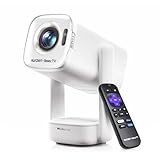
- A Roku account and internet connection are required for activation (Creating an account is free)
- Portable Roku TV Smart Projector: Meet the World's 1st Portable Roku TV Smart Projector with Roku TV built in. Just power on, connect to WiFi, and start streaming-no dongles, no switching inputs, no extra TV stick, and no extra remote needed. Enjoy top apps like Netflix, Prime Video, Hulu, YouTube, Roku Channel, and Apple TV. Enjoy 500+ TV channels with live news and weather, sports coverage, and more-totally free for bedroom viewing, living room movie nights, game day, soccer match nights, and backyard entertainment, home cinema, casual gaming, family gatherings, and party entertainment
- USB-C PD Power for Flexible Indoor and Outdoor Use: This portable projector supports 65W+ USB-C PD power input, so it can work with a compatible wall charger, laptop charger, power bank, or the Aurzen PowerBase Stand sold separately. Move it from the bedroom to the living room, use it as an outdoor projector for backyard movie nights, camping, and road trips, football match nights without being tied to one wall outlet. Note: Requires a 65W+ USB-C PD power source with 20V/3.25A output and a 5A E-Marker USB-C to USB-C cable
- Portable Gimbal Design, No Cable Interference: This small projector is built for real room-to-room use, with a smooth-damping gimbal stand that rotates fluidly and stays steady without sinking. Unlike side- or rear-powered projectors, D1R air uses a bottom power design that keeps cables out of the rotation path, reducing pulling, blocking, and setup hassle, so it's easier to place, adjust, and start watching in the bedroom, or project onto the ceiling or wall. Compact at 5.35 x 4.33 x 10.12 in and weighing only 1.18 kg (2.60 lb), it is easy to carry between rooms or take on the go.
- Independent Base Speakers, Dolby Audio & Useful Ports: Built-in dual 5W speakers are placed in the independent audio base instead of the projector body, creating a larger sound chamber for fuller sound, clearer dialogue, and reduced vibration. With Dolby Audio, dual-band WiFi (2.4G/5G), Bluetooth 5.2, and useful ports including HDMI, USB, Audio Out, and USB-C, this projector with WiFi and Bluetooth connects easily to laptops, game consoles, TV sticks, headphones, soundbars, and USB drives, making it a flexible projector for bedroom viewing, living room movies, sports streaming, and outdoor entertainment. Warm Tip: Fan noise at 1 m ranges from 29-35 dB by mode; steady fan sound is normal.
What the available guidance shows
The National Film Board of Canada’s screening information says organizers should book NFB films through its team. It states that most NFB films can be screened at no cost in Canada when the event is free or by donation. A screening outside Canada requires a licence agreement and may involve a fee. Those terms apply to the NFB collection described on that page; they are not a general rule for other films.
The NFB asks that requests be submitted at least three weeks before the event. The American Documentary/POV planning guide recommends beginning at least one month ahead. Use these as organization-specific planning intervals, not universal legal deadlines.
Questions to send the rights holder
- Is a public, in-person group screening permitted in the country and venue you plan to use?
- Does permission cover a free event, donations, admission charges or fundraising?
- Which file, disc or platform is authorized, and may it be downloaded for the event?
- Are captions, subtitles, audio description or other accessible versions available for this title?
- Can you record the discussion, photograph the room or offer a later online replay?
- Are there reporting, crediting, territory or audience-size conditions?
Keep the confirmation, invoice or licence with the event file. Do not substitute an unverified online copy simply because it is easy to play.
Free tools Windows power users keep installed
One-click scans. No signup required.
4. Reserve a venue that works for watching and talking
A room that is acceptable for a lecture may fail as a screening-and-discussion space. Estimate attendance from your invitation list and choose a capacity that permits clear sightlines, intelligible sound and comfortable movement. Confirm step-free routes, doors, toilets, seating options, transport links, parking and the location of accessible entrances.
Also popular on Amazon

- Note: For the best viewing experience, we recommend a 5.2 ft distance for a 80" screen. Please also update to the latest firmware for optimal performance.
- Enhanced Clarity and Brightness: With 200 ANSI and an 8000:1 contrast ratio, this projector provides sufficient brightness for casual movie watching, kids' shows, or gaming. Additionally, the 5W SoundBase Speaker enhances both the visual and auditory experience, giving you rich sound and clear images without the need for external speakers.
- Versatile and Portable Design: This mini proyector offers flexibility with ceiling mounting, table placement, tripod installation, or 180-degree rotation. Weighing only 0.88 lbs, it easily adapts to any space or occasion.
- Built-in Multiple Apps: This projector with WiFi and Bluetooth offers seamless access to 1,00,000+ videos with a single click, eliminating the need for an external TV stick. Dive into endless entertainment with one device, ideal for home theaters or outdoor movie nights, or portable use.
- Intuitive and Precise Control: Our projector comes with an advanced Air Mouse remote that combines a traditional remote and mouse into one, offering seamless navigation and precise pointer control. It supports voice commands for hands-free adjustments.
Inspect the room
- Check that every seat can see the screen without a pillar, bright window or low ceiling blocking the image.
- Listen from the back and sides of the room; built-in speakers may sound clear at the front but unintelligible elsewhere.
- Ask whether lights can be dimmed without leaving exits unmarked and whether outside noise can be controlled.
- Plan where wheelchairs, mobility aids, service animals, interpreters and support people can sit without being isolated.
- Leave enough space to rearrange chairs so people can see one another during the discussion.
- Confirm power outlets, extension-cable routes, ventilation, heating and a secure place for equipment.
Make access title-specific and event-wide
Ask the rights holder which accessible versions exist for the selected film; availability is title-specific. The NFB says accessibility options are available for most films in its collection, but you still need to request the version and confirm how it will play. Check captions or subtitles before the event rather than assuming a platform’s badge reflects the file you will use.
Access also covers the live parts of the event. Provide an accessible way to reach the introduction, discussion and Q&A; ask speakers about microphones, interpretation, captioning, lighting and seating; and publish a contact method for access requests. Put access information in the invitation so people can decide whether the event meets their needs.
5. Build a realistic run of show
Reserve the room for setup, a complete screening, discussion and cleanup—not just the film’s runtime. A Bullfrog Films community guide uses a 70-minute film and recommends reserving two to three hours for the whole event. That is an example tied to that guide, not a universal schedule.
| Stage | Typical planning decision | What must happen |
|---|---|---|
| Setup and check | Arrive early enough to work without an audience waiting | Connect the authorized media, test picture and sound, check captions, arrange chairs, place signs and brief staff. |
| Welcome | Keep the introduction short | Explain the purpose, access arrangements, discussion format, recording policy and any content note. |
| Film | Show the complete authorized version | Monitor playback discreetly and keep a technical contact available. |
| Transition | Allow a brief pause if the subject or length warrants it | Invite people to stretch, find water or submit written questions; do not let the break consume discussion time. |
| Discussion | Protect the time promised in the invitation | Use the chosen format, include different voices and close with the agreed next step or resource. |
| Cleanup | Keep the room booking active until equipment is packed | Return furniture, remove signs, secure media and leave the venue as agreed. |
If the film is 70 minutes, a two-to-three-hour room booking can accommodate these stages. For a longer film, a large audience or access services, add more time rather than compressing the conversation.
Also popular on Amazon

- A Roku account and internet connection are required for activation (Creating an account is free). Note: Power Supply: 100-240V AC, 50/60Hz.
- America's #1 TV Streaming Platform, All Top Apps: With Roku as your entertainment guide, exploring popular apps like NetfIix, Prime Video, Hulu, YouTube, Roku Channel—plus free movies, shows, and live TV—is as easy as it is fun. No dongles or extra remotes. Enjoy 500+ TV channels with live news and weather, sports coverage, and more—totally free.
- A Simple and Fast Home Screen: Enjoy a simple projector interface with intuitive navigation, quick search, and personalized recommendations. No-nonsense remote keep it effortless, while the Roku mobile app lets you control with your phone, type easily, or use voice commands.
- 1080P Full HD Resolution: Enjoy your favorite movies and TV shows in stunning high-definition picture quality for enhanced clarity and detail. This projector is perfect for creating a massive 60 to 150-inch screen for your home theater and outdoor movie nights.
- Auto Focus & Keystone Zero-Fuss: Advanced auto focus and auto keystone correction instantly adjust for a sharp, aligned screen-just place, power on, and enjoy a big screen without manual setup.
6. Choose a discussion format deliberately
There is no universally best format. Compare the event’s goal, audience size and familiarity with the issue, available guests, time after the film, and the room and access requirements.
| Format | Best fit | Preparation | Common risk and response |
|---|---|---|---|
| Moderated audience conversation | A mixed audience that needs to reflect together | One facilitator, opening questions and a method for taking questions | A few confident people dominate; use a queue, written questions or a first-response limit. |
| Q&A with a knowledgeable guest | A film with a clear expert, participant or local connection | Confirm the guest, send themes in advance and prepare backup questions | Questions become fact-checking or personal advice; redirect to the film’s themes and local resources. |
| Panel | A genuinely multi-perspective issue with several relevant voices | Brief panelists, agree speaking time, check microphones and plan how access needs will be met | Panelists give unrelated speeches; the moderator should connect answers and enforce time limits. |
| Workshop | An audience expected to learn a skill or produce a plan | Materials, tables, instructions, a timekeeper and a clear output | The film leaves too little working time; shorten introductions or schedule a separate session. |
| Small-group conversation | A large audience or a sensitive topic where more people should speak | Facilitators or table hosts, prompts, reporting method and a room that can be rearranged | Reports repeat the same points; ask each group for one insight and one unanswered question. |
For a large audience, cap attendance, use smaller groups or combine a short plenary with table conversations. Send discussion themes to panelists or guests in advance, but do not script their conclusions.
Independent reader supportYour contribution helps us test, update, and keep practical guides available for everyone.7. Prepare the facilitator and prompts
Give the facilitator the film, the organizer or discussion guide if one exists, the event purpose, access information, timing and any content concerns. The facilitator’s job is to welcome people, explain the format, invite participation, keep the discussion connected to the film and make space for disagreement without presenting a personal opinion as the answer.
Use a progression of questions
- Observation: “What image, voice or moment has stayed with you?”
- Interpretation: “What choices by the filmmaker shaped how you understood the issue?”
- Connection: “Where does this subject appear in our community?”
- Challenge: “Which perspective or evidence would you want to hear more about?”
- Next step: “What would be a useful action, conversation or resource after tonight?”
Choose only the questions the time allows. Prepare a neutral follow-up—“Can you say more about what led you there?”—and a way to pause harmful or personal exchanges. If a question needs specialist advice, acknowledge that limit and point to the verified local resource rather than improvising an answer.
Also popular on Amazon

- 【Your Plug-and-Play Smart Cinema】It starts with the powerful Allwinner H726 chip and pure Android 14 for wireless freedom and direct access to hulu, YouTube and more with no extra sticks. The 135'' giant screen that pulls you into the immersive viewing experience. This is the smart projector that does it all
- 【Big Screen & Tiny Space】Our 0.9:1 ultra-short throw mini projector is made for bedrooms and small living rooms. Sits close to the wall (0.75m-2.65m), throws a huge 35-135” image. Effortlessly resize (80%-100%) without moving it. For the best 80”+ view, we recommend 1.6m
- 【4K Supported & Native 720P for Casual Use】Sharp enough for streaming. Bright enough for a bedroom or a backyard hangout. Simple enough for anyone. This portable projector is an affordable option for creating a basic home cinema experience. HD 720P | 4K Support | Total Freedom
- 【Portable Design & Universal Mounting】In seconds, you can swivel its lens 180° to project onto any surface. This mini proyector offers flexibility with ceiling mounting, table placement, tripod installation. Weighing only 0.77lb, it easily adapts to any space or occasion
- 【Vivid Detail & Built-In Sound】With 200 ANSI lumens brightness and an 8000:1 contrast ratio, this hy300 projector delivers clear, watchable images for movies, kids' shows, and gaming. The integrated 5W SoundBase Speaker provides rich audio, completing your experience—no external speakers needed
8. Invite people clearly and fairly
Promotion should state the film title, date, start and end times, venue address, access information, language or caption details, discussion format, age guidance or content note, registration method and whether the event is free, donation-based or ticketed. Do not advertise until screening permission is confirmed.
Ask partners to share the invitation through channels their communities already trust. If attendance could exceed capacity, use registration or a waiting list and tell people how cancellations will be handled. For a sensitive topic, explain whether names or contact details will be collected, why they are needed and how they will be used.
9. Test the authorized playback and host the event
Technical checklist
- Play the exact authorized file or media from beginning to end, including captions or subtitles.
- Check aspect ratio, focus, brightness, volume, microphone levels and any room echo from several seats.
- Confirm the device can open the file without an internet connection if the licence or venue network is uncertain.
- Label power and signal cables, secure walkways and keep a backup adapter available.
- Know how to pause, resume and restart at a marked time without exposing personal accounts or unrelated notifications.
- Identify one person who handles equipment while the facilitator handles the room.
A portable projector is a sensible conditional rental or purchase query only when the venue does not supply projection equipment. An external speaker may help when laptop or room audio is inadequate. Check the venue inventory and test the actual combination first; no model is automatically appropriate for every room.
What’s actually slowing this PC down?
Pick the symptom - the matching free tool is one click away.
Host sequence
- Arrive with enough setup time to complete the sound-and-picture check before doors open.
- Greet speakers, interpreters, volunteers and access support; confirm names and roles.
- Welcome attendees, explain the purpose, access arrangements, discussion rules and recording policy.
- Start the film only after confirming the captions or other requested version is active.
- Give the facilitator a visible time signal so the discussion and cleanup stay on schedule.
- Close by naming the promised resource or next step, then thank attendees and partners.
10. Plan what happens after the film
Follow-up should match the purpose you wrote at the start. It might be a local service table, a sign-up for a future meeting, a short action-planning exercise or a resource email. The POV planning guide recommends reserving the last half-hour for follow-up activity when it suits the event.
Some groups will regard the discussion itself as the meaningful result. Do not force a campaign, pledge or referral when the audience needs time to process the film. If you promised links, contacts or reading, send them promptly and check that each resource is current and appropriate to the audience.
Thank attendees, speakers, volunteers and partners. If you collect feedback, ask only what you will use—for example, whether the venue was accessible, whether the discussion format worked and what follow-up people want. Explain how responses and contact details will be stored or deleted.
11. Troubleshoot common failure points
| Problem | Likely cause | Practical response |
|---|---|---|
| The film will not play | Wrong format, expired link, account restriction or incompatible device | Use the authorized backup copy or contact the rights holder; do not switch to an unlicensed stream. |
| Sound is hard to understand | Low output, room echo or blocked speakers | Reposition speakers, reduce competing noise, adjust levels and retest from the back and sides. |
| Captions are missing | The selected file does not contain the requested track | Pause before the audience arrives, obtain the accessible version from the rights holder or reschedule rather than treating access as optional. |
| Discussion is dominated by two people | No speaking structure or an oversized group | Set time limits, invite quieter voices, use written questions or move into smaller groups. |
| The conversation becomes personal or unsafe | Ground rules were unclear or the topic is emotionally charged | Restate the purpose, interrupt attacks, redirect to ideas and offer a private route to support or a break. |
| Attendance is higher than capacity | Promotion exceeded the room’s safe limit | Follow the venue’s capacity rule, use the waiting list and offer a second session or alternative resource. |
12. A planning timeline you can reuse
- Four weeks or more out: write the purpose, identify partners, shortlist and preview films, contact the rights holder, and request access information. Starting at least one month ahead follows the interval recommended by POV.
- At least three weeks out for an NFB request: submit the booking through the NFB team, following its stated lead time.
- Three weeks out: confirm the venue, capacity, room layout, equipment, access services, facilitator and any guest. Draft the run of show.
- Two weeks out: publish the invitation after permission is confirmed, open registration, distribute partner materials and send discussion themes to panelists.
- One week out: close the loop on access requests, confirm attendance, verify the authorized media and test the complete playback setup.
- Event day: set up early, test from multiple seats, brief the team, host the screening and protect the promised discussion time.
- Within a few days: send resources and thanks, record practical lessons while they are fresh, and decide whether the stated purpose was met.
Use the timeline as a coordination tool, not a substitute for the rights holder’s terms or the venue’s rules. The strongest community screenings are not defined by a particular projector, panel size or film length; they are defined by a clear reason to gather, permission to show the work, an accessible room, prepared people and a meaningful way to continue the conversation.






Say something about this film