Some links on this page are affiliate links: if you buy through them we may earn a commission, at no extra cost to you.
To listen to SiriusXM online, open siriusxm.com/player or player.siriusxm.com in a supported browser, choose Sign In, and enter your SiriusXM credentials. If you do not have an online login, select Create Account or register for online access first.
Listen to SiriusXM in a web browser
- Open https://siriusxm.com/player in a new browser window. SiriusXM also identifies player.siriusxm.com as a current Web Player address.
- Select Sign In.
- Enter the username and password associated with your SiriusXM account.
- Choose a station, channel, show, or other available program and start playback.
SiriusXM’s help navigation may also show Start Listening as the entry point for launching online listening.
If you do not have an online login
A SiriusXM subscription and an online account are separate parts of the sign-in process. If you have never created an online login, follow SiriusXM’s instructions to register for online access. If you cannot remember your username or password, use siriusxm.com/forgot.
Recommended Free Tools
Subscriptions purchased through the SiriusXM app or another retailer may need to be managed through that retailer rather than SiriusXM’s Online Account Center. If you do not have the account information required to sign in, SiriusXM says you can contact a Listener Care agent through chat.
#1 Best Overall
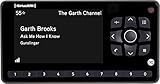
- Receiver only
- Requires Docking station, antenna, and power adapter to function (Sold seperately)
Supported browsers and devices
SiriusXM lists Microsoft Edge, Firefox, Safari, and Chrome for computer Web Player access and recommends using the latest browser version. Its currently displayed computer requirements list Windows 7, Windows 8, and Windows 10 for PCs, and OS X 10.9 or later for Macs, with an ISDN-or-faster connection. The requirements page currently displays a “PAGE NOT FOUND” wrapper while still showing this requirements text, so these older operating-system entries should not be treated as a complete guarantee for every current computer, including Windows 11.
For the mobile apps, SiriusXM currently lists iOS 16 or later and Android 7 or later. If your computer or phone is older, updating the operating system, browser, or app may be necessary before playback works reliably.
Rank #2

- SUBSCRIPTION REQUIRED - Activate your radio/tuner with the All Access Plan and enjoy 165+ channels of ad-free music, plus sports, news, talk & comedy.
- SIRIUSXM-READY - Add satellite radio to any SiriusXM-Ready headunit; works with any car stereo displaying the SiriusXM-Ready logo from Kenwood, Pioneer, Sony, JVC, Alpine and more.
- CONTROL YOUR CONTENT - Pause, rewind, and replay up to 60 minutes of live satellite radio programming; plus, enjoy advanced music features, such as TuneStart, which allows you to restart songs from the beginning on your favorite channels.
- COLOR ART COMPATIBLE - Display album artwork, channel logos, and backgrounds on SiriusXM-Ready headunits with compatible color screens.
- GET ALERTS - Get alerts when your favorite songs, artists, or sports teams are playing on another channel.
SiriusXM does not provide a command-line method or command syntax for online listening in its current help documentation. Online listening is designed to take place through the Web Player or the SiriusXM app.
Switch between the Web Player and the app
When you are signed in to the same account, Favorites and most settings made in the Web Player are reflected in the mobile app, and vice versa. SiriusXM also says you can continue listening to the same program from where you left off when switching between the app and Web Player.
Rank #3

- SUBSCRIPTION REQUIRED - Activate your radio/tuner with the All Access Plan and enjoy 165+ channels of ad-free music, plus sports, news, talk & comedy.
- ADVANCED FEATURES - Store up to 10 of your favorite SiriusXM channels or use TuneMix to create a blend of selected channels; plus, quickly return to the previous channel with One-Touch Jump or conveniently operate your radio from across the room with the included remote control.
- EASY-TO-READ DISPLAY - View what’s playing on the 3.2” high-resolution display, while using split screen mode to see what's currently playing on your other favorite channels. Two display options available -- white text on black background or black text on white background.
- WHAT’S IN THE BOX - Complete home kit for DIY home stereo connection and installation, including SiriusXM Onyx EZR radio, home dock, remote control, indoor/outdoor home antenna, home power adapter, and stereo audio cable.
What happens after eight hours of listening?
SiriusXM may display a notice after eight hours of continuous listening without activity. Select Keep Listening to continue. If you do not acknowledge the notice, the player shuts down within five minutes.
This is an inactivity-protection measure intended to prevent unattended streaming on a computer or mobile device. It does not necessarily mean that your internet connection has failed or that your subscription has expired.
Rank #4

- Large display shows channel number, channel name, artist name, song title, and channel category
- Plug-and-play connectivity works great with home kit, car kit, and boombox options
- Remote control delivers convenient channel navigation
- Delivers more than 150 high-quality, XM satellite radio stations
- Measures 4.7 x 2.9 x 1.3 inches (W x H x D)
Fix SiriusXM Web Player access or playback problems
SiriusXM’s recommended troubleshooting sequence is:
What’s actually slowing this PC down?
Pick the symptom - the matching free tool is one click away.
- Log out of the SiriusXM Web Player.
- Clear your browser’s cache and cookies.
- Close the browser completely.
- Open https://siriusxm.com/player in a new browser window.
- Sign in again with your SiriusXM credentials.
If the problem continues, open the player’s Settings menu and choose Send us feedback.
Best Value

- SUBSCRIPTION REQUIRED - Activate your radio/tuner with the All Access Plan and enjoy 165+ channels of ad-free music, plus sports, news, talk & comedy.
- BLUETOOTH CONNECTIVITY - Connect to your car's audio system via Bluetooth audio streaming, Aux or FM audio output for instant access to SiriusXM.
- MAGNETIC MOUNTING OPTIONS - Choose versatile magnetic vent or dash mount options (included) or a compatible alternative mounting solution (sold separately).
- CONTROL YOUR CONTENT - Pause, rewind, and replay up to 60 minutes of live satellite radio programming; plus, enjoy advanced music features, such as TuneStart, which allows you to restart songs from the beginning on your favorite channels.
- WHAT’S IN THE BOX - SiriusXM Roady BT display and cable, intelligent power adapter, 3.5mm aux audio cable, magnetic adapter, wedge, vent and dash mounts, magnetic mount antenna
If audio skips in Music for Business
SiriusXM gives a separate Chrome fix for the Music for Business Web Player, not the general consumer Web Player:
- Enter
chrome://chromein Chrome’s address bar. - If Chrome is out of date, allow it to update.
- Click Relaunch.
For ordinary consumer listening, use the general Web Player troubleshooting steps above rather than assuming this business-player procedure applies.
Quick Recap
Quick checklist
- Use siriusxm.com/player or player.siriusxm.com.
- Sign in with your SiriusXM credentials.
- Register for online access if you have never created a login.
- Use a current version of Chrome, Edge, Firefox, or Safari.
- Click Keep Listening if the eight-hour inactivity notice appears.
- Clear cache and cookies, restart the browser, and sign in again if playback fails.
Product prices and availability are accurate as of the date/time indicated and are subject to change. Any price and availability information displayed on Amazon at the time of purchase will apply.
Free tools Windows power users keep installed
One-click scans. No signup required.

