Free tools Windows power users keep installed
One-click scans. No signup required.
Some links on this page are affiliate links: if you buy through them we may earn a commission, at no extra cost to you.
Start at PBS.org or in the PBS app: search the documentary title or a keyword, open the matching show page, and check its Episodes or Specials list. If the video is missing, use PBS’s local TV schedule to find an airing or rerun, then check whether your station offers a location-eligible livestream. Passport can unlock additional videos through the station connected to your benefit, while some unavailable titles may be sold separately by a third-party video store.
Use this order to find a PBS documentary
Documentary availability is split among on-demand video, local broadcast schedules, station livestreams and, for some members, PBS Passport. No single catalog guarantees every title: PBS says streaming rights vary by program, episodes can expire, and station coverage differs by location. The workflow below checks the most direct option first and then moves to alternatives.
- Search PBS.org or the PBS app by the exact title, a person’s name, a subject or another keyword.
- Open the show page from the results and inspect Episodes or, when used by that program, Specials.
- Look for the Passport compass icon on videos that require the member benefit.
- Check your local TV schedule if the episode is not playable online; stations may have a future broadcast or rerun.
- Check the station’s livestream and its separate schedule if you want to watch online at broadcast time.
- Search a named third-party video store only after PBS indicates the title is unavailable through its service.
Find the documentary in PBS’s on-demand catalog
Search by title, keyword or subject
On PBS.org or in the PBS app, enter the documentary’s title first. If you do not know the exact wording, try a distinctive keyword, the featured person, a historical event or the series name. PBS says search results can include matching shows and videos, so check both the program result and individual video results rather than assuming the first match is the only listing. The official Passport viewing instructions are at How to watch Passport videos online.
Open the show page, then inspect Episodes or Specials
A show page is the most reliable place to see how PBS has organized a documentary. Available videos normally appear under Episodes; some programs place one-off films or related entries under Specials. Read the individual video title and description before pressing play because a series page can contain a mixture of free videos and Passport-only videos.
Popular on Amazon

- HD streaming made simple: With America’s number 1 TV streaming platform,* exploring popular apps—plus tons of free movies, shows, and live TV—is as easy as it is fun. *Based on hours streamed—Hypothesis Group
- Compact without compromises: The sleek design of Roku Streaming Stick won’t block neighboring HDMI ports, and it even powers from your TV alone, plugging into the back and staying out of sight. No wall outlet, no extra cords, no clutter.
- No more juggling remotes: Power up your TV, adjust the volume, and control your Roku device with one remote. Use your voice to quickly search, play entertainment, and more.
- Shows on the go: Take your TV to-go when traveling—without needing to log into someone else’s device.
- TV, simplified: With setup that only takes minutes, a simple-to-navigate Home Screen, and an uncluttered remote control that does all you need—Roku makes it easier to watch the TV you love.
Recognize Passport-only videos
Passport videos carry a blue compass icon in the thumbnail. A single show page may contain regular videos, Passport-exclusive videos or both. Selecting a Passport-marked item prompts you to sign in or activate the benefit rather than indicating that the file is broken. If a video is marked unavailable, PBS says its streaming rights may have expired; that status is different from a temporary app or internet problem.
What to do when search returns no useful result
- Try the documentary’s series name instead of the film title.
- Remove punctuation, subtitles or a year from the query.
- Open the closest show result and check every season, Episodes tab and Specials tab.
- Search again in the PBS app if you first used the website, since labels and navigation can differ by device.
- If the title still does not appear, move to the station schedule; the documentary may be broadcast-only or between streaming-rights windows.
Check your local PBS station’s broadcast schedule
Open the schedule from PBS.org
PBS provides an TV Schedules menu for local listings. Choose your station and search the schedule for the documentary or its series. The station’s listing controls the actual air date and time in your area, so a national program page cannot substitute for this local check. PBS’s schedule instructions are at Accessing Your Local TV Schedule.
Use My Station in the PBS app
In the PBS app, go to My Station to reach the local schedule. Confirm that the selected station is the one you can receive or otherwise use in your area. If you recently moved, changed devices or selected a station manually, recheck the station setting before concluding that the documentary is not airing.
What’s actually slowing this PC down?
Pick the symptom - the matching free tool is one click away.
Allow for reruns and schedule changes
Local stations set their own daily lineups, including repeat broadcasts. Look several days forward and search the series name as well as the exact film title. Listings can change, so verify the entry close to airtime. If the documentary is important, note both the date and local time rather than relying on a generic national release date.
Also popular on Amazon

- Ultra-speedy streaming: Roku Ultra is 30% faster than any other Roku player, delivering a lightning-fast interface and apps that launch in a snap.
- Cinematic streaming: This TV streaming device brings the movie theater to your living room with spectacular 4K, HDR10+, and Dolby Vision picture alongside immersive Dolby Atmos audio.
- The ultimate Roku remote: The rechargeable Roku Voice Remote Pro offers backlit buttons, hands-free voice controls, and a lost remote finder.
- No more fumbling in the dark: See what you’re pressing with backlit buttons.
- Say goodbye to batteries: Keep your remote powered for months on a single charge.
Watch through a local station livestream
Confirm that your station streams
PBS says a station livestream is free when offered, but not every station provides one. Availability also depends on your location: the stream can be restricted to viewers who meet the station’s geographic requirements. Start from the station page or the PBS live-streaming information at PBS Live Streaming FAQ and Troubleshooting.
Use the livestream’s own schedule
A livestream may not mirror the over-the-air television broadcast at every moment. PBS specifically advises checking the livestream schedule, which can differ from the station’s regular TV lineup. If a documentary appears in the broadcast schedule but not the stream schedule, plan to watch over the air or use an on-demand or Passport listing instead.
Meet location and technical requirements
- Allow the service to determine your location when the station requires it.
- Check that your internet connection and browser or app are supported.
- Use the livestream schedule to confirm the correct time zone and program.
- If playback fails, refresh the stream, restart the app and consult the station’s troubleshooting guidance before treating the title as unavailable.
Use PBS Passport for expanded access
Understand what Passport changes
Passport is a local-station member benefit, not a separate universal catalog. Passport videos appear in the same PBS.org and PBS app experience as other videos, and the blue compass icon identifies them. PBS does not promise that every documentary will be included; program rights can expire and some titles remain unavailable.
Do these 3 things before closing this tab:
1Fix the driver behind crashes, sound loss and screen glitches2Repair Windows errors before they cause bigger problems3Scan for outdated or missing drivers - takes under a minuteSign in with the correct account and station
Sign in with the account associated with your Passport benefit. PBS’s guidance says you must select the same local station connected to the donation. If the account shows no benefit, verify the selected station and contact that station about your membership status and current terms. The station-selection explanation is at Do I have to choose a local station to use the Passport benefit?.
Also popular on Amazon

- 4K streaming made simple:With America’s number 1 TV streaming platform,* exploring popular apps—plus tons of free movies, shows, and live TV—is as easy as it is fun. *Based on hours streamed—Hypothesis Group
- 4K picture quality: With Roku Streaming Stick Plus, watch your favorites with brilliant 4K picture and vivid HDR color.
- Compact without compromises: Our sleek design won’t block neighboring HDMI ports, and it even powers from your TV alone, plugging into the back and staying out of sight. No wall outlet, no extra cords, no clutter.
- No more juggling remotes: Power up your TV, adjust the volume, and control your Roku device with one remote. Use your voice to quickly search, play entertainment, and more.
- Shows on the go: Take your TV to-go when traveling—without needing to log into someone else’s device.
Fix a missing Passport badge
- Sign out of PBS.org or the app.
- Sign back in with the email or account that receives the Passport benefit.
- Open your profile or station settings and choose the station tied to the donation.
- Return to the documentary’s show page and look for the compass icon.
- If the item remains unavailable, check whether PBS lists an expired right and ask the station to verify the benefit rather than creating a second account.
Account for viewing outside the United States
Rights can also limit viewing outside the United States. A title visible in a U.S. catalog may therefore be unavailable when you are abroad, even with an otherwise valid PBS account or Passport benefit.
Compare the ways to watch
| Route | What you do | Main limitation |
|---|---|---|
| PBS.org or PBS app on-demand | Search by title or keyword; open the show page and its Episodes or Specials list. | Streaming rights vary; episodes can expire or be unavailable. |
| Local broadcast | Open the local schedule on PBS.org or use My Station in the PBS app. | Air dates and times depend on the station’s schedule. |
| Local livestream | Check whether your station offers a stream, then follow its separate schedule. | Station and location availability vary, and the stream may differ from the television broadcast. |
| PBS Passport | Sign in with the account tied to the benefit and select the station associated with the donation. | It is a local-station benefit; not every program is included and rights can expire. |
| Third-party purchase | Search the exact title on a vendor PBS identifies when its own service does not carry the program. | PBS’s mention of a vendor does not guarantee a current listing or availability. |
Watch PBS documentaries on a television
Use the PBS app on a supported connected device
PBS lists Roku among platforms supported by its app, along with other connected-TV and mobile platforms. A Roku device can therefore be an optional way to run the app on a television, but it is not required to search PBS.org or use another supported method. PBS’s cable-free viewing guidance is at How to Watch PBS Without Cable.
Check compatibility before buying hardware
The support page does not identify a specific Roku model, and device compatibility can change. Confirm the current PBS app support list, your television’s operating system and the availability of the particular program before purchasing a device. Hardware access does not override station, location or streaming-rights restrictions.
Choose the simplest setup for your goal
- One documentary, occasional viewing: Search PBS.org on a computer or phone and cast or connect to the television if your existing setup supports it.
- Regular on-demand viewing: Install the PBS app on a supported smart-TV or streaming platform and sign in.
- Live local programming: Use an antenna or the station’s eligible livestream, then follow the local or livestream schedule.
- Passport titles: Sign in on the television app with the same account and station selection used to activate the benefit.
When a documentary is unavailable online
Distinguish an expired right from a technical failure
An unavailable label on a video page can mean PBS’s streaming rights ended. That is a catalog limitation, not something a different browser, device or subscription necessarily fixes. If the page loads but playback fails, troubleshoot the app or connection; if PBS labels the item unavailable, check the schedule and other legitimate sources instead.
Also popular on Amazon

- Stunning 4K and Dolby Vision streaming made simple: With America’s number 1 TV streaming platform,* exploring popular apps—plus tons of free movies, shows, and live TV—is as easy as it is fun. *Based on hours streamed—Hypothesis Group
- Breathtaking picture quality: Stunningly sharp 4K picture brings out rich detail in your entertainment with four times the resolution of HD. Watch as colors pop off your screen and enjoy lifelike clarity with Dolby Vision and HDR10+.
- Seamless streaming for any room: With Roku Streaming Stick 4K, watch your favorite entertainment on any TV in the house, even in rooms farther from your router thanks to the long-range Wi-Fi receiver.
- Shows on the go: Take your TV to-go when traveling—without needing to log into someone else’s device.
- Compact without compromises: Our sleek design won’t block neighboring HDMI ports, so you can switch from streaming to gaming with ease. Plus, it’s designed to stay hidden behind your TV, keeping wires neatly out of sight
Look for a rebroadcast
Return to the local station schedule and search upcoming days for the documentary or series. Stations sometimes repeat programs after the initial broadcast. Because each station controls its lineup, the relevant date and time are local rather than universal.
Check a third-party purchase only for the exact title
PBS says a program unavailable through its streaming service may sometimes be purchasable from third parties such as Amazon Video or Apple iTunes. This is title-specific: the fact that PBS names a vendor does not establish that a particular documentary is listed, available in your country or still sold. Search the exact title on the vendor’s current store page and review the edition, subtitles, rental or purchase terms before paying.
Independent reader supportYour contribution helps us test, update, and keep practical guides available for everyone.A practical decision tree
If you know the title
- Search the title on PBS.org or in the PBS app.
- Open the matching show and check Episodes and Specials.
- If the video has a compass icon, sign in to Passport and verify the linked station.
- If there is no playable video, open TV Schedules or My Station and search upcoming listings.
- If your station offers a livestream, compare its schedule with the over-the-air listing.
- If PBS identifies the program as unavailable, check a current third-party listing for that exact title.
If you want something new to watch
- Search a subject, historical period, person or series name instead of a specific film.
- Open several show pages and scan Episodes and Specials.
- Use the Passport icon to separate member-only choices from generally available videos.
- Check your local schedule for documentaries airing soon, including reruns.
- Save the title and station details so you can return when rights or schedules change.
Common problems and precise fixes
“I can see the show, but not the episode.”
Open the show page’s Episodes and Specials sections rather than relying on the search-result card. If no video is playable, PBS may no longer hold the streaming right. Check the local schedule for a broadcast or rerun.
“The app asks for Passport even though I contribute.”
Use the account associated with the benefit and select the same station connected to the donation. If that does not restore access, ask the station to verify the benefit and its current terms; Passport is administered through local stations.
Also popular on Amazon
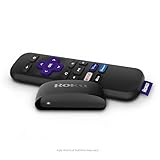
- Streaming made easy: Roku Express lets you stream free, live and premium TV over the Internet—right to your TV. It’s perfect for new users, secondary TVs and easy gifting—but powerful enough for seasoned pros
- Quick and easy setup: Just plug it into your TV with the included High Speed HDMI Cable and connect to the internet to get started
- Tons of power, tons of fun: Compact and power-packed, you’ll stream your favorites with ease; from movies and series on Apple TV, Prime Video, Netflix, The Roku Channel, HBO, Showtime and Google Play to cable alternatives like Hulu with Live TV and PlayStation Vue, enjoy the most talked about TV across free and paid channels
- Low cost, no extra fees: For under $30, Roku Express streaming device includes a High Speed HDMI Cable—and there’s no monthly equipment fee; with access to free TV on hundreds of channels, there’s plenty to stream without spending extra
- Simple remote: Incredibly easy to use, this remote features shortcut buttons to popular streaming channels
“The livestream is missing or shows a different program.”
Not every station streams, and a livestream can have a different lineup from television. Check the station’s stream availability, geographic eligibility and separate livestream schedule.
“The documentary worked before but now says unavailable.”
PBS says rights can expire. Recheck the show page, then look for a scheduled broadcast, a Passport version or a legitimate title-specific purchase listing. A new device or app reinstall cannot restore a right that has ended.
Keep your search current
Program rights, station lineups, livestream coverage and supported devices change. PBS’s official help pages, including Passport viewing, live-streaming guidance and local schedules, were reviewed October 9, 2026. Use the live PBS and station pages when you act, especially for a time-sensitive broadcast, a Passport benefit or a device purchase.
The Tool Desk
Outbyte Driver Updater FREEScan for outdated or missing drivers - takes under a minuteDriver Scan →Outbyte PC Repair FREEClear out junk files and repair common Windows errorsFree Scan →





Say something about this film