The Tool Desk
Outbyte Driver Updater FREEFix the driver behind crashes, sound loss and screen glitchesFind Drivers →Outbyte PC Repair FREEClear out junk files and repair common Windows errorsFree Scan →The safe way to download an MP3 song to your computer is to obtain it from an authorized source or rip an audio CD you are authorized to copy. Bandcamp purchases, official SoundCloud download buttons, openly licensed catalogs, eligible Apple purchases, and personal CD ripping can create local files. Streaming-app offline downloads are different: they usually remain available only inside the provider’s app.
To download MP3 songs to your computer, use an authorized download source or rip an audio CD you own or are authorized to copy. The most dependable options are buying a download from an artist or store such as Bandcamp, using an official download button on SoundCloud, downloading an openly licensed track such as one offered through Jamendo, downloading eligible purchases from Apple, or ripping an authorized audio CD with CD-ripping software.
Do not confuse a normal MP3 file with an “offline download” inside a subscription app. A true MP3 can usually be found in a folder, backed up, moved to another compatible player, and played without that service’s app. An offline song saved by YouTube Music or another streaming service is generally controlled by the app and is not an unrestricted MP3 file.
First, decide which kind of download you need
| Your goal | Best legitimate method | What you receive |
|---|---|---|
| Keep a local music file permanently | Buy or claim a download from an artist or authorized store | An MP3 or another downloadable audio file |
| Copy music supplied by an artist | Use the artist’s official download link or platform download control | A file, subject to the artist’s stated terms |
| Listen without internet temporarily | Use an offline feature in a music subscription app | App-managed offline content, usually not a transferable MP3 |
| Convert music from a physical disc | Rip an audio CD you own or are authorized to copy | Local files such as MP3, WAV, or WMA |
If you want to store the song in a folder, copy it to a USB drive, play it in different software, or preserve it independently of a subscription, choose a file-based source. If you only want to listen during a flight or when mobile data is unavailable, an app’s offline mode may be enough.
Windows Errors? Fix Them Before They Spread
Repair common Windows errors and clear accumulated junk for a smoother, more stable PC - no reinstall needed.Free scan · no reinstallCrashes, No Sound, or Screen Glitches?
Random freezes, missing sound and display glitches usually trace back to one bad driver. Find and replace yours safely.Free scan · under a minute#1 Best Overall

- ★【64GB Large Storage & HIFI Lossless Sound】 Each MP3 Player is equipped with a 64GB large-capacity TF card, which allows you to download thousands of your favorite music. And through the powerful DSP audio decoder chip, the most original sound is presented to you. It can ensure the high sound quality of HIFI.(Supports TF cards up to 256GB.)
- ★【Upgraded Bluetooth 5.2 & Support Multiple Formats】 Latest Version Bluetooth 5.2 means that faster transmission speed, longer connection distance and stronger anti-interference ability.Reduced power consumption for more power savings. And support APE / FLAC / WMA / MP3 / ACELP and other lossless formats.
- ★【Built-in HD Speaker & Easy to Carry】 The MP3 player has built-in HD speakers, which can play music without earphones, and no longer need to feel the pain of wearing earphones. MP3 player length is 3.6", width is 1.7" and thickness is 0.35". The body is made of hard and light zinc alloy and weighs only 70 grams. Lightweight and easy to carry.
- ★【Multifunctional MP3 Player for Many Occasions】 Multiple functions in one, music play, FM radio (need to insert a wired headphones), voice recorder, e-book, Alarm clock. Touch buttons with backlight to solve the problem of button noise. Perfect for Sport, Sleeping, Reading, Leaning, Meeting etc.
- ★【Great Gift】Each package contains an MP3 player, wired earphones, a 64GB TF card, a card reader, and a Type-C data cable. It makes an ideal gift for your children, partner, parents, or family on birthdays, Christmas, Thanksgiving, and other special occasions. If you have any questions, feel free to contact us anytime.
Method 1: Download a purchase from Bandcamp
Bandcamp is one of the clearest options for obtaining music files directly from independent artists and labels. After buying or claiming a release, Bandcamp says you can download it from the purchase receipt email, the web Collection page, or the desktop Purchases page. You can also return later and download eligible purchases again. See Bandcamp’s current instructions for where to download a Bandcamp purchase.
Bandcamp steps on a computer
- Buy the release, or claim it if the artist has made it available at no charge.
- Open the confirmation email, or sign in to Bandcamp and open your Collection or Purchases page.
- Select the release and choose Download.
- When Bandcamp presents a format selector, choose MP3 if broad compatibility is your priority. Other formats may be available and can offer different quality or file sizes.
- Save the download to your computer, normally in the Downloads folder.
- If the download is a ZIP archive, extract it before trying to play the songs.
- Move or copy the extracted MP3 files to your Music folder, then open them in your preferred music player.
A ZIP file is a container, not a music format. On Windows, right-click the ZIP file and choose Extract All. On macOS, double-click it in Finder; macOS normally creates an extracted folder beside the archive. The MP3 tracks should appear inside that folder.
Downloading to a computer first is also the practical route if you later want the music in an Apple Music library or on an iPhone. Bandcamp explains that purchased music should be downloaded to a computer and then transferred using the applicable Apple/Finder workflow; its fan-app offline feature is a separate, app-managed option. See Bandcamp’s offline-listening guidance.
Method 2: Use SoundCloud’s official download button
Some SoundCloud uploaders allow listeners to download individual tracks. On the SoundCloud website, sign in and look beneath the track’s waveform for a Download button. If the uploader has enabled the feature, selecting it begins the authorized download. SoundCloud’s help documentation confirms that this feature is controlled by the uploader: not every track can be downloaded, and playlists cannot be downloaded as a whole through this control. The same web-download method is not supported on mobile devices. See SoundCloud’s official track-download instructions.
- Open SoundCloud in a desktop browser and sign in if required.
- Open the individual track page.
- Look below the waveform for Download.
- Select the button and save the file when your browser asks where to put it.
If there is no download button, the uploader has not made a downloadable copy available through SoundCloud. Do not replace the missing button with a third-party “SoundCloud to MP3” ripping site. Those services may violate the uploader’s rights, expose you to deceptive downloads, or collect personal information.
Rank #2

- Large Capacity: This mp3 player is designed specifically for music enthusiasts. It has 64GB storage space, which can easily hold thousands of songs, and supports TF card expansion up to 128GB, so you don't need to change songs frequently or worry about insufficient storage space. (TF card is sold separately)
- The latest version of bluetooth : mp3 player Equipped with the latest version of Bluetooth 5.3 MP3 player, which has better compatibility, signal stability, lower power consumption, longer connection distance, and stronger anti-interference ability. (Note: Bluetooth function only supports Bluetooth headset and Bluetooth speaker connection)
- Easy to operate buttons: This reproductor mp3 has several intuitive buttons. Short press “One-Key Sound” can open the music mode, support breakpoint replay function, continue to play from the last exit position; independent volume key can be up and down toggle the precise adjustment of the volume; Short press “Lock Key” can lock the screen, simple and convenient.
- High quality speakers:MP3 player Equipped with high-quality speakers that deliver clear, undistorted sound. No need to wear headphones, you can enjoy music, listen to books or play recording files directly through the speakers. Whether you're relaxing at home, traveling outdoors or sharing music with friends, the speakers will meet your listening needs.
- Upgraded design: MP3 player Length 4.25 inches (10.85 cm), width 1.95 inches (4.96 cm), thickness 0.37 inches (0.95 cm), weight 80.7 grams, equipped with a 2.4-inch color screen to enhance the visual experience and ease of operation; metal alloy shell both durability and comfortable feel, fashionable appearance to adapt to the sports, commuting, travel and other scenarios, carry no burden.
Method 3: Find free downloads with the right license
Some catalogs offer music free to download, including music released under Creative Commons licenses. Jamendo’s documentation describes a catalog of music available under Creative Commons terms. That makes it useful for finding legitimate local audio files, but “free to download” does not mean “free for every possible use.”
For personal listening, use the platform’s own download option and keep the downloaded file with its accompanying license information. For a documentary, YouTube video, podcast, public screening, advertisement, or monetized project, read the specific license before using the track. Check whether it permits commercial use, modification, public performance, or synchronization with video, and follow any attribution requirement. You can begin with Jamendo’s catalog documentation, but always verify the terms attached to the particular track.
Useful search distinctions include:
- Free download: you may be allowed to save the file, but other uses can still be restricted.
- Creative Commons: the exact license matters; some licenses require attribution or prohibit commercial use.
- Public domain: the underlying work may be free of copyright restrictions, but a particular recording can have separate rights.
Method 4: Download eligible Apple purchases
Apple states that purchased digital media can generally be downloaded to a Mac or Windows PC for offline access. The precise app and labels can vary by operating system, country, region, purchase history, and the way the item was bought. Sign in with the Apple Account used for the purchase, open the relevant purchased-content or library view, and look for the download control beside the item.
Quick wins for a faster PC:
Fix the driver behind crashes, sound loss and screen glitchesFind Drivers →Clear out junk files and repair common Windows errorsFree Scan →Scan for outdated or missing drivers - takes under a minuteDriver Scan →Do not assume that every Apple purchase will be delivered as an unrestricted MP3. Format and DRM history can differ by title and purchase channel. The result may be an Apple-managed file rather than a portable MP3, and store features differ by country or region. Apple also warns that content can become unavailable for future redownload if it loses distribution rights. For that reason, download purchased content to a computer you control when possible, and maintain your own backup. Consult Apple’s current redownload-purchased-media guidance for the applicable device and region.
Method 5: Rip an authorized audio CD to MP3
If you own an audio CD, or have permission to copy it, you can use a computer’s CD drive and ripping software to create local files. Microsoft’s Windows Media Player documentation describes ripping songs to formats including WMA, WAV, and MP3. It also notes that ripped files are saved to the Music folder by default, although the destination can be changed. See Microsoft’s Burn and rip CDs instructions.
Rank #3

- 【HIFI Lossless Sound Quality】Adopts professional intelligent digital noise reduction chip and superb circuit optimization technology to reduce noise, ensuring high-quality sound effect. With earphones and built-in speaker, enjoy your music anytime anywhere.
- 【Super Long Battery Life】This MP3 player is suitable for using while jogging, running, doing yoga, or taking a bus or a train. It allows you enjoy real lossless music up to 10 hours(under using the earphones' circumstances). And it's fully charged within 3-4 hours.
- 【64GB Large Capacity Storage】This portable MP3 player comes with a 64GB micro SD card. It could store all of your favorite music files. Support multiple audio formats: MP3, WMA, APE, FLAC, WAV, AAC. Tip: The micro SD card has been inserted into the player before shipping, in case of missing.
- 【Portable & Lightweight】This portable and lightweight music player is easy to carry, so you could easily put it into your pocket or backpack. Simple button operation, succinct main interface, compact and multi-functional.
- 【1-Year Warranty】Hassle-free Shopping. Always providing the best after-sales customer service to help you solve any issue. If encounters any problem, please feel free to contact us directly, you will get a quick response and a satisfactory solution.
Windows Media Player steps
- Connect or insert the computer’s CD/DVD drive.
- Insert the audio CD.
- Open Windows Media Player.
- Select Rip CD.
- Before starting, open Rip settings and choose MP3 as the format if it is not already selected.
- Choose the desired audio quality or bitrate. A higher bitrate generally creates a larger file; a lower bitrate saves space but discards more audio data.
- Start the rip and wait until all selected tracks finish.
- Open the Music folder and check the resulting MP3 files.
A computer without an internal optical drive can use an external USB CD/DVD drive. This hardware is needed for CD ripping only; it is unnecessary when downloading a digital purchase.
Ripping is not the same as extracting audio from a streaming service. Use discs and files you own or are authorized to copy, and check the law where you live for edge cases. Microsoft includes a copyright warning because unauthorized duplication can violate the copyright owner’s rights.
Do these 3 things before closing this tab:
1Repair Windows errors before they cause bigger problems2Fix the driver behind crashes, sound loss and screen glitches3Clear out junk files and repair common Windows errorsWhere the downloaded MP3 goes
Windows
- Open File Explorer.
- Select Downloads in the left sidebar and look for the recently saved file.
- If you downloaded a ZIP, right-click it and choose Extract All.
- Right-click the extracted MP3 and choose Properties to inspect its type and size.
- Move or copy the track into Music, or create a folder such as
MusicArtistAlbum. - Double-click the MP3 to open it in the default player. Windows Media Player supports MP3 playback; Microsoft maintains a list of its supported file types at its file-type reference.
macOS
- Open Finder and select Downloads.
- Double-click a ZIP archive to extract it.
- Open the MP3 with a compatible player, or import it into your preferred music library.
- Organize it in a Music folder and keep a second copy if the recording is important.
When your browser asks where to save a file, choosing a clearly labeled music folder can make it easier to find later. If you cannot find it, search the computer for .mp3 and sort the results by date modified.
How to back up or transfer your MP3 files
Once the files are on your computer, you can copy them to another folder, a phone through the manufacturer’s supported sync process, or a removable drive. A USB flash drive for music files is useful for transferring a collection between compatible computers or keeping a second copy. Safely eject the drive after copying, and do not treat one removable drive as your only backup.
Keep the original ZIP archive, license text, purchase receipt, or artist-provided terms when they may establish how the file can be used. For Creative Commons music, retaining the attribution details alongside the track prevents problems when you later use it in a project.
What YouTube and streaming apps actually download
YouTube’s official help says the YouTube app cannot download audio, music, or MP3 files as ordinary files. YouTube Premium can download videos for offline viewing, while YouTube Music Premium can make music available for offline listening inside the service. Those downloads are not presented as unrestricted MP3 files that you can locate and open in any player. YouTube Music also requires periodic reconnection so the app can verify the download and subscription status. See YouTube’s official download guidance.
What’s actually slowing this PC down?
Pick the symptom - the matching free tool is one click away.
That means a request such as “download a YouTube song to my computer as an MP3” has two different answers:
Rank #4
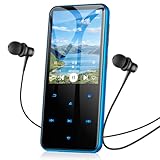
- 【64GB BUILT-IN LARGE STORAGE CAPACITY】Different from other large memory MP3 players on the market, the AGPTEK M3 boasts an impressive 64GB of internal storage, can expandable 128GB memory card (total up to 192G). [Other brands have no built-in memory and can only be used with TF card.]【Tip: The file size of a single transfer should not exceed 3GB to ensure the transfer speed and stability.】
- 【Bluetooth 5.3 & Automatic Reconnection】AGPTEK M3 MP3 music player adopts Bluetooth 5.3 technology, more stable connection, better compatibility, and lower consumption. You can pair the Bluetooth MP3 Player with wireless headphones or a Bluetooth speaker, automatically connects to the last Bluetooth device it was connected to, as soon as it is activated.
- 【HiFi Lossless Sound & Sports Partner】 With a professional audio decoding chip and smart noise reduction chip, AGPTEK MP3 player brings you original lossless music. With breakpoint resume function, perfect for doing sports, Yoga, exercise, running, travel, etc. Supports music formats like MP3/APE/FLAC/WMA/WAV/AAC [Note It does not directly support Audiobook and iTunes.]
- 【Multi-function & Long battery life】 M3 MP3 player with Music Play, Video, Recording, Radio, Pictures, e-Books, Pedometer, A-B repeat, etc. Built-in 500mAh battery, it only takes 2.5 hours to fully charge and enjoy long hours of music. Perfect solution to replace mobile phone music, save mobile phone power and extend mobile phone battery life.
- 【 2.4'' SCREEN & LINE-IN FUNCTION】Features a 2.4-inch TFT color screen, bringing a clear and beautiful display. And it supports Line-in recording and playback capabilities. Use a LINE IN cable to record from two MP3 players or connect with other devices for recording or play music. Perfect for music lovers, family, friends, and kids.
- For offline listening in YouTube’s ecosystem: use the service’s official Premium download feature, subject to its current plan and device rules.
- For a permanent MP3: obtain a file from the artist, an authorized store, an official download button, an openly licensed catalog, or an authorized physical copy.
A third-party converter may produce a file, but the existence of a converter does not grant permission to copy copyrighted music. It can also create malware and privacy risks.
Independent reader supportYour contribution helps us test, update, and keep practical guides available for everyone.Troubleshooting: the download is missing or will not play
- The download never completed: check the browser’s download list and retry from the original official source. Confirm that the computer has an internet connection and enough free disk space.
- You downloaded a ZIP file: extract it first. Music players generally cannot play the ZIP container itself.
- You see a webpage instead of an MP3: check the filename and extension. A file ending in
.html,.url, or a shortcut is not the song. Return to the provider’s real download control. - The file has no extension: inspect its properties or enable file-name extensions in your file manager. Do not simply rename an unknown file to
.mp3; changing the name does not convert its contents. - The MP3 will not play: try another reputable player, confirm that the file size is not zero, and download it again if it may be corrupted.
- The track is missing from SoundCloud: look for the official button on the individual web track page. If it is absent, there is no authorized SoundCloud download through that feature.
- The computer says there is not enough space: remove unnecessary files or choose another destination. Do not install a system-cleaning utility merely to download one song; start with the operating system’s built-in storage tools.
- The CD does not appear: check the USB connection, try another port, confirm that the disc is an audio CD rather than a blank or damaged disc, and check whether the optical drive is visible to Windows.
Copyright and download safety
Copyright owners generally control reproduction and distribution of their works. The U.S. Copyright Office explains that downloading or uploading copyrighted works without authorization can infringe those rights and directs consumers toward authorized services. The practical rule is simple: use the artist’s or store’s download button, files supplied with permission, an openly licensed catalog, or a physical disc you are authorized to copy. Read the U.S. Copyright Office’s copyright FAQ for the U.S. framework; other countries can have different exceptions.
Avoid torrent indexes, cracked music apps, “YouTube to MP3” converters, fake download buttons, and unknown portals. Warning signs include multiple flashing download buttons, requests to install a browser extension or executable, payment details for a supposedly free track, and a file whose extension is .exe, .scr, or another program type rather than an audio format. Keep your operating system and security software updated, and download only from a page you reached through the artist, label, store, or platform itself.
Optional: burn downloaded music to a disc
If you have a lawful local music collection and want a physical copy, compatible burning software can write the files to recordable media. Choose blank CD-R discs for music only when you actually need a disc; a USB drive or phone transfer is usually simpler. Be aware that an audio CD has a limited playing time, while an MP3 data disc may hold more files but may not work in every CD player. Confirm your player’s compatibility before burning.
Quick decision guide
- Want a permanent, portable file? Buy or claim the artist’s authorized download, or use an official SoundCloud download button.
- Want free music for personal listening? Look for a direct download from an openly licensed catalog and check the track’s terms.
- Already own the CD? Rip it to MP3 with Windows Media Player or another reputable CD-ripping tool, subject to local law.
- Only need music during a trip? Use the official offline mode in your subscription app, understanding that it is not a normal MP3.
- Need music for a documentary or monetized video? Check synchronization, commercial-use, attribution, and public-performance rights—not merely whether the file was free to download.
Frequently Asked Questions
Can YouTube Music download songs as MP3 files?
No. YouTube’s official app does not provide ordinary MP3 downloads. YouTube Music Premium supports offline listening inside its app, but those downloads are not unrestricted MP3 files that you can move to another player.
Best Value

- 【64GB BUILT-IN LARGE STORAGE CAPACITY】Different from other large memory MP3 players on the market, the AGPTEK M3 boasts an impressive 64GB of internal storage, can expandable 128GB memory card (total up to 192G). [Other brands have no built-in memory and can only be used with TF card.]【Tip: The file size of a single transfer should not exceed 3GB to ensure the transfer speed and stability.】
- 【Bluetooth 5.3 & Automatic Reconnection】AGPTEK M3 MP3 music player adopts Bluetooth 5.3 technology, more stable connection, better compatibility, and lower consumption. You can pair the Bluetooth MP3 Player with wireless headphones or a Bluetooth speaker, automatically connects to the last Bluetooth device it was connected to, as soon as it is activated.
- 【HiFi Lossless Sound & Sports Partner】 With a professional audio decoding chip and smart noise reduction chip, AGPTEK MP3 player brings you original lossless music. With breakpoint resume function, perfect for doing sports, Yoga, exercise, running, travel, etc. Supports music formats like MP3/APE/FLAC/WMA/WAV/AAC [Note It does not directly support Audible, Apple music and iTunes.]
- 【Multi-function & Long battery life】 M3 MP3 player with Music Play, Video, Recording, Radio, Pictures, e-Books, Pedometer, A-B repeat, etc. Built-in 500mAh battery, it only takes 2.5 hours to fully charge and enjoy long hours of music. Perfect solution to replace mobile phone music, save mobile phone power. (To save power, the player will automatically power off after 5 minute of inactivity. You can turn it off in the settings.)
- 【 2.4'' SCREEN & LINE-IN FUNCTION】Features a 2.4-inch TFT color screen, bringing a clear and beautiful display. Metal middle frame with ABS plastic back shell,the size is approximately 4.4 inches × 2.06 inches × 0.39 inches, Weight: approximately 3.6 oz. And it supports Line-in recording and playback capabilities. Use a LINE IN cable to record from two MP3 players or connect with other devices for recording or play music.
Where are downloaded MP3 files saved?
Usually it is in Downloads. On Windows, open File Explorer and select Downloads; on macOS, open Finder and select Downloads. If you still cannot find it, search for .mp3 and sort by date.
Can I move an offline song to another music player?
No. An offline subscription download is normally encrypted or managed by the provider’s app. It may require periodic internet access and generally cannot be opened in another music player.
What should I do if my music download is a ZIP file?
Extract the archive first. On Windows, right-click the ZIP and choose Extract All. On macOS, double-click it in Finder. The MP3 files should appear in the extracted folder.
Why is there no download button on SoundCloud?
Only if the uploader has enabled SoundCloud’s official Download button for that individual track. If the button is missing, do not use a third-party ripping site as a substitute.
The Bottom Line
For a real MP3 file, download from an authorized artist or store, use a platform’s official download control, or rip an authorized audio CD. Save the file, extract any ZIP archive, verify that it ends in .mp3, and back it up. Premium “offline” downloads from YouTube Music and similar apps are for playback inside those services, not unrestricted MP3 ownership.
Quick Recap
Product prices and availability are accurate as of the date/time indicated and are subject to change. Any price and availability information displayed on Amazon at the time of purchase will apply.