Some links on this page are affiliate links: if you buy through them we may earn a commission, at no extra cost to you.
MLB does not clearly publish one universal 2026 limit for separate people or independent live streams on a single MLB.TV subscription. More importantly, MLB’s terms of use prohibit password sharing and describe the service as personal, non-commercial home use. MLB.TV’s multiview features can let one subscriber watch several games on one supported device, but that is not the same as allowing several people to share an account.
The short answer
| Question | Best-supported answer |
|---|---|
| How many people may legally share one MLB.TV account? | MLB prohibits password sharing; the subscription is intended for the subscriber’s personal use. |
| How many separate live streams are guaranteed? | MLB’s public 2026 pages do not state a single universal number across plans, devices, and territories. |
| How many games can one viewer see at once? | It depends on the platform. The Apple Vision Pro listing advertises up to five games simultaneously. |
| Can several people watch in one room? | Yes, through one screen and one viewing session, subject to the device and app experience. |
| Should you buy MLB.TV for multiple households? | No. Use separate authorized subscriptions or a service with an explicit multi-user policy. |
People, devices, streams and multiview are different things
“How many people can watch at once?” can refer to several unrelated limits:
- Logged-in devices: devices where the account is signed in. This does not prove that every device can play video simultaneously.
- Concurrent streams: separate live video playbacks running on different devices, browsers or app sessions.
- Multiview: several games displayed inside one player or supported device interface. It may be delivered as one composite viewing experience rather than several independent account sessions.
- Authorized users: the people permitted to use the subscription under MLB’s terms. Technical access is not the same as contractual permission.
That distinction is why claims that MLB.TV “allows two,” “four” or “five streams” should not be treated as an official universal answer. Third-party reports conflict, and MLB’s publicly available subscription pages do not establish one current limit for every account and platform.
What’s actually slowing this PC down?
Pick the symptom - the matching free tool is one click away.
MLB.TV is not a household or group-sharing plan
MLB’s terms of use expressly prohibit password sharing. They also limit the subscription to personal, non-commercial home use. In practical terms, you should treat the account as belonging to the subscriber—not as an unlimited family, roommate, friend or office account.
#1 Best Overall

- True Baseball Action: Pitch fastballs, off-speed pitches, and wild curveballs using the built-in magnet control system, then bat, field, and run the bases across all 9 innings
- 2 Player Head-to-Head Gameplay: Take turns as pitcher and fielder or the batting team in a full 9-inning game that captures the authentic strategy and excitement of real baseball
- All 30 MLB Teams Included: Personalize the field with your favorite MLB franchise using 210 club-specific player pieces, all 30 team billboards, and official MLB sticker labels
- Regulation-Size Tabletop Field: The generous 20 in x 20 in playing field fits comfortably on any table and includes a scoreboard to track every ball, strike, out, and run scored
- Perfect Baseball Gift for Kids and Fans: An ideal gift for boys ages six and up, teens, and adult baseball fans, combining hands-on play with genuine MLB branding for lasting tabletop fun
The terms reserve remedies for prohibited use, including terminating the subscription and charging the full subscription fee for each person with whom the password was shared. They also describe a $100 early-termination charge connected with circumventing blackout or other use restrictions. These are rights MLB reserves; they do not mean every shared account will definitely be terminated or charged.
What multiview can—and cannot—do
MLB.TV supports multigame viewing features on selected platforms. MLB’s device-oriented pages advertise multiview and select 1080p streams for the 2026 season, while the MLB Apple Vision Pro listing says users can watch up to five games simultaneously.
That “up to five” claim applies to the Apple Vision Pro experience. It is not evidence that five people may use one MLB.TV account, nor should it be generalized to Roku, Fire TV, Apple TV, phones, browsers or smart TVs. Multiview availability can vary with the device, operating system, app version, game availability and the particular MLB product being watched.
Rank #2

- MLB The Show 26 Full Game on PlayStation 5
- Includes 5 The Show Packs
- NEW Road to Cooperstown & Expanded Amateur Years Career
- Build your ultimate fantasy team with a new Red Diamond rarity tier and World Baseball Classic player cards featuring elite game-changing players
- NEW Revamped Front Office Experience Play the nail-biting key matches and moments of your Franchise GM career with streamlined seasons and Custom Game Entry
A family or group sitting in front of one television can watch the same multiview screen. They will not necessarily have separate audio tracks, controls or screens. If each person needs an independent game in a different home, multiview does not solve the account-sharing issue.
Does MLB publish a device or stream limit?
The current public pages reviewed for the 2026 season list supported platforms and viewing features, but do not provide a clearly stated, universal number for simultaneous independent MLB.TV streams. Do not confuse the following:
- how many devices support the app;
- how many devices remain signed in;
- how many devices are actively playing video;
- how many games a multiview interface can display; and
- how many people are authorized to use the account.
Reports of two, four or five simultaneous streams may describe a particular platform, account state, app version or user experience. They are not a reliable promise for every direct subscription, promotional package, club package or territory.
Rank #3

- bright team colors and is designed with extended playability
What happens if another device starts playback?
MLB’s public materials do not document one current universal error message or guarantee what will happen when too many independent playbacks are active. Depending on the device, location and account state, users may encounter a refused new stream, an existing stream stopping or a “too many streams” type of message. These outcomes are reported anecdotally and should not be treated as a published MLB rule.
Try these steps if playback is blocked
- Stop playback on every other device.
- Sign out of unused devices.
- Close browser tabs and force-quit the MLB app.
- Reopen the app or browser on the intended device and try again.
- If the issue remains, use MLB’s help and troubleshooting resources or contact MLB customer service.
Deleting and reinstalling the app does not necessarily change the account’s server-side authorization state.
Blackouts can affect viewers differently
Blackouts determine whether a particular game is available to a viewer; they do not increase the number of people allowed to use an account. On the U.S. service, restrictions can depend on geography and factors such as IP address. A team’s home-territory blackout may apply even when that club is playing away, and national or postseason exclusivity can also limit live availability. See MLB’s U.S. subscription information for current restrictions.
Rank #4

- bright team colors and is designed with extended playability
A blacked-out live game may become available as an on-demand archive approximately 90 minutes after it ends. Live audio may remain available even when live video is unavailable. International rules differ by country; consult the international MLB.TV page rather than assuming U.S. rules apply.
Two viewers in different locations could therefore see different blackout results. That is a geography issue—not permission to share a password.
Crashes, No Sound, or Screen Glitches?
Random freezes, missing sound and display glitches usually trace back to one bad driver. Find and replace yours safely.Free scan · under a minutePC Slower Than It Used to Be?
A free scan shows the junk files, broken settings and background clutter dragging Windows down - then fixes them in one click.Free scan · Windows 10 & 11Is MLB.TV suitable for families, roommates or businesses?
- One household, one screen: This is the simplest use case. One subscriber can use the supported app, and everyone in the room can watch.
- One household, several screens: Do not buy on the assumption that a particular number of independent streams is guaranteed. MLB does not clearly publish one universal 2026 number.
- Friends in different homes: Password sharing conflicts with MLB’s terms.
- Sports bars and offices: The personal, non-commercial home-use language makes a direct MLB.TV subscription a poor basis for commercial public viewing unless an appropriate commercial arrangement is confirmed.
- Fantasy-baseball viewers: A multiview-compatible device may be useful if the goal is to monitor several games on one screen.
What MLB.TV includes
The U.S. MLB.TV subscription page advertises live and on-demand out-of-market MLB games, MLB Network 24/7 in the United States, live Minor League Baseball games, MLB Big Inning and live audio for all MLB teams. Some games are blacked out. The international package offers out-of-market live and on-demand games with territory-specific restrictions.
Best Value
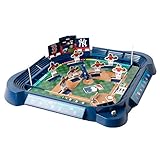
- Tabletop baseball game
- One player launches the ball, the other swings the bat; A lever moves the players to block the ball
- Great for ages 6 years and up
- Strengthens hand-eye coordination, concentration; Encourages math skills, imaginative play
- Measures 19 x 19 x 2 inches; Features player pieces and billboard from all 30 MLB teams
MLB.TV is therefore best suited to one authorized subscriber who wants broad out-of-market baseball access—not to several unrelated households seeking guaranteed independent viewing.
What to choose if several people need independent access
If separate viewers need their own screens, controls and locations, the cleanest options are separate authorized subscriptions or a live-TV provider with a clearly documented household stream policy. Check that provider’s current MLB carriage, blackout rules and simultaneous-stream terms before subscribing.
Access obtained through a third-party distributor or promotion may have a different login path, device policy, territory restriction or stream rule. Do not assume that rules for Fubo, ESPN, T-Mobile, a club package or another distributor automatically apply to a direct MLB.TV subscription. A broader live-TV service may fit a large household better, but it can cost more and may still lack local, regional, national or postseason games that MLB.TV does not carry live.
Bottom line
There is no reliable, universal public 2026 number for how many separate people or independent devices can watch one MLB.TV account at the same time. MLB prohibits password sharing, so a subscription should not be treated as a multi-household or commercial plan. Multiview can show several games for one subscriber on supported hardware—up to five on Apple Vision Pro according to its app listing—but that is a viewing feature, not a five-user entitlement.
Quick Recap
Product prices and availability are accurate as of the date/time indicated and are subject to change. Any price and availability information displayed on Amazon at the time of purchase will apply.

