Some links on this page are affiliate links: if you buy through them we may earn a commission, at no extra cost to you.
Spotify is available as a free, ad-supported app for Windows, macOS, Android, iPhone, iPad and Linux. You can also use the Spotify Web Player without installing anything. The safest download route depends on your device: use Spotify’s website for desktop installers, Google Play or the App Store for mobile, and avoid third-party “Spotify Premium APK” packages.
This guide covers the current minimum requirements, installation steps, Linux commands, browser use and the most common Web Player problems.
Before you download Spotify
Spotify’s current supported minimums are:
| Platform | Minimum requirement | Recommended official source |
|---|---|---|
| Windows | Windows 10 64-bit or Windows 11 and later | Spotify download page or Microsoft Store |
| macOS | OS X 12.0 or later | Spotify download page |
| Android | Android 7.0 or later | Google Play or Amazon |
| iPhone and iPad | iOS/iPadOS 16.1 or later | Apple App Store |
| Linux | Official client available, but Linux is not actively supported | Ubuntu Software, Snap or Spotify’s Debian repository |
| Web | Current Chrome, Firefox, Edge, Opera or Safari | Spotify Web Player |
Installing Spotify is free. The free plan includes advertising, while Premium is required for offline music downloads. Free accounts can download podcasts for offline playback.
What’s actually slowing this PC down?
Pick the symptom - the matching free tool is one click away.
Download Spotify for Windows
- Open Spotify’s official Windows download page.
- Select Download.
- Open the downloaded installer.
- Follow the installation prompts, then launch Spotify and sign in.
You can also reinstall Spotify through the Microsoft Store. The supported requirement is Windows 10 64-bit or Windows 11 and later. Older 32-bit Windows installations are not listed as supported.
Popular on Amazon
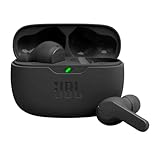
- JBL Deep Bass Sound: Get the most from your mixes with high-quality audio from secure, reliable earbuds with 8mm drivers featuring JBL Deep Bass Sound.
- Comfortable fit: The ergonomic, stick-closed design of the JBL Vibe Beam fits so comfortably you may forget you're wearing them. The closed design excludes external sounds, enhancing the bass performance.
- Up to 32 (8h + 24h) total hours of battery life with speed charging: With 8 hours of battery life in the earbuds and 24 in the case, the JBL Vibe Beam provide all-day audio. And when you need more power, you can speed charge an extra two hours in just 10 minutes.
- Stay aware of your surrounding: Go anywhere and hear everything with Smart Ambient technology. When you need to pause for a quick chat, TalkThru lets you instantly hear yourself and those around you without taking out your earbuds. Or use Ambient Aware to keep the music playing while remaining aware of your surroundings.
- Hands-free calls with VoiceAware: When you're making hands-free stereo calls on the go, VoiceAware lets you balance how much of your own voice you hear while talking with others.
Download Spotify for macOS
- Open Spotify’s official Mac download page.
- Select Download.
- Open the downloaded file.
- If macOS shows a disk-image installer, drag Spotify into the Applications folder.
- Open Spotify from Applications and sign in.
Spotify currently lists OS X 12.0 or later as the minimum supported Mac version.
Reinstalling Spotify on a Mac
If a normal reinstall does not resolve crashes or corrupted files, Spotify’s documented full cleanup removes these folders:
~/Library/Caches/com.spotify.client
~/Library/Caches/com.spotify.client.helper
~/Library/Application Support/Spotify
In Finder, hold Option while opening Go > Library to reveal the Library folder. Remove the listed Spotify folders, reinstall the app, and sign in again. This process deletes local Spotify downloads, so saved music and podcasts must be downloaded again.
Download Spotify for Android
- Open Spotify’s Google Play listing.
- Tap Install.
- Open Spotify and sign in or create an account.
The current supported minimum is Android 7.0 or later. Spotify’s official download options also direct Android users to Amazon.
Spotify APK downloads: what to avoid
Spotify’s current official platform-download page does not provide a general public APK link. For Android, the official routes are Google Play and Amazon.
Be especially cautious with websites advertising “Spotify Premium APK,” “modded Spotify,” or unlocked features. These packages are not official Spotify downloads, and Spotify says it cannot guarantee the safety or performance of apps obtained from unofficial sources. An APK from an unknown site may contain malware, altered login code or software that stops working after an update.
If Google Play is unavailable on your device, use a trusted manufacturer or app-store route where Spotify is officially listed. Do not assume that an old forum post describing a manual Spotify APK download represents the company’s current distribution policy.
Also popular on Amazon

- WORLD’S BEST IN-EAR ACTIVE NOISE CANCELLATION — Removes up to 2x more unwanted noise than AirPods Pro 2* so you can stay fully immersed in the moment.*
- BREAKTHROUGH AUDIO PERFORMANCE — Experience breathtaking, three-dimensional audio with AirPods Pro 3. A new acoustic architecture delivers transformed bass, detailed clarity so you can hear every instrument, and stunningly vivid vocals.
- HEART RATE SENSING — Built-in heart rate sensing lets you track your heart rate and calories burned for up to 50 different workout types.* With iPhone, you will have access to the Move ring, step count, and the new Workout Buddy,* powered by Apple Intelligence.*
- LIVE TRANSLATION — Communicate across language barriers using Live Translation,* enabled by Apple Intelligence.*
- EXTENDED BATTERY LIFE — Get up to 8 hours of listening time with Active Noise Cancellation on a single charge. Or up to 10 hours in Transparency using the Hearing Aid feature.*
Download Spotify for iPhone and iPad
- Open Spotify’s official App Store listing.
- Tap Get.
- Authenticate with Face ID, Touch ID or your Apple ID password.
- Open Spotify and sign in.
The App Store listing identifies the developer as Spotify and requires iOS/iPadOS 16.1 or later.
Reinstalling on iPhone or iPad
Touch and hold the Spotify icon, select Remove App > Delete App, then reinstall it from the App Store. Deleting and reinstalling the app removes downloaded music and podcasts; they must be saved again after you sign in.
Install Spotify on Linux
Spotify offers three official Linux installation routes. Linux support is limited: Spotify describes the client as a project maintained by engineers in their spare time and says Linux is not currently an actively supported platform. Features and reliability can therefore differ from the Windows and Mac applications.
Ubuntu Software
- Open Ubuntu Software.
- Search for Spotify.
- Select Spotify and click Install.
If Spotify’s link does not open Ubuntu Software correctly, open the store manually and search for the application.
Snap
On a distribution with Snap enabled, run:
sudo snap install spotifyIf Snap is not installed, follow the instructions for your distribution at Snapcraft.
Debian or Ubuntu repository
Spotify’s documented repository setup uses these commands:
curl -sS https://download.spotify.com/debian/pubkey_5384CE82BA52C83A.asc | sudo gpg --dearmor --yes -o /etc/apt/trusted.gpg.d/spotify.gpg
echo "deb https://repository.spotify.com stable non-free" | sudo tee /etc/apt/sources.list.d/spotify.list
sudo apt-get update && sudo apt-get install spotify-client
Review commands before running them and enter your administrator password when prompted. If the repository installation fails, the Snap or Ubuntu Software package may be the simpler option.
Also popular on Amazon
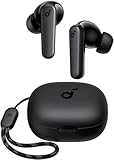
- Powerful Bass: soundcore P20i true wireless earbuds have oversized 10mm drivers that deliver powerful sound with boosted bass so you can lose yourself in your favorite songs.
- Personalized Listening Experience: Use the soundcore app to customize the controls and choose from 22 EQ presets. With "Find My Earbuds", a lost earbud can emit noise to help you locate it.
- Long Playtime, Fast Charging: Get 10 hours of battery life on a single charge with a case that extends it to 30 hours. If P20i true wireless earbuds are low on power, a quick 10-minute charge will give you 2 hours of playtime.
- Portable On-the-Go Design: soundcore P20i true wireless earbuds and the charging case are compact and lightweight with a lanyard attached. It's small enough to slip in your pocket, or clip on your bag or keys–so you never worry about space.
- AI-Enhanced Clear Calls: 2 built-in mics and an AI algorithm work together to pick up your voice so that you never have to shout over the phone.
Use Spotify as a Web App
The Spotify Web Player streams music and podcasts in a browser, so there is no application to download. It is useful on a work computer, a Chromebook, a temporarily managed device or any system that cannot install desktop software.
Do these 3 things before closing this tab:
1Fix the driver behind crashes, sound loss and screen glitches2Repair Windows errors before they cause bigger problems3Scan for outdated or missing drivers - takes under a minuteSpotify supports current versions of Chrome, Firefox, Edge, Opera and Safari. Its desktop guidance covers browser versions updated within the previous 30 months. Mobile browser requirements are separate from the requirements for the native apps:
- Android browser: Android 6.0 or later, Chrome 87 or later, Samsung Internet 17 or later, or Firefox 115 or later.
- iPhone and iPad browser: Chrome 87 or later or Safari 15 or later.
Open play.spotify.com, choose the login option, and sign in with your Spotify account.
Independent reader supportYour contribution helps us test, update, and keep practical guides available for everyone.Fix “Playback of protected content is not enabled”
This message normally means that DRM or protected-content playback is disabled in the browser.
Chrome
- Enter
chrome://settings/contentin the address bar. - Select
open.spotify.com. - Under Protected content IDs, choose Allow or Default.
Firefox
Select Enable DRM in the yellow warning bar. If the bar is not visible, open about:preferences#content and enable Play DRM content under DRM content.
Windows Errors? Fix Them Before They Spread
Repair common Windows errors and clear accumulated junk for a smoother, more stable PC - no reinstall needed.Free scan · no reinstallCrashes, No Sound, or Screen Glitches?
Random freezes, missing sound and display glitches usually trace back to one bad driver. Find and replace yours safely.Free scan · under a minuteWindows 10 N
Windows 10 N editions may need Microsoft’s Media Feature Pack. Download it from the Microsoft Download Center by selecting your language, choosing Download, selecting the platform and clicking Next.
Other causes include an outdated browser, a school or workplace network blocking Spotify, or restrictions on a shared public network. Update the browser, try a private/incognito window and test another network if possible.
Also popular on Amazon

- REBUILT FOR COMFORT — AirPods 4 have been redesigned for exceptional all-day comfort and greater stability. With a refined contour, shorter stem, and quick-press controls for music or calls.
- ACTIVE NOISE CANCELLATION — AirPods 4 with Active Noise Cancellation help reduce outside noise before it reaches your ears, so you can immerse yourself in what you’re listening to.*
- HEAR THE WORLD AROUND YOU — The powerful H2 chip comes to AirPods 4. Adaptive Audio seamlessly blends ANC and Transparency mode — which lets you comfortably hear and interact with the world around you exactly as it sounds — to provide the best listening experience in any environment.* And when you’re speaking with someone nearby, Conversation Awareness automatically lowers the volume of what’s playing.*
- IMPROVED SOUND AND CALL QUALITY — Voice Isolation improves the quality of calls in loud conditions. Using advanced computational audio, it reduces background noise while isolating and clarifying the sound of your voice for whomever you’re speaking to.*
- MAGICAL EXPERIENCE — Just say “Siri” or “Hey Siri” to play a song, make a call, or check your schedule.* And with Siri Interactions, now you can respond to Siri by simply nodding your head yes or shaking your head no.* Pair AirPods 4 by simply placing them near your device and tapping Connect on your screen.* Easily share a song or show between two sets of AirPods.* An optical in-ear sensor knows to play audio only when you’re wearing AirPods and pauses when you take them off. And you can track down your AirPods and Charging Case with the Find My app.*
Free Spotify versus Premium
| Feature | Free account | Premium account |
|---|---|---|
| Stream music and podcasts | Yes, with advertising | Yes |
| Music downloads for offline listening | No | Yes |
| Podcast downloads | Yes | Yes |
| Offline download retention | Podcast downloads only | Account must reconnect at least once every 30 days |
Downloading the app does not make music available offline. Premium is required for offline music, and reinstalling Spotify removes locally stored downloads. Any downloaded content must be saved again.
FAQ
Is Spotify free to download?
Yes. The Windows, macOS, Android, iOS, iPadOS and Linux clients can be downloaded without paying. The free service is ad-supported; Premium is required for offline music downloads.
Where can I get an official Spotify APK?
Spotify’s current official download options direct Android users to Google Play or Amazon rather than a general public APK link. Avoid third-party “Spotify Premium APK” and modified-app sites.
Can I use Spotify without installing the app?
Yes. Open the Spotify Web Player at play.spotify.com in a supported current browser such as Chrome, Firefox, Edge, Opera or Safari.
Why will Spotify not play in my browser?
Common causes include disabled DRM, an outdated browser, or a school, workplace or public network blocking Spotify. Enable protected content, update the browser, try a private window and test another network.
The Bottom Line
Use Spotify’s official desktop pages, Google Play, the Apple App Store or the documented Linux packages. Treat unofficial APK sites as unsafe, and use the Web Player when installing an app is not practical. The app is free, but offline music requires Premium; reinstalling also removes downloads that must be saved again.
Free tools Windows power users keep installed
One-click scans. No signup required.






Say something about this film