The Bleach download available from Windows Mode is a third-party Windows desktop theme pack—not a game, anime stream, soundtrack, or standalone application. It is supplied as a .deskthemepack file and is described by the publisher as compatible with Windows 10 and Windows 11. For a current installation, use Windows 11 where possible, download from the publisher’s page, scan the file, and then open it with Windows.
Quick facts
| Item | Details |
|---|---|
| Publisher page | Windows Mode Bleach theme |
| File type | .deskthemepack Windows theme package |
| Direct file destination | Bleach-Theme-by-WindowsMode.com.deskthemepack |
| Publisher-stated compatibility | Windows 10, Windows 11, and Windows 7 |
| Official status | Not established as a Microsoft Store or officially licensed Bleach product |
Windows Mode’s page was updated May 26, 2025. The page links to a file hosted on the separate files.oxavi.com domain, so treat this as a third-party download rather than a Microsoft-distributed theme.
What the Bleach theme contains
The pack is presented as a collection of Bleach wallpapers and Windows theme settings. The gallery features characters and artwork associated with Ichigo Kurosaki, Rukia Kuchiki, Byakuya Kuchiki, Kenpachi Zaraki, Orihime Inoue, Tōshirō Hitsugaya, Uryū Ishida, Sōsuke Aizen, Gin, Ulquiorra, other captains, Soul Reapers, Hollow forms, and sword scenes.
The gallery shows both wide desktop images and some portrait-oriented artwork. Windows Mode does not state a verified image count, so do not rely on a specific number of wallpapers. Windows themes can support backgrounds, colors, sounds, cursors, and related personalization settings, but the available page does not confirm which of those components this particular package contains. See Microsoft’s overview at Personalize your Windows experience with themes.
Outdated Drivers Are Slowing You Down
One free scan finds every outdated or missing driver and matches the right update for your exact hardware.Free scan · exact hardware matchPC Slower Than It Used to Be?
A free scan shows the junk files, broken settings and background clutter dragging Windows down - then fixes them in one click.Free scan · Windows 10 & 11#1 Best Overall

- All Major Languages Support (English,Italian,German,Portuguese,Spanish,French,Japanese,Chinese)
- Different HD Default Music's ( FREE )
- High quality Sounds & HD Pleasing View ( FREE )
- Amazing Special Effects ( FREE )
- Brightness Control & Child Lock ( FREE )
Is this an official Microsoft or Bleach theme?
No. The available evidence identifies it as a custom theme published by Windows Mode and linked to an Oxavi-hosted file. It is not presented as a Microsoft Store listing, and no official affiliation with Microsoft or the Bleach rights holders is established.
Microsoft’s normal theme channel is Settings → Personalization → Themes → Browse themes, which opens Microsoft Store themes. This download comes from outside that channel. Downloading it does not grant permission to redistribute Bleach artwork or use it commercially; check the rights holder’s terms before any public or commercial use.
How to download and install it on Windows 11
- Open the Windows Mode article: https://www.windowsmode.com/bleach-theme/.
- Select the Bleach theme download. If the browser does not begin downloading, right-click the link and choose Save link as, the fallback recommended by the publisher.
- Save the file in a convenient location such as Downloads. Its expected name ends in
.deskthemepack. - Before opening it, right-click the file, choose Show more options if necessary, and scan it with Windows Security. Do not proceed if the download has become an executable or another unexpected file type.
- Double-click the completed
.deskthemepackfile. Windows should import and normally apply the theme. - If it is not active, open Settings → Personalization → Themes and select the imported Bleach theme.
- Use the personalization controls to adjust Background, Colors, Sounds, or Mouse cursor where those options are available.
A successful import should change desktop personalization only. It should not install a game, browser extension, media player, driver utility, or other program.
Installing it on Windows 10
The publisher describes the pack as compatible with Windows 10. The installation sequence is the same: download and scan the file, double-click it, then open Settings → Personalization → Themes. You can also right-click the desktop, choose Personalize, and select the new theme.
The Tool Desk
Outbyte Driver Updater FREEFix the driver behind crashes, sound loss and screen glitchesFind Drivers →Outbyte PC Repair FREEClear out junk files and repair common Windows errorsFree Scan →Windows 10 reached end of support on October 14, 2025. PCs continue to run, but Microsoft no longer provides normal free Windows Update software updates, technical assistance, or security fixes after that date. Windows 11 is therefore the sensible target for a new installation.
Customize or undo the theme
Change the background or slideshow
Open Settings → Personalization → Background. Choose a single picture, solid color, or slideshow and select the folder containing the images you want Windows to rotate.
Rank #3

- 🏠DETAILS: Size 17.5 X78.8 Inch , total 9.57 sq.ft(44.5cmX2m), Self adhesive (no extra glue needed). Made of durable vinyl, Prepasted coastal wallpaper, Peel and stick, Matte, Waterproof, Removable.
- 🏠DIY FREELY: Trimming gridlines on backing paper for precise measurements, cut to any sizes, self stick on any smooth walls or cabinets. Premium painting Ensures No Fading for Years.
- 🏠All-PURPOSE: Coastal peel and stick wallpaper for bathroom, coastal wallpaper for bedroom, prepasted wallpaper rolls for walls, ocean wallpaper for kids, ocean wallpaper for nursery, coastal contact paper for cabinets, peel and stick wallpaper for boys room, fun wallpaper for laundry room.
- 🏠REMOVABLE: Start in a corner of the sticky wallpaper, begin to peel the wallpaper away slowly and evenly(30 degree), if the wallpaper is strong bonded with your walls, please soft the wallpaper glue by hair-dryer to avoid it tear your wall paint.
- 🏠USE: Coastal wallpaper for bathroom,kids room, kitchen,boys bedroom,cabinets,classroom,living room,RV camper,accent wall,apartment,art studio,arts,crafts,appliances,bathroom wall,bookshelf,ceiling,cabin,closets,cabinet doors,dresser,dollhouse,dorm,desk,entryway,furniture,foyer,fridge,fireplace,men,home,office,hallway,island,interior doors,locker,laundry room, living room wall,mudroom, man,pantry,playroom,renters, rv walls, rentals,stairs,shower,school,salon,shelves.
Restore colors and other settings
Open Settings → Personalization → Themes, select the theme, and change the individual personalization controls. Applying another saved theme returns you to that theme’s settings.
Stop themes changing desktop icons
If icons change, open Settings → Personalization → Themes → Desktop icon settings. Restore the icons you prefer and, where shown, clear Allow themes to change desktop icons. Microsoft documents this control at Customize the desktop icons in Windows.
Safety checks before opening the file
- Use the Windows Mode article or its displayed destination, not an unverified re-upload or shortened link.
- Confirm the filename ends in
.deskthemepack. A theme does not require a separate.exeinstaller. - Scan the download with Windows Security or your current antivirus.
- Cancel if a pop-up redirects you to a password-protected archive, browser extension, “driver updater,” or executable download.
- Keep a restore point or note your current personalization settings if you want an easy rollback.
- Delete the downloaded file after installation if you do not need a backup.
No current independent malware scan, hash, file-size verification, or package audit is established for this download. It would therefore be inaccurate to call it virus-free or guarantee that the host and file will remain unchanged.
Rank #4

- 【Size & Package】: 7x5FT (210cmx150cm). 1PCS, backdrop send by folded. Please note! Does not include brackets and clamps.
- 【Material】: vinyl photography background, durable, lightweight, easy to carry and store.
- 【Color】: High resolution digital printing, bright and clear patterns and colors.
- 【Warm Tips】:Item will be sent by folded. If necessary, please iron at low temperature for easy smoothing.
- 【Occasion】: It is suitable for weddings, product photography, studio props, theme parties, birthday parties, video shooting, live TV, desktop decoration backgrounds, wall decoration, etc.
What to do when something fails
The download does not start
Return to the publisher’s page and use Save link as. Check that the browser saved a theme file rather than an HTML error page. Temporarily review download-blocking extensions, but do not replace a failed link with a random mirror.
Double-clicking does nothing
- Turn on visible file extensions in File Explorer and verify the suffix is
.deskthemepack, not.zip,.html, or.exe. - Make sure the download completed and was not quarantined.
- Open Settings → Personalization → Themes after attempting the import and look for a new theme.
- Confirm you are using a supported Windows desktop edition and have permission to change personalization settings.
Windows says the file is invalid
Delete the file and download it again from the Windows Mode page. An incomplete download, a broken third-party link, an incorrectly renamed file, an older package, or an error page saved with the wrong extension can all produce this message. If the publisher’s link remains broken, use individual wallpapers rather than an unverified mirror.
The theme installs but images are missing
Theme packages contain a configuration file plus referenced assets. Missing files, corrupt extraction, broken paths, or a package built on another machine can leave the wallpaper blank. As a workaround, download the gallery images individually, place selected files in one folder, and choose that folder under Settings → Personalization → Background.
What’s actually slowing this PC down?
Pick the symptom - the matching free tool is one click away.
Best Value
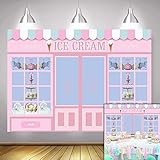
- Size:7*5 FT(210cm*150cm).Please note! Does not include brackets and clamps
- Characteristic:This background cloth is soft to the touch, smooth in surface, light in texture, durable and wear-resistant, bright in color and not easy to fade
- Superiority:This background cloth is made of polyester and can be used repeatedly.This will save you the budget for your next purchase!
- Suitable:Use for the photography,video,displays.Also,they could use for the party or wall paper decoration.In other words, you can use it anywhere if you like
- Color:As the pictures shown.All Polyester photography backgrounds in our shop are printed with high-resolution digital printers, with excellent color quality,eye-catching product details
Use individual Bleach wallpapers instead
A full theme is unnecessary if you want one image or want to avoid bundled colors, sounds, cursors, icons, or slideshow behavior. Windows Mode provides individual wallpaper pages, including images offered in resolutions such as 1,920 × 1,080 and 2,560 × 1,440:
After downloading an image, right-click it and choose Set as desktop background, or add it to a slideshow folder.
Which option should you choose?
| Goal | Best fit |
|---|---|
| One-click Bleach setup with multiple images | The Windows Mode .deskthemepack |
| One wallpaper with minimal changes | An individual Windows Mode wallpaper |
| Distribution through Microsoft’s normal channel | Settings → Personalization → Themes → Browse themes, accepting that a Bleach listing is not established |
| Animated or interactive backgrounds | A separate live-wallpaper application; this is a different product category and is not required for the theme pack |
The Bottom Line
The Windows Mode download is a third-party Bleach .deskthemepack for Windows personalization. Use the publisher’s page, scan the file, open it directly in Windows 11 or Windows 10, and switch to individual wallpapers if the package or link fails. Do not treat it as an official Microsoft/Bleach release or assume licensing and malware safety that have not been verified.
Quick Recap
Product prices and availability are accurate as of the date/time indicated and are subject to change. Any price and availability information displayed on Amazon at the time of purchase will apply.
Do these 3 things before closing this tab:
1Fix the driver behind crashes, sound loss and screen glitches2Clear out junk files and repair common Windows errors3Scan for outdated or missing drivers - takes under a minute