Quick wins for a faster PC:
Fix the driver behind crashes, sound loss and screen glitchesFind Drivers →Repair Windows errors before they cause bigger problemsFix Now →No—not as a dependable Facebook Group feature. Facebook’s original Watch Party let Group members watch queued Facebook videos in sync, but it should not be confused with Messenger Watch Together, Meta’s call-based option for watching supported videos with people who join a Messenger video call.
What Facebook Watch Party did
Facebook introduced Watch Party for Groups globally on July 27, 2018. A host could queue live or recorded Facebook videos, and Group members could watch them together in synchronized playback while commenting and reacting. Meta’s launch announcement described it as a shared viewing experience inside Groups.
It was different from Facebook Live. A Watch Party played selected videos together; Live was a broadcast of an event as it happened.
Is the original Group Watch Party still available?
Do not rely on finding a Watch Party control in a Facebook Group. Meta’s presently documented co-watching feature is Messenger Watch Together, which runs during a Messenger video call rather than as a synchronized player in a Group post. Older instructions that say to open the Group post composer and choose “Watch Party” describe the former feature, not a dependable current workflow.
The Tool Desk
Outbyte Driver Updater FREEFix the driver behind crashes, sound loss and screen glitchesFind Drivers →Outbyte PC Repair FREEClear out junk files and repair common Windows errorsFree Scan →#1 Best Overall

- The Google TV Streamer (4K) delivers your favorite entertainment quickly, easily, and personalized to you[1,2]
- HDMI 2.1 cable required (sold separately)
- See movies and TV shows from all your services right from your home screen[2]; and find new things to watch with tailored recommendations for everyone in your home based on their interests and viewing habits
- Watch live TV and access over 800 free channels from Pluto TV, Tubi, and more[3]; if you find an interesting show or movie on your TV, mobile app, or Google search, you can easily add it to your watchlist, so it’s ready when you are[2]
- Up to 4K HDR with Dolby Vision delivers captivating, true-to-life detail[4]; and you can connect speakers that support Dolby Atmos for more immersive 3D sound
The exact removal date is not established by the available Meta documentation. Some secondary coverage reports that the feature ended in 2021, and one report gives April 16, 2021; treat those as reported dates, not an official Meta-confirmed discontinuation announcement. See TechYorker’s report and SocialRails’ guide.
What Messenger Watch Together does instead
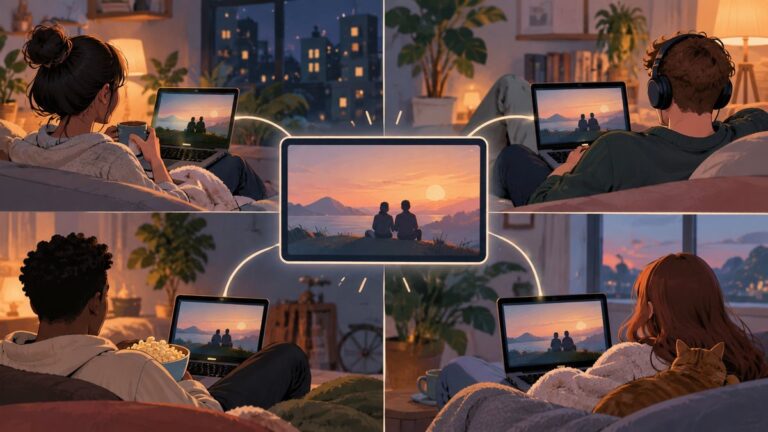
Meta documents Watch Together as a way to view supported Facebook and Instagram videos during an active Messenger video call. Participants have to join the call; the feature is not started from a Facebook Group post. It is therefore suited to an invited call group, not a whole community browsing its Group feed.
Meta’s Help Center lists Facebook Reels, videos on Facebook Watch, and certain Instagram videos and posts among supported content. Instagram content may require a connected account. Content access can differ by age, location, rights, audience settings, or whether the original video is still available. A video link that opens for one person is not necessarily eligible to play for everyone in the shared session. Check Meta’s Watch Together instructions and troubleshooting and content restrictions.
Rank #2

- The Google TV Streamer (4K) delivers your favorite entertainment quickly, easily, and personalized to you[1,2]
- HDMI 2.1 cable required (sold separately)
- See movies and TV shows from all your services right from your home screen[2]; and find new things to watch with tailored recommendations for everyone in your home based on their interests and viewing habits
- Watch live TV and access over 800 free channels from Pluto TV, Tubi, and more[3]; if you find an interesting show or movie on your TV, mobile app, or Google search, you can easily add it to your watchlist, so it’s ready when you are[2]
- Up to 4K HDR with Dolby Vision delivers captivating, true-to-life detail[4]; and you can connect speakers that support Dolby Atmos for more immersive 3D sound
How to start Watch Together
-
Open the Messenger mobile app or desktop app. Meta says the feature is not available in Messenger through a browser such as Safari; the exact device and browser support can change.
Special offer. See more information about Outbyte and uninstall instructions. Please review EULA and Privacy policy. -
Start or join a Messenger video call with at least one other person.
-
In the call, select the shared-viewing control at the bottom of the screen. Its icon and placement can vary by app version and device.
Rank #3
Sale ONN Android TV 2K FHD Streaming Stick with Remote Control & Power Adapter WiFi HDMI Chromecast Built-in
- Ask to control your TV with your voice, and quickly cast your photos, videos, music and more from your phone, tablet, or PC to your TV with Chromecast built in
- Built-in Virtual Assistant – just press the mic button on the remote to get what you want
- Built-in content and entertainment including YouTube, Play Movies & TV, and more
- Support for thousands of Apps on the Play Store
- 2K resolution TV streaming
-
Choose Watch Together, or the equivalent video-sharing control displayed in that call.
-
Choose a suggested video, browse the available categories, or search for supported content. The selected video should play for people in the call.
What’s actually slowing this PC down?
Pick the symptom - the matching free tool is one click away.
Special offer. See more information about Outbyte and uninstall instructions. Please review EULA and Privacy policy.
Meta’s September 2020 launch announcement described support for up to eight people in a Messenger video call and up to 50 in Rooms at launch. Those are launch-era figures, not confirmed current participation limits; do not use them to plan a present-day event without checking the current app. Meta’s 2020 announcement
Rank #4

- HD streaming made simple: With America’s number 1 TV streaming platform,* exploring popular apps—plus tons of free movies, shows, and live TV—is as easy as it is fun. *Based on hours streamed—Hypothesis Group
- Compact without compromises: The sleek design of Roku Streaming Stick won’t block neighboring HDMI ports, and it even powers from your TV alone, plugging into the back and staying out of sight. No wall outlet, no extra cords, no clutter.
- No more juggling remotes: Power up your TV, adjust the volume, and control your Roku device with one remote. Use your voice to quickly search, play entertainment, and more.
- Shows on the go: Take your TV to-go when traveling—without needing to log into someone else’s device.
- TV, simplified: With setup that only takes minutes, a simple-to-navigate Home Screen, and an uncluttered remote control that does all you need—Roku makes it easier to watch the TV you love.
Why Watch Together may be missing or fail
-
You are not in a video call. Watch Together is a call feature, not a Group-feed control.
-
You are using Messenger in a browser. Try the Messenger app instead.
-
The app is out of date. Update Messenger to the latest version available for your device.
Free tools Windows power users keep installed
One-click scans. No signup required.
Special offer. See more information about Outbyte and uninstall instructions. Please review EULA and Privacy policy.Best Value
 Google Chromecast (3rd Generation) Media Streamer - Black
- Expand your home entertainment without buying a new TV; Google Chromecast lets you stream your favorites from your phone, tablet, or laptop; no remote needed
- Chromecast is easy to set up up; just plug it in, connect to Wi-Fi, and start streaming to turn your TV into a smart TV; it works with almost any TV that has an HDMI port
- Works with the apps you already know and love; enjoy shows, movies, music, games, sports, photos, live TV, and more from over 2,000 streaming apps in up to 1080p
- With Chromecast, you can stream, pause, play, or adjust the volume right from your phone with just a tap; while you’re streaming, you can still use your phone as you normally do
- Mirror your laptop screen or turn your tablet into an even better entertainment system; surf the web or see your media on the big screen
-
The video is inaccessible to someone in the call. Check age, location, audience, and rights restrictions, and confirm the original has not been deleted.
-
The content is unsupported. Sharing its link does not make it playable through Watch Together.
-
The connection is weak. Test the network; Meta notes that turning off cameras may help when network conditions interfere with playback.
If updating and checking access do not resolve the problem, Meta’s troubleshooting guidance also recommends reinstalling Messenger.
Choose an alternative that fits the event
| What you need | Best fit | What to expect |
|---|---|---|
| Co-watching supported Facebook or Instagram videos with a few invited people | Messenger Watch Together | Participants must join a Messenger video call; it is not a persistent Group viewing post. |
| A large Group watching a hosted presentation, service, performance, or event | Facebook Live in the Group | It is a broadcast, not synchronized control of an existing video queue. Group privacy settings affect who can see it. See Facebook’s Group Live instructions. |
| A public video and a community discussion at a set time, without enforced synchronization | A scheduled Group post or Event with the link and start time | This coordinates when people press play; it does not synchronize playback technically. |
| A small conversation group watching content that Watch Together cannot select | Messenger call with screen sharing | Device compatibility, bandwidth, privacy, service rules, and content rights still apply. Screen sharing is not permission to rebroadcast protected material. |
| Cross-platform synchronized playback, a room link, or a playlist | A dedicated watch-party service | WatchParty.me describes synchronized rooms with chat, playlists, video chat, screen sharing, and support for sources including YouTube, URLs, and uploaded files. Verify the service’s availability, privacy terms, and permitted use of the particular content. |
Rights and Group privacy still matter
A Group’s membership does not grant permission to rebroadcast films, television, sports, paid courses, or other protected material. Before using Live, screen sharing, or an outside watch room, make sure you have the necessary rights and that the relevant platform’s terms permit the method. A private Group also does not automatically carry its membership or access controls into a separate Messenger call; invite or admit the intended participants there.
Quick Recap
Product prices and availability are accurate as of the date/time indicated and are subject to change. Any price and availability information displayed on Amazon at the time of purchase will apply.