Recommended Free Tools
Some links on this page are affiliate links: if you buy through them we may earn a commission, at no extra cost to you.
Yes. One YouTube TV subscription can be used on multiple TVs. The standard plan allows up to three devices to stream at the same time, and those devices can be TVs, phones, tablets, or computers. If you need more than three simultaneous streams at home, YouTube TV’s 4K Plus add-on provides unlimited streams on the designated home Wi-Fi network.
How many TVs can stream YouTube TV at once?
YouTube TV’s standard plan allows three simultaneous streams across the account. There is no separate limit on how many compatible TVs can have the app installed; what matters is how many devices are actively playing at once. Google describes the standard allowance as three devices (YouTube TV plan details).
| What is streaming at once? | Standard-plan result |
|---|---|
| Two TVs | Within the three-device limit |
| Three TVs | Within the limit, if no other device is streaming |
| Two TVs and one phone | Three streams; within the limit |
| Two TVs and two phones | Four streams; over the limit |
| Four TVs | Over the standard limit |
A stream left playing in the background may still use a slot. Stop playback on devices nobody is watching rather than relying on pausing the show or leaving the app.
When is 4K Plus worth it?
The 4K Plus add-on gives subscribers unlimited simultaneous streams on the designated home Wi-Fi network and allows three simultaneous streams outside the home. Its stream benefit is not an unlimited allowance across multiple homes. It also includes selected 4K programming and offline viewing of eligible DVR recordings on mobile devices (Google’s 4K Plus details).
#1 Best Overall
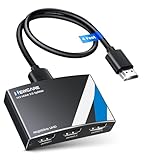
![avedio links HDMI Splitter 1 in 2 Out [with 4 Ft Hdmi Cable], Mirror Only](https://m.media-amazon.com/images/I/412VNL8UP8L._SL160_.jpg)
- 1x2 HDMI Splitter Duplicate/Mirror Only(Not Support Extend): avedio links HDMI Splitter can only duplicate same content from one HDMI input signal to two HDMI displays, transmit video and audio simultaneously, two displays can work at the same time. Note: This splitter not support dual-screen extension. Due to HDMI standards, it only mirrors one signal to two displays simultaneously.
- Not Support: 1.Not Extended,it not extend different content to two monitors; 2.Not a switcher, it not support connect two HDMI input signal to one monitor; 3.Not a audio extractor, not support connect to any audio device such as speaker,sound-bar...
- 4K Ultra HD Resolution: Powered HDMI Splitter support 4K@30Hz, Backward compatible with 1080p@50/60Hz/1080i@50/60Hz/720p@50/60Hz/720i@50/60Hz/576p@50Hz/576i@50Hz/480p@60Hz/ [email protected] use HDMI 2.0 AWG 26 cable, for 4K,length≤16ft; for 1080P,length≤32.8ft
- Plug and Play: No external drivers required. Please connect a 5V 1A power adapter to ensure stable performance, avoid no signal output or screen flickering issue. Support HDMI v1.3/1.4,HDCP1.4 (Not Compatible With HDCP2.2). Support deep color 12 bit/16 bit. Support audio format: DTS-HD/Dobly-true HD/LPCM7.1/DTS/Dobly-AC3/DSD/HD(HBR)
- Package List: 1* 1 in 2 out HDMI splitter(size:2.48*2.05*0.51inch), 1*4FT high speed HDMI cable, 1 * 2.6 ft USB power cable( power adapter not included, plug the usb cable with power adapter into wall outlet is necessary); use HDMI 2.0 AWG 26 cable, length ≤16ft for 4k; length ≤32.8ft for1080P
For a household with two or three total active streams, the standard plan is generally sufficient. Consider 4K Plus if four or more devices regularly stream at once on your home network, or if its other features matter to you. The 4K label does not mean all YouTube TV programming is available in 4K; playback also depends on the program and compatible equipment. Google directs subscribers to Settings → Membership for current add-on pricing, so check your account rather than assuming a fixed price.
NFL Sunday Ticket’s unlimited-stream benefit applies to Sunday Ticket programming; it does not automatically remove the limit for other YouTube TV channels. Google explains the distinction in its home-network streaming-limit guidance.
Rank #2

- 【1x4 HDMI Distribution】 Splits 1 HDMI input signal into 4 identical HDMI outputs simultaneously. Ideal for displaying the same content on four TVs or monitors. (Note: Duplicate/Mirror Mode ONLY, does not support Extend Mode).
- 【4K@30Hz Ultra HD】 Supports resolutions up to 4K@30Hz, 1080P@60Hz, and 3D video. Compatible with deep color (8/10/12 bit) and HDCP 1.4, delivering crystal-clear visuals for home theaters or retail displays.
- 【Stable Powered Performance】 Includes a 5V/2A AC power adapter for consistent signal transmission. Unlike USB-powered alternatives, it prevents screen flickering and signal drops even with long-distance cable setups.
- 【Universal Compatibility】 Seamlessly works with high-definition gaming systems, streaming media players, satellite boxes, laptops, and Blu-ray players. Compatible with all standard UHD TVs, projectors, and monitors.
- 【Durable Metal Design】 Features a rugged metal housing for superior heat dissipation and EMI protection. Designed for 24/7 reliable performance in conference rooms, schools, and commercial environments.
Set the home network for unlimited in-home streams
If you have 4K Plus, devices need to be on the subscriber’s designated home Wi-Fi network to use the unlimited in-home stream allowance. The family manager must be physically in the home area to set or update it. Google’s documented path is:
What’s actually slowing this PC down?
Pick the symptom - the matching free tool is one click away.
- Open YouTube TV on a TV, computer, or mobile device.
- Select your profile picture, then Settings.
- Choose Streaming limits.
- Select Set current network as home and confirm.
Look for a confirmation such as Connected to your home network. Menu wording can vary slightly by device or app version. Google says the home network can be changed up to three times in 30 days, and only the family manager can designate it (set or change your home network).
Rank #3

- Designed for Multiple Gaming Consoles: Are you tired of constantly switching among multiple gaming devices on your TV? UGREEN HDMI Switch 5 in 1 out makes it a breeze! Connect 5 of your favorite gaming devices such as PS5, Xbox, Switch, Roku, and laptop to your TV with just one input port
- 4K@60Hz Resolution: Immerse yourself in an incredible viewing experience with 4K@60Hz resolution and backward compatibility up to 4K@30Hz, 2560*1440@120Hz, and 1920*1080@240Hz. HDMI switcher supports HDMI 2.0/1.4, HDCP2.2/1.4, VRR, and Dynamic HDR Chroma 4:2:0 / 4:2:2 / 4:4:4. All HDMI ports support HDR/3D/CEC. To achieve 4K@60Hz resolution, the length of the input and output HDMI cable should be within 3m/9ft, AWG30
- Fast & Stable Transmission: This HDMI switch box supports high bandwidth 18Gbps data transmission, and input and output standard AWG30 HDMI cable length could reach up to 9 FT. USB Powered design ensures stable video transmission and better performance. No frames or images are lost, making your game run smoothly. To ensure proper operation, ensure that the switch is connected to a power source when using
- Convenient Remote Control & Manual Switch: Effortlessly switch between gaming devices from the comfort of your couch or bed with the remote control (The control range is within 33 FT). A manual switch lets you switch among 5 devices at any time with a flick of a button. With 5 LED indicators that clearly show you which port is active. NOTE: Automatic switching is NOT supported
- Compatible with Most Devices: UGREEN 4K HDMI splitter is compatible with a wide range of HDMI source devices, including Nintendo Switch/Switch 2, PS5/3/4/4 pro, Blu-ray players, Fire TV stick, Xbox 360, Xbox series x, Apple TV, DVD players, Roku, PC, laptop, HDTV, and projectors. (PACKAGE: 1*HDMI Switch, 1*Remote, 1*USB Power cable, 1*User Manual)
The home network and home area are related but not interchangeable. The home network governs 4K Plus’s unlimited in-home streaming; the home area affects location eligibility and local programming.
Install YouTube TV on another TV
Each TV does not need its own subscription or a separate streaming box. If the TV supports the YouTube TV app, install it directly. Otherwise, use a compatible streaming player or game console. Device support varies by model, operating system, and region, and can change; check Google’s current supported-device list.
Rank #4
- 4K HDMI Splitter 1x3 - duplicates 1 HDMI input to 3 screens with stunning UHD 4K@60Hz resolution. It mirrors the exact same content on all displays and does not support extended screens. Experience lag-free, synchronized audio and video for smooth playback on TVs, monitors, and projectors.
- Important Limitations: 1.Not Support Extended Displays: Only mirror same content on all screens, no support extended abc mode; 2.Not Support Audio Device: Cannot connect audio device like speakers; 3.Not Support Input Switching: Only 1 HDMI input supported; multiple inputs not supported
- Resolution: This 3 way HDMI splitter supports UHD 4K@60Hz, Full HD 1080P, 3D, HDR10, and Dol-by Vision & Atmos. Suggest use AWG26 HDMI 2.0 (19+1) cables, for 1080P, input/output length ≤32.8ft; for 4K, input/output length≤16ft. The powered HDMI splitter features auto downscaler, allowing 4K and 1080P displays to work simultaneously under the same refresh rate
- Compatibility: HDMI 3 way splitter support HDMI 2.0/HDCP 2.2 and lower version, (not compatible with higher versions); Support hook one input device like PC, PS5/4/3, fire-stick,TV box, blue-ray player; Output support HD TV, projector, monitor. Supports audio formats including DTS, DTS-HD, Dobly TrueHD, Dobly AC3, DSD, and more
- 4K HDMI Splitter Packing: 1xHDMI 2.0 splitter 4K@60Hz; 1x4 Ft HDMI 2.0 cable; 1xUSB cable with power adapter; 1xUser guide; No software required – just plug and play. Setup Tip: For best performance, connect the display devices first, then the input source, and finally plug in the 5V 1A power adapter. This helps deliver a stable signal and prevents screen flickering or blackouts
- Open the TV’s app store and search for YouTube TV—not just the regular YouTube app.
- Install or open YouTube TV.
- Sign in with the Google account associated with the membership. If prompted, follow the on-screen activation steps.
- Repeat on each compatible TV or streaming device.
Google’s examples include Samsung: Home → Apps; LG: Home → LG Content Store; Android TV: Google Play Store; and Apple TV: App Store. The exact steps depend on the device (Google’s TV installation instructions).
Supported devices include certain smart TVs, Google TV and Android TV devices, Apple TV, compatible Fire TV and Roku devices, and supported PlayStation and Xbox consoles. An older TV without the app may work with a compatible external streamer. Buying a streaming device does not increase the subscription’s stream allowance.
Best Value

- HDMI DUPLICATOR 1 x 2 - Duplicates Mirror Displays to 2 TVs, NOT FOR LAPTOPS OR PC TO EXTEND MULTI MONITORS. ONLY Split one HDMI input signal to two HDMI output signals identical to the input signal.Supported resolution: up to 4K/30Hz, 1080p, 720p, VGA to WUXGA. The device comes with a dual voltage supply using a US plug, and an adapter/converter is provided for international use.
- WILL NOT STRIP OR BYPASS HDCP - Fully Compatible with any HDMI 1.4/ 1.3/ 1.2 version, support HDCP 1.4(NOTE: Will Not BYPASS HDCP), Easily Split Signal for devices with standard HDMI interface. Input: Computer, XBox 360, XBox one, PS3, PS4 Pro, Fire Stick, Blu-Ray DVD player, Satellite Receiver, Chromecast, PC, Projectors etc. Output: HD-Ready, Full HsD TVs,HD Monitors and more.
- DUPLICATE DISPLAY ONLY - Maximum HDMI Cable Use- 30 Feet. For Best Picture quality do not use with cables over 30 Feet. The heavy-duty cool metal enclosure protects the insides and keeps the unit cool by aiding in quick heat absorption and dissipation. Operating temperature is0°C 40°C / 32°F 104°F . Power Consumption (Max): 5W, We recommend using this splitter with HDMI cables that are 30 feet or shorter and of excellent quality.
- HDMI CABLES NOT INCLUDED, WILL NOT WORK WITH HDCP. Full Video format3D, 4K x 2K@30hz, 1080P @30hz, 1080P @60hz. Deep Color 4K @ 30Hz / 480i/ 576i/ 480p/ 576p/ 720p/ 1080i/ 1080p/ 1440i/ 1440p eidi duration 6 seconds. DOES NOT SUPPORT HDCP 2.0 & 2.2
- Package includes - 1 - 4K 1x2 Splitter, 1 - Power Adapter, 1 - User Manual. If you have any questions regarding our splitters please feel free to contact us through support. Remember this is a HDMI Duplicator will not extend display.
Family sharing and watching away from home
A YouTube TV family group can have up to six accounts total: the manager and as many as five additional members. Members get individual profiles, including personal DVR recordings and recommendations, but they share the membership’s simultaneous-stream allowance. Family sharing is intended for people who primarily live in the same household, not permanent sharing among unrelated households. Members may need to use YouTube TV in the home location periodically to maintain access. See Google’s family-group rules.
You can generally watch while traveling, subject to YouTube TV’s location and content rules. Away-from-home viewing is not the same as maintaining a second permanent household on one subscription. Local channels and some sports programming can differ by location, and blackouts or regional restrictions are not removed by adding streams. YouTube TV is available in the United States; consult its restrictions guidance and location and network information for current details.
Does casting let you watch on more screens?
You can cast to compatible Chromecast devices, TVs with Chromecast built in, and supported AirPlay setups. Casting is a way to display the stream on a TV, not a way to bypass the simultaneous-stream limit: an actively playing cast session can count as a stream. When setting up several TVs, installing the app on each supported device is usually simpler than managing multiple cast sessions from one phone (Google’s device and casting guidance).
Free tools Windows power users keep installed
One-click scans. No signup required.
Multiview is not multiple-TV streaming
Multiview can show up to four eligible live events or channels together on one screen. It is useful when one viewer wants to follow several events, but it does not add streams for other TVs or let separate household members watch different programs on separate sets. Availability and device support vary; Google documents the feature’s limits in its Multiview help page.
Fix a “too many devices” or location error
- Count every active stream. Check other TVs, phones, tablets, computers, and browser sessions. Stop playback on devices not in use.
- Verify the account. Confirm each TV is signed into the Google account linked to the membership.
- Check the limit. Open Settings → Streaming limits. Standard-plan users share a three-device allowance across the account.
- If you have 4K Plus, check the Wi-Fi. Confirm the streaming device is connected to the designated home network if you expect unlimited in-home streams.
- Check the home network setting. If it is missing or wrong, the family manager should update it while physically in the home area, subject to Google’s change limit.
- Update the app and TV. Install available YouTube TV app and device software updates, then restart the app or device.
- Confirm compatibility. Check Google’s supported-device list; use a compatible streamer if the TV is no longer supported.
- For local-channel or sports errors, check location. A location or blackout restriction is different from a stream-limit error. Review the device’s location permissions and current location.
For the home-network steps, see Google’s streaming-limits instructions; for compatibility, see the supported-device list.
Quick Recap
Quick recommendation
- Two TVs: The standard plan is generally enough.
- Three TVs: The standard plan works if no other device is streaming at the same time.
- Four or more simultaneous in-home streams: Consider 4K Plus, provided the devices use the designated home Wi-Fi network.
- TV lacks the app: Check compatibility and add a supported streamer only if needed.
- Separate permanent homes: One subscription is not intended as a multi-household arrangement.
Product prices and availability are accurate as of the date/time indicated and are subject to change. Any price and availability information displayed on Amazon at the time of purchase will apply.

