Before streaming turned television into an on-demand library, watching TV meant turning on the set, choosing a channel, and accepting whatever happened to be airing. FieldStation42 recreates that experience as an open-source broadcast and cable-TV simulator for Linux computers and Raspberry Pi systems.
It does not receive genuine over-the-air broadcasts or provide licensed classic television. Instead, it schedules user-supplied videos into virtual channels, complete with programming blocks, commercials, station bumps, interstitials, channel switching, and optional retro hardware.
What FieldStation42 actually does
FieldStation42 solves a problem that ordinary media centers create: too much control. With a streaming app or Plex-style library, viewers select a title, skip pauses, and stop whenever they want. A simulated broadcast system restores the uncertainty of television. You turn it on, land on whatever is currently airing, wait through a break, and surf elsewhere when the mood changes.
The result is best understood as local playback of a scheduled television system. The software uses a media library, tags, station configuration, and generated schedules to decide what each channel plays and when. The programs are supplied by the user; FieldStation42 supplies the broadcast logic.
#1 Best Overall

- MASSIVE 20,000 CLASSIC GAMES: Built-in 20,000 classic video retro stick with 4k hdmi, games and 23 emulators console for retro gaming, game emulators support arcade, tv game, video gaming nostalgia.
- ULTRA 4K HD EXPERIENCE: Retro gaming console 4k hdmi video game, hdmi tv game console, retro gaming console for tv in classic white, 4k hd hdmi tv retro stick design for gaming and console nostalgia.
- DUAL 2.4G WIRELESS CONTROLLERS: Wireless controllers for game console, 2.4g wireless tv game console with low-latency response, play video game console for tv with family, no tangled cables.
- EASY PLUG & PLAY SETUP: Plug and play video games for tv via hdmi tv gaming console with 4k hdmi game experience, connect the retro game console to hd hdmi tv in seconds, ideal for all ages.
- WHAT YOU GET: Retro wireless gaming console stick video retro stick built-in, console stick with 23 emulators, dual 2.4g controllers, hdmi cable, user guide, compact white retro stick for travel.
Why it feels like 1980s television
The convincing part is not simply adding scanlines or a VHS filter. Authenticity comes from behavior:
- Fixed channel lineups: Each channel has an identity and programming pattern.
- Dayparting: Daytime shows, afternoon reruns, primetime programming, movies, and late-night content can occupy different parts of the day.
- Scheduled breaks: Commercials, promos, station IDs, bumps, and short filler clips interrupt programs.
- Channel surfing: Viewers switch channels without knowing exactly what they will find.
- Transition effects: Static, tearing, and other visual changes can suggest the imperfect handoff of an analog signal.
- Physical interaction: A remote, rotary knob, or vintage television cabinet makes the system feel like an object rather than another application.
A channel containing only full episodes will feel like a shuffled video library. A channel with uneven program lengths, station identification, promos, commercials, and recurring interstitials feels much more like television.
The original physical installation
The project was highlighted by Hackster as a recreation of the television experience associated with late-1970s and early-1980s antenna viewing: rotate the antenna, wait through static, and settle on a clearer signal.
That installation used a Raspberry Pi 5 to handle playback and scheduling. A Raspberry Pi Pico interpreted the controls from an antenna-rotor-style mechanism, while an OLED display and RGB lighting provided feedback when the viewer changed channels. The media collection was stored locally and organized by originating station and genre. A Python scheduler selected programming according to factors such as time of day, day of year, program length, and genre.
Free tools Windows power users keep installed
One-click scans. No signup required.
The Pi, Pico, OLED, RGB lighting, and vintage control mechanism belong to that particular physical build. They are not requirements for the basic FieldStation42 software.
What the current project supports
According to the current repository and official project site, FieldStation42 has grown beyond a single nostalgia-focused installation. Current capabilities include:
- Scheduled daily lineups, primetime blocks, marathons, and seasonal programming.
- Network, movie, guide, radio, IPTV, web, and looping-display channel types.
- User-supplied commercials and station bumps.
- Browser-based configuration and remote control.
- On-screen channel and now-playing information.
- IR remote support through a Flirc USB receiver.
- A REST API for integration with other controls.
- Playback through MPV on Linux and Raspberry Pi.
The documentation also describes Windows use through Windows Subsystem for Linux, but warns that video performance under WSL is limited. Native Linux or Raspberry Pi OS is the more sensible choice for a permanent living-room installation.
Rank #2

- 【Relive Memories with Everyday Fun】Dive into nostalgia with our retro gaming console, pre-loaded with 2000+ classic and modern titles across 9 emulators. As one of the top game consoles with built in games, it offers endless variety so you never play the same game twice.Support for 24 language settings allows you to enjoy the game in your most familiar language.
- 【Versatile Entertainment for All Ages】Our dual wireless game console is the ultimate all-in-one solution, serving as both handheld video games for adults and tv games for kids. With its portable design and seamless TV connectivity, it transforms any space into a gaming hub, making it a perfect game system for family fun.Enjoy over 2000 built-in games that cater to every generation.
- 【High-Definition&Plug-and-Play Setup】Experience crystal-clear graphics with 1080p HDMI output,turning your TV into an instant arcade with plug and play video games for tv. The included 64GB TF card ensures ample storage for all your games, while the wireless design eliminates clutter. It's a user-friendly game stick-style device that requires no downloads or complicated installations—just connect and play!
- 【Kid-Friendly&Family-Oriented Design】With 2 PCS 2.4GHz wireless controller adapters, the connection is stable,the maximum connection distance is 32.8 ft.Console encourages cooperative play with its dual-user capability. It's an ideal game console for children to enjoy educational and entertaining titles, while adults can join in for multiplayer fun. The simple interface and robust build make it a reliable choice for everyday use, promoting bonding through shared gaming sessions.
- 【Perfecet Holiday Gift for Endless Joy】Surprise your loved ones with the perfect present this holiday season! Whether for Christmas, Thanksgiving, or the New Year.it's more than a gift—it's a box of shared memories and fun, making it the most thoughtful and entertaining present for any celebration.Rediscover the joy of gaming with this versatile video game consoles which brings back childhood memories while keeping entertainment fresh daily.
Minimum hardware and software
A practical software-only setup needs:
- A Linux computer or Raspberry Pi.
- Storage for the operating system and media.
- A display and speakers.
- Legally usable video files.
- MPV.
- Python 3.10 or newer, plus pip and virtual-environment support.
The featured Pi 5 is a strong compact option, but performance depends on codec, resolution, storage speed, output method, operating-system version, and the number of services or visual effects running at the same time. Raspberry Pi support should not be read as a guarantee that every model will handle every collection equally well.
The Tool Desk
Outbyte PC Repair FREEClear out junk files and repair common Windows errorsFree Scan →Outbyte Driver Updater FREEFix the driver behind crashes, sound loss and screen glitchesFind Drivers →Build the software-only version
The following follows the current documented installation path. Commands and package names can vary slightly between Linux distributions.
1. Install dependencies
sudo apt-get install mpv
sudo apt-get install python3 python3-pip python3-venv
Ubuntu and Linux Mint users may also need:
sudo apt install python3-tkTest MPV before troubleshooting FieldStation42:
mpv /path/to/any/video.mp4Press q to exit. The official installation guide is the authority for current dependencies and platform-specific issues.
2. Download and install FieldStation42
git clone https://github.com/shane-mason/FieldStation42
cd FieldStation42
bash install.sh
The installer creates the project environment and the catalog and runtime directories used for indexing media and storing schedules.
3. Activate the environment
source env/bin/activateThe prompt should show (env). If there is no activation script, install or repair python3-venv and run the installer again.
4. Add content
Organize videos according to the station and tag structure used by your configuration. A varied library might contain sitcoms, dramas, cartoons, movies, music videos, news-like segments, commercials, station IDs, promos, bumpers, and creator-made filler.
FieldStation42 cannot manufacture the feeling of a channel from a small pile of episodes. Variety, short transition clips, and sensible tags are as important as the headline programs.
Rank #3

- 🎮 20,000+ Built-in Games – Relive the Classics Enjoy an incredible library of over 20,000 retro games across 23 emulator platforms. From platformers to arcade legends, experience the golden age of gaming — no downloads, no subscriptions required.
- 🕹️ Dual Wireless Controllers – Play Together, Anywhere Equipped with two 2.4GHz/5GHz wireless controllers for seamless multiplayer fun. No messy wires, just smooth gameplay from your couch, floor, or bed.
- 🔌 Plug & Play – HDMI Ready for Any Screen Simply connect the game stick to your TV, projector, or monitor via HDMI and start playing instantly. No installation, no accounts, no waiting — just pure fun in seconds.
- 💾 Smart System – Search, Save & Favorite with Ease Quickly find your favorite games with the built-in search function. Save your progress anytime and bookmark top picks for easy access — never lose your spot again.
- 🎁 Perfect Gift for All Ages – Share the Fun Whether it's for family night, birthdays, or holiday surprises, brings generations together. A heartfelt gift for kids, retro lovers, or anyone who grew up with 8-bit joy.
5. Rebuild the catalog
python3 station_42.py --rebuild_catalogThis scans the media, records durations, and associates files with the configured tags and channels.
6. Generate schedules
For a seven-day schedule:
python3 station_42.py --add_weekOther documented schedule commands include:
python3 station_42.py --schedule
python3 station_42.py --add_day
python3 station_42.py --add_month
python3 station_42.py --delete_schedules
Generate schedules after rebuilding the catalog. Without usable catalog data and schedules, the player may have nothing reliable to play. See the official schedule guide for the current workflow.
Quick wins for a faster PC:
Fix the driver behind crashes, sound loss and screen glitchesFind Drivers →Repair Windows errors before they cause bigger problemsFix Now →Scan for outdated or missing drivers - takes under a minuteDriver Scan →7. Start playback
python3 field_player.pyThe player begins with the first configured channel and follows its generated schedule.
8. Open the web console
python3 station_42.pyThen visit:
http://localhost:4242The web console is used for station configuration, while the browser remote can change channels and control playback from another device on the local network.
Configuring stations for believable programming
Station configuration is JSON-based. A minimal example from the project documentation is:
{
  "station_conf": {
    "network_name": "MyChannel",
    "channel_number": 5
  }
}
Documented defaults include a network_type of standard, a schedule_increment of 30, and a break_strategy of standard. The station configuration reference also covers start-time offsets, break duration, commercial-free operation, fallback tags, content and bump directories, reusable day templates, day-by-day schedules, and panscan settings.
What’s actually slowing this PC down?
Pick the symptom - the matching free tool is one click away.
Configuration has a major effect on realism. If every program starts precisely on the hour and every break is identical, the system will feel algorithmic. Offsets, recurring bumpers, varied break lengths, fallback content, and distinct channel identities create a more plausible lineup.
Rank #4

- ENHANCED HOME SECURITY SOLUTION: Experience peace of mind with the FakeTV FTV-7. This advanced security tool uses bright, TV-like light from a compact white unit to mimic an occupied home, effectively deterring potential intruders and enhancing your home security.
- ENERGY EFFICIENT LED TECHNOLOGY: Embrace the eco-friendly approach with the FTV-7’s energy-efficient LEDs. This burglar deterrent light lets you enjoy the simulated scene changes, fades, and on-screen motions of a real widescreen television, offering both effective security and reduced energy costs.
- SIMPLE, USER-FRIENDLY OPERATION: Ensure easy security setup with the FTV-7’s one-switch operation. This hassle-free fake TV burglar deterrent consists of one piece of equipment that requires no Wi-Fi, making it a perfect, straightforward addition to your home security arsenal, suitable for everyone.
- VERSATILE AND UNOBTRUSIVE DESIGN: The FTV-7’s sleek, white design fits seamlessly into any home setting. Whether you are out for the evening or on vacation, this compact and discreet device is perfect for maintaining the illusion of an occupied home.
- RELIABLE, DURABLE, AND EFFECTIVE: Built to prime-quality standards, the FakeTV FTV-7 burglar deterrent device is a durable and long-lasting addition to your home security. Its realistic light simulation makes it an essential part of your defense strategy against break-ins and burglaries.
Adding the retro hardware
You can build the project in stages rather than attempting the full cabinet immediately:
- Start with a modern display: This is the simplest way to validate the software and schedules.
- Add a conventional remote: An IR receiver such as the supported Flirc USB route is easier than designing custom electronics.
- Connect a CRT: The official site suggests composite output for a more authentic presentation, but this may require an HDMI-to-composite adapter, correct aspect-ratio settings, analog audio routing, and overscan adjustments.
- Add a rotary controller: A Pico can interpret a salvaged knob or switch assembly and translate movement into channel-change commands.
- Add feedback: An OLED can show channel information while RGB lighting can indicate changes or activity.
- Build the enclosure: A cabinet or console turns the project into a piece of furniture, but adds mechanical, electrical, and safety work.
Do not connect an unknown vintage control directly to a Pico. First identify whether it uses switches, a potentiometer, or another mechanism. Debouncing, input translation, power management, and safe enclosure wiring are separate electronics problems. Avoid mains-voltage components unless you have the qualifications to work on them safely.
Media rights matter
FieldStation42 does not make copyrighted programs, films, commercials, music, logos, or recordings legal to redistribute. For a responsible installation, use public-domain material, your own videos, properly licensed media, or content you are otherwise entitled to store and play.
The software can insert user-supplied commercials and short clips; it does not provide a licensed advertising feed or a library of classic television. A collection of downloaded commercial broadcasts may create copyright problems even if the playback system itself is open source.
Independent reader supportYour contribution helps us test, update, and keep practical guides available for everyone.Common problems
Nothing plays
- Confirm that MPV plays a local file.
- Check that the virtual environment is active.
- Confirm that files are in the directories expected by the station configuration.
- Run
--rebuild_catalog. - Generate a schedule.
- Check channel numbers, tags, fallback content, and station configuration.
- Launch the player from the FieldStation42 project directory.
The official watch guide specifically recommends checking the catalog and schedule when no content starts.
The virtual environment cannot be activated
If the installer reports that the environment has no activation script, install the distribution’s virtual-environment package and rerun:
bash install.shThe schedule is repetitive
Add more media and more useful tags. Separate daytime and primetime pools, create different channel identities, expand the bumper and commercial libraries, and use seasonal programming, marathons, offsets, and better fallback content.
Do these 3 things before closing this tab:
1Clear out junk files and repair common Windows errors2Scan for outdated or missing drivers - takes under a minute3Repair Windows errors before they cause bigger problemsBest Value
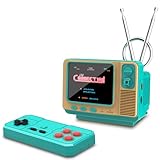
- 𝐀𝐝𝐨𝐫𝐚𝐛𝐥𝐞 𝐌𝐢𝐧𝐢 𝐓𝐕 𝐑𝐞𝐭𝐫𝐨 𝐃𝐞𝐬𝐢𝐠𝐧 𝐟𝐨𝐫 𝐊𝐢𝐝𝐬:This handheld game console features a cute, vintage-style design that perfectly captures the charm of classic 90s toys. Its compact and ergonomic body is specifically designed to fit comfortably in small hands, making it an ideal retro gaming gift for kids, boys, and girls to enjoy anytime, anywhere.
- 𝐉𝐀𝐋𝐄𝐂𝐎 𝐋𝐢𝐜𝐞𝐧𝐬𝐞𝐝 & 𝐄𝐱𝐩𝐚𝐧𝐝𝐚𝐛𝐥𝐞 𝐆𝐚𝐦𝐞 𝐋𝐢𝐛𝐫𝐚𝐫𝐲:Loaded with authentic JALECO licensed games plus 168 preloaded classic titles. The console supports a TF card for an expandable library, allowing kids to easily add more 80s and 90s retro games to keep the gaming experience fresh, engaging, and personalized for every young gamer.
- 𝐃𝐮𝐚𝐥 𝐏𝐥𝐚𝐲𝐞𝐫 & 𝐒𝐨𝐜𝐢𝐚𝐥 𝐈𝐧𝐭𝐞𝐫𝐚𝐜𝐭𝐢𝐨𝐧 𝐌𝐨𝐝𝐞:Built for versatility, this mini retro console supports two-player mode, fostering social interaction among siblings and friends. You can connect two consoles to share a single screen for multiplayer action, making it a favorite for kids' playdates (Note: P2 controller and extra gamepad require separate purchase for competitive play).
- 𝐀𝐝𝐯𝐚𝐧𝐜𝐞𝐝 𝐅𝐞𝐚𝐭𝐮𝐫𝐞𝐬 𝐟𝐨𝐫 𝐒𝐦𝐨𝐨𝐭𝐡 𝐆𝐚𝐦𝐞𝐩𝐥𝐚𝐲:Experience seamless performance with features like easy search navigation, rewind, quick save, and load progress. This allows kids to master challenging levels on the vivid 3.0-inch screen, providing a high-quality gaming experience similar to the classic 90s console editions they love.
- 𝐏𝐞𝐫𝐟𝐞𝐜𝐭 𝐆𝐢𝐟𝐭 𝐟𝐨𝐫 𝐊𝐢𝐝𝐬, 𝐁𝐨𝐲𝐬 & 𝐆𝐢𝐫𝐥𝐬: An ideal surprise gift for birthdays, Christmas, and holidays, this electronic toy promises hours of entertainment for kids. It is a thoughtful, durable choice that guarantees lasting memories, making it a highly anticipated present for any celebration or gift-giving occasion.
The picture is wrong
Check aspect ratio, panscan, GPU output, codec compatibility, composite-converter limitations, CRT overscan, and Raspberry Pi OS or MPV settings. The configuration reference documents panscan, while the installation guide includes a GPU/OpenGL workaround for certain Raspberry Pi OS setups.
Channel changing fails
Use the current browser remote or API first. Older documentation also describes a channel socket:
echo '{"command": "direct", "channel": 3}' > runtime/channel.socketThat file-based route belongs to the older documented control path, so the current web interface may be preferable.
Is FieldStation42 worth building?
Yes, if the appeal is the ritual of television rather than simply applying a retro filter to a video. FieldStation42 is particularly well suited to makers, Raspberry Pi owners, home-theater hobbyists, CRT collectors, and anyone who wants an always-on local channel system that can run in the background.
It is a poor fit for someone seeking a finished appliance, a Windows-first installer, automatically supplied licensed programming, current streaming content, or a setup requiring no command line and no media organization.
The most important distinction is between the software and the prop. FieldStation42 can be useful with a modern screen and a browser remote, while the Pi Pico, antenna-style dial, OLED, RGB lighting, CRT, and cabinet are optional layers of atmosphere. The software recreates the logic of broadcasting; the physical build recreates the ritual of using it.
Quick Recap
Product prices and availability are accurate as of the date/time indicated and are subject to change. Any price and availability information displayed on Amazon at the time of purchase will apply.




