Some links on this page are affiliate links: if you buy through them we may earn a commission, at no extra cost to you.
For U.S. Roku TV owners, the best Netflix alternatives are not one-size-fits-all. The Roku Channel is the best free all-rounder, Tubi is strongest for free on-demand movies and shows, Pluto TV feels most like cable, Peacock is the best paid choice for NBC programming and selected sports, and YouTube is the most versatile hub for creators, music, tutorials, and live video.
This ranking was checked against current information available on August 18, 2026. Catalogs, advertising, sports rights, app availability, and subscription prices can change.
Quick comparison
| App | Best for | Cost model | Live TV | On-demand | Main drawback |
|---|---|---|---|---|---|
| The Roku Channel | Best overall free Roku experience | Free with ads; paid add-ons also available | Yes | Yes | Rotating catalog and advertising |
| Tubi | Free movies and shows | Free with ads | Some live channels | Yes | No permanent catalog |
| Pluto TV | Cable-style channel surfing | Free with ads | Yes | Some | You watch scheduled programming |
| Peacock | NBC, movies, originals, and selected sports | Paid plans | Selected events | Yes | Features vary by plan |
| YouTube | Creators, music, tutorials, and broad free video | Free with ads; optional paid products | Some | Yes | Not a conventional TV catalog |
1. The Roku Channel: best overall free app
The Roku Channel is the best first app to install on a Roku TV. It combines free, ad-supported movies and television with Roku Originals and a large selection of scheduled live channels. Roku currently advertises more than 500 free live TV channels, although the lineup varies by market and changes over time. See Roku’s live-TV guide and The Roku Channel for the current offering.
Best for
- Viewers who want free movies, shows, and live channels in one place.
- People who prefer Roku’s integrated discovery and live-TV experience.
- Households trying to reduce the number of separate streaming apps.
What to know
The free catalog contains advertising, and titles rotate. The same interface may also display premium subscriptions, rentals, or purchases, so something appearing in The Roku Channel is not necessarily free. Roku says its free content includes thousands of entertainment options, but those inventories are not permanent.
#1 Best Overall

- Easy voice search & control: Quickly search across thousands of top channels, play entertainment, control your streaming, and more with your voice
- No more juggling remotes: Power up your TV, adjust the volume, control your Roku device, switch inputs on your Roku TV, and more—all in a tap
- Pre-set channel shortcuts: Pre-set channel shortcuts let you launch popular streaming channels with the push of a button, all without having to scroll
- Simple setup: Simply turn on your Roku device and pull the battery tab on the back of the remote and it should pair automatically
- Works with your Roku device: Roku Voice Remote works with all Roku TV models, Roku audio products, and most Roku players*
Roku’s 24/7 live-news availability is described as applying in the U.S. and Canada; availability elsewhere may differ.
2. Tubi: best free on-demand movie and TV library
Tubi is the strongest choice when you want to browse for a specific free movie or show rather than surf scheduled channels. It offers a broad, ad-supported selection across mainstream movies, older television, genre titles, and niche programming. Visit Tubi for its current catalog.
Best for
- Free movie nights.
- Genre fans and viewers looking for older or less mainstream titles.
- People who want on-demand browsing instead of a channel guide.
Trade-offs
Commercial breaks are part of the service, and licensing changes can remove titles without notice. Tubi is one of the strongest free on-demand options on Roku, but it should not be treated as a one-for-one replacement for Netflix’s current premium originals. Claims about having the “largest” library are promotional claims, not a guarantee that every viewer will find the most desirable selection.
Recommended Free Tools
3. Pluto TV: best free cable-style live TV
Pluto TV is the best pick for viewers who miss turning on cable and simply choosing a channel. Its free, ad-supported service is built around scheduled linear channels covering entertainment, classic programming, reality, news, and other genres. Start at the official Pluto TV website.
Rank #2

- 【NO volume control. NO power button. NO headphone jack. NO pairing button. NO voice search. 】If your original remote has pairing button, please do NOT buy it. It does NOT have the headphone jack to plug in your earphone
- 【 NOT for any Ro-ku Stick or TV】This remote is Only compatible with Roku Box, for Roku Express, for Roku Player, for Roku Premiere, for Roku 1 2 3 4
- 【 4 Shortcuts】It is a IR replacement remote which features 4 shortcut buttons to popular streaming channels - Netflx, sling, hulu, Disny+
- 【 Work out of Box】Without any programming, just insert batteries(2* AAA) and it is all good to go
- 【 Package】Coming with 2x remotes and 1x user manual. Long distances transmitting(8m/26ft), respond in 0.2s to your tvs.
Best for
- Background television.
- Viewers who do not know exactly what they want to watch.
- People who prefer channel surfing to choosing individual titles.
Trade-offs
Pluto TV’s channels follow curated schedules. You cannot assume that a particular episode or movie will be available whenever you want it, and the lineup can change. It also does not replace every local broadcast station or major cable network.
If you connect an HDTV antenna to a compatible Roku TV, local over-the-air stations may appear alongside streaming channels in Roku’s live-TV guide. Pluto TV itself does not provide every local station. Roku explains the distinction in its free-TV support guide.
4. Peacock: best paid option for NBC, movies, originals, and selected sports
Peacock is the best paid app in this group if you want NBC and Bravo programming, Peacock originals, movies, and qualifying live sports in one service. It is a more conventional subscription streamer than the free FAST services above.
What’s actually slowing this PC down?
Pick the symptom - the matching free tool is one click away.
On Peacock’s U.S. plan page, the prices listed in August 2026 were:
Rank #3

- HD streaming made simple: With America’s number 1 TV streaming platform,* exploring popular apps—plus tons of free movies, shows, and live TV—is as easy as it is fun. *Based on hours streamed—Hypothesis Group
- Compact without compromises: The sleek design of Roku Streaming Stick won’t block neighboring HDMI ports, and it even powers from your TV alone, plugging into the back and staying out of sight. No wall outlet, no extra cords, no clutter.
- No more juggling remotes: Power up your TV, adjust the volume, and control your Roku device with one remote. Use your voice to quickly search, play entertainment, and more.
- Shows on the go: Take your TV to-go when traveling—without needing to log into someone else’s device.
- TV, simplified: With setup that only takes minutes, a simple-to-navigate Home Screen, and an uncluttered remote control that does all you need—Roku makes it easier to watch the TV you love.
| Plan | Monthly | Annual | Positioning |
|---|---|---|---|
| Select | $7.99 | $79.99 | TV favorites with ads; excludes sports, movies, and Peacock Originals |
| Premium | $10.99 | $109.99 | TV, movies, sports, and originals with ads |
| Premium Plus | $16.99 | $169.99 | Fewer ads, downloads, and broader access, with exclusions |
Check the official Peacock plans page before subscribing because prices, promotions, and plan features may change.
Important limitations
Do not assume that every Peacock plan includes movies or sports. The Select plan is specifically more limited than Premium. Sports access is event-specific, and even Premium Plus may show advertising during some live programming or events. “Ad-free” does not mean every piece of content is completely free of advertisements.
Best for
- NBC and Bravo viewers.
- Households interested in Peacock originals and movies.
- Sports fans whose events are included in Peacock’s current rights package.
5. YouTube: best broad video and creator hub
YouTube is the most useful complement to traditional streaming services. The standard Roku app provides access to creator videos, music, tutorials, news clips, podcasts, reviews, live streams, and niche programming. Roku lists YouTube among the supported internet-video destinations on its streaming-player page; the service is available at YouTube.com.
Best for
- Music videos and live music.
- Documentary-style creator programming, explainers, and tutorials.
- News clips, podcasts with video, sports commentary, and live streams.
- Households with varied interests that want a free app.
Trade-offs
YouTube is not a conventional licensed TV-and-movie subscription service. Content quality varies, advertising can be frequent, and search results may mix professional programming with commentary, clips, and user uploads. YouTube Premium is a separate paid product; the standard Roku app is not ad-free.
Rank #4

- 【PLEASE NOTE】NO pairing button. NO volume control. NO voice search. NO power button. It does NOT have the headphone jack to plug in your earphone.Not for Roku stick or built-in Roku smart TV or Roku game. voice search and game.【NOT includes batteries】
- 【TRUE TRANSMITTING TEST】No setup,no pairs that to work directly after 2*AAA Alkaline batteries inserted.Expecting in testing mainly the transmits for your own accurate reference. An outstanding response between TV and remotes,5 Meters is the best distance. At a maximum distance 10 Meters available.
- 【BUTTONS AND MATERIAL】A remote control has its limited life which Affected in all aspects which including external material,chips,buttons and the way we use it. Unpredictable damages. An exact test must support each button clicking between minimum 3000 clicks and maximum 5000 clicks. ABS Material keep itself anti-fall,anti-water and also keep us anti-radiation.
- 【FOUR EXTRA SHORTCUTS】More convenient operation and fastest response to your favorite channels oriented 4 extra popular streaming buttons with NFLX, Dis+,App TV+,Paramount+.
- Coming with 2x remotes If you have any query regarding your order, please reach out to us directly and we will get back to you within 12 hours during the work week
Which app should you choose?
- Want no monthly bill? Start with The Roku Channel and Tubi.
- Want to channel-surf? Try Pluto TV.
- Want NBC shows, Peacock originals, movies, or qualifying live sports? Compare Peacock Premium with the event or programs you want.
- Want music, creators, tutorials, and live streams? Install YouTube.
- Want premium scripted originals? Also compare Prime Video, Disney+, Hulu, Max, or Apple TV+.
How to install these apps on a Roku TV
- Press Home on the Roku remote.
- Open the Streaming Store or search area.
- Search for the exact service name.
- Select the official app.
- Choose the on-screen option to add or install it.
- Open the app, then sign in, activate it, or continue as a guest if supported.
Roku’s labels can differ by Roku OS version, TV manufacturer, region, and interface changes. Roku uses “apps” and “channels” somewhat interchangeably in consumer-facing language; the current support documentation generally refers to the Streaming Store.
Independent reader supportYour contribution helps us test, update, and keep practical guides available for everyone.Accounts, subscriptions, and cancellation
Adding an app does not automatically create a subscription. You may need to create or use a separate account for Tubi, Peacock, YouTube, or another provider. A service may also let you start a subscription through Roku.
If you subscribe through Roku, Roku may manage billing and cancellation. If you subscribe directly through Peacock, Amazon, YouTube, or another provider, that provider normally manages the subscription. Check Roku’s subscription guidance before starting a paid plan, especially if you want to know where to cancel or request billing help.
What if an app does not appear or will not play?
App availability depends on country, device model, Roku OS version, and provider licensing. If an app is missing or playback fails:
Best Value
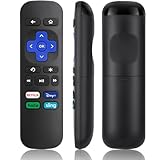
- Compatible Devices: Universal Remote Compatible with R0KU Express, Premiere, Box and Player, for R0KU 1/2/3/4 (HD, LT, XS, XD, XDS).
- Important Note: NOT work for RokuStick, Ultra, Game. Not for RokuTV. NO headphone jack. NO pairing button. NO volume control. NO voice search. NO power button.
- No Setup Required: Work right out of the box without programming or setup. You only need to install 2*AAAbatteries to get it work (2*AAAbatteries are not included).
- Shortcut Buttons: Designed with 4 shortcut buttons, with NETFILX, DisneyPlus, HuluAPP and SlingButtons to access your favorite show in one click.
- Key Features: Made of upgraded ABS and siliconeMaterial, making it very comfortable to hold and control, it will respond quickly in 0.5 seconds, available directly use within 33FT and it supports over total 160,000 clicks for all buttons via approved tests.
- Search the Streaming Store again using the exact service name.
- Check for Roku system updates.
- Restart the Roku TV.
- Confirm the Roku account’s region.
- Check whether your Roku TV model and OS are supported.
- Check the service’s own support page for an outage or compatibility notice.
- Remove and reinstall the app only after confirming that you know the login details.
- Try another app to determine whether the problem is specific to the service or to your network.
Roku maintains a support category for adding, removing, launching, and troubleshooting apps.
Can these apps replace Netflix?
They can replace Netflix’s role in a household, but none is a direct replacement for Netflix’s catalog and business model. The Roku Channel, Tubi, and Pluto TV reduce subscription costs but rely on advertising and rotating catalogs. Peacock offers a different mix centered on NBCUniversal programming, movies, originals, and selected sports. YouTube covers creator video, music, tutorials, and live streams—categories Netflix largely does not target.
If you mainly want premium scripted series, consider other paid services instead:
Quick wins for a faster PC:
Scan for outdated or missing drivers - takes under a minuteDriver Scan →Clear out junk files and repair common Windows errorsFree Scan →- Prime Video: Amazon originals, rentals, purchases, and third-party add-ons.
- Disney+: Disney, Pixar, Marvel, Star Wars, National Geographic, and family franchises.
- Hulu: Current and past television programming, originals, and Hulu + Live TV.
- Max: HBO, Warner Bros. programming, premium series, and films.
- Sling TV: Paid live-TV packages designed more directly as a cable alternative.
- Plex: Personal media libraries plus free ad-supported content.
- PBS or library apps: Public-media, educational, or library-access programming where supported.
Do these apps include local channels and live sports?
Usually, no app in this list should be treated as a complete source for every local station or every live game. Local broadcast access may require an HDTV antenna or an authenticated cable, satellite, or live-TV subscription. Network app access depends on the market, provider relationship, and plan.
The Roku Channel includes free live channels, including some sports-oriented programming. Peacock includes selected live sports and events on qualifying plans. YouTube may carry official streams, clips, or commentary. None guarantees access to the particular local station, league, or game you want.
Quick Recap
Product prices and availability are accurate as of the date/time indicated and are subject to change. Any price and availability information displayed on Amazon at the time of purchase will apply.

