Do these 3 things before closing this tab:
1Scan for outdated or missing drivers - takes under a minute2Repair Windows errors before they cause bigger problems3Fix the driver behind crashes, sound loss and screen glitchesSome links on this page are affiliate links: if you buy through them we may earn a commission, at no extra cost to you.
Lacuna is the strongest fit when you want to write a chorus in a lyric editor and hear it sung in a generated track: its section tags carry through to the music generator. For quick chorus drafts to take into another music tool, Prompt Maschine is more focused. SongAI and Aamras AI can make sense when you want a broader song built around chorus lyrics.
Best AI Chorus Generators At A Glance
| Rank | Tool | Chorus Workflow | Best Fit |
|---|---|---|---|
| 1 | Lacuna | Draft lyrics with section tags, then send them to its music generator with the tags preserved. | A chorus that needs to land in a specific song structure |
| 2 | Prompt Maschine | Generate two lyric variants from a chosen song structure, then copy the text into a music tool. | Comparing hook and chorus wording before making audio |
| 3 | SongAI | Generate lyrics with verses, choruses and bridges, or turn existing lyrics into music. | A complete song draft with a chorus |
| 4 | Aamras AI | Create a personalized song and explore different styles for the same lyrics. | An occasion song where the chorus includes a person’s name or message |
What Makes A Chorus Tool Useful?
A chorus has a different job from a verse: it needs a clear central phrase that can return, lyrics that are easy to remember and sing, and a convincing transition back into the song. A useful workflow therefore needs to help shape the words, place the chorus in a larger structure, or turn the draft into audible music. The products below support different parts of that process; the supplied information does not establish dedicated controls for repeated hooks, harmony stacks, backing vocals or vocal arrangement.
For a documentary soundtrack, begin with the feeling or scene the chorus should carry, then give the generator a short, singable line and a clear section label. For example: “Chorus: the town remembers the river; make the central line simple enough to return after each verse.” Treat that as a prompt-writing example, not a guaranteed product feature. Check each vendor’s site for prompt controls or musical specifics not described here.
Free tools Windows power users keep installed
One-click scans. No signup required.
Ranked AI Chorus Generators
1. Lacuna — Best For A Tagged Chorus That Carries Into Music
Lacuna combines lyric drafting with a songwriting editor. You can describe an idea and receive lyrics with section tags, or start from a supported structure such as Pop, Hip-Hop, Rock, Ballad or R&B. Its editor includes syllable counts, rhyme highlighting and line-by-line rewrites, which are practical aids when tightening a chorus line. When you send finished lyrics to Lacuna’s AI music generator, the section tags carry over so the verses and chorus land where you wrote them. See Lacuna’s lyric workflow.
Popular on Amazon

- [Natural Audio Clarity] Operated with frequency response of 50Hz-16KHz, the podcasting XLR mic delivers balanced audio range, likely to resonate with your audience. Directional cardioid dynamic microphone corded will not exaggerate your voice, while rejects unwanted off-axis noise for vocal originality and intelligibility during your PS5 gaming streaming video recording. (Tips: Keep the top of end-addressing XLR dynamic microphone AM8 facing audio source, and suggested recording range is 2 to 6 in.)
- [XLR Connection Upgrade-Ability] To use XLR connection, connect the podcast microphone to an audio interface (or mixer) using a separate XLR cable (NOT Included) . Well-connected and smooth operation improves audio flexibility to make you explore various types of music recording singing. The streaming mic isolates the pristine and accurate sound from ambient noise with greater no interference and fidelity. (RGB and function key on mic are INACTIVE when using XLR connection.)
- [USB Connection with Handy Mute] Skip the hassle of setting something up and plug the cable to play the dynamic USB microphone directly, which suits for beginner creators or daily podcast. You can quickly control the gamer mic with tap-to-mute that is independent of computer/Macbook programs to keep privacy when live streaming. LED mute reminder helps you get rid of forgetting to cancel the mute. (RGB and function key are only available for USB connection, but NOT for XLR connection)
- [Soothing Controllable RGB] RGB ring on the desktop gaming microphone for PC, with 3 modes and more than 10 light colors collection, matches your PC gears accessories for gaming synergy even in dim room. You can control the RGB key button of the dynamic microphone USB directly for game color scheme gaming or live streaming. Configured memory function, the streaming microphone RGB no need to repeated selections after turnning off and brings itself alive when power on. (Only available for USB connection)
- [More Function Keys] Computer microphone with headphones jack upgrades your rhythm game experience and gets feedback whether the real-time voice your audience hear as expected. Get the desired level via monitoring volume control when gaming recording. Smooth mic gain knob on the PC microphone gaming has some resistance to the point, easily for audio attenuation or boost presence to less post-production audio. (Only available for USB connection)
Use it when you want to move from a scene or memory to structured lyrics, then hear the words sung in a full track. The available facts do not establish controls for layered vocals, repeated chorus playback, harmony parts or a particular documentary scoring style; check Lacuna’s site for those specifics.
2. Prompt Maschine — Best For Comparing Chorus Drafts Before Audio
Prompt Maschine builds lyrics around a chosen song structure: its 15 section types can produce two lyric variants that follow the structure line by line. Its example includes a “[Chorus — Male]” section, and it is designed for writers using music platforms such as Suno and Udio. The workflow is to compare and edit the drafts, then copy the text into your music tool. It is a lyric and prompt tool, so the supplied information does not establish that it generates chorus audio itself. See Prompt Maschine.
Also popular on Amazon

- [Convenient Setup] Plug and play recording USB microphone for PC, with 5.9-Foot USB cable included for computer PC laptop, is connected directly to USB-A port for recording music, computer singing or podcast. The office condenser microphone for computer is easy to use and install. (NOT compatible with Xbox and Phones)
- [Durable Metal Design] Solid sturdy metal construction design, the computer microphone for Zoom meetings with stable tripod stand is convenient when you are doing voice overs or livestreams on YouTube. Durable material extends the service life of the voice-over microphone.
- [Mic Volume Knob] Gaming condenser USB mic compatible for PS4 with additional volume knob itself has a louder or quieter adjustment and is more sensitive. Your voice would be heard well enough through the zoom microphone USB when gaming, skyping or voice recording. Also, you can adjust your volume to zero and protect your privacy.
- [Widely Use] USB-powered design, the condenser microphone for recording no need the 48v Phantom power supply, works well with Cortana, Discord, voice chat and voice recognition. The podcast microphone for Mac, with USB-B to USB-A/C cable, is compatible with desktop, laptop or PS4/PS5, which meets most of your daily recording needs.
- [Clear Output Voice] Cardioid condenser microphone for PC captures your voice properly, producing clear smooth and crisp sound. Great computer recording mic for gamers/streamers/youtubers focus on the main source and reduces background noise. The streaming microphone does the job well for broadcast ,OBS and teamspeak.
This is a useful route when the hook needs several wording options before you commit to a generated track. Its listed language support covers English, Spanish, French, German, Italian, Portuguese and Romanian. Check the vendor site for current plan details and for any specific vocal, harmony or audio-generation controls in the connected music service.
3. SongAI — Best For A Full Song Draft With A Chorus
SongAI can generate lyrics with verses, choruses and bridges, and it can turn existing lyrics into melodies, harmonies and instrumentation. That makes it a broader song-generation option when the chorus should be heard as part of a complete arrangement. The listed capabilities include 50+ genres, any language, and generation up to 60 seconds. See SongAI.
Also popular on Amazon

- Custom three-capsule array: This professional USB mic produces clear, powerful, broadcast-quality sound for YouTube videos, Twitch game streaming, podcasting, Zoom meetings, music recording and more
- Blue VO!CE software: Elevate your streamings and recordings with clear broadcast vocal sound and entertain your audience with enhanced effects, advanced modulation and HD audio samples
- Four pickup patterns: Flexible cardioid, omni, bidirectional, and stereo pickup patterns allow you to record in ways that would normally require multiple mics, for vocals, instruments and podcasts
- Onboard audio controls: Headphone volume, pattern selection, instant mute, and mic gain put you in charge of every level of the audio recording and streaming process
- Positionable design: Pivot the mic in relation to the sound source to optimize your sound quality thanks to the adjustable desktop stand and track your voice in real time with no-latency monitoring
The free plan is listed as 12 credits and four songs, with a watermark. SongAI says paid subscribers receive commercial rights for uses including films, but the exact plan terms and any restrictions should be checked on its site before release. The supplied information does not establish a dedicated chorus-only mode or controls for choir-style layers.
4. Aamras AI — Best For Personalized Occasion Choruses
Aamras AI focuses on personalized songs and videos for occasions. Its examples include a chorus that addresses a named person, and the site describes trying different music styles with the same lyrics. It also says users can hear the singer’s voice before paying and lists singing in 40+ Indian and international languages, with styles including Pop, Acoustic, Bhangra and Lullaby. See Aamras AI.
Also popular on Amazon
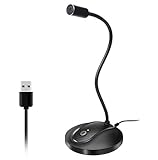
- 360 Degree Position Adjustable Gooseneck Design --Plug and play USB microphone Pick up the sound from 360-degree with high sensitivity, in the best possible location for sound to your PC gaming, dragon voice dictation, and talk to Cortana
- Mute Button & LED Indicator --One-click to mute/unmute your microphone for pc, Build-in LED indicator tells you the working status at any time
- Intelligent Noise-Canceling Tech --Premium omnidirectional condenser microphone with noise-canceling technology can pick up your clear voice and reduce background noise and echo
- USB Plug&Play(1.8/6ft USB Cable) -- No driver required. Just need to plug & play for the microphone to start recording, well compatible with Windows(7, 8, 10 and 11) and macOS. (NOT compatible with Xbox/Raspberry Pi/Android)
- Solid Construction--Adopting premium metal pipe and heavy-duty ABS stand to make sure that you will be satisfied with our computer mic quality
That makes it a plausible fit for a tribute or celebration chorus built around a name or message. The available information does not establish a general-purpose chorus editor, harmony controls, pricing or commercial-use terms. Check Aamras AI’s site for those specifics before choosing it for a film or commissioned project.
Recommended Free Tools
A Practical Chorus Drafting Workflow
- Write the chorus’s purpose in one sentence: what should the audience remember or feel when it returns?
- Draft a short central phrase and specify the point of view, emotional tone and scene context. Avoid adding personal details you do not have permission to use.
- Use a lyric tool that supports song sections to draft alternatives, then compare them for clarity, singability and fit with the surrounding verses.
- Move the selected lyrics into a music generator if you want to hear them in a track. Confirm which section labels carry through and check the vendor’s site for any desired vocal or arrangement controls that are not established here.
- Review the generated result against the film’s context and intended use before including it in an edit.
Rights And Consent For Film Use
Get consent before using identifiable people’s names, stories or voice likenesses in a chorus, and review the relevant platform’s terms before publishing or monetizing the result. SongAI states that paid subscribers receive commercial rights, including use in films; verify the applicable plan and terms on its site. The information available for Lacuna, Prompt Maschine and Aamras AI does not establish their commercial-use terms, so check with each vendor before release.
Quick Recap
Also popular on Amazon
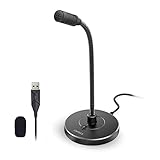
- 【Crystal Clear Audio Quality】Our Omnidirectional pattern condenser microphone accurately captures your voice, making it perfect for dictation, online classrooms, and more.
- 【Active Noise-Cancelling】Come in CMTECK CCS2.0 SMART CHIP with Omnidirectional Polar Pattern, which can effectively block the background noise. The pop filter prevents plosives from overloading the microphone, ensuring only your voice is heard.7
- 【Convenient Mute Button with LED Indicator】You can quickly mute/un-mute the microphone with the Mute Button and the built-in LED light lets you know the working status(Greenlight: Connected; Red light: Mute mode).
- 【Easy to use】 No drivers needed, just plug and record without external power supply, directly connect the microphone to a USB compatible device, well compatible with Windows(7, 8 and 10), Mac OS and PS4 (NOT compatible with Raspberry Pi/Linux/Android)
- 【Mini size with Adjustable Gooseneck】Adopted flexible and adjustable gooseneck metal pipe, easily adjust position 360 degrees to suit user comfort. The compact and stable base maximizes your desktop space.






Say something about this film