Windows Errors? Fix Them Before They Spread
Repair common Windows errors and clear accumulated junk for a smoother, more stable PC - no reinstall needed.Free scan · no reinstallCrashes, No Sound, or Screen Glitches?
Random freezes, missing sound and display glitches usually trace back to one bad driver. Find and replace yours safely.Free scan · under a minuteSome links on this page are affiliate links: if you buy through them we may earn a commission, at no extra cost to you.
For a lyric that will not start, use a scene-led prompt generator such as Chorus Song Ideas Generator; for a chord or melody stuck in your head, try Ableton Note or Song Cage. The right reset depends on where the song has stalled: its subject, words, harmony, melody, or a rough demo.
Best Song Ideas And Inspiration Tools For Writer’s Block In 2026
| Rank | Tool | Best Starting Point |
|---|---|---|
| 1 | Chorus Song Ideas Generator | A scene, point of view, or constraint |
| 2 | WriteHook | Prompts, words, chords, or melody starters |
| 3 | SongIntent | A lyric, flow, beat, or reference idea |
| 4 | Songcraft | Lyrics and chords, especially with a collaborator |
| 5 | Song Cage | Moving between lyrics, chords, melody, and recording |
| 6 | LandChords | A progression to write over |
| 7 | VoiceBend | A lyric section or alternate draft |
| 8 | Prompt Maschine | Lyric drafts and a music-style prompt |
| 9 | Ableton Note | A playable melody or chord sketch on iOS |
| 10 | MIDI Morph 2 | A musical part in a chosen mood, key, and scale |
| 11 | Suno | Hearing a feeling or lyric as a song |
1. Chorus Song Ideas Generator For A Scene-Led Reset
When the blank page has no subject, start with a concrete scene rather than asking for a whole song. Chorus lets you pick a genre and feeling, then gives an idea with a scene, point of view, writing constraint, and sometimes a craft technique. Try a brief such as: “A person waits outside a closed diner after missing the last bus; restless, but trying to sound brave.” Keep one detail and write a verse from the point of view the prompt suggests. It offers three free ideas per day without an account; signing in with a Chorus account provides unlimited ideas. The site does not establish specific genre coverage beyond its genre selection, so check its options for your project.


2. WriteHook For A Non-AI Spark
If you have a few words but no direction, try a randomizer or thought-starter, then combine it with a chord progression or melody starter. For example, choose an unexpected object, make it the first image in a verse, and use a timeless progression as a temporary backing. WriteHook also brings lyrics, rhyme, synonyms, word associations, chord diagrams, and inspiration tools into one browser editor. Every feature is free, and no account is required to start; signed-out songs stay on the device rather than syncing across devices. It does not include AI-assisted writing.
Quick wins for a faster PC:
Scan for outdated or missing drivers - takes under a minuteDriver Scan →Clear out junk files and repair common Windows errorsFree Scan →Fix the driver behind crashes, sound loss and screen glitchesFind Drivers →3. SongIntent For Reshaping A Stalled Draft
Use this when you already have a scrap—a lyric, flow, beat, melody, or reference—and need a next move. Its workflow supports cadence capture, melody sketches, structure, and line-level revisions. A useful constraint is to keep the subject of your existing verse but change the cadence or the hook’s point of view, then listen and revise the line that is not landing. The Behind the Song feature maps craft elements in current charting songs and turns one into an original constraint; treat that as a prompt for your own choices, not a template to copy. Free access is limited to one active project, five AI assists, and one render per month.
Popular on Amazon
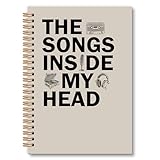
- Notebook Size: Measuring 6x8.2 inches, this notebook comes with a sturdy hardcover and smooth, premium pages. Perfect for everyday use and built to last
- Multifunctional Use: This notebook has a total of 82 sheets and 164 pages, whether it is used for school notes, work records, or as a personal diary, study notes or work journal, it can meet your diverse needs. Its exquisite design enhances the user experience and serves as stylish desk decor
- Decorative Notebook:This notebook features a distinctive design, making it a great addition to your desk decor. Whether it's the unique pattern or simple typography, this notebook isn't just a great writing tool—it's also a reflection of your personal style
- Spiral Bound Notebook:This journal notebook features a spiral design that allows it to open completely 180°flat for easy writing. It also folds seamlessly 360°without creasing. The pages are easy to tear and don't fall apart easily
- Perfect Gift Idea: These notebooks can be used not only for personal use but also as a thoughtful gift. The unique cover design of the notebooks is perfect for those who love to write. A thoughtful gift choice for students, teachers, writers, doctors, nurses, friends and more
4. Songcraft For Co-Writing Through The Stuck Point
When the words and harmony need to develop together, Songcraft supports real-time collaboration across lyrics, chords, tabs, keys, and recordings. Start by sharing the line you cannot finish, then use its rhyme dictionaries, thesaurus, syllable counting, chord suggestions, or transposition to try one specific revision. The free Basic library holds five songs and includes one weekly exercise. It is web-based; check the vendor’s site for current plan details and whether its collaboration setup fits your session.
5. Song Cage For Changing Your Entry Point
If lyrics are blocked, begin with a chord progression or melody; if the music is stuck, begin with one lyric line. Song Cage brings chords, melody, lyrics, arrangement, playback, and recording into a songwriting workspace, with support for major DAWs through an AU/VST3 plugin. It runs on web, Windows, macOS, iOS, and Android. The free plan is limited to one song, and PDF and MIDI export require a paid plan. Check the vendor’s site for current pricing, export needs, and device details before committing to a workflow.
Also popular on Amazon

- Includes tips, prompts, and words of wisdom from songwriting masters to inspire your muse.
- Mix of lined pages (lyrics), staffed pages (music), and fret diagrams.
- Room to write 72 songs.
- Acid-free, archival-quality 120 gsm paper takes pen or pencil beautifully.
- Sturdy hardcover binding protects your work.
6. LandChords For A Chord Progression To Write Over
If you can hum a melody but cannot find the harmony, build a progression by ear, or use its AI to generate one in your key and genre. Then loop the progression and write a short lyric with a clear contrast, such as a cheerful sound under an uneasy scene. LandChords combines AI lyrics and chord tools with melody playback, recording, and drums. Its free plan allows two songs and seven sections; WAV and MIDI export require Pro. The site says it works on desktop and mobile in a browser; check the vendor for current export and plan specifics.
7. VoiceBend For Alternate Lyric Sections
When a verse or chorus feels flat, ask for a hook, bridge, rewrite, or concept, then keep only an image or phrase that sounds like it belongs in your song. VoiceBend supports lyric drafts and rewrites, song-section ideas, and translation across 10+ languages. Its tools are free with no usage limits, and no account is required. It is focused on lyrics, not complete music production, and the site notes that artist-style-inspired writing may not suit a fully distinctive voice. The vendor says generated lyrics may be recorded, sold, or licensed without attribution; get consent for anyone else’s contributed material and check the platform’s terms for your intended use.
Also popular on Amazon
8. Prompt Maschine For A Draft Plus A Style Prompt
When you have a premise but cannot turn it into a workable brief, Prompt Maschine can turn a song idea into two lyric drafts and a music-style prompt for Suno. A practical seed is a setting, a narrator, and a tension: “A night-shift worker calls home from a nearly empty train; proud voice, homesick details.” Its lyric toolkit includes configurable song structures, a rhyme engine, rap-flow modes, and audio analysis. The free tier is limited to three generations per day. The supplied language guidance covers English, Spanish, French, German, Italian, Portuguese, and Romanian; check the vendor’s site for other language or style needs.
9. Ableton Note For Capturing A Musical Fragment
If the idea is arriving as sound rather than words, use Note to sketch it on an iOS device: pick a sound, then play a melody or chord progression on the 25-pad grid or piano roll. Save a short motif and let it suggest the rhythm or emotional shape of a lyric later. Ableton describes Note as a playable iOS app for forming musical ideas. The supplied information does not establish current pricing or additional platform support, so check Ableton’s site for those specifics.
Also popular on Amazon
10. MIDI Morph 2 For A Piano-Roll Nudge
When the session is open but the piano roll is empty, choose a mood, key, and scale to generate a musical part, then use it as a prompt for your own melody or arrangement. The tool also allows starting from scratch in the piano roll, playing live, or transcribing existing audio. It is listed for VST3, AU, and standalone use on macOS 11+ and Windows 10+. The supplied listing gives a $79 launch price; verify current availability and pricing on the vendor’s site.
Free tools Windows power users keep installed
One-click scans. No signup required.
11. Suno For Hearing A Feeling As A Song
When you need to hear a direction before writing further, turn a feeling, melody, or lyric into a complete-song sketch. Suno generates songs with vocals, lyrics, instrumentation, and production, and supports editing, remixing, extensions, section replacement, and stem export. Its site also lets you browse songs by genre, mood, and occasion for a reference or spark. The free plan does not include commercial rights or stem separation, and the Pro plan limits downloads to 20 songs per month. If a draft uses a real person’s voice, a cover, or samples, get the necessary consent and check Suno’s terms for the material and intended use; do not assume a generated sketch is cleared for release.
Also popular on Amazon
A Quick Way To Turn A Spark Into A Draft
- Write one sentence naming a scene, narrator, and emotional tension. Keep it specific enough to picture.
- Choose the tool that matches the blockage: a scene prompt for no subject, a lyric aid for stuck words, or a musical sketch tool for a missing motif or progression.
- Set one constraint for a short pass, such as writing from the listener’s point of view or making the chorus answer a question raised in the verse.
- Keep a single useful phrase, rhythm, chord idea, or structural move. Rewrite the surrounding material in your own voice instead of treating a generated draft as finished.
- Before releasing work involving voices, covers, or samples, confirm consent and check the relevant platform’s terms. For licensing and commercial-use specifics beyond the stated Suno and VoiceBend details, consult each vendor.
Choose By Where The Song Has Stalled
For a blank subject, start with Chorus Song Ideas Generator or WriteHook. For a lyric already in progress, try SongIntent, Songcraft, VoiceBend, or Prompt Maschine. For harmony and melody, use LandChords, Song Cage, Ableton Note, or MIDI Morph 2. Choose Suno when listening to a complete-song sketch would help you decide what to write next. For any specific genre, language, device, export, or rights requirement that is not established above, check the vendor’s site before building your process around it.






Say something about this film