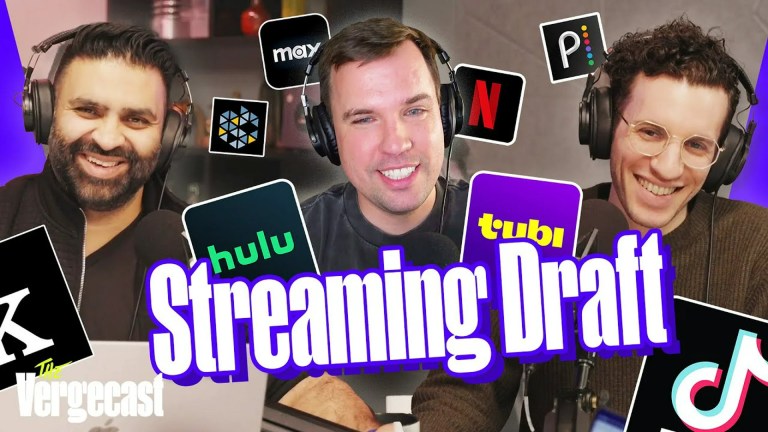
Looking for a safer replacement for GenVideos? Start with Tubi for free, on-demand movies and TV, or Pluto TV if you prefer live channels as well as on-demand viewing. For documentaries, independent films, and educational programming, check whether your library or university provides Kanopy or Hoopla.
This updated list focuses on established legal services rather than unofficial streaming mirrors. Catalogs, prices, advertisements, device support, and availability can change by country and date, so confirm a title directly with the provider before planning a viewing.
Editor’s note: The original title refers to 2025, but this guide is based on research available on August 11, 2026. The recommendations below should not be read as a claim that every service, title, or price was unchanged during 2025.
What happened to GenVideos?
GenVideos—sometimes written as “GenVidoes” in search queries—was described by older coverage as a free movie and TV streaming website. Its domain history and current availability are unclear, and a separate Australian site-blocking report lists genvideos.org among domains associated with blocking activity. That does not establish that every similarly named domain or mirror is the same service, nor does it make a particular mirror safe or legal.
#1 Best Overall

- What can it do? - Standalone 1080p@60fps video capture device and digital video recorder. Record video to a USB storage device while watching it on TV, playback the recorded video on TV with the included remote, No PC required at all. Analog to digital video converter, HDMI/RCA/Composite/Component/YPbPr/VGA inputs are supported. Gaming capture and live are also available if you prefer using a PC.
- Why do I need it? - Digitalize or archive analog videos to MP4 files from old devices without using a PC. Backup videos from HD/UHD video discs and old VHS tapes. Gaming capture and live. Capture and record videos from cable TV receivers, set-top boxes, PVRs or DVRs. Record online conferencing video. Record online HD video for recreating. Capture screen contents of PC.
- Why choose it over other similar products? - Friendly to use by newbies or older adults. Specifically designed for work with big screen TVs and HD/UHD/Analog video players. Recorded MP4 files can be saved on both retro and modern PCs (exFAT, NTFS, FAT/FAT32, MBR,GPT). Ultra-low latency (less 90ms). Various schedule tasks. Trusted since 2016.
- Is my device compatible with it? - It works with: VHS Players, VCRs, Camcorders, Hi8 camcorders, DVRs, Set-top Boxes, Video disc Players, Media players, TV Sticks, Endoscopes, Surgery Microscopes, Game Consoles, and any other devices with HDMI/RCA/Composite/Component/VGA Output. [Tip: The Smart TV & TV Antenna can't be a video Source.]
- What's more? - 90-Day No Hassle Return (at our cost) and 2-Year replacement Service. Free video edit/conversion software included(Windows system only. Mac is not supported). [The device does not support any content protected by HDCP. When connected to an HDCP (Content Protection) source, it will output an error message or nothing. This does not indicate a defect.]
For that reason, this guide does not direct readers to GenVideos mirrors or recommend sites such as 123Movies, FMovies, Putlocker, YesMovies, SolarMovie, Vumoo, XMovies8, or GoMovies. Unofficial streaming mirrors can expose visitors to copyright problems, deceptive advertising, malware, and unnecessary privacy risks. The safer approach is to use a recognized free, library-supported, subscription, rental, or discovery service.
The alternatives below are ranked by usefulness for someone who wants convenient movie and TV access without relying on an unofficial streaming site. None should be expected to reproduce GenVideos’ catalog, interface, or no-registration experience.
Quick comparison: the best GenVideos alternatives
| Service | Cost and access | Best for | Live TV? |
|---|---|---|---|
| Tubi | Free, ad-supported; account optional for basic viewing | General free, on-demand browsing | No primary focus |
| Pluto TV | Free, ad-supported | Live channels plus on-demand movies and shows | Yes |
| The Roku Channel | Free, ad-supported content | Free TV, movies, and live channels, especially on Roku | Yes |
| Plex | Free, ad-supported streaming; optional account and paid features | Free content, live TV, discovery, and personal media | Yes |
| YouTube Free | Free, ad-supported titles; other titles may be rentals or purchases | Familiar movie browsing on YouTube | No primary focus |
| Hoopla | Free through a participating library card | Borrowing movies and TV without a commercial subscription | No |
| Kanopy | Access through a participating library, college, or university | Documentaries, independent films, and educational viewing | No |
| Prime Video | Paid membership, with additional rentals and purchases | Originals, licensed content, and a broad paid ecosystem | No primary focus |
| Crackle | Free, ad-supported | Another free catalog of movies and TV | Availability varies |
| JustWatch | Free discovery and availability guide | Finding where a specific title is legally available | No; it is not a video library |
1. Tubi — best overall free alternative
Tubi is the strongest general-purpose replacement for casual movie and TV browsing. It is free and ad-supported, and Tubi describes its catalog as including thousands of titles. An account is optional for basic viewing, although signing in can provide additional personalization features.
Tubi is primarily an on-demand service, so it is a better fit than a live-channel platform when you already know what kind of movie or show you want to watch. It supports web browsers, mobile devices, smart TVs, consoles, Roku, Apple TV, Fire TV, and other platforms, although the exact app and catalog can vary by region.
Best for: viewers who want the closest practical free replacement for browsing a large movie and TV catalog.
Trade-off: advertisements are part of the free experience, and a title available today may leave the service later.
2. Pluto TV — best for live channels and on-demand viewing
Pluto TV combines scheduled, internet-based channels with on-demand movies and TV shows. It advertises hundreds of free channels and thousands of on-demand titles, making it useful for viewers who enjoy turning on a channel rather than selecting every program from a menu.
Its live-channel format makes Pluto TV feel more like traditional television than a purely on-demand site. You can also browse its on-demand library when you have a particular type of movie in mind. The service is free because programming is supported by advertising.
Recommended Free Tools
Best for: people who want free live channels, background viewing, and an on-demand catalog in the same service.
Trade-off: scheduled channels do not provide the same control as on-demand playback, and availability differs by market.
3. The Roku Channel — best free-TV interface for Roku users
The Roku Channel offers free movies, television episodes, children’s programming, and live streaming channels. Roku’s free-content page lists thousands of free episodes and movies and more than 500 live streaming channels, though the exact selection may depend on location and platform.
You do not necessarily need a Roku television or player to use the service; availability through the web, mobile apps, and supported smart-TV platforms can vary. Roku hardware does make the service especially convenient if you already use the Roku interface.
Free tools Windows power users keep installed
One-click scans. No signup required.
Best for: Roku households and viewers who want a large free-TV interface with both live and on-demand sections.
Rank #2

- Before You Buy - 1. Car: Requires a factory touchscreen with wired Apple CarPlay or Android Auto. Select green for CarPlay cars or blue for Android Auto-only cars. Not compatible with BMW or Tesla. 2. Phone: After the car connects, select CarPlay for iPhone or Android Auto for Android. Supports iOS 10+ and Android 13+. 3. Power: Use a 5V vehicle USB port only. Do not use a fast charger. 4. Apps: Wi-Fi is required for pre-installed apps. Additional app downloads are not supported.
- Smart Box and Smart Choice - Upgrade your in-car entertainment with this Apple CarPlay wireless adapter. Supporting CarPlay, Android Auto, and pre-installed video apps, this smart CarPlay box puts navigation, music, and video streaming effortlessly at your fingertips. Get rid of messy cables by upgrading wired CarPlay or Android Auto to wireless. It offers a perfect balance of entertainment, convenience, and practicality.
- Wireless Apple CarPlay and Android Auto - Take your drive to the next level with this CarPlay wireless adapter. Turn wired CarPlay or Android Auto into a wireless connection and say goodbye to messy cables. Connect your phone to enjoy Waze, Apple Maps, Spotify, and more directly on your car’s touchscreen. Use voice control to make calls, navigate, and play music hands-free. (Note: Requires a factory touchscreen with wired CarPlay or wired Android Auto.)
- Pre-Installed Video Apps - Turn your car into a personal cinema with this CarPlay streaming adapter. Connect to your phone’s hotspot or a Wi-Fi network to stream shows and movies on Netflix, YouTube, TikTok, Disney+, and Prime Video. Keep passengers entertained on long road trips or enjoy supported content while safely parked. (Note: App downloads are not supported.)
- Set It Once, Enjoy Forever - Simplicity perfected! Switch the wireless CarPlay adapter to your car’s matching CarPlay or Android Auto mode, plug it into the USB port, and pair your iPhone or Android phone via Bluetooth and Wi-Fi. After the first connection, your phone automatically reconnects every time you start the car—no manual setup, no hassle. (Not compatible with BMW or Tesla vehicles.)
Trade-off: the service’s strongest device integration is within the Roku ecosystem, and not every feature is guaranteed on every television or streaming player.
4. Plex — best mix of free streaming and media discovery
Plex provides free, ad-supported movies, shows, and live TV. It also has an optional account and a broader personal-media ecosystem, which can make it useful for people who want one place for free streaming, discovery, watchlists, and their own properly acquired media.
Plex says its free programming is available across computers, mobile devices, smart TVs, consoles, and streaming players. The service is therefore more than a simple free movie website, but its extra features can be valuable if you use several legitimate media sources.
Windows Errors? Fix Them Before They Spread
Repair common Windows errors and clear accumulated junk for a smoother, more stable PC - no reinstall needed.Free scan · no reinstallOutdated Drivers Are Slowing You Down
One free scan finds every outdated or missing driver and matches the right update for your exact hardware.Free scan · exact hardware matchBest for: viewers who want free movies and TV alongside live channels, watchlist tools, or a personal-media setup.
Trade-off: Plex’s free catalog is ad-supported, and its personal-media features may require more setup than a straightforward streaming app.
5. YouTube Free — convenient free movies in a familiar interface
YouTube is not only a rental and purchase marketplace. In the United States, YouTube Free also includes a selection of ad-supported movies. This can be a convenient choice if you already use YouTube on your phone, browser, smart TV, or streaming device.
Pay close attention to the label on each title. Not every movie displayed in YouTube’s movie section is free: some are available only to rent or buy. The free catalog is a defined subset, not a promise that every movie found through YouTube costs nothing.
Quick wins for a faster PC:
Repair Windows errors before they cause bigger problemsFix Now →Scan for outdated or missing drivers - takes under a minuteDriver Scan →Clear out junk files and repair common Windows errorsFree Scan →Best for: viewers who prefer YouTube’s familiar search, playback, and device experience.
Trade-off: free and paid titles appear within the same broader ecosystem, so check the price before pressing play.
6. Hoopla — best library-card option for borrowing movies
Hoopla lets users watch movies online and download many titles through a participating library. Instead of paying a monthly commercial subscription, you sign in with an eligible library card and follow the borrowing limits set by that library.
Hoopla is especially useful when you want to borrow a particular film legally without adding another recurring bill. Catalog size, available titles, simultaneous borrowing limits, and download rules can vary between library systems.
What’s actually slowing this PC down?
Pick the symptom - the matching free tool is one click away.
Best for: viewers with a participating public library who want a no-cost, library-supported way to borrow films and television.
Trade-off: a library card alone does not guarantee access. Your library must participate, and its local rules determine what you can borrow.
Rank #3

- Ultra-speedy streaming: Roku Ultra is 30% faster than any other Roku player, delivering a lightning-fast interface and apps that launch in a snap.
- Cinematic streaming: This TV streaming device brings the movie theater to your living room with spectacular 4K, HDR10+, and Dolby Vision picture alongside immersive Dolby Atmos audio.
- The ultimate Roku remote: The rechargeable Roku Voice Remote Pro offers backlit buttons, hands-free voice controls, and a lost remote finder.
- No more fumbling in the dark: See what you’re pressing with backlit buttons.
- Say goodbye to batteries: Keep your remote powered for months on a single charge.
7. Kanopy — best for documentaries and independent film
For DocumentaryTube readers, Kanopy is one of the most compelling alternatives on this list. It offers curated film and video collections through participating libraries and educational institutions, with documentaries, independent films, educational material, and other carefully selected programming.
Access arrangements are determined by the institution. Some users sign in through a public library, while others receive access through a college or university. A participating institution may also impose monthly play limits or other conditions, so check its Kanopy arrangement rather than assuming universal access.
Do these 3 things before closing this tab:
1Clear out junk files and repair common Windows errors2Fix the driver behind crashes, sound loss and screen glitches3Repair Windows errors before they cause bigger problemsBest for: documentary fans, students, educators, and viewers seeking independent or educational films.
Trade-off: access is not universal, and the available collection depends on the library or institution that provides it.
8. Prime Video — best paid alternative for originals and a larger ecosystem
Prime Video is a paid service, so it is not a free replacement for GenVideos. It belongs on this list because readers who want a broader paid catalog may prefer a subscription that combines Prime Video programming with other Prime benefits. Prime Video also includes titles that can be rented or purchased separately.
Amazon’s 2026 announcement lists U.S. Prime membership at $14.99 per month or $139 per year and describes Prime Video Ultra as an optional $4.99-per-month ad-free upgrade. Prices and benefits are volatile; verify the current price, plan details, advertising policy, and title availability before subscribing.
Best for: viewers willing to pay for originals, licensed movies, and a wider subscription ecosystem.
Trade-off: it has a recurring cost, and a Prime subscription does not make every title free—some movies still require a separate rental or purchase.
9. Crackle — another free, ad-supported option
Crackle is a free, ad-supported streaming service with movies, television shows, and licensed or original programming. It can be worth checking when Tubi, Pluto TV, or the other free services do not have the title you want.
Free-streaming catalogs change frequently, and current U.S. availability should be verified before publication or before you depend on Crackle for a specific movie. The service is best treated as one part of a legal free-streaming rotation rather than as a permanent substitute for every title.
The Tool Desk
Outbyte PC Repair FREERepair Windows errors before they cause bigger problemsFix Now →Outbyte Driver Updater FREEScan for outdated or missing drivers - takes under a minuteDriver Scan →Best for: viewers who want another legitimate free catalog to search.
Trade-off: selection and availability can change, and advertising is part of the viewing experience.
Independent reader supportYour contribution helps us test, update, and keep practical guides available for everyone.10. JustWatch — best tool for finding one specific movie legally
JustWatch is different from the other entries: it is a streaming-search and availability guide, not a replacement video library. Search for a movie or show and use filters to see whether it is available free, through a subscription, for rental, or for purchase from supported providers.
Rank #4

- 4K Pass Through & Full HD Recording: Experience 4K content on TV while capturing in full HD with EzRecorder 330. Compatible with PS5, Nintendo Famicom, and set-top boxes (recording of encrypted or HDCP content is not supported). Ideal for digitizing VHS tapes.
- High Efficiency Video Coding (HEVC - H.265): Enjoy 2x compression rate with H.265 encoding. Maintains exceptional video quality while saving storage space.
- Remote Operation and Included IR Blaster: Control EzRecorder 330 with ER330G remote (batteries not included). Built-in IR blaster for set-top box activation.
- Flexible Storage Solutions: Record content using external hard drives, micro SD cards, or NAS storage. Choose the storage device that suits your needs effortlessly. Note: SD card not included.
- Stream Directly Without a PC: Connect gaming consoles, camcorders, or DSLRs directly to EzRecorder 330. Effortlessly broadcast to YouTube, Facebook, or Twitch without complex setups.
This makes JustWatch particularly useful when you have a title in mind. Rather than searching uncertain mirror sites, you can compare the legal options available in your country and decide whether a free service, subscription, rental, or library platform is the best fit.
Best for: finding where a particular movie or documentary is legally available.
Trade-off: JustWatch may send you to another provider to watch the title; it does not host every listed movie itself.
How to choose the right alternative
If you want free, on-demand movies
Try Tubi first, then check The Roku Channel, Plex, YouTube Free, and Crackle. Use Pluto TV if you are also comfortable with live channels. Remember that “free” generally means ad-supported for these services.
If you want live television
Pluto TV is the clearest match. The Roku Channel and Plex also combine live channels with on-demand programming. Live availability and channel lineups are market-dependent.
If you mainly watch documentaries
Check Kanopy through your public library, college, or university. Hoopla is another library-supported option. JustWatch can then help locate documentaries that are not included in either catalog.
If you have a specific title in mind
Search JustWatch first. Filter for Free if you do not want to pay, then compare subscription, rental, purchase, and library options. This is more reliable than assuming that a general free service has a particular film.
If you are willing to pay
Consider Prime Video for its subscription ecosystem and original programming, while remembering that rentals and purchases can be separate charges. Compare the current price and catalog with other paid providers before committing.
Watching these services on a television
Most modern smart TVs support at least some of the major streaming apps, but app availability depends on the television model, operating system, country, and provider. Tubi, Pluto TV, Plex, YouTube, and The Roku Channel may not offer identical support on every device.
The Tool Desk
Outbyte Driver Updater FREEFix the driver behind crashes, sound loss and screen glitchesFind Drivers →Outbyte PC Repair FREERepair Windows errors before they cause bigger problemsFix Now →If your television does not have the apps you need, a streaming device for your TV, such as an Amazon Fire TV Stick 4K, can provide access to supported apps through a compatible HDMI-equipped television. A Roku player is another option, particularly for viewers who prefer The Roku Channel and Roku’s interface. Buying a device does not unlock every service, remove advertisements, or make unofficial streams legal; confirm app compatibility before purchasing.
- Connect the streaming device to an HDMI port and power it.
- Complete the device’s setup and connect it to Wi-Fi.
- Open its official app store and install the services you plan to use.
- Sign in only through the provider’s official app or website.
- Search the app or use JustWatch to confirm where a particular title is available.
How to stay safer while streaming
- Prefer official apps and domains. Start from the provider links above or the official app store on your television or streaming device.
- Do not trust a “free” label by itself. A site can be free to visit without being authorized, secure, or privacy-friendly.
- Do not install an unfamiliar player or browser extension simply because a page says it is required to watch a movie.
- Be cautious with aggressive pop-ups, fake play buttons, redirects, and urgent download prompts.
- Check the billing label. On YouTube and Prime Video especially, distinguish free viewing from rentals, purchases, and subscription-only titles.
- Use library access where possible. Hoopla and Kanopy can provide valuable legal access without a commercial streaming subscription, provided your institution participates.
- Check geography and date. A title or service available in the U.S. may not be available in another country, and catalogs change.
Frequently Asked Questions
Is GenVideos legal and safe to use?
The available research does not establish a single current GenVideos domain as authoritative or safe. Older coverage described GenVideos as a free movie and TV site, while an Australian site-blocking report lists genvideos.org among domains associated with blocking activity. Because mirror domains and operating practices can change, use established legal services instead of relying on unofficial copies.
What is the best free alternative to GenVideos?
Tubi is the strongest general-purpose choice for free, on-demand movies and TV. Pluto TV is better if you want live channels as well as on-demand content. For documentaries and independent films, first check whether your library or university offers Kanopy.
Can I watch documentaries for free legally?
Often, yes. Kanopy and Hoopla may provide free access through a participating library, college, or university. Tubi, Pluto TV, Plex, The Roku Channel, YouTube Free, and Crackle also carry free ad-supported content, although documentary selection varies.
Do I need a subscription to use JustWatch?
No. JustWatch is a free discovery tool that helps you compare legal free, subscription, rental, and purchase options. It generally directs you to the provider that hosts the title rather than streaming every title itself.
Are Tubi, Pluto TV, and Crackle really free?
They are generally free to watch with advertising, but catalogs and availability vary by location. “Free” does not mean every title is available without ads or that every device supports the service.
The Bottom Line
For most readers, begin with Tubi, add Pluto TV if you want live channels, and use JustWatch whenever you need to locate a specific movie. Documentary viewers should check Kanopy and Hoopla through their library or school. These services may not replicate GenVideos’ old catalog, but they offer a more dependable way to watch without navigating uncertain mirror sites.
Quick Recap
Product prices and availability are accurate as of the date/time indicated and are subject to change. Any price and availability information displayed on Amazon at the time of purchase will apply.
Recommended Free Tools